
Image Editing Benchmark and Example Gallery: Methodology, Captions, and Limits
A crawlable benchmark-style report for Magic Eraser image editing examples, with methodology, descriptive gallery captions, limitations, and workflow links.
Editorial Team
Reviewed by Magic Eraser Editorial ·
Table of Contents

This report publishes a small original benchmark framework and example gallery for common image editing jobs: product cleanup, object removal, background replacement, portrait polish, and damaged photo repair. It is designed for crawlability and editorial review, not for claiming that one model is universally best.
The examples use representative, non-customer scenarios. The gallery assets are illustrative originals that show the kind of input a reviewer should test and the kind of caption that should ship with an edited result. They do not present synthetic scores as measured production research.
Use this page as a transparent benchmark template before publishing before-and-after examples. Pair it with the Background Eraser workflow at /en/product/background-eraser, Magic Eraser object cleanup at /en/product/magic-eraser, and relevant Academy lessons such as /en/academy/object-removal-fundamentals and /en/academy/ai-photo-enhancement.
- Benchmark type: qualitative editorial review with repeatable criteria, not a lab-certified performance study.
- Primary criteria: edit accuracy, edge quality, artifact visibility, workflow fit, and disclosure needs.
- Gallery requirement: every example needs descriptive alt text, an honest caption, and a link to the relevant editing workflow.
- Review rule: avoid unsupported claims such as fastest, best, flawless, or professional-grade unless measured and documented.
Methodology
We evaluate each editing scenario with the same five-step checklist. First, define the user goal in plain language. Second, record the source constraints, including lighting, background complexity, subject edges, and any sensitive content. Third, complete the edit using the default workflow unless the example explicitly documents manual adjustments. Fourth, review the output at full size and mobile preview size. Fifth, write a caption that states what changed and what was left unchanged.
The suggested scoring rubric is descriptive instead of numeric: strong, acceptable, needs review, or unsuitable. Strong means the edit is clean at typical publishing sizes. Acceptable means minor artifacts are visible only on close inspection. Needs review means a human should correct or reject details before publishing. Unsuitable means the workflow should not be recommended for that image without a different source photo or manual retouching.
Internal review should compare the result against the user intent, not against an abstract ideal. A marketplace photo needs clean product edges and compliant background color. A family restoration needs conservative repairs that do not invent important details. A social thumbnail needs readability at small sizes. These are different success criteria.
- Document source image type, intended channel, edit workflow, reviewer notes, and publish decision.
- Inspect edges, faces, hands, text, logos, transparent objects, and repeated patterns before approval.
- Keep the original file available for audit and do not overwrite it with the edited output.
- Record whether the image needs disclosure because an object, person, or material context changed.
Example gallery assets and captions
The following original gallery assets are available under public/benchmarks/ and can be used as placeholders for crawlable examples. Each asset includes a descriptive alt text recommendation and a workflow link. Replace placeholders with real reviewed before-and-after images only when the measurement notes are available.
- Asset: /benchmarks/editing-gallery-clean-product.webp. Alt text: Product bottle on a neutral surface with background cleanup notes and edge review callouts. Caption: Product cleanup example for marketplace listings; check the bottle edge, shadow softness, and pure-white export before publishing. Workflow link: /en/product/background-eraser and /en/academy/ecommerce-product-photography.
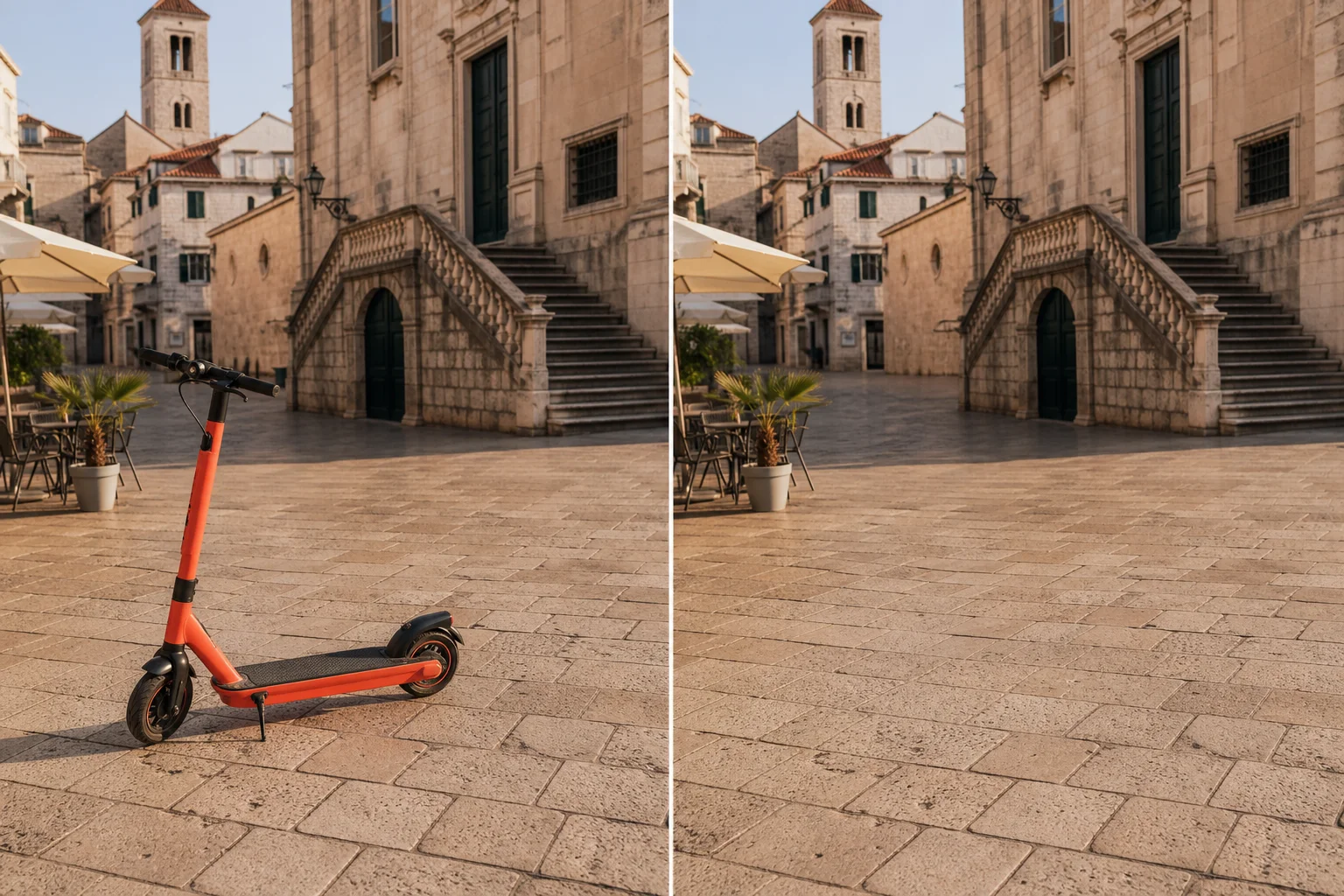
- Asset: /benchmarks/editing-gallery-object-removal.webp. Alt text: Travel photo scene with a marked distracting object removed from the background. Caption: Object removal example for personal and travel images; verify that removed areas do not alter material facts in news, legal, or documentary contexts. Workflow link: /en/product/magic-eraser and /en/academy/object-removal-fundamentals.
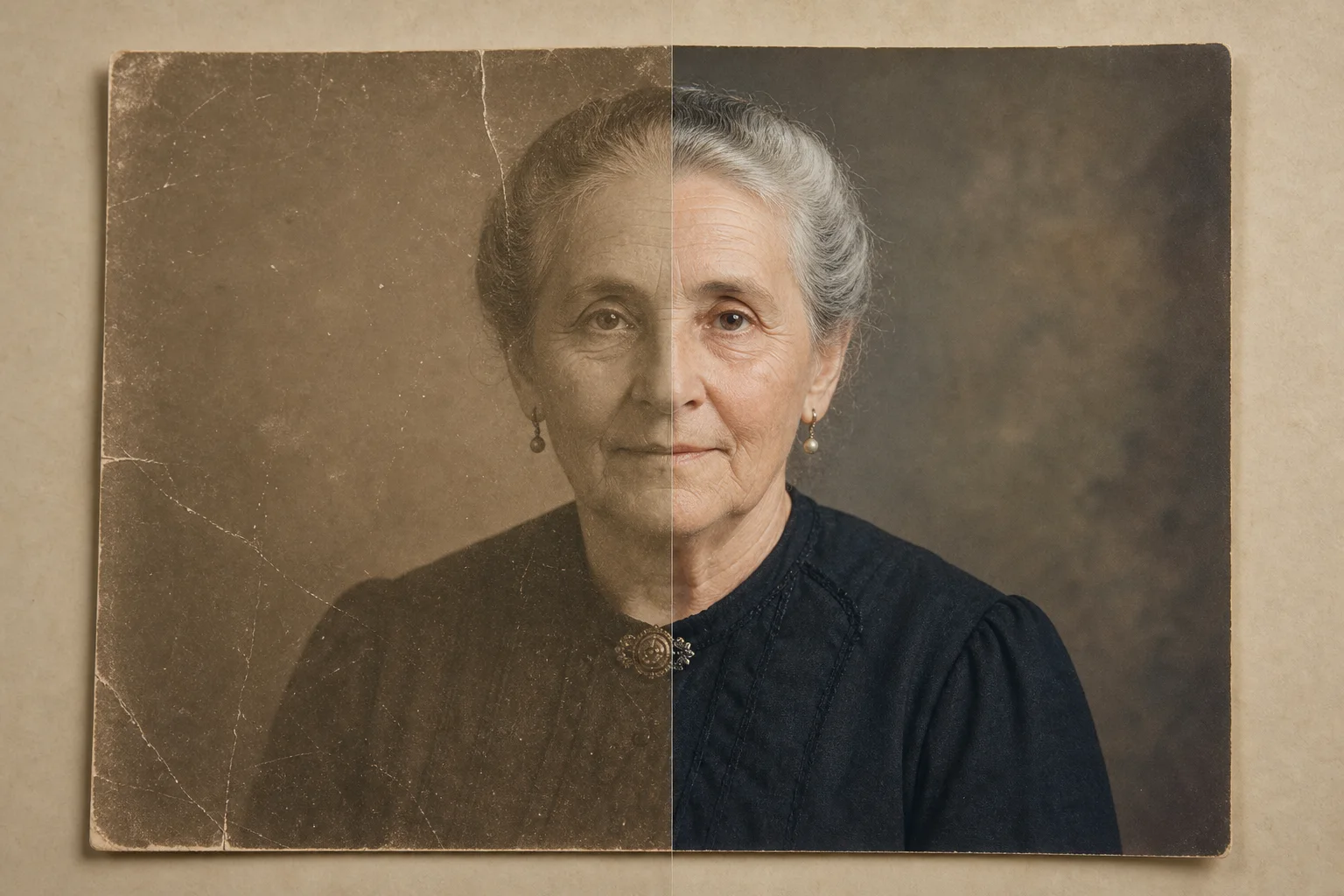
- Asset: /benchmarks/editing-gallery-photo-restoration.webp. Alt text: Old family photo with crease repair areas and conservative restoration notes. Caption: Photo restoration example; repair dust and scratches cautiously and avoid inventing facial features without disclosure. Workflow link: /en/product/ai-enhance and /en/academy/ai-photo-enhancement.
- Asset: /benchmarks/editing-gallery-generative-fill.webp. Alt text: Square social image extended into a wide banner with generated side areas highlighted. Caption: Generative fill and canvas expansion example; inspect repeated textures, text, hands, and brand elements before use. Workflow link: /en/product/ai-fill and /en/academy/generative-fill-techniques.
Limitations and review-safe language
This page does not claim statistically significant performance. The examples are not a substitute for a production benchmark across large image sets, image categories, devices, regions, and network conditions. Results may change as models, compression, export settings, and source image quality change.
Avoid unsupported superlatives. Safer wording includes phrases such as in this reviewed example, suitable for many marketplace cleanup tasks, may require manual review, and inspect before publishing. If a future report includes timed or scored measurements, publish the sample size, image categories, date tested, account tier, device, network conditions, and failure handling rules.
Some edits should not be published without extra context. Removing people from documentary images, altering product condition, changing real estate fixtures, or repairing identity details can mislead viewers. Use disclosure where the edit changes a material fact.
Internal links for next steps
For product workflows, start with /en/product/magic-eraser for object cleanup, /en/product/background-eraser for cutouts and white backgrounds, /en/product/ai-enhance for clarity improvements, and /en/product/ai-fill for selected-area generation. For training content, use /en/academy/object-removal-fundamentals, /en/academy/background-removal-mastery, /en/academy/ecommerce-product-photography, and /en/academy/generative-fill-techniques.
Related blog reading includes /en/blog/ethics-of-ai-object-removal for disclosure decisions, /en/blog/how-to-remove-background-for-ecommerce for marketplace image prep, and /en/blog/photo-editing-workflow-for-marketing-teams for approval workflows.
Visual review set
Example benchmark gallery
These illustrations make the review criteria visible. They are qualitative examples, not measured model scores.


Sources
- Magic Eraser background removal workflow — Magic Eraser
- Object removal fundamentals academy course — Magic Eraser Academy
- AI photo enhancement academy course — Magic Eraser Academy