
AI Photo Enhancement
Understand the fundamentals of AI-powered photo enhancement and learn to fix common image problems automatically. This beginner-friendly course covers lighting correction, sharpening, color grading, and intelligent upscaling.
Course Overview
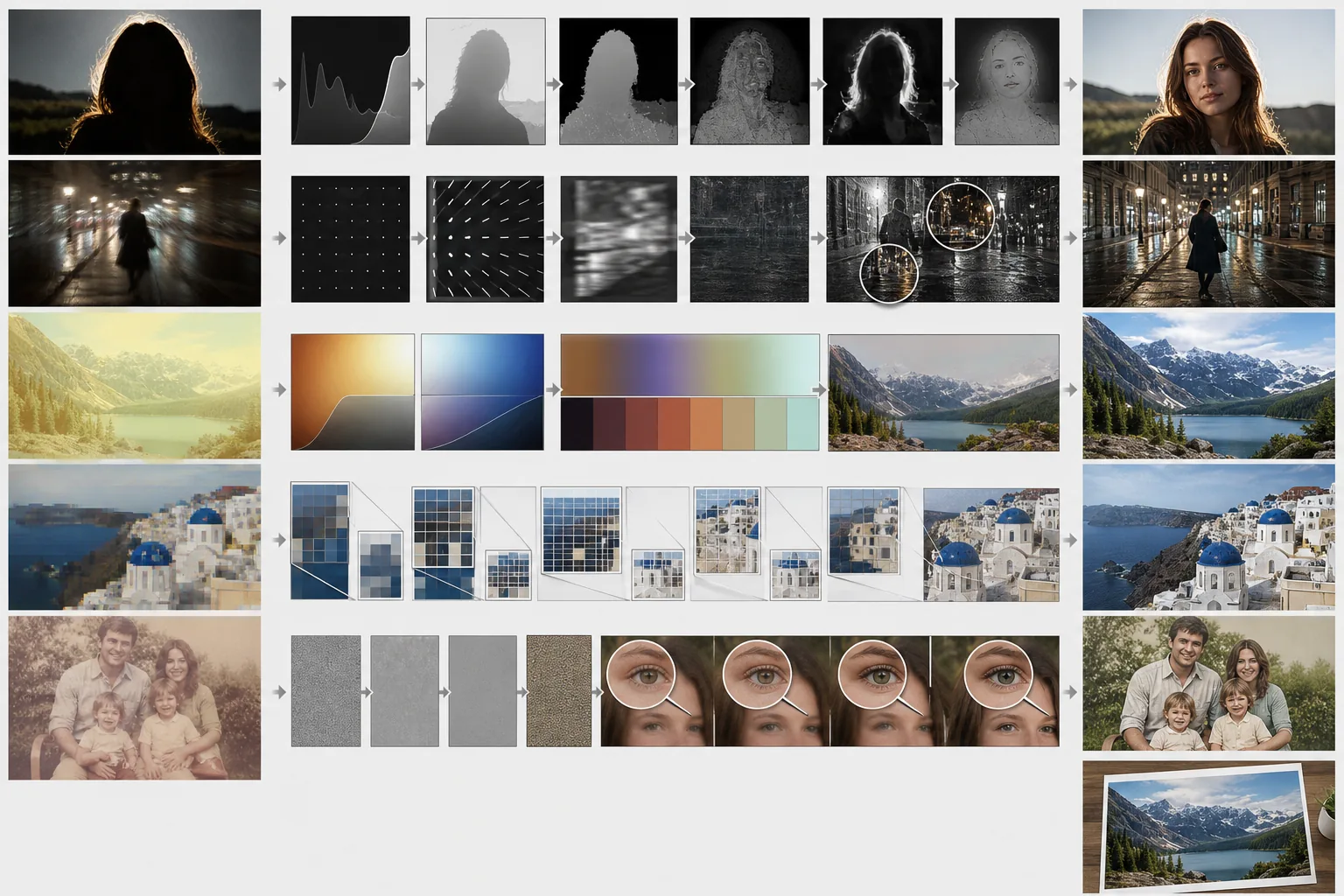
This beginner course introduces the core concepts behind AI photo enhancement and walks you through practical techniques for fixing the most common image quality issues. You will learn to correct exposure, recover detail from blurry photos, apply intelligent color adjustments, and upscale images for any use case.
Course Lessons
How AI Photo Enhancement Works
Learn the fundamentals of how AI models analyze and improve photos automatically.
Correcting Lighting and Exposure
Fix underexposed, overexposed, and backlit photos with AI-powered lighting adjustments that recover lost detail.
Sharpening Blurry and Low-Res Photos
Recover detail and clarity from blurry, soft, or low-resolution images using AI-powered sharpening techniques.
AI Color Correction and Grading
Fix color casts, correct white balance, and apply AI-powered color grading to set the mood of your photos.
Upscaling Images Without Quality Loss
Enlarge photos for print or large displays using AI super-resolution that generates genuine detail rather than blurry enlargement.
Frequently Asked Questions
Will AI enhancement work on very old or damaged photos?
+
AI enhancement can significantly improve old photos by correcting fading, color shifts, and minor damage. For severely damaged images with tears, stains, or large missing sections, you will get the best results by combining AI enhancement with the object removal tool to fix specific damage areas first, then applying overall enhancement.
Does AI enhancement change the original file or create a new one?
+
Magic Eraser always creates a new enhanced copy of your image, leaving the original file untouched. This non-destructive approach means you can always go back to the original if you want to try different enhancement settings or compare results.
How much can AI really improve a low-quality photo?
+
AI enhancement can recover a surprising amount of detail from low-quality photos, but it has practical limits. Photos that are moderately underexposed, slightly blurry, or compressed can often be brought close to the quality of the original scene. Extremely dark, severely blurred, or thumbnail-sized images may improve noticeably but will not reach professional quality levels.
Enhance Your Photos with AI
Apply everything you have learned about AI photo enhancement. Upload any photo and see how AI-powered tools can transform your images in seconds.
Try Magic Eraser freeMore Courses
Continue learning with more photo editing courses.
Master the essential skills of removing unwanted objects from any photo. This beginner-friendly course walks you through AI selection tools, complex scene handling, and batch workflows so you can clean up images with confidence.
BeginnerLearn everything about removing, replacing, and perfecting photo backgrounds. From one-click removal to fine edge work and creative backdrop swaps, this course gives you the skills to produce studio-quality images from any source photo.
IntermediateTurn ordinary product snapshots into professional e-commerce listings. This intermediate course covers marketplace requirements, white-background techniques, lifestyle-to-studio conversions, batch catalog editing, and image optimization strategies that drive higher conversion rates.
BeginnerCreate scroll-stopping social media visuals in minutes, not hours. This course teaches you platform-specific image rules, attention-grabbing editing techniques, brand-consistent content creation, batch workflows for weekly scheduling, and vertical-format optimization for Stories and Reels.
IntermediateProduce listing photos that sell properties faster. This intermediate course teaches you how to evaluate listing imagery, declutter interiors, clean up exterior shots, replace dull skies, and introduce virtual staging elements — all using AI-powered editing tools that save hours compared to traditional retouching.
IntermediateLearn professional portrait retouching techniques that preserve natural skin texture while removing distractions. This course covers everything from subtle skin smoothing to efficient group portrait editing using AI-powered tools.