
School Yearbook Photo Production: Consistent Portraits, Better Event Photos & Clean Candids
School yearbook production means processing 300-2,000+ student portraits, 200-500 event and activity photos, and dozens of candid shots into a cohesive publication — typically managed by a yearbook advisor and a student committee working on a compressed timeline with limited editing skills and no professional photo-production budget. The biggest visual challenge is consistency: portrait photos arrive from picture day with varying background quality, event photos are shot by student photographers in gymnasium lighting, and candids include background clutter that distracts from the moment being captured. Background Eraser, AI Enhance, and Magic Eraser make it possible to produce a professionally consistent yearbook without professional editing skills or budget.
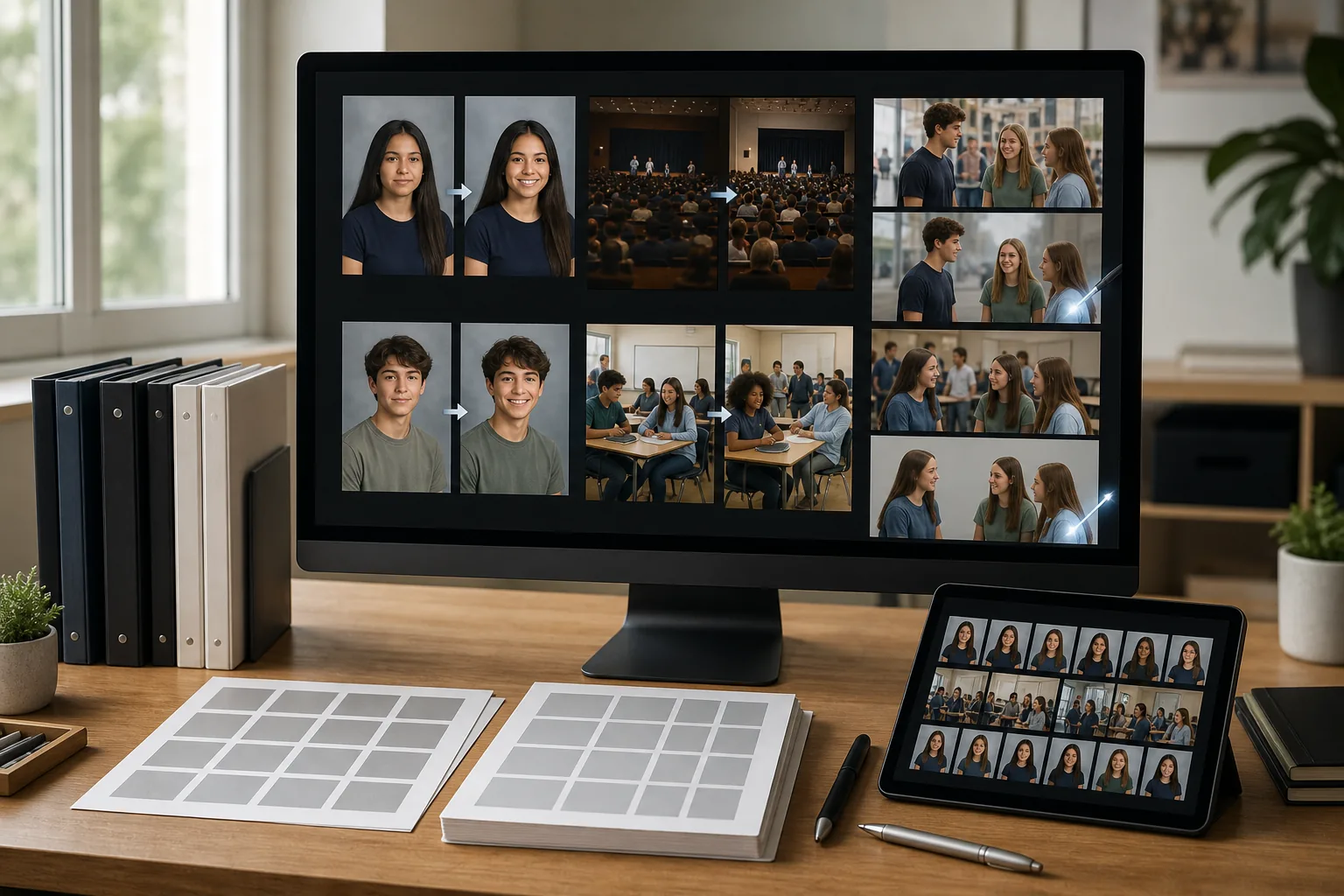
Portrait backgrounds are inconsistent across retake days and makeshift setups
Picture day portraits ideally arrive with consistent studio-blue or gray backgrounds, but the reality at many schools is different — the photographer's backdrop wrinkles or shifts between students, retake-day photos use a different background setup, transfer students bring portraits from their previous school with entirely different backgrounds, and some photos are taken against hallway walls or classroom corners when the studio setup wasn't available. The yearbook portrait grid amplifies these inconsistencies because 20-30 photos appear on the same page, making every background variation visually obvious.
Event photos shot by students in bad lighting look unprofessional
Gymnasium lighting, cafeteria fluorescents, auditorium stage lights, and outdoor field conditions produce event photos with mixed color temperatures, harsh shadows, underexposure, and color casts that make the yearbook's activity pages look amateurish compared to the portrait pages. Student photographers do their best but are working with smartphone cameras and no lighting equipment in environments designed for function rather than photography. Without post-production enhancement, these photos drag down the overall quality of the yearbook.
Candid photos include background elements that shouldn't appear in a school publication
Candid shots captured throughout the school year inevitably include elements that shouldn't appear in a printed publication sent home to families — other students who don't have photo-release consent, visible student names on assignments or lockers, inappropriate background content on screens or posters, and brand logos on clothing or products that create unintended commercial associations. Manually reviewing and editing hundreds of candids for these issues is a time burden the yearbook committee rarely has bandwidth for.
How Magic Eraser fits the yearbook production workflow
Collect and organize all portrait photos by grade and section
Gather portrait photos from picture day, retake day, and any supplementary portrait submissions from families of students who missed both sessions. Organize by grade level and homeroom or section for the layout. Identify the portraits with non-standard backgrounds — retake-day photos, transfer-student photos, and any photos taken outside the studio setup. These are the portraits that need background standardization before the layout begins.
Run Background Eraser on all non-standard portraits for grid consistency
Open each portrait with a non-standard background in Background Eraser and remove the original background. Replace with the same solid color or gradient used in the studio portraits so every portrait on the page grid matches. For schools that want a more modern look, replace all portraits' backgrounds — even the studio ones — with a consistent school-color background for complete uniformity. At 30 seconds per portrait, processing 50-100 non-standard backgrounds takes 25-50 minutes.
Enhance event and activity photos with AI Enhance
Run AI Enhance across the event-photo collection to correct the lighting issues that are endemic to school photography: brighten underexposed gymnasium shots, neutralize the green cast from fluorescent cafeteria lighting, lift shadow detail in auditorium photos, and sharpen the soft focus from smartphone cameras in low light. For outdoor event photos, correct the overexposure from direct sunlight and warm up the color temperature of overcast-day shots. The goal is bringing every event photo up to a consistent, printable quality level.
Clean up candids with Magic Eraser
Review the candid-photo selections and use Magic Eraser to remove elements that shouldn't appear in print: students without photo-release consent visible in the background, visible names on papers or screens, distracting signage, stray equipment or trash in the frame, and any other elements the yearbook advisor flags. For action shots from sports or performances, remove background distractions that pull attention away from the featured students so the moment reads clearly on the printed page.
Export all processed photos at print-resolution for the yearbook layout
Export every processed photo at 300 DPI minimum at the physical dimensions it will appear in the yearbook layout. Portrait-grid photos are typically 1.5x2 inches (450x600px at 300 DPI), event photos range from quarter-page to full-page (depending on layout), and candid photos vary by placement. Delivering consistently sized, print-resolution exports to the layout stage prevents the scaling artifacts and pixelation that mark amateur yearbooks. Save the processed files organized by section so the layout team can place them directly.
Frequently Asked Questions
Can student yearbook committee members handle this editing workflow?
+
Yes — that's a key advantage of the AI-assisted approach. Traditional photo editing in Photoshop requires skills most students don't have and a learning curve the yearbook timeline doesn't accommodate. Background Eraser, AI Enhance, and Magic Eraser are point-and-click tools that produce professional results without requiring the student to understand layers, masking, curves, or color theory. A yearbook committee member can learn the full workflow in a 30-minute training session and be productive immediately.
How do we handle students who don't have photo-release consent?
+
Students without photo-release consent (opt-outs) cannot appear identifiable in the yearbook beyond their individual portrait page entry, which is governed by the school's enrollment directory policy. When an opt-out student appears in a group photo, event photo, or candid, use Magic Eraser to remove them from the frame or blur their face to make them unidentifiable. The yearbook advisor should maintain the opt-out list and brief the editing team before the candid-review session so every instance is caught.
What's a realistic timeline for photo editing in a yearbook production schedule?
+
For a typical K-12 yearbook with 400-800 portraits and 200-300 event/candid photos, the AI-assisted editing workflow takes approximately 15-25 hours total: 3-5 hours for portrait background standardization, 4-6 hours for event-photo enhancement, 4-8 hours for candid review and cleanup, and 4-6 hours for export and organization. Spread across a yearbook committee of 3-5 students working after school, this fits comfortably in a 2-3 week editing window within the production schedule.
Produce a professional yearbook without a professional budget
Background Eraser standardizes portrait backgrounds, AI Enhance rescues event photos from gymnasium lighting, and Magic Eraser cleans up candids — so your yearbook committee produces print-quality results with student-level skills. Free tier on web, iOS, and Android.
Try Magic Eraser freeRelated use cases
See how professionals use these tools in real-world workflows.
Listing photos cluttered with personal items, parked cars, or construction equipment can turn buyers away. Magic Eraser uses AI to clean up your property photos instantly — no Photoshop skills required.
Product listings need clear images before shoppers can judge the item. Magic Eraser helps sellers remove messy backgrounds, table edges, labels, props, glare, and other distractions so each product photo is easier to review before publishing.
Photobombers ruining your travel pics? Messy backgrounds killing your selfie game? Stop wasting hours in Photoshop. Magic Eraser removes distractions, cleans up cluttered shots, and expands your photos to fit any platform format — all in one tap.
Related comparisons
See how Magic Eraser compares to similar tools.
TouchRetouch is a popular paid mobile app for removing objects and blemishes. Magic Eraser offers free AI-powered editing on any device with no install required. See how they compare across features, pricing, and ease of use.
Cleanup.pictures is a free web tool with one generic eraser brush. Magic Eraser gives you 100+ purpose-built removal tools — one for emoji, glasses, watermarks, sky, power lines, and dozens more — plus background removal, AI enhance, and mobile apps, in 16 languages. See how breadth changes the result.
remove.bg is the market leader for background removal, offering a powerful API and integrations with Photoshop and Figma. Magic Eraser goes further with eight AI-powered editing tools — from object removal and generative fill to AI enhance and design — all in one editor.
Two powerful AI photo editors with different strengths. Magic Eraser offers a broader set of generative AI tools for creative editing, while Photoroom excels at e-commerce product photography and batch processing. See which fits your workflow.
Related guides
Explore more guides and editorial content related to this workflow.
Learn how to use Magic Eraser to remove objects, people, text, and distractions from photos with cleaner AI editing results.
Learn how to remove people from photos using AI in seconds. Step-by-step guide for travel photos, real estate shots, and product images.
Step-by-step guide to removing watermarks from your own photos using AI. Learn when it is appropriate, the best techniques, and how Magic Eraser handles it.