
Craft & Handmade Product Photos: Etsy, Craft Fairs & Maker Markets
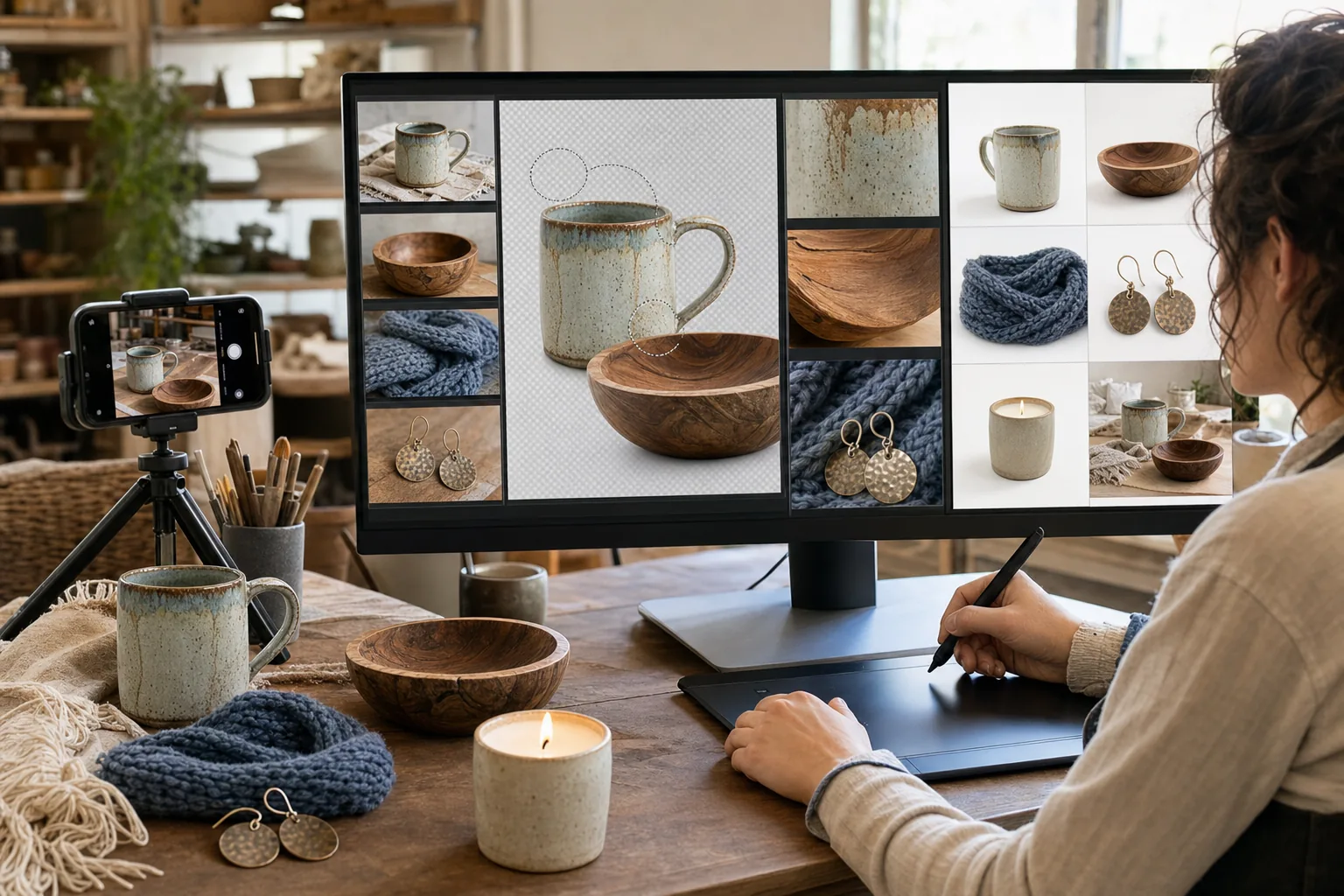
Handmade sellers compete against mass-produced alternatives on visual presentation — and the price premium of handcrafted work only holds when the product photos communicate the material quality, craftsmanship detail, and tactile appeal that distinguish a $45 handmade ceramic mug from a $12 factory version. Most makers photograph their work on kitchen tables, workshop benches, or craft-fair booth surfaces using phone cameras that flatten texture and lose the material detail that justifies the price. Background Eraser creates clean, professional product presentations, while AI Enhance reveals the wood grain, fiber texture, glaze variation, and handmade character that makes the work worth the premium.
Kitchen-table and workshop backgrounds signal hobbyist rather than professional maker
The Etsy marketplace has matured to the point where buyers expect product photography that approaches retail quality. A ceramic bowl photographed on a kitchen counter with visible grout lines, a knitted scarf draped over a dining chair, or jewelry laid out on a craft-fair tablecloth all signal 'hobby seller' rather than 'professional maker' — and the perception directly impacts the buyer's willingness to pay handmade-premium prices. Background Eraser isolates the handmade product from the domestic or workshop background and replaces it with a clean surface that shifts buyer perception from 'homemade' to 'artisan-crafted.' The product's character communicates through its own texture and form rather than competing with an environment.
Phone cameras flatten the texture and material detail that distinguishes handmade work
The entire value proposition of handmade products lives in their material character — the irregular glaze on a ceramic piece, the grain pattern in turned wood, the stitch variation in hand-knit textiles, the hammer marks on forged metal, the natural dye variation in fiber work. Phone cameras under typical indoor lighting compress this texture into a flat, detail-less image that makes the handmade piece look indistinguishable from a factory product in the listing thumbnail. AI Enhance recovers and amplifies material texture, bringing out the grain, glaze, fiber, and surface character that justifies the handmade price premium and communicates the tactile quality the buyer cannot feel through a screen.
Batch photography for craft-fair and holiday-season inventory is a time crunch
Craft sellers preparing for the holiday season, a craft fair, or an Etsy shop launch need to photograph 20-100 products in a compressed timeframe. Setting up a studio-quality background for each item, adjusting lighting, and shooting multiple angles per product can consume an entire weekend for a 50-item batch. For makers who would rather spend that weekend making inventory than photographing it, the batch photo shoot often gets rushed — resulting in inconsistent backgrounds, varying lighting, and photos that do not do the work justice. The AI workflow reduces the photography burden: shoot quickly against any convenient surface, then batch-process backgrounds and enhancement in post.
How Magic Eraser fits the handmade product photo workflow
Photograph products in natural light with a simple setup
Position products near a window for soft, directional natural light — the most flattering and accurate light for handmade materials. Use any clean surface as a base (you will replace it). Photograph each product from 4-6 angles: front view, three-quarter angle, top-down for flat items, detail shots of material texture and craftsmanship (glaze detail, joinery, stitching, patina), and a scale-reference shot with a common object if the size is not obvious. For items with functional features (a mug handle, a clasp, a lid), photograph the feature in use. Batch 10-30 items per session to maximize the time investment.
Replace backgrounds with Background Eraser for catalog-quality presentation
Run the hero shots through Background Eraser. For Etsy and online marketplaces, white backgrounds are the standard for the primary listing photo — they maximize visibility in search results and create a consistent, professional shop appearance. For lifestyle-styled secondary photos, consider soft neutral backgrounds (warm linen tones for organic products, cool gray for metalwork, earth tones for woodwork). Process the full batch in one sitting to maintain visual consistency across the shop. For products with complex silhouettes (openwork jewelry, items with thin handles, translucent glass), review edge detection carefully.
Enhance material detail with AI Enhance
Run AI Enhance on both the hero product shots and the detail photos. The enhancement should bring out the texture and material character that phone cameras under-represent: wood grain becomes visible and dimensional, ceramic glaze variation becomes apparent, fiber texture shows individual strands, metalwork shows hammer marks and patina, and surface finishes reveal their actual character. This step is particularly important for the detail photos that communicate craftsmanship — a buyer who can see the grain of hand-carved wood or the variation in a hand-dipped glaze is more willing to pay the handmade premium than a buyer looking at a flat, texture-less image.
Build a consistent shop presence across selling channels
Upload the enhanced product photos to Etsy (primary listing photo on white, lifestyle shots as secondary), your own website, Instagram and Pinterest (where handmade product discovery drives significant traffic), and any craft-fair pre-event marketing. Maintain visual consistency: same background treatment, same enhancement style, same angle conventions across all products. A visually cohesive shop signals a professional maker operation and encourages buyers to browse the full catalog and purchase multiple items. Refresh product photography seasonally — the same mug photographed with winter and summer styling keeps the shop feeling current.
Frequently Asked Questions
Will removing the background make handmade products look mass-produced?
+
No — the opposite. A clean background directs all visual attention to the product itself, where the handmade character is most evident. The irregular glaze, the wood grain, the stitch variation, the organic shape — all of these handmade qualities are more visible against a clean background than they are competing against a busy kitchen table. The product's own texture and character communicate 'handmade'; the background communicates 'professional presentation.' The combination is artisan-quality product in retail-quality photography, which is exactly the perception that supports handmade pricing.
How important are detail shots compared to the main product photo for handmade items?
+
For handmade products, detail shots are arguably more important than for any other product category. They serve as the buyer's proxy for the tactile experience they cannot have online — seeing the glaze variation, the grain pattern, the fiber texture, the joinery quality. Include 2-3 detail shots per listing that zoom into the aspects of the work that distinguish it from a factory version. AI Enhance these detail shots aggressively to bring out maximum texture and material character. These photos justify the price premium more effectively than any listing description, because the buyer processes the visual evidence of quality faster than they read the words.
Should I include lifestyle or styled photos alongside clean product shots?
+
Yes — use a mix. The primary listing photo should be the product on a clean background for maximum thumbnail visibility and search-result competitiveness. Secondary photos should include both detail shots (for quality communication) and 1-2 lifestyle shots that show the product in context (a mug with coffee, a scarf styled on a person, a candle in a room setting). Lifestyle photos help buyers envision the product in their own life, which is particularly important for gift purchases and home-decor items. The AI workflow handles both: Background Eraser for the clean primary shot, AI Enhance for the detail and lifestyle photos.
How many products can I realistically photograph and edit in a single session?
+
With the batch workflow, a single session can cover 20-30 products: 1-2 hours of photography (capturing 4-6 shots per product in natural light) followed by 30-60 minutes of AI editing (background replacement on hero shots, enhancement on detail shots). This pace is sustainable for weekly inventory updates and manageable for the holiday-season batch that most handmade sellers need to prepare. If you have 50+ products to launch at once, split into two sessions to avoid fatigue-driven quality decline in the photography. The AI editing step does not degrade with volume — the last image gets the same processing quality as the first.
Let your craftsmanship speak through the photos
Background Eraser creates clean product presentations from kitchen-table captures. AI Enhance reveals the wood grain, glaze variation, and fiber texture that justify handmade pricing. Professional product photos at maker-friendly speed and cost. Free tier on web, iOS, and Android.
Try Magic Eraser freeRelated use cases
See how professionals use these tools in real-world workflows.
Listing photos cluttered with personal items, parked cars, or construction equipment can turn buyers away. Magic Eraser uses AI to clean up your property photos instantly — no Photoshop skills required.
Product listings need clear images before shoppers can judge the item. Magic Eraser helps sellers remove messy backgrounds, table edges, labels, props, glare, and other distractions so each product photo is easier to review before publishing.
Remove a distracting background and replace it with a clean solid color for a passport, visa, or ID photo. Because requirements vary by document and country, confirm the current official color, crop, size, and submission rules before you apply.
Related comparisons
See how Magic Eraser compares to similar tools.
TouchRetouch is a popular paid mobile app for removing objects and blemishes. Magic Eraser offers free AI-powered editing on any device with no install required. See how they compare across features, pricing, and ease of use.
Cleanup.pictures is a free web tool with one generic eraser brush. Magic Eraser gives you 100+ purpose-built removal tools — one for emoji, glasses, watermarks, sky, power lines, and dozens more — plus background removal, AI enhance, and mobile apps, in 16 languages. See how breadth changes the result.
remove.bg is the market leader for background removal, offering a powerful API and integrations with Photoshop and Figma. Magic Eraser goes further with eight AI-powered editing tools — from object removal and generative fill to AI enhance and design — all in one editor.
Two powerful AI photo editors with different strengths. Magic Eraser offers a broader set of generative AI tools for creative editing, while Photoroom excels at e-commerce product photography and batch processing. See which fits your workflow.
Related guides
Explore more guides and editorial content related to this workflow.
Learn how to use Magic Eraser to remove objects, people, text, and distractions from photos with cleaner AI editing results.
Learn how to remove people from photos using AI in seconds. Step-by-step guide for travel photos, real estate shots, and product images.
Step-by-step guide to removing watermarks from your own photos using AI. Learn when it is appropriate, the best techniques, and how Magic Eraser handles it.