
Yearbook Photo Editing with AI Tools
Yearbook photos need consistent backgrounds, even lighting, and clean portraits. Magic Eraser helps schools, studios, and parents get professional-looking results without expensive retouching workflows.
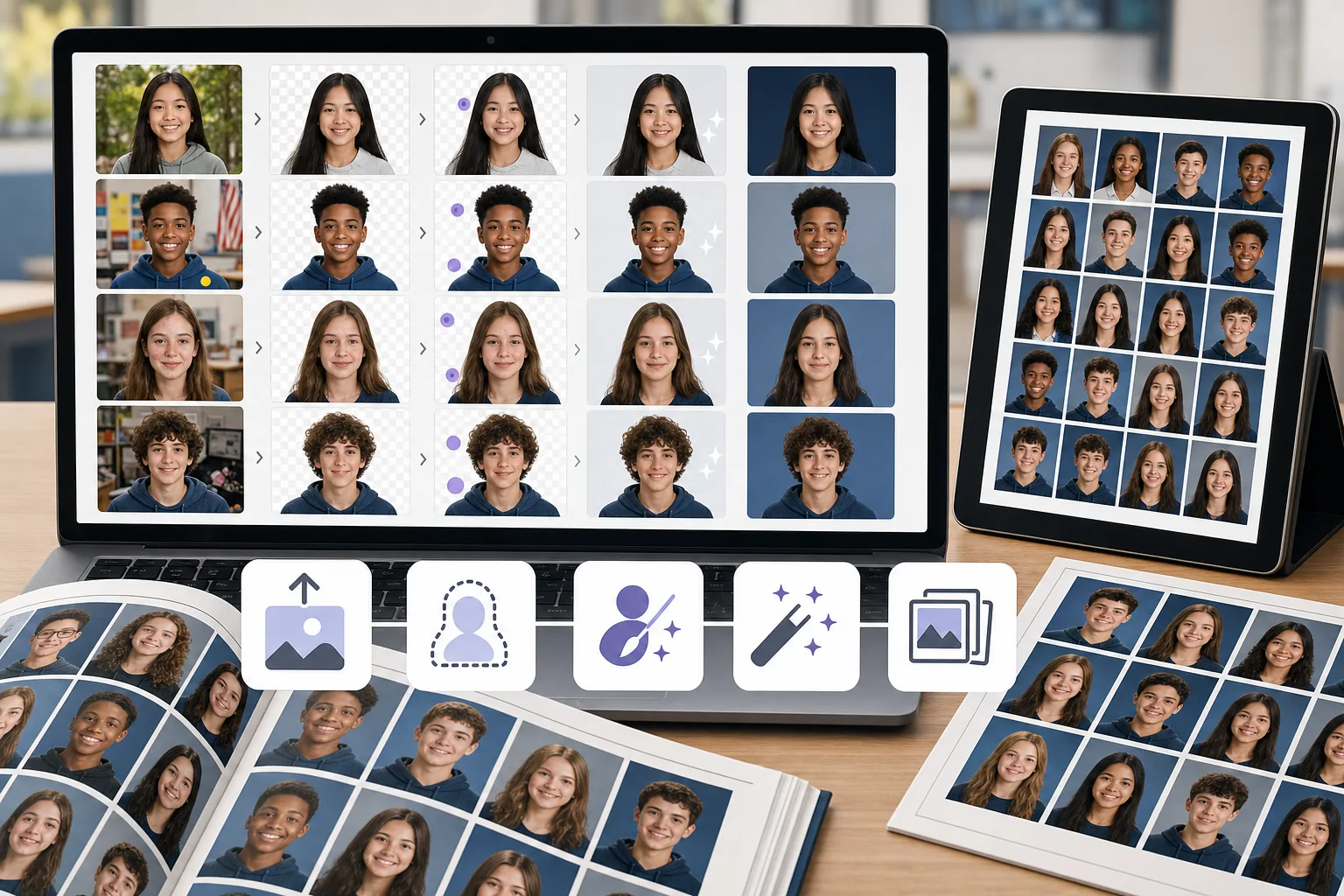
Inconsistent backgrounds across photos
Different students shot in different locations or on different days means backgrounds vary in color, texture, and lighting. Standardizing them manually is time-consuming.
Blemishes and distractions in portraits
Stray hairs, skin blemishes, stickers on clothing, and background objects all need cleanup to produce polished yearbook portraits.
Large batch sizes with tight deadlines
Yearbook teams process hundreds of portraits on a deadline. Any per-image editing bottleneck multiplies across the full class roster.
How Magic Eraser Helps with Yearbook Photos
Upload the portrait
Open Magic Eraser and upload a student portrait or batch of photos that need cleanup.
Remove or replace the background
Use background removal to isolate the subject, then place them on a clean, consistent yearbook background.
Clean up distractions
Erase blemishes, stray objects, or uneven lighting artifacts with the AI eraser tool.
Enhance and export
Apply AI enhancement to sharpen the portrait and balance exposure, then export at print resolution.
Frequently Asked Questions
Can Magic Eraser replace yearbook photo backgrounds?
+
Yes. Use background removal to isolate the student, then place the portrait on any solid or branded background for a consistent yearbook look.
Is this suitable for school yearbook teams?
+
Yes. Magic Eraser is easy enough for yearbook committee members and parent volunteers to use without professional editing experience.
Can I remove blemishes from student portraits?
+
Yes. The eraser tool works well for removing skin blemishes, stickers, and small distractions from portrait shots.
Does Magic Eraser work for group photos too?
+
Yes. You can clean up group photos by removing background distractions, enhancing lighting, and fixing composition issues.
What resolution can I export yearbook photos at?
+
Available export size depends on the selected enhancement and account options. Before submitting files, compare the downloaded pixel dimensions with your yearbook printer’s required size and DPI.
Get yearbook portraits looking their best
Try Magic Eraser free and clean backgrounds, fix distractions, and enhance student portraits without expensive software.
Try Magic Eraser freeRelated use cases
See how professionals use these tools in real-world workflows.
Listing photos cluttered with personal items, parked cars, or construction equipment can turn buyers away. Magic Eraser uses AI to clean up your property photos instantly — no Photoshop skills required.
Product listings need clear images before shoppers can judge the item. Magic Eraser helps sellers remove messy backgrounds, table edges, labels, props, glare, and other distractions so each product photo is easier to review before publishing.
Remove a distracting background and replace it with a clean solid color for a passport, visa, or ID photo. Because requirements vary by document and country, confirm the current official color, crop, size, and submission rules before you apply.
Related comparisons
See how Magic Eraser compares to similar tools.
TouchRetouch is a popular paid mobile app for removing objects and blemishes. Magic Eraser offers free AI-powered editing on any device with no install required. See how they compare across features, pricing, and ease of use.
Cleanup.pictures is a free web tool with one generic eraser brush. Magic Eraser gives you 100+ purpose-built removal tools — one for emoji, glasses, watermarks, sky, power lines, and dozens more — plus background removal, AI enhance, and mobile apps, in 16 languages. See how breadth changes the result.
remove.bg is the market leader for background removal, offering a powerful API and integrations with Photoshop and Figma. Magic Eraser goes further with eight AI-powered editing tools — from object removal and generative fill to AI enhance and design — all in one editor.
Two powerful AI photo editors with different strengths. Magic Eraser offers a broader set of generative AI tools for creative editing, while Photoroom excels at e-commerce product photography and batch processing. See which fits your workflow.
Related guides
Explore more guides and editorial content related to this workflow.
Learn how to use Magic Eraser to remove objects, people, text, and distractions from photos with cleaner AI editing results.
Learn how to remove people from photos using AI in seconds. Step-by-step guide for travel photos, real estate shots, and product images.
Step-by-step guide to removing watermarks from your own photos using AI. Learn when it is appropriate, the best techniques, and how Magic Eraser handles it.