
Thrift & Resale Photos: Poshmark, Depop, Mercari & eBay Listings
Resale is a volume business — successful Poshmark, Depop, Mercari, and eBay clothing sellers list 20-100+ items per week, each requiring 4-8 photos that compete against both other resellers and brand-direct retail listings. The visual gap between a reseller's bedroom flat-lay and a brand's studio product shot is the gap between a quick scroll-past and a sale. Background Eraser and Magic Eraser close that gap at the speed and scale resale economics demand, turning phone photos of thrift-sourced inventory into marketplace-competitive product listings without a studio, a lightbox, or per-item editing time that would destroy the margin on a $15 shirt.
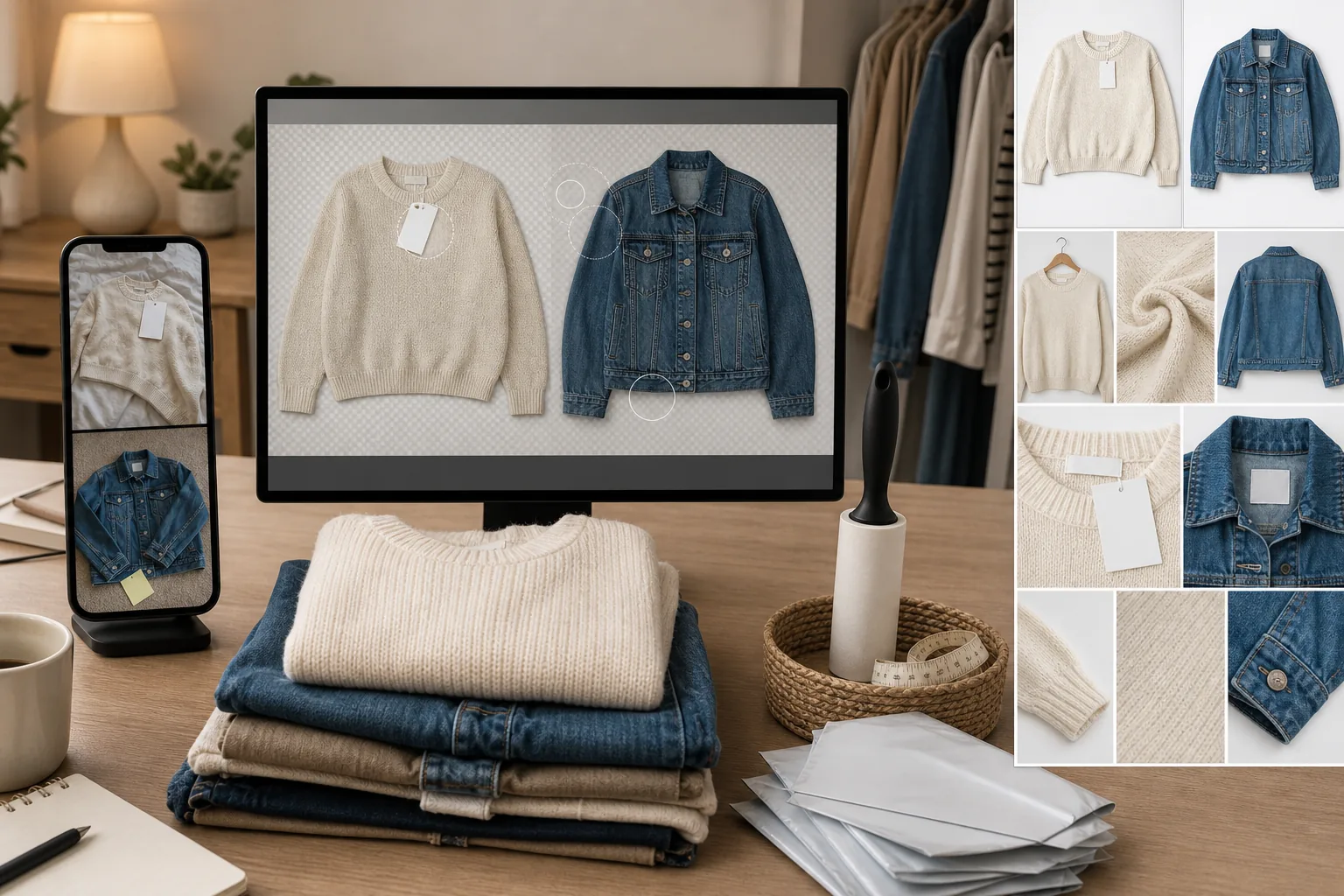
Bedroom floors, wrinkled sheets, and carpet backgrounds signal amateur seller
The resale marketplace ecosystem has a visual hierarchy: brand-direct listings use studio white backgrounds, top resellers use clean flat-lay setups or dress forms, and new or casual sellers use whatever surface is available — bed sheets, carpet, hardwood floors with visible dust, bathroom tiles. Buyers process this visual hierarchy in the first second of seeing the listing thumbnail. A carpet-background photo triggers 'amateur seller' pattern matching that reduces trust in item condition, authenticity, and shipping reliability. Background Eraser replaces the bedroom-floor background with a clean white or neutral surface that positions the listing at the visual quality tier buyers associate with reliable sellers.
Thrift-sourced items have tags, price stickers, and condition issues that need visual management
Items sourced from thrift stores, estate sales, and clearance racks come with thrift-store price tags, original retail tags the seller wants to show for authentication, clearance stickers, security-tag marks, and sometimes minor condition issues (small stains, pilling, thread pulls) that need to be disclosed in the listing text but should not dominate the listing photos. Magic Eraser removes thrift-store tags and price stickers from the primary listing photos while preserving the garment detail. The original retail tags, brand labels, and care labels should be photographed separately as authentication proof and left unedited.
Volume economics do not support per-item editing time beyond 2-3 minutes
A reseller listing a $20 thrift-sourced shirt with a 50-60% margin has $10-$12 of gross profit per item. Spending 15-20 minutes manually editing each item's photos (background removal in Photoshop, retouching, color correction) reduces the effective hourly rate below minimum wage when factored across 50-100 listings per week. The resale business model requires photo editing speed of 2-3 minutes per item maximum to maintain sustainable hourly economics. Background Eraser processes a garment photo in seconds, not minutes — making marketplace-quality backgrounds economically viable at resale volume.
How Magic Eraser fits the resale listing workflow
Photograph inventory in batch sessions with consistent setup
Set up a simple flat-lay surface (any solid-color fabric or foam board) or a hanger on a door/wall hook with reasonable lighting (near a window for natural light is ideal). Photograph items in batch — 10-30 items per session — capturing 4-8 shots per item: flat-lay overview, detail shots of brand label, size tag, any flaws for disclosure, and 1-2 styling shots if applicable. Accept that the background will not be perfect — wrinkles, shadows, surface texture, and edge objects will be handled in the next step. Batch photography is faster than individual-item styling.
Background Eraser for clean marketplace-standard product presentation
Run the hero shot of each item through Background Eraser to isolate the garment on a clean white background. White backgrounds are the marketplace standard for Poshmark, Mercari, and eBay — they maximize thumbnail visibility, create visual consistency across your closet, and position your listings at the professional-seller tier. For Depop, where the marketplace aesthetic is more editorial and styled, consider keeping the background or replacing with a branded color that establishes your shop identity. Process the batch in one sitting — 30 items at seconds per image takes 10-15 minutes total.
Magic Eraser for tag removal and minor cleanup
Use Magic Eraser brush on items that have visible thrift-store tags, price stickers, or security-tag marks in the hero shot. Remove these from the primary listing photos — they signal sourcing method and can reduce perceived value. Leave original brand tags, care labels, and size tags unedited as they serve as authentication proof. For items with minor condition issues (small stains, light pilling) that you are disclosing in the listing text, consider keeping them visible in one photo for honesty but removing them from the hero shot so the listing thumbnail is clean.
Upload and list at scale with consistent visual identity
Upload the processed photos to your marketplace platform. Maintain a consistent first-photo format across all listings — the same background, the same flat-lay or hanger style, the same orientation. Visual consistency across your closet or shop signals professional operation and encourages buyers to browse multiple listings, increasing average order value through bundle offers. Cross-list the same photos to multiple platforms (Poshmark, Mercari, eBay, Depop) to maximize exposure. The clean, marketplace-standard photos you produced in batch transfer directly across platforms without per-platform reformatting.
Frequently Asked Questions
Is it dishonest to remove thrift-store tags from listing photos?
+
No. Thrift-store price tags are not part of the item and will be removed before shipping. Showing them in the listing photo only communicates your sourcing method, which buyers do not need for their purchase decision and which can reduce perceived value ('why should I pay $25 for something you bought for $4?'). The listing should accurately disclose the item's condition, brand, size, and any flaws — these disclosures happen in the listing text and in dedicated detail photos. The hero shot's job is to show the item at its best, which means without sourcing artifacts.
Do I need to disclose condition issues even if I edit them out of photos?
+
Yes, absolutely. Marketplace terms of service and basic seller ethics require accurate condition disclosure in the listing description. Remove condition issues from the hero shot if you want a cleaner thumbnail, but include a separate unedited photo showing any flaws (stains, pilling, wear, damage) and describe them explicitly in the listing text. Buyers who receive items with undisclosed condition issues leave negative reviews and open returns — both of which cost more than the sale was worth. Transparent disclosure with professional-quality photos is the combination that builds seller reputation and repeat buyers.
What background color works best for resale marketplace listings?
+
White is the universal standard and the safest choice for Poshmark, Mercari, and eBay because it maximizes garment visibility in thumbnail view, matches the visual language of brand-direct listings, and creates a clean, consistent closet when buyers browse your shop. For Depop, where the marketplace culture is more editorial, colored backgrounds (soft pastels, earth tones, or a signature brand color) can differentiate your shop. If you sell primarily dark garments (black clothing, denim, dark outerwear), a light gray background provides slightly more contrast than pure white. Background Eraser lets you swap colors across your inventory, so you can test which background drives higher engagement for your specific product mix.
How many photos should each resale listing include?
+
Most platforms allow 8-16 photos per listing. Use 5-8 for the best balance of thoroughness and effort: (1) hero flat-lay or hanger shot on clean background, (2) detail shot of brand label for authentication, (3) size/care tag, (4) any flaws or condition notes, (5) styling shot or on-body if applicable, (6-8) additional angles or details for premium items. For items under $20, 4-5 photos is sufficient. For items over $50, use the full photo allowance — higher-priced items deserve more visual evidence because buyers are taking a larger financial risk. The Background Eraser and cleanup workflow applies to the hero shot; detail and flaw photos should be unedited for transparency.
List faster, sell more, keep your margins
Background Eraser turns bedroom flat-lays into marketplace-standard product photos in seconds. Magic Eraser removes thrift tags and price stickers. Professional-quality resale listings at the speed your volume demands. Free tier on web, iOS, and Android.
Try Magic Eraser freeRelated use cases
See how professionals use these tools in real-world workflows.
Listing photos cluttered with personal items, parked cars, or construction equipment can turn buyers away. Magic Eraser uses AI to clean up your property photos instantly — no Photoshop skills required.
Product listings need clear images before shoppers can judge the item. Magic Eraser helps sellers remove messy backgrounds, table edges, labels, props, glare, and other distractions so each product photo is easier to review before publishing.
Photobombers ruining your travel pics? Messy backgrounds killing your selfie game? Stop wasting hours in Photoshop. Magic Eraser removes distractions, cleans up cluttered shots, and expands your photos to fit any platform format — all in one tap.
Related comparisons
See how Magic Eraser compares to similar tools.
TouchRetouch is a popular paid mobile app for removing objects and blemishes. Magic Eraser offers free AI-powered editing on any device with no install required. See how they compare across features, pricing, and ease of use.
Cleanup.pictures is a free web tool with one generic eraser brush. Magic Eraser gives you 100+ purpose-built removal tools — one for emoji, glasses, watermarks, sky, power lines, and dozens more — plus background removal, AI enhance, and mobile apps, in 16 languages. See how breadth changes the result.
remove.bg is the market leader for background removal, offering a powerful API and integrations with Photoshop and Figma. Magic Eraser goes further with eight AI-powered editing tools — from object removal and generative fill to AI enhance and design — all in one editor.
Two powerful AI photo editors with different strengths. Magic Eraser offers a broader set of generative AI tools for creative editing, while Photoroom excels at e-commerce product photography and batch processing. See which fits your workflow.
Related guides
Explore more guides and editorial content related to this workflow.
Learn how to use Magic Eraser to remove objects, people, text, and distractions from photos with cleaner AI editing results.
Learn how to remove people from photos using AI in seconds. Step-by-step guide for travel photos, real estate shots, and product images.
Step-by-step guide to removing watermarks from your own photos using AI. Learn when it is appropriate, the best techniques, and how Magic Eraser handles it.