
Insurance Claim Photo Editing: A Documentation-Safe Workflow
Claim photos may become part of an evidentiary record. Keep every original file unchanged, including its metadata, and follow the insurer’s submission rules. If edits are permitted, AI Enhance can create a clearly labeled viewing copy for easier review. Do not use Magic Eraser on a photo submitted as evidence: removing an object can change context, even when it appears unrelated.
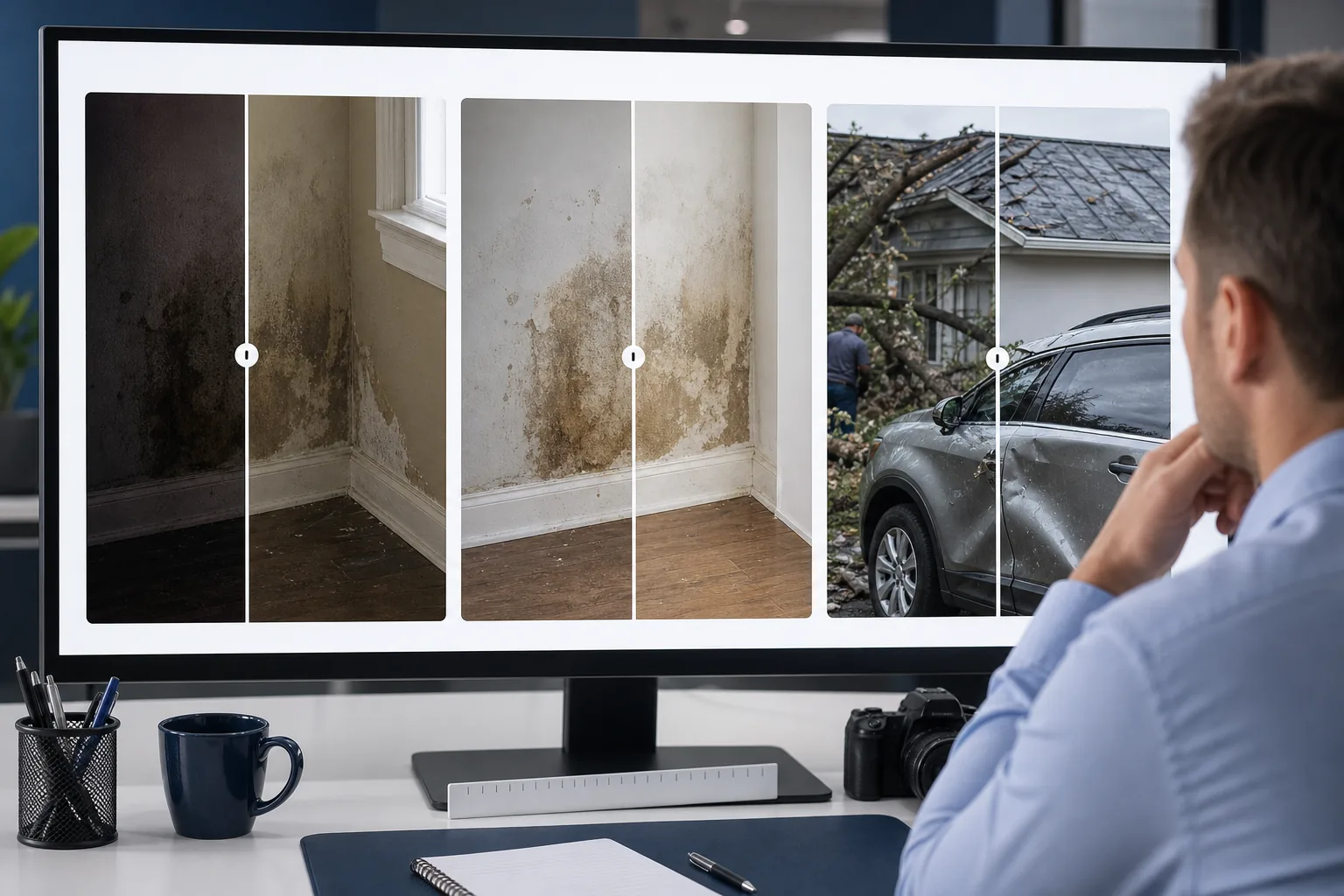
Poor lighting and smartphone quality obscure actual damage
Most claims photos are captured on smartphones in conditions that work against clarity — dimly lit interiors after water damage, overcast exteriors for roof claims, shadowed crawlspaces for foundation issues, and rain-soaked scenes for auto collisions. The resulting photos are dark, noisy, color-cast, and often blurry, which means the adjuster viewing them on a laptop screen can't distinguish between minor cosmetic damage and structural compromise. When photos are ambiguous, adjusters either request re-inspection (adding days to the timeline) or make conservative estimates that frustrate policyholders.
Background clutter distracts from the damage being documented
Damage documentation photos inevitably include surrounding context — personal belongings scattered after a storm, construction debris from emergency mitigation, vehicles and bystanders at an accident scene, or furniture piled in adjacent rooms during a water-loss inspection. While some context helps establish the scene, excessive background clutter makes it harder for the claims examiner to focus on the specific damage being claimed. Selectively removing irrelevant distractions while preserving the damage subject and its immediate context produces documentation that communicates more clearly.
Multiple rounds of re-documentation slow the claims cycle
When initial claims photos don't clearly show the damage, the claims process stalls. The adjuster requests additional photos or schedules a re-inspection, the policyholder has to take time off work or coordinate access, and the settlement timeline extends by days or weeks. For commercial claims where business interruption is concurrent with the claims process, every added day has direct financial impact. Getting the photo documentation right the first time — even when capture conditions were poor — eliminates the most common bottleneck in the claims cycle.
How Magic Eraser fits the insurance claims documentation workflow
Capture comprehensive damage documentation at the scene
Follow standard claims-photography protocol: wide establishing shots showing the overall scene and context, mid-range shots framing each area of damage, and close-up detail shots of specific damage points. Include a reference object (ruler, coin, business card) in close-ups for scale. Shoot in the best available light but don't delay documentation waiting for ideal conditions — capture everything immediately and improve the photos in post-processing.
Run AI Enhance to correct lighting, sharpness, and color accuracy
Open each claims photo in AI Enhance to address the most common smartphone-capture deficiencies. The AI corrects underexposure from dim interiors, reduces noise from high-ISO smartphone shots, sharpens soft focus, and neutralizes color casts from mixed artificial and natural lighting. The result is a photo where the damage detail is visible and the color representation is accurate — both critical for the adjuster making a severity and scope determination from the photo alone.
Do not remove objects from evidentiary photos
Keep claim-submission photos complete. Do not erase belongings, debris, people, vehicles, timestamps, or any other scene detail; an apparently irrelevant object may provide context. Magic Eraser is appropriate only for a separate, non-evidentiary presentation image when the insurer or your organization explicitly allows it. Label that copy as edited and retain the untouched original.
Organize and submit the enhanced documentation package
Export the processed photos at full resolution and organize them by damage area and shot type (establishing, mid-range, detail). Include both the original unedited captures and the enhanced versions in the claims submission — the originals serve as the raw evidentiary record, and the enhanced versions serve as the clarified documentation that enables faster, more accurate assessment. This dual-submission approach satisfies both the evidentiary integrity requirement and the practical communication need.
Frequently Asked Questions
Is it acceptable to edit insurance claims photos?
+
Rules vary by insurer, jurisdiction, and type of claim. Preserve and submit originals unless the insurer instructs otherwise. If enhanced copies are accepted, label them, disclose the edits, and never add, remove, or reconstruct scene content. Ask the claims handler or your legal/compliance team before editing.
Will enhanced claims photos hold up in disputes or litigation?
+
Enhanced photos are most defensible when submitted alongside the original unedited captures, with a clear notation that enhancement was performed for clarity purposes only. The original serves as the baseline evidentiary record; the enhanced version serves as the communication aid. This is consistent with how forensic photography has handled digital enhancement for decades — the enhancement doesn't replace the original, it supplements it. Consult your claims department's documentation policy for specific guidelines.
Can this workflow handle commercial property claims with hundreds of photos?
+
Yes. Commercial claims for large properties, multi-unit buildings, or industrial facilities often generate 200-500 photos per inspection. The workflow scales by processing photos in batches organized by damage area or building section. AI Enhance can be applied across the full batch for consistent lighting and sharpness correction, and Magic Eraser cleanup can be prioritized for the key detail shots that will drive the settlement decision rather than applied to every photo uniformly.
Make every claims photo tell the full damage story
Preserve the original claim record. When your insurer permits labeled viewing copies, use AI Enhance cautiously for clarity and keep edits separate from evidence submissions.
Try Magic Eraser freeRelated use cases
See how professionals use these tools in real-world workflows.
Listing photos cluttered with personal items, parked cars, or construction equipment can turn buyers away. Magic Eraser uses AI to clean up your property photos instantly — no Photoshop skills required.
Product listings need clear images before shoppers can judge the item. Magic Eraser helps sellers remove messy backgrounds, table edges, labels, props, glare, and other distractions so each product photo is easier to review before publishing.
Photobombers ruining your travel pics? Messy backgrounds killing your selfie game? Stop wasting hours in Photoshop. Magic Eraser removes distractions, cleans up cluttered shots, and expands your photos to fit any platform format — all in one tap.
Related comparisons
See how Magic Eraser compares to similar tools.
TouchRetouch is a popular paid mobile app for removing objects and blemishes. Magic Eraser offers free AI-powered editing on any device with no install required. See how they compare across features, pricing, and ease of use.
Cleanup.pictures is a free web tool with one generic eraser brush. Magic Eraser gives you 100+ purpose-built removal tools — one for emoji, glasses, watermarks, sky, power lines, and dozens more — plus background removal, AI enhance, and mobile apps, in 16 languages. See how breadth changes the result.
remove.bg is the market leader for background removal, offering a powerful API and integrations with Photoshop and Figma. Magic Eraser goes further with eight AI-powered editing tools — from object removal and generative fill to AI enhance and design — all in one editor.
Two powerful AI photo editors with different strengths. Magic Eraser offers a broader set of generative AI tools for creative editing, while Photoroom excels at e-commerce product photography and batch processing. See which fits your workflow.
Related guides
Explore more guides and editorial content related to this workflow.
Learn how to use Magic Eraser to remove objects, people, text, and distractions from photos with cleaner AI editing results.
Learn how to remove people from photos using AI in seconds. Step-by-step guide for travel photos, real estate shots, and product images.
Step-by-step guide to removing watermarks from your own photos using AI. Learn when it is appropriate, the best techniques, and how Magic Eraser handles it.