
Dental Practice Photo Editing: Clinical Cases, Team Headshots & Patient Marketing
Dental practices rely on visual proof more than almost any other healthcare vertical — prospective patients evaluate smile transformations, office environment, and team professionalism before ever calling the front desk. The challenge is that clinical photography happens under operatory lighting with clamps, bibs, cheek retractors, and background clutter that undermines the professional impression the photo needs to convey. Magic Eraser cleans up clinical before-and-after shots, standardizes team headshots against consistent backgrounds, and prepares office interior photos for Google Business Profile, social media, and website use — all while keeping the dental team focused on patient care rather than photo production.
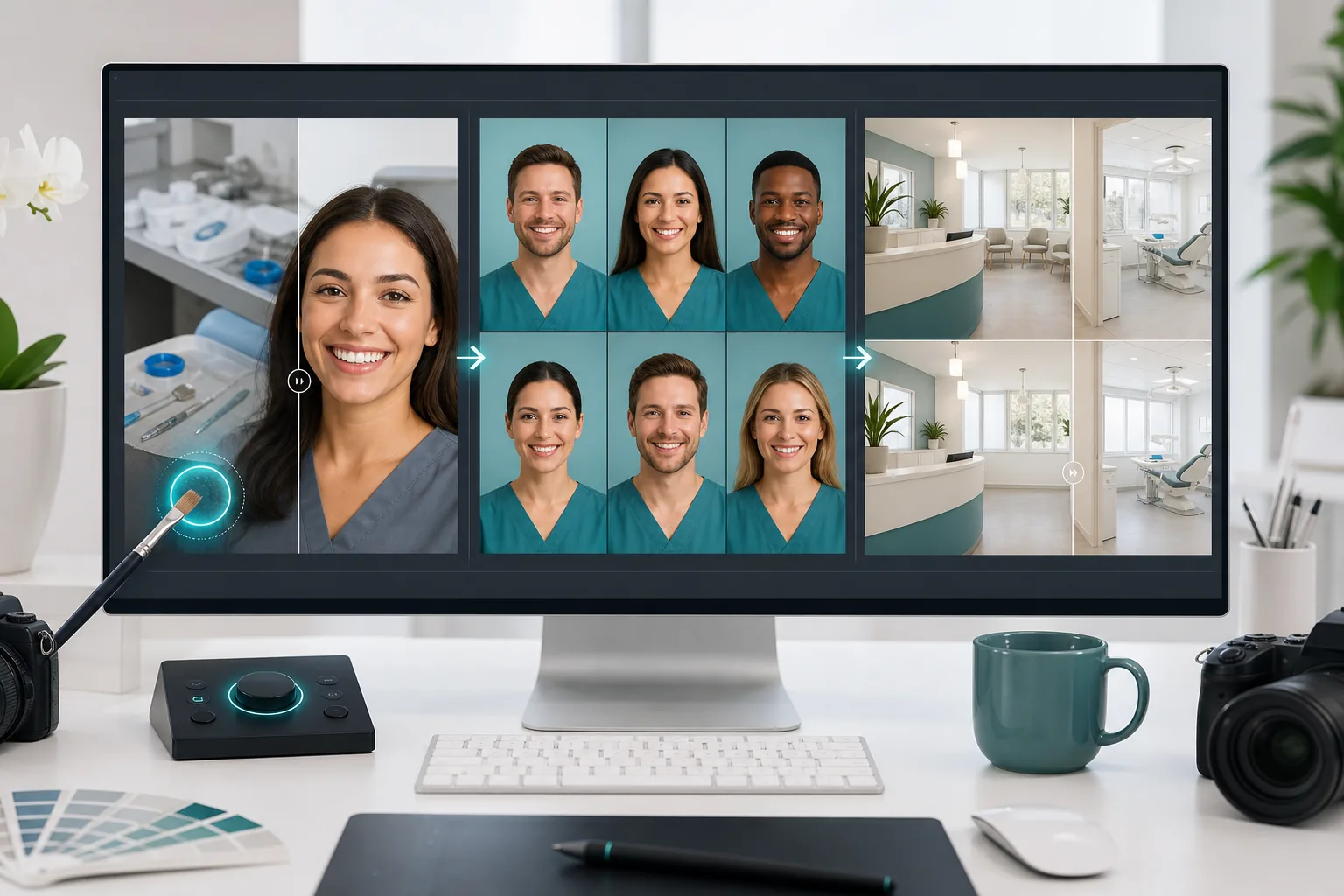
Clinical before-and-after photos undermined by operatory clutter
Intraoral and extraoral clinical photos are shot in the operatory between procedures, meaning the background includes dental chairs, instrument trays, overhead lights, suction lines, and monitor screens. These distractions pull the viewer's eye away from the clinical result — the smile transformation, the veneer placement, the orthodontic correction — and make the case photo look unprofessional on the practice website or Instagram feed. Cropping alone rarely solves the problem because the patient's face and the clinical context both matter for credibility; what's needed is selective removal of background distractions while preserving the clinical detail.
Team headshots taken at different times with inconsistent backgrounds and lighting
Dental practices add associates, hygienists, and front-desk staff over years, and each new hire's headshot gets taken on a different day with whatever background and lighting happen to be available. The result is a team page where Dr. Smith has a blue studio backdrop, the hygienist was photographed against the hallway wall, and the new associate's headshot is a cropped selfie. Prospective patients interpret visual inconsistency as organizational inconsistency, which directly undermines the trust signal the team page is supposed to build.
HIPAA-adjacent visual concerns in patient-facing marketing photos
Clinical photos used for marketing require careful handling — other patients' charts visible on screens, name labels on trays, appointment schedules on whiteboards, and identifiable details in reflective surfaces all create HIPAA risk if published without remediation. Many practices avoid using clinical photos entirely because the manual review burden is too high, which means their website and social channels lack the visual proof that drives case acceptance. Automated object removal makes the remediation step fast enough to be practical for every photo in the marketing pipeline.
How Magic Eraser fits the dental-practice photo workflow
Capture clinical case photos with a consistent intraoral protocol
Establish a repeatable capture protocol using the practice's intraoral camera or a DSLR with a ring flash and cheek retractors for standardized smile-zone shots. Capture the standard series: full-face smile, retracted anterior view, left and right lateral views, and upper and lower occlusal views. Shoot against the operatory's existing background — Magic Eraser will handle cleanup — so the clinical team doesn't need to set up portable backdrops between patients.
Run Magic Eraser to remove operatory distractions and HIPAA-risk elements
Open each clinical photo in Magic Eraser and brush over background distractions — instrument trays, monitor screens showing patient records, suction lines, overhead light arms, and any visible patient-identifying information on charts or labels. The AI fill reconstructs a clean, neutral background that keeps the clinical subject in context without the visual noise. For before-and-after pairs, process both photos with the same cleanup approach so the comparison reads cleanly.
Standardize team headshots with Background Eraser and AI Enhance
Collect all existing team headshots regardless of when or where they were taken. Run Background Eraser on each to isolate the person, then place everyone against the same brand-color background — matching the practice's website palette for visual cohesion. Run AI Enhance to normalize lighting, sharpen facial detail, and correct color temperature so the headshots from the hallway and the headshots from the studio look like they came from the same session. Export at consistent dimensions for the website team page, Google Business Profile, and social profiles.
Prepare office interior and exterior shots for Google Business Profile and website
Photograph the reception area, operatory rooms, waiting room, and building exterior during off-hours when patient traffic is minimal. Use Magic Eraser to remove any remaining patient-identifiable materials, stray personal items, or temporary signage. Run AI Enhance to correct the mixed lighting typical of dental offices — overhead fluorescents plus natural window light plus operatory task lighting create color-cast inconsistencies that make photos look unprofessional. Upload the cleaned photos to Google Business Profile, which directly influences local search ranking and patient decision-making.
Frequently Asked Questions
Is it ethical to edit clinical before-and-after dental photos?
+
Removing background distractions, correcting lighting, and standardizing the presentation format is standard practice and ethically appropriate — these edits improve clarity without altering the clinical result. What would be unethical is modifying the teeth, gums, or clinical outcome itself to exaggerate results. Magic Eraser's object-removal and enhancement tools target the environment around the clinical subject, not the subject itself, which keeps the before-and-after comparison honest while making it presentable for patient-facing marketing.
How do I handle patient consent for marketing photos?
+
Patient consent for marketing use of clinical photos is a legal and practice-management requirement separate from photo editing. Your practice should have a signed photo-release consent form (reviewed by your dental attorney) before any clinical photos enter the marketing pipeline. Magic Eraser's role begins after consent is secured — it handles the visual cleanup that makes consented photos suitable for public use by removing background HIPAA-risk elements and standardizing presentation quality.
Can I batch-process photos for multiple case studies at once?
+
Yes. The most efficient workflow is to accumulate a week's worth of clinical captures, then process them in a single 30-60 minute session rather than editing each photo individually between patients. Upload the batch, apply Magic Eraser cleanup to each photo's background distractions, run AI Enhance across the set for consistent lighting and sharpness, and export the processed batch for your website case-study pages and social media content calendar.
What image dimensions should I use for dental practice marketing?
+
For website case-study pages, export at 1200x800px minimum for sharp rendering on retina displays. Google Business Profile photos perform best at 720x720px square. Instagram posts need 1080x1080px or 1080x1350px portrait. For the team headshot page, standardize on 800x800px squares so every team member's photo renders at the same size. Before-and-after comparison pairs should be the same dimensions so the visual comparison is immediate and undistorted.
Give your dental practice the visual credibility patients expect
Magic Eraser cleans up clinical case photos, standardizes team headshots, and prepares office imagery for Google Business Profile and social media — so your practice's visual presence matches the quality of care you deliver. Free tier on web, iOS, and Android.
Try Magic Eraser freeRelated use cases
See how professionals use these tools in real-world workflows.
Listing photos cluttered with personal items, parked cars, or construction equipment can turn buyers away. Magic Eraser uses AI to clean up your property photos instantly — no Photoshop skills required.
Product listings need clear images before shoppers can judge the item. Magic Eraser helps sellers remove messy backgrounds, table edges, labels, props, glare, and other distractions so each product photo is easier to review before publishing.
Photobombers ruining your travel pics? Messy backgrounds killing your selfie game? Stop wasting hours in Photoshop. Magic Eraser removes distractions, cleans up cluttered shots, and expands your photos to fit any platform format — all in one tap.
Related comparisons
See how Magic Eraser compares to similar tools.
TouchRetouch is a popular paid mobile app for removing objects and blemishes. Magic Eraser offers free AI-powered editing on any device with no install required. See how they compare across features, pricing, and ease of use.
Cleanup.pictures is a free web tool with one generic eraser brush. Magic Eraser gives you 100+ purpose-built removal tools — one for emoji, glasses, watermarks, sky, power lines, and dozens more — plus background removal, AI enhance, and mobile apps, in 16 languages. See how breadth changes the result.
remove.bg is the market leader for background removal, offering a powerful API and integrations with Photoshop and Figma. Magic Eraser goes further with eight AI-powered editing tools — from object removal and generative fill to AI enhance and design — all in one editor.
Two powerful AI photo editors with different strengths. Magic Eraser offers a broader set of generative AI tools for creative editing, while Photoroom excels at e-commerce product photography and batch processing. See which fits your workflow.
Related guides
Explore more guides and editorial content related to this workflow.
Learn how to use Magic Eraser to remove objects, people, text, and distractions from photos with cleaner AI editing results.
Learn how to remove people from photos using AI in seconds. Step-by-step guide for travel photos, real estate shots, and product images.
Step-by-step guide to removing watermarks from your own photos using AI. Learn when it is appropriate, the best techniques, and how Magic Eraser handles it.