
Object Removal Fundamentals
Master the essential skills of removing unwanted objects from any photo. This beginner-friendly course walks you through AI selection tools, complex scene handling, and batch workflows so you can clean up images with confidence.
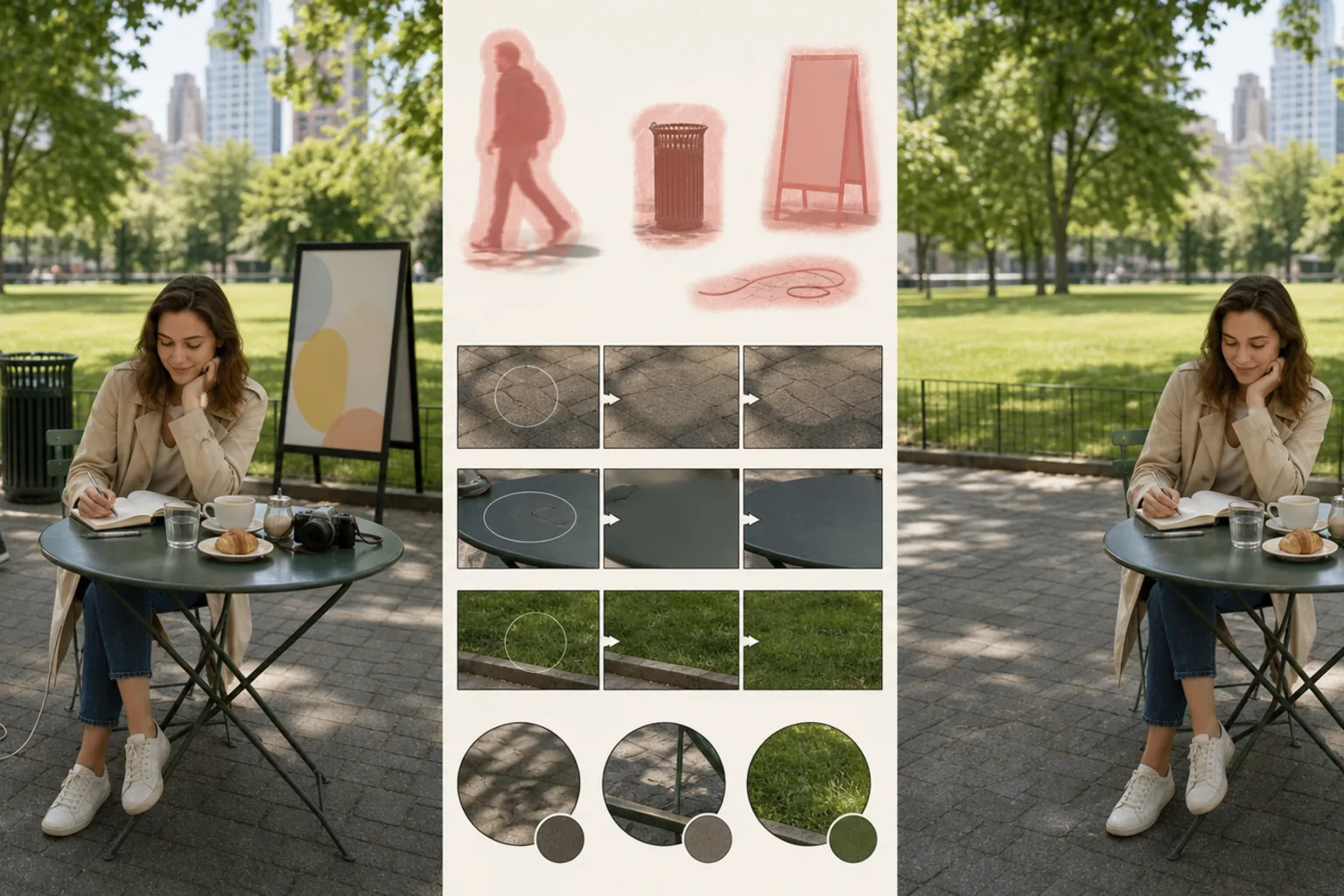
Course Overview
This course covers everything you need to know about removing unwanted objects from photographs using AI-powered tools. You will learn accurate selection techniques, strategies for preserving complex backgrounds, and time-saving batch workflows for editing multiple images at once.
Course Lessons
What is AI Object Removal
Understand how modern AI identifies and removes objects while intelligently filling the space left behind.
How to Select Objects Accurately
Learn the selection tools available and how to use each one for different types of objects and scenes.
Removing Objects from Complex Backgrounds
Tackle challenging scenarios like patterned surfaces, gradient skies, and crowded scenes.
Editing Multiple Photos at Once
Use batch workflows to apply consistent object removal across large sets of images efficiently.
Reviewing and Refining Results
Develop an eye for spotting common artifacts and learn techniques to fix them quickly.
Frequently Asked Questions
Do I need photo editing experience to take this course?
+
No prior experience is required. This course is designed for complete beginners and walks you through every step from selecting objects to refining final results.
Can I remove multiple objects from the same photo?
+
Yes. You can select and remove as many objects as you like in a single session. For best results, remove one object at a time and review the result before proceeding to the next.
What image formats are supported for object removal?
+
Magic Eraser supports JPEG, PNG, WebP, and HEIC files. The edited image can be exported in any of these formats while preserving the original resolution.
Ready to Remove Unwanted Objects?
Put your new skills into practice. Upload a photo and try AI-powered object removal for yourself — sign-in required to use free edits.
Try Magic Eraser freeMore Courses
Continue learning with more photo editing courses.
Learn everything about removing, replacing, and perfecting photo backgrounds. From one-click removal to fine edge work and creative backdrop swaps, this course gives you the skills to produce studio-quality images from any source photo.
IntermediateTurn ordinary product snapshots into professional e-commerce listings. This intermediate course covers marketplace requirements, white-background techniques, lifestyle-to-studio conversions, batch catalog editing, and image optimization strategies that drive higher conversion rates.
BeginnerCreate scroll-stopping social media visuals in minutes, not hours. This course teaches you platform-specific image rules, attention-grabbing editing techniques, brand-consistent content creation, batch workflows for weekly scheduling, and vertical-format optimization for Stories and Reels.
IntermediateProduce listing photos that sell properties faster. This intermediate course teaches you how to evaluate listing imagery, declutter interiors, clean up exterior shots, replace dull skies, and introduce virtual staging elements — all using AI-powered editing tools that save hours compared to traditional retouching.
IntermediateLearn professional portrait retouching techniques that preserve natural skin texture while removing distractions. This course covers everything from subtle skin smoothing to efficient group portrait editing using AI-powered tools.
BeginnerUnderstand the fundamentals of AI-powered photo enhancement and learn to fix common image problems automatically. This beginner-friendly course covers lighting correction, sharpening, color grading, and intelligent upscaling.