
Property Management Photos: Rental Listings, Inspections & Maintenance Documentation
Property managers are not photographers — but they photograph more frequently than most professionals. Every unit turn requires listing photos, every move-in and move-out needs inspection documentation, every maintenance issue demands visual evidence, and every owner report benefits from property-condition imagery. Across a portfolio of 20-200 units, that is thousands of photos per year captured on phone cameras under fluorescent lighting in occupied or half-turned units. Magic Eraser transforms phone-camera property photos into listing-ready imagery and clear maintenance documentation without hiring photographers for routine work.
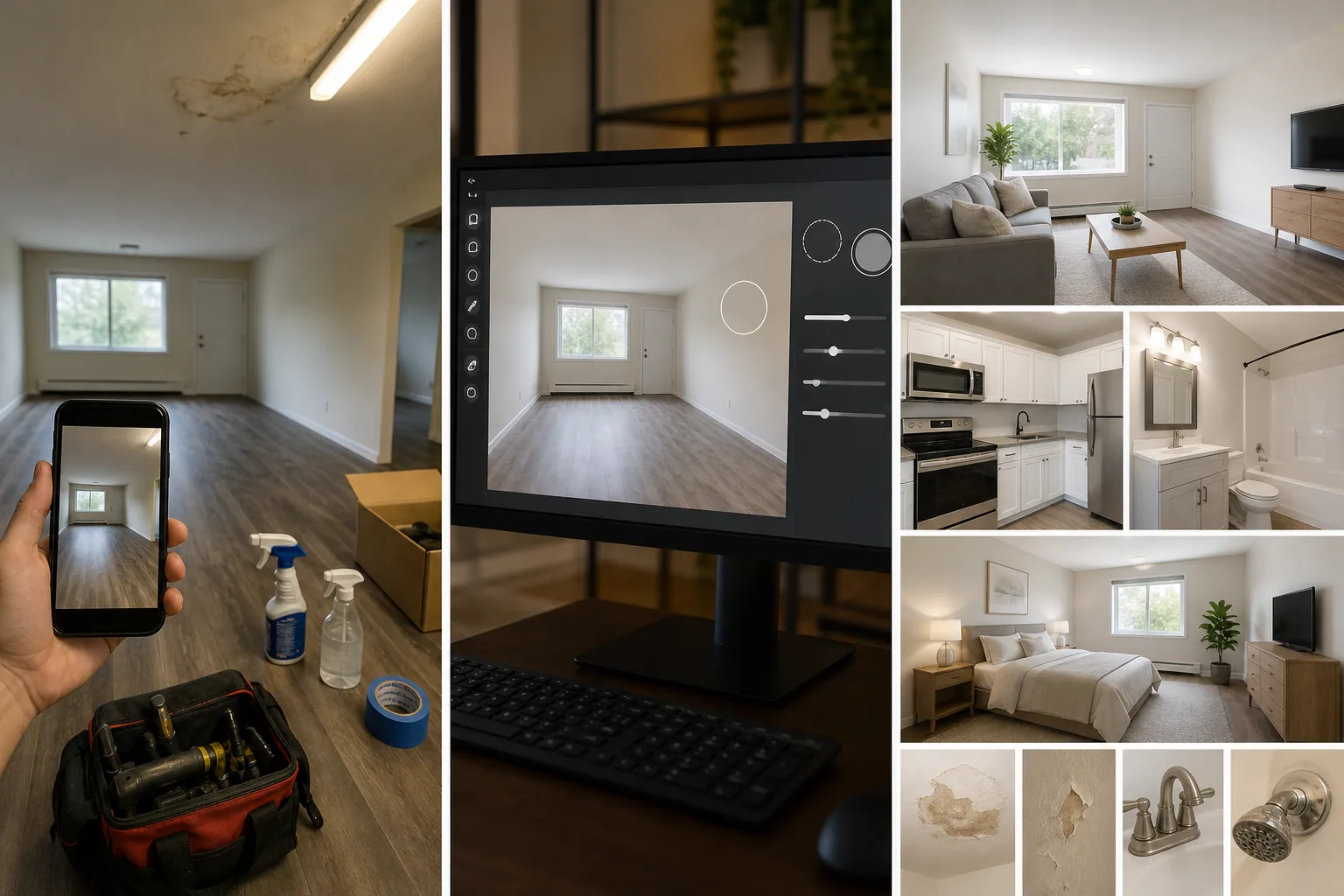
Listing photos taken during unit turns with visible mess and prior-tenant remnants
Unit turns happen fast — often 3-7 days between tenants — and listing photos need to go live before the turn is complete to minimize vacancy days. That means you are photographing units with cleaning supplies in the corner, painters tape on the trim, half-removed tenant belongings, and contractor tools on the counter. Waiting for a pristine unit costs vacancy revenue; posting messy photos costs applicant quality. Magic Eraser removes turn-in-progress clutter from listing photos so you can photograph on day one of the turn and post clean listing images the same day.
Phone-camera photos in poorly lit units produce dark, uninviting listings
Rental units — especially basement apartments, interior bedrooms, and north-facing units — have challenging natural light. Phone cameras compensate with aggressive auto-exposure that produces grainy, yellow-cast images with crushed shadows in corners. These photos make livable units look dingy and unappealing, directly impacting applicant volume and the rent premium the market will bear. AI Enhance brightens underexposed rooms, corrects color temperature from fluorescent and tungsten mixed lighting, and recovers shadow detail to show the unit as it actually appears in person.
Maintenance documentation needs to clearly show the issue for owner approval and vendor coordination
When a tenant reports a water stain, a cracked window, or HVAC damage, the property manager photographs it for the owner's approval to proceed with repairs and for vendor coordination on scope. These photos are often taken hastily with poor framing and insufficient detail. A blurry, dark photo of a water stain does not communicate urgency to an owner reviewing their email on a phone screen. AI Enhance sharpens and brightens maintenance documentation photos so the issue is clearly visible, reducing back-and-forth with owners and vendors about the scope and urgency of repairs.
How Magic Eraser fits the property management workflow
Photograph during the unit turn without waiting for completion
Capture listing photos on your phone as soon as the major cleaning and painting are underway — do not wait for the unit to be fully turned. Photograph every room from the standard listing angles (wide shot from the doorway, detail shots of kitchen and bathroom fixtures, window and closet shots). Accept that cleaning supplies, contractor tools, and turn-in-progress items will be in frame. You will remove them in the next step.
Remove turn-in-progress clutter and prior-tenant remnants with Magic Eraser
Open the listing photos in Magic Eraser and brush over cleaning supplies, painter's tape, contractor tools, leftover tenant items, wall damage patches in progress, and any other turn-related clutter. The AI fills with the surrounding floor, wall, or counter surface naturally. Prioritize the hero shots — living room wide, kitchen, bathroom, and bedroom — that form the listing's first impression. A 10-unit turn batch typically takes 20-30 minutes of Magic Eraser work versus waiting 2-4 additional days for the unit to be fully pristine.
Enhance lighting and color across the listing set with AI Enhance
Run AI Enhance on the full listing photo set to brighten dark rooms, correct fluorescent color casts, recover shadow detail in corners and closets, and sharpen phone-camera softness. This step transforms the typical property-management phone photo from 'adequate documentation' to 'competitive listing imagery' without professional photography equipment or lighting kits. Focus particularly on interior rooms without windows, bathrooms, and basement-level units where phone cameras struggle most.
Post listing photos and maintain documentation archives
Upload the cleaned and enhanced listing photos to your listing platforms (Zillow, Apartments.com, your own website, MLS if applicable). For maintenance and inspection documentation, apply AI Enhance to ensure the issue is clearly visible and well-lit, then file in your property management software with the unit, date, and issue tagged. Maintain a photo archive per unit that includes listing photos, move-in condition, move-out condition, and maintenance history — the enhanced photos serve double duty as both marketing assets and legal documentation.
Frequently Asked Questions
Is it ethical to edit listing photos for rental properties?
+
Removing temporary clutter (cleaning supplies, contractor tools, turn-in-progress items) that will not be present when the tenant moves in is standard practice and does not misrepresent the unit. Enhancing lighting to match the unit's actual in-person appearance corrects a phone-camera limitation, not the unit's condition. Do not use Magic Eraser to remove permanent fixtures, hide damage, or misrepresent the unit's actual condition — that crosses from photo optimization into misrepresentation and can create legal liability. The standard is: the photo should represent what the tenant will see on move-in day.
How does this compare to hiring a professional photographer for listings?
+
Professional real estate photographers charge $100-$300 per unit visit. For a property manager turning 5-20 units per month across a portfolio, that is $500-$6,000 monthly in photography costs — significant overhead that most management-fee margins cannot absorb. The Magic Eraser workflow produces listing photos that are competitive with mid-tier professional photography at the cost of 15-30 minutes of editing time per unit. For premium Class-A properties where listing presentation directly impacts rent premiums, professional photography may still justify its cost; for Class-B and C workforce housing, the AI workflow delivers the quality uplift without the per-unit cost.
Can I use the same workflow for Airbnb and short-term rental management?
+
Yes, and short-term rental listings benefit even more because Airbnb and VRBO ranking algorithms factor in photo quality and guest engagement with listing images. The same workflow applies: photograph during cleaning turns, remove cleaning supplies and turnover items with Magic Eraser, enhance lighting with AI Enhance. Short-term rental managers should also use Magic Eraser to remove personal items left by guests in review-response photos and to keep the listing gallery current as furnishings and decor are updated seasonally.
Turn units faster with listing photos that do not wait for perfection
Magic Eraser lets property managers photograph during the turn and clean up digitally — removing clutter, enhancing dark rooms, and producing listing-ready images from phone cameras. Reduce vacancy days without photography budgets. Free tier on web, iOS, and Android.
Try Magic Eraser freeRelated use cases
See how professionals use these tools in real-world workflows.
Listing photos cluttered with personal items, parked cars, or construction equipment can turn buyers away. Magic Eraser uses AI to clean up your property photos instantly — no Photoshop skills required.
Product listings need clear images before shoppers can judge the item. Magic Eraser helps sellers remove messy backgrounds, table edges, labels, props, glare, and other distractions so each product photo is easier to review before publishing.
Photobombers ruining your travel pics? Messy backgrounds killing your selfie game? Stop wasting hours in Photoshop. Magic Eraser removes distractions, cleans up cluttered shots, and expands your photos to fit any platform format — all in one tap.
Related comparisons
See how Magic Eraser compares to similar tools.
TouchRetouch is a popular paid mobile app for removing objects and blemishes. Magic Eraser offers free AI-powered editing on any device with no install required. See how they compare across features, pricing, and ease of use.
Cleanup.pictures is a free web tool with one generic eraser brush. Magic Eraser gives you 100+ purpose-built removal tools — one for emoji, glasses, watermarks, sky, power lines, and dozens more — plus background removal, AI enhance, and mobile apps, in 16 languages. See how breadth changes the result.
remove.bg is the market leader for background removal, offering a powerful API and integrations with Photoshop and Figma. Magic Eraser goes further with eight AI-powered editing tools — from object removal and generative fill to AI enhance and design — all in one editor.
Two powerful AI photo editors with different strengths. Magic Eraser offers a broader set of generative AI tools for creative editing, while Photoroom excels at e-commerce product photography and batch processing. See which fits your workflow.
Related guides
Explore more guides and editorial content related to this workflow.
Learn how to use Magic Eraser to remove objects, people, text, and distractions from photos with cleaner AI editing results.
Learn how to remove people from photos using AI in seconds. Step-by-step guide for travel photos, real estate shots, and product images.
Step-by-step guide to removing watermarks from your own photos using AI. Learn when it is appropriate, the best techniques, and how Magic Eraser handles it.