
Newsletter Writer Photo Workflow: Hero Images, Inline Imagery, Notes, Author Photos
Newsletter writing in 2026 is platform-fragmented across Substack (35M+ subscribers), beehiiv, ConvertKit, Ghost, and Beehiiv-adjacent indie tools — and the visual surfaces have multiplied with each platform's discovery features (Substack Notes, beehiiv Boost, Ghost's recommendation network). Newsletter writers need post hero images that survive every platform's render pipeline, author photos that work across bylines and email signatures, microblog imagery for the discovery-driving feed surfaces, and email-newsletter inline graphics that render across Gmail / Apple Mail / Outlook. Magic Eraser preps the full newsletter visual stack — phone-to-publish in minutes per asset — without a designer on staff.
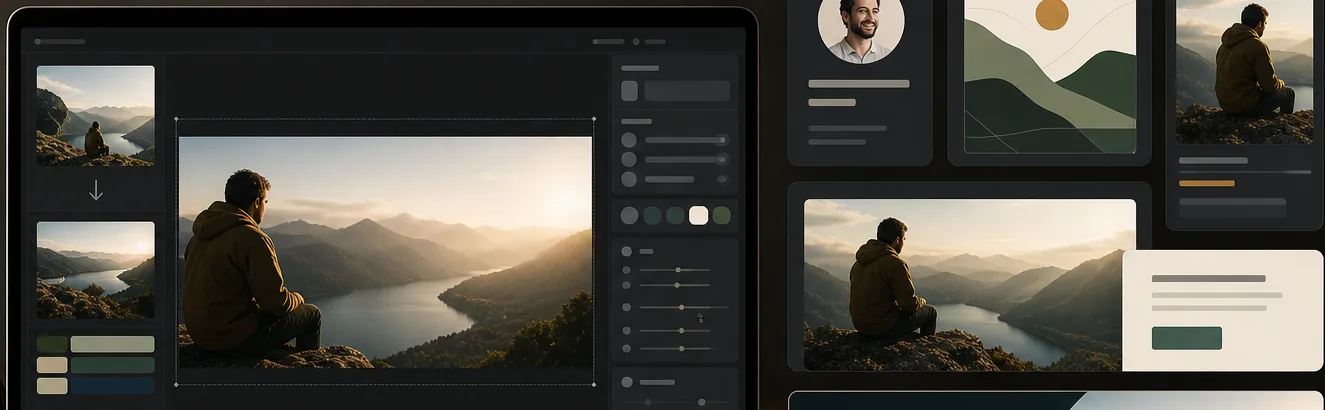
Newsletter visual identity has to compound over hundreds of posts but most writers don't have a designer
Newsletter publications run for years and accumulate hundreds of posts over their lifetime — and the visual identity has to stay coherent across the full archive for subscribers browsing it to read the publication as a single body of work rather than a sequence of unrelated posts. Most newsletter writers don't have a designer on staff and don't have a documented visual recipe; the post heroes come from ad-hoc Unsplash searches per-post with no color discipline, the Notes imagery gets pulled from the camera roll, the author photo gets uploaded once at launch and never refreshed. The cumulative effect is a publication that looks visually incoherent across its own archive, which subscribers browsing for paid-conversion decisions read as 'amateur, sporadic, low-investment' even when the writing is excellent.
Post hero images need to perform across 4+ render contexts with different conversion implications
Substack and similar platforms render the post hero image at 1456×816 on the post page (where readers who clicked through evaluate the post), at smaller thumbnail sizes in the recommendation feed (where non-subscribers decide whether to click through), in the email-newsletter delivery (where existing subscribers decide whether to open beyond the subject line), and at 1200×630 OG share-card aspect (where the cover travels across Twitter / LinkedIn / Facebook when readers share). Each render has different conversion stakes, and the hero has to perform across all four — composition that holds at the thumbnail crop, visual continuity with the publication's brand so existing subscribers recognize the post as theirs, and high-contrast subject framing that earns the click from non-subscribers scanning the recommendation feed.
Notes / Threads / microblog discovery surfaces reward image-bearing posts but daily image prep is unsustainable manually
Substack Notes (launched 2023), beehiiv's discovery feed, and similar microblog surfaces on newsletter platforms have become the dominant growth channels for new publications without an imported audience. The algorithmic discovery on these surfaces favors image-bearing posts over text-only — image-bearing Notes outperform text-only on engagement and reach, and a publication posting 3-7 image-bearing Notes per week compounds subscriber growth 2-4x faster than weekly long-form alone. The operational problem: manually prepping image-bearing Notes daily takes 15-30 minutes per Note across crop, color grade, and brand-consistency work — 60-150 minutes per week for a publication running 3-7 Notes. Most writers can't sustain that cadence, so the discovery channel gets under-used.
Email-newsletter inline imagery has constraints most writers don't know exist
Newsletter inline imagery is the most-viewed surface of any newsletter publication — every subscriber sees inline images at email delivery, in their inbox app, on their phone, on their laptop. The constraints that most writers underweight: email clients render inline images at 600px wide for most templates regardless of subscriber device (Gmail, Apple Mail, Outlook, Yahoo Mail), Gmail clips emails larger than 102KB total (replacing the clipped portion with a 'View entire message' link many subscribers don't click), and subtle gradient backgrounds plus fine-detail elements lose at 600px render. Writers who upload high-resolution photographic source without optimization regularly hit the Gmail clip and produce visibly-degraded thumbnail renders at the 600px email-client default.
How Magic Eraser fits the newsletter-writer workflow
Define the publication's 4-component visual recipe before post one
The recipe has four components saved in Magic Eraser presets for one-tap application across the publication's lifetime. Component one: AI Filter color-grade preset matching the editorial voice (warmer earth tones for personal-essay and memoir, cooler neutrals for analytical and policy writing, more saturated for culture and entertainment, more muted for business and finance). Component two: Background Eraser brand-color palette (2-4 colors the publication rotates through across post heroes — constant over years). Component three: composition discipline (subject-centered, subject-left, or subject-right based on editorial voice). Component four: typography template if the publication uses overlay text on hero images. The recipe stays constant across the publication's archive; per-post variation comes from photo selection and AI Filter intensity tuning within the same preset family.
Build the master photo library in one 60-90 minute session
Library structure: 4-6 author headshots covering bylines / About pages / email signatures / platform-profile uses, 8-15 stylized object compositions related to your publication's subject matter (a writer's workspace, the tools of your trade, atmospheric imagery from your beat), and 5-10 atmospheric scene shots that work as post-hero candidates across multiple post topics. Shoot in even natural window light against clean walls. From this 17-31 photo library, the AI workflow produces every post hero, every microblog Note image, every email-inline image, and every author-photo variation for the publication's full lifetime. For publications planning 50-200 posts over the first 2-3 years, the library investment pays back across hundreds of derivative assets.
Prep every post hero through the consistent publication recipe
For each post: open the source photo in Magic Eraser, run AI Fill to outpaint to the platform's hero aspect (Substack 1456×816, beehiiv similar 16:9, Ghost variable), Background Eraser to brand-color solid if subject isolation is needed, AI Enhance for sharpening and upscaling, AI Filter to apply the publication's color-grade preset, Magic Eraser brush for distraction cleanup. The discipline of applying the same recipe to every post is what compounds visual brand recognition across the archive — and it's what most newsletter writers skip when they're under time pressure to ship. Saved presets in Magic Eraser make the recipe application one-tap rather than a per-post creative decision.
Run image-bearing microblog Notes daily as the discovery lever
Substack Notes, beehiiv's discovery feed, and similar microblog surfaces are where most new-publication subscriber growth happens in 2025-2026. The cadence target: 3-7 image-bearing Notes per week, posted at varying times of day. The batch workflow: pull source photos from the master library, AI Fill outpaint to the platform's Notes aspect (Substack 1080×1080 square or 4:5 portrait 1080×1350), AI Filter apply the publication grade, Magic Eraser brush handle distraction cleanup. Per-Note prep time: 2-5 minutes. Per-week investment at 3-7 Notes: 10-30 minutes of image prep versus 60-150 minutes manually. The compounding effect: publications running disciplined Notes cadence grow 2-4x faster in their first 6-12 months than publications posting weekly long-form alone.
Prep email-newsletter inline imagery for the 600px render across major email clients
Upload inline imagery at 1200×600 source (double resolution for retina-display support on iPhone / iPad / high-DPI desktop email clients). Subjects in the inline image need to be readable at 600px render — subject-centered or subject-prominent composition with high contrast against the background. To stay within Gmail's 102KB clip threshold across a typical post with 3-5 inline images, each inline image should be 80-150KB max. Use JPEG quality 75-80 for image-heavy posts. Magic Eraser's AI Filter applies the consistent publication grade across every inline image, AI Enhance handles sharpening, Background Eraser maintains brand-color consistency.
Run the 90-day archive audit to catch visual-consistency drift
Every 90 days, open the publication's archive in chronological order and view the first 20-30 post hero images at thumbnail size. Look for drift signals: color grade that shifted noticeably across posts, background-color palette that drifted from the original 2-4 brand colors, composition discipline that wandered, typography template that evolved unintentionally. Drift is normal but accumulates into a visually-incoherent archive. The audit catches drift before it compounds further; re-baseline the recipe for the next quarter and batch-re-process older drift instances through the current recipe to restore archive coherence (a 2-4 hour AI workflow for a 50-post archive). Save the audit notes for the next quarterly cycle so drift patterns are visible across the publication's life.
Frequently Asked Questions
Does this workflow work for newsletter platforms other than Substack?
+
Yes, with platform-specific dimension adjustments. The workflow's core (4-component visual recipe + master photo library + AI batch production + 90-day audit) applies the same way across Substack, beehiiv, ConvertKit, Ghost, Beehiiv-adjacent indie tools, and self-hosted newsletter platforms. The dimension adjustments per platform: Substack post hero 1456×816, Ghost variable based on theme (typically 1200-1920 wide), beehiiv similar 16:9, ConvertKit primarily email-newsletter inline focus. The microblog surfaces (Substack Notes, beehiiv discovery feed) have their own aspect ratios per platform but the AI Fill outpaint workflow handles each with a different export aspect. The discipline that matters (recipe consistency across the archive, image-bearing microblog cadence, email-newsletter inline optimization, 90-day drift audit) is platform-agnostic.
What's the minimum viable visual setup for a new newsletter launch?
+
Start with one focused 60-90 minute photo session producing the master library (4-6 author headshots + 8-15 stylized object compositions + 5-10 atmospheric scenes) and one focused 30-60 minute session defining the publication's visual recipe (AI Filter color grade matching your editorial voice, Background Eraser brand-color palette of 2-4 colors, composition discipline, typography template if you use overlay text). Save the recipe as presets in Magic Eraser. Total upfront investment: 90-150 minutes plus whatever stock licensing you do for supplementary imagery (Unsplash and Pexels free, Adobe Stock and Shutterstock paid). From this setup, the AI workflow produces the launch post hero, the first 10-15 post heroes, the daily Notes cadence for 30-45 days, and the email-newsletter inline imagery for the launch sequence — enough to ship a strong launch and start compounding visual brand identity from week one.
How often should I refresh the author photo on a newsletter publication?
+
Author photos for newsletter writers benefit from a refresh every 12-18 months for active publications running multiple posts per month, and every 18-24 months for slower-cadence publications. The signal to refresh sooner: a measurable drop in email open rate or post-page click-through on otherwise-stable traffic (which can indicate the author photo has aged out of the platform's current visual norms), or noticeable change in the writer's appearance (different hair, different style, different glasses). The AI refresh workflow: same master photo from the original library or a fresh phone-camera session, AI Filter different color grade matching current platform norms, Background Eraser updated background color, AI Enhance for crisp render. Investment: 30-60 minutes of AI workflow time versus $200-600 for a new commissioned headshot session.
Can I prep imagery for paid-newsletter conversion landing pages?
+
Yes. Paid-newsletter conversion landing pages typically need hero imagery (1200-1920 wide depending on platform), testimonial graphic blocks, feature-highlight imagery for paid-only benefits, and pricing-section accent images. Magic Eraser preps these from the same master library that powers the post heroes: AI Fill outpaints to landing-page aspect ratios, Background Eraser maintains brand-color consistency, AI Filter applies the same publication grade, Magic Eraser brush handles per-photo cleanup. The discipline of using the same recipe on the conversion landing page as on the post archive matters because subscribers evaluating paid conversion compare the landing page against their cumulative impression of the publication's visual identity — and inconsistency at the conversion surface reads as 'this paid offer doesn't match the publication I've been reading.'
How does this scale for newsletter teams with multiple writers or editors?
+
For multi-writer publications, the recipe stays publication-level rather than writer-level. The publication's AI Filter color grade, Background Eraser brand-color palette, composition discipline, and typography template apply to every writer's posts; per-writer variation comes from each writer's author photo and the photo selections per post, while the wrapper recipe stays constant. Magic Eraser's preset sharing on team plans lets the multiple-writer team apply the same recipe consistently. For very large multi-writer publications (5+ writers shipping weekly), define a designated 'visual editor' role responsible for the recipe definition and the 90-day audit — the same operational pattern as imprint art departments in traditional publishing, just running at indie-creator budget.
What's the relationship between this visual workflow and the writing-craft work?
+
Visual discipline is the operational layer underneath the writing craft, not a replacement for it. Publications with excellent writing and undisciplined visual identity grow slower than publications with comparable writing and disciplined visual identity, but no amount of visual discipline rescues bad writing. The right framing: visual identity is the compounding-growth lever that the writer doesn't have to think about per-post once the recipe is defined and saved. The recipe gets applied automatically through Magic Eraser's saved presets; the writer's craft attention stays focused on the writing. Over months and years, the visual discipline produces the cumulative brand recognition that affects paid-conversion decisions in subscribers' minds — but the writing is what makes the subscribers want to convert in the first place.
Can I use Magic Eraser's AI Filter to match an existing publication brand I'm already running?
+
Yes. If your publication already has an established visual identity (a designer-created brand guideline, a color palette from a brand book, an existing post archive with a coherent color treatment), use the existing identity as the target for the AI Filter preset rather than picking a new one. Open 5-10 of the publication's strongest existing post heroes in Magic Eraser and identify the color-grade pattern across them (warmth, saturation, contrast, shadow tone). Configure the AI Filter preset to approximate that grade, save the preset, and apply it to every new post hero going forward. The result is continuity with the existing archive while compressing the per-post production time from the previous manual workflow to the AI-batch workflow.
Ship newsletter visual identity that compounds growth
Magic Eraser preps the full newsletter visual stack — post hero images, author photos, microblog Notes imagery, email-newsletter inline graphics, paid-conversion landing pages — with one consistent editing recipe applied through saved presets. Free tier on web, iOS, and Android.
Try Magic Eraser freeRelated use cases
See how professionals use these tools in real-world workflows.
Listing photos cluttered with personal items, parked cars, or construction equipment can turn buyers away. Magic Eraser uses AI to clean up your property photos instantly — no Photoshop skills required.
Product listings need clear images before shoppers can judge the item. Magic Eraser helps sellers remove messy backgrounds, table edges, labels, props, glare, and other distractions so each product photo is easier to review before publishing.
Photobombers ruining your travel pics? Messy backgrounds killing your selfie game? Stop wasting hours in Photoshop. Magic Eraser removes distractions, cleans up cluttered shots, and expands your photos to fit any platform format — all in one tap.
Related comparisons
See how Magic Eraser compares to similar tools.
TouchRetouch is a popular paid mobile app for removing objects and blemishes. Magic Eraser offers free AI-powered editing on any device with no install required. See how they compare across features, pricing, and ease of use.
Cleanup.pictures is a free web tool with one generic eraser brush. Magic Eraser gives you 100+ purpose-built removal tools — one for emoji, glasses, watermarks, sky, power lines, and dozens more — plus background removal, AI enhance, and mobile apps, in 16 languages. See how breadth changes the result.
remove.bg is the market leader for background removal, offering a powerful API and integrations with Photoshop and Figma. Magic Eraser goes further with eight AI-powered editing tools — from object removal and generative fill to AI enhance and design — all in one editor.
Two powerful AI photo editors with different strengths. Magic Eraser offers a broader set of generative AI tools for creative editing, while Photoroom excels at e-commerce product photography and batch processing. See which fits your workflow.
Related guides
Explore more guides and editorial content related to this workflow.
Learn how to use Magic Eraser to remove objects, people, text, and distractions from photos with cleaner AI editing results.
Learn how to remove people from photos using AI in seconds. Step-by-step guide for travel photos, real estate shots, and product images.
Step-by-step guide to removing watermarks from your own photos using AI. Learn when it is appropriate, the best techniques, and how Magic Eraser handles it.