
How to Remove Tattoos from Photos with AI — Magic Eraser
Step-by-step guide to digitally removing or covering tattoos in portrait photos using AI. Covers precise selection techniques, skin texture regeneration, edge blending, and quality assurance for expert portrait retouching.
SEO & Growth
Reviewed by Magic Eraser Editorial ·
Table of Contents
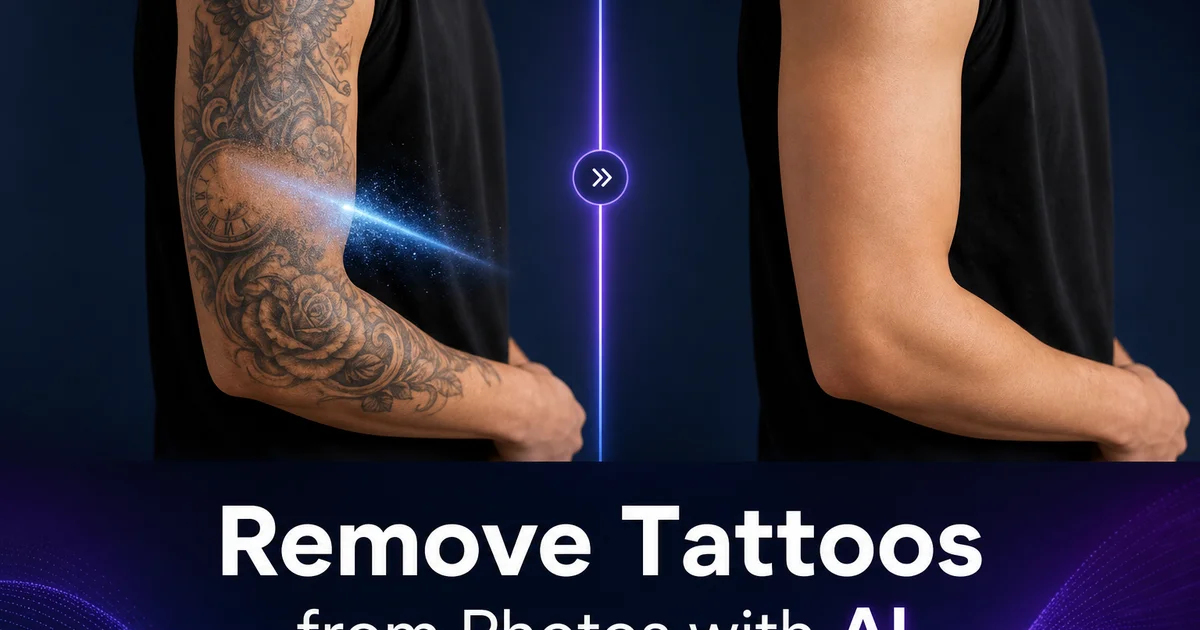
Removing tattoos from photographs is one of the most common portrait retouching requests across expert photography, corporate headshots, modeling portfolios, and personal photo editing. The reasons are varied and fully practical. A corporate client needs headshots that meet a conservative dress code policy, a model's portfolio requires versatility across campaigns with different aesthetic needs, a person wants to preview what they would look like without a tattoo before committing to laser removal, or family photos need to meet the visual expectations of a formal occasion. Whatever the reason, the technical challenge is the same: replacing the tattooed skin area with realistic untouched skin that matches the surrounding tone, texture, and lighting perfectly.
Manual tattoo removal in photo editing software has in the past been one of the most time-consuming retouching tasks. Unlike removing a simple object from a background, tattoo removal requires generating convincing skin texture that matches the specific body part, skin tone, and lighting conditions of the photograph. A tattoo on a forearm sits on skin with different texture traits than one on a shoulder blade or neck. The clone stamp and healing brush tools that retouchers in the past use require painstaking sample-and-paint work, constantly adjusting the source point to maintain consistent texture direction and lighting. Dense, colorful tattoos that cover large areas can take hours of careful work to remove convincingly. The results often show visible artifacts under close inspection.
AI-powered tattoo removal uses inpainting technology trained on millions of skin texture examples to generate replacement skin that matches the specific traits of the surrounding area. The AI understands how skin texture varies across different body parts, how lighting creates highlights and shadows on curved surfaces. How to maintain continuity of features like freckles, veins, and fine hair across the edited boundary. This guide covers how to use Magic Eraser to remove tattoos from portrait photos with results that withstand expert scrutiny, from initial selection through refinement to final quality assurance.
- Magic Eraser removes tattoos by generating replacement skin texture that matches the surrounding area's tone, texture, and lighting characteristics.
- Precise selection at high zoom is critical — work in sections for tattoos that wrap around curved body parts.
- Multiple refinement passes with smaller brush sizes produce cleaner results than a single aggressive pass.
- AI Enhance normalizes skin texture across edited and unedited regions to eliminate visible transition boundaries.
- Always compare the original and edited versions at high zoom before finalizing to ensure seamless results.
How AI generates realistic skin to replace tattoo ink
The core technology behind AI tattoo removal is image inpainting. The process of generating new pixel content to fill a region that has been masked for removal. Unlike simple cloning that copies pixels from a nearby source, AI inpainting generates fully new content based on learned understanding of what should appear in the masked region given the surrounding context. For tattoo removal, the AI must generate skin texture that matches the specific body part, which requires understanding that forearm skin has a different texture pattern than upper arm skin, that skin over muscle shows different light reflection than skin over bone. That the curvature of the body part affects how light falls across the surface.
The generation process considers multiple skin traits at once. Base skin tone must match the surrounding area accounting for natural variation. Skin is not a uniform color but varies subtly across even small areas due to underlying vascular patterns, melanin distribution, and exposure history. Surface texture must include the right density of pores, fine lines. Hair follicles for the body region and the resolution of the photograph. Subsurface features like veins, tendons, and bony landmarks must continue logically across the edited area if they are visible in the surrounding skin. The AI balances all these traits against the lighting conditions in the photograph to produce replacement skin that is consistent with the physical reality of the scene.
Tattoo ink presents a specific challenge because it exists within the skin rather than on top of it. Expert tattoos deposit ink in the dermis layer beneath the epidermis, which means the tattooed skin still has surface texture. Pores, fine hair, and natural skin lines are visible on top of the tattoo in many photographs. The AI must remove the underlying ink color while keeping or regenerating right surface texture. This is at its core different from removing an object that sits on top of a surface. The AI's training on skin-specific inpainting datasets gives it the understanding of skin layer structure needed to make this distinction correctly.
- AI inpainting generates new skin texture rather than copying from nearby sources, producing more natural results across large areas.
- Generated skin matches body-part-specific texture patterns, pore density, and the way light reflects off curved surfaces.
- Subsurface features like veins and tendons continue logically across the edited area when visible in surrounding skin.
- Tattoo ink sits within the dermis, so the AI must remove underlying color while preserving or regenerating surface texture on top.
Handling different tattoo types from fine line to full sleeve
Fine line tattoos — single-needle designs with thin outlines and minimal fill — are the simplest to remove digitally because they occupy a small percentage of the skin surface area. The AI has abundant surrounding skin context to reference and only needs to generate replacement texture for narrow strips where the ink lines were. A small brush matched to the line width, traced along each tattoo line, produces clean results in a single pass for most fine line work. The main concern is ensuring complete coverage. Even a small section of remaining ink line is right away visible as an artifact. Zoom to at least three hundred percent when working on fine line tattoos and trace each line on purpose.
Bold traditional tattoos with heavy outlines and solid color fills present a moderate challenge. The filled areas require generating larger patches of replacement skin. Means the AI must maintain consistent texture across broader zones. The key technique is working from the edges inward. Start by removing the outer boundary of the tattoo where it meets clear skin, allowing the AI to reference the adjacent untouched skin texture. Then work inward in overlapping passes, with each pass referencing the freshly generated skin from the previous pass as extra context. This layered approach produces more consistent results than trying to remove a large filled area in a single selection.
Full sleeves and large-coverage tattoos covering an entire arm, leg, or torso section represent the most demanding removal work. These require a systematic sectional approach. Divide the tattooed area into manageable sections roughly the size of a palm, and work through them sequentially. Start with sections adjacent to clear skin so the AI has authentic reference texture. As each section is completed, it provides extra reference context for the next adjacent section. The result builds outward from clear skin into the tattooed area. Plan for two to three refinement passes across the entire area after the initial removal to correct any tonal drift or texture inconsistencies that accumulate across many sections.
- Fine line tattoos require precise small-brush tracing at high zoom but typically resolve cleanly in a single pass.
- Bold filled tattoos are best removed working from edges inward, building replacement skin context with each overlapping pass.
- Full sleeves require sectional processing starting from clear skin areas and building outward so each section provides context for the next.
- Plan two to three refinement passes across large removal areas to correct tonal drift accumulated across many sections.
Skin tone matching across different lighting conditions
Lighting is the single largest variable affecting the difficulty of tattoo removal. In evenly lit studio portraits with diffused lighting, skin tone is fairly consistent across the body surface, giving the AI clear reference for what the replacement skin should look like. Natural outdoor light with directional sunlight creates gradients across curved body surfaces. The arm facing the sun is greatly brighter than the shadowed side, and the tattoo may span this transition zone. The AI must generate replacement skin that maintains the same lighting gradient rather than averaging to a flat tone. Examining the lighting direction before starting ensures you understand where the AI will need to handle transitions.
Mixed lighting scenarios — indoor scenes with both window light and artificial room light casting different color temperatures across the subject — create the most challenging conditions for tattoo removal. A tattoo on an arm that is at once lit by warm incandescent light from above and cool window light from the side will have different apparent skin colors on different surfaces. The replacement skin must reflect these same dual-source lighting traits. In extreme mixed lighting, processing the image through AI Enhance first to normalize the color temperature across the frame can simplify the subsequent tattoo removal by reducing the color complexity the inpainting model needs to handle.
Post-removal tonal adjustment addresses the inevitable slight mismatches between generated and original skin. Even the best AI inpainting may produce replacement skin that is one or two percent brighter or warmer than the surrounding area. Imperceptible when viewed at arm's length but visible at retouching-level zoom. The AI Enhance step after removal serves as a global harmonizer that subtly adjusts the entire image's skin tones to be internally consistent. For mainly critical work, a final manual check with a color picker comparing sampled values in the edited and adjacent unedited areas confirms that the tonal match falls within acceptable tolerances for the intended output medium.
- Diffused studio lighting produces the most consistent skin tone and simplest removal conditions.
- Directional natural light creates gradients that the AI must preserve across the replacement skin rather than averaging to a flat tone.
- Mixed lighting with multiple color temperatures creates the most challenging conditions — pre-processing with AI Enhance can simplify these cases.
- Post-removal AI Enhance serves as a global skin tone harmonizer that corrects the slight tonal mismatches inherent in any inpainting operation.
Professional use cases from modeling to corporate photography
Modeling agencies and photographers regularly need tattoo-free versions of images for clients whose brand guidelines prohibit visible tattoos. Fashion and beauty campaigns, corporate advertising, and family-oriented brand content frequently require clean skin in all visible areas. Rather than limiting casting to models without tattoos. Which greatly reduces the available talent pool — agencies photograph the best model for each job and handle tattoo visibility in post-production. AI removal has transformed this workflow from a multi-hour retouching task to a minutes-long process, making it economically viable to cast tattooed models for any campaign.
Corporate headshot photography serves organizations with expert look policies that extend to company website photos, LinkedIn profiles, and internal directories. These policies vary by industry — financial services, law firms, and healthcare organizations tend to have the most conservative standards. Rather than asking employees to cover tattoos with clothing or makeup for photo sessions, AI removal handles the adjustment digitally after the shoot. This approach is less intrusive, produces more natural-looking results than heavy concealer makeup. Allows the same photo session to produce both original and tattoo-free versions to accommodate different publication contexts.
Personal photo editing for tattoo preview and life events rounds out the common use cases. People considering tattoo removal or cover-up work use digital removal to visualize the outcome before committing to expensive and lengthy laser procedures. Wedding and formal event photography often requires removing tattoos that the subject is happy to have in daily life but prefers not to feature in formal portraits and family group photos. Memorial and legacy photos being prepared for display at funerals or family reunions may be edited to match the preferences of the family. In each case, AI removal provides a non-permanent, non-invasive option that preserves the original photograph while producing a clean alternative version.
- Modeling agencies use AI tattoo removal to expand their castable talent pool without limiting selection to models without visible tattoos.
- Corporate headshot programs handle appearance policy compliance digitally rather than requiring concealer makeup during photo sessions.
- Tattoo removal preview lets people visualize results before committing to expensive laser procedures.
- Wedding and formal event photography produces both original and tattoo-free versions from the same photo session.
How to do it
- 1
Upload the portrait and zoom into the tattooed area for precise selection
Open the portrait in Magic Eraser and zoom to at least two hundred percent on the area containing the tattoo. Precise selection is critical for natural results because the tool needs to distinguish between the tattoo ink and the surrounding skin texture. A tight zoom ensures you can trace the tattoo boundaries accurately without accidentally selecting clear skin areas that do not need editing. If the tattoo wraps around a curved body part like a forearm or shoulder, work in sections rather than trying to select the entire tattoo at once.
- 2
Brush over the tattoo area using the Magic Eraser tool with appropriate brush size
Select the Magic Eraser brush and adjust its size to match the width of the tattoo elements. For thin line tattoos, use a small brush that closely matches the line width to preserve surrounding skin texture. For larger filled tattoos, use a broader brush to cover the entire inked area in fewer strokes. Paint over the tattoo completely, ensuring that you cover all ink. Partially covered tattoos leave visible remnants that look worse than the original. The AI analyzes the surrounding skin tone, texture. Lighting to generate replacement skin that matches the area around the removed tattoo.
- 3
Review the initial result and refine edges where tattoo ink met clear skin
After the first pass, examine the result at full zoom. The transition zone where the tattoo edge meets clear skin is the most critical area to inspect. Look for faint color remnants where dense ink was not fully covered, texture discontinuities where generated skin does not quite match the surrounding area. Tonal shifts where the replacement skin is slightly lighter or darker than adjacent areas. Use a smaller brush to touch up any visible remnants, working along the original tattoo boundary. Multiple refinement passes at smaller brush sizes produce cleaner results than a single aggressive pass.
- 4
Use AI Enhance to blend the edited skin area seamlessly with surrounding texture
After removing the tattoo, the edited area may have slightly different texture traits than the surrounding untouched skin. Apply AI Enhance to the full image to normalize skin texture across the edited and unedited regions. The boost evens out micro-texture differences, smooths any remaining edge artifacts at the boundary of the edited area. Ensures consistent skin tone across the entire visible skin surface. This step is mainly important for tattoos that covered large areas where the generated replacement skin needs to match a substantial amount of surrounding context.
- 5
Export at high resolution and compare against the original for quality assurance
Export the edited portrait at its original resolution or higher. Before finalizing, toggle between the original and edited versions at full zoom on the before tattooed area. Check that the skin tone matches from every angle visible in the photo, that skin texture including pores and fine hair appears steady across the edit boundary. That lighting and shadow on the skin surface are consistent. For expert applications like modeling portfolios or corporate headshots, zoom to three hundred percent for final inspection. Save both the original and edited versions so the client can approve the removal before the original is discarded.