
How to Create Flat Lay Photos with AI: Product Photography Guide
Learn how to create professional flat lay product photos with AI background removal, object cleanup, and enhancement tools. Ideal for e-commerce listings, Instagram content, and marketing campaigns without a studio.
SEO & Growth
Reviewed by Magic Eraser Editorial ·
Table of Contents
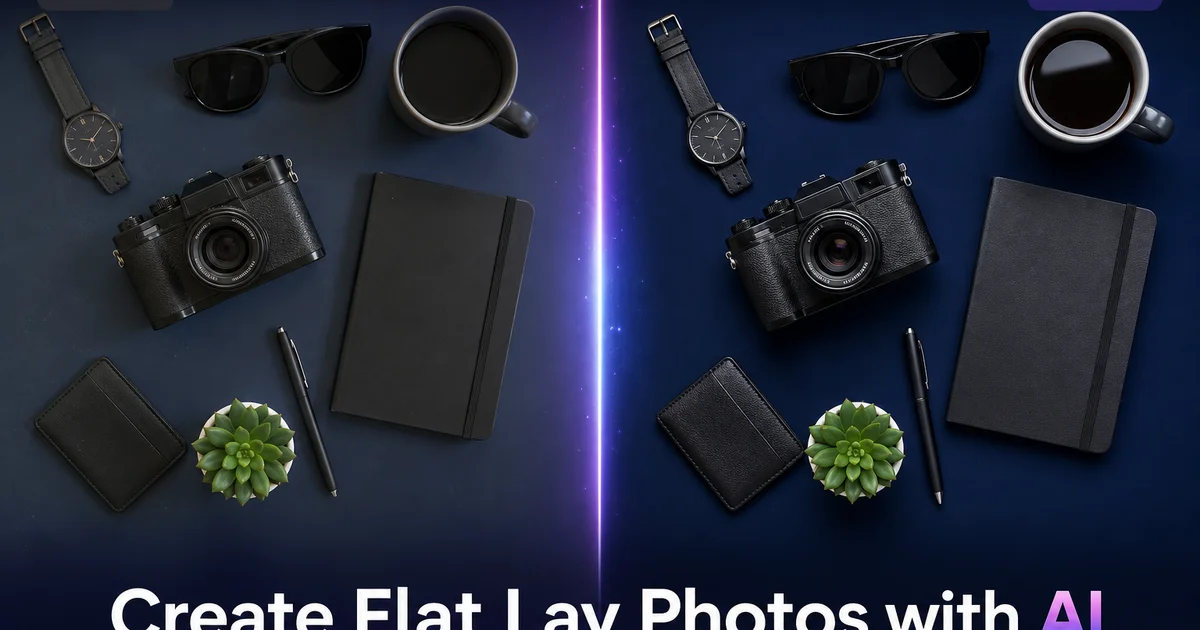
Flat lay photography — the overhead shot of products arranged on a flat surface — is one of the most versatile formats in e-commerce and social media marketing. It shows multiple products in context, communicates a curated brand aesthetic, and performs well across Instagram, Pinterest, email marketing, and product listing pages. Professional flat lays from major brands look effortless, but they often require a dedicated studio, controlled lighting, expensive background surfaces, and hours of careful arrangement.
AI photo editing tools collapse this production process into something achievable with a phone, a table, and ten minutes of editing time. Background Eraser removes whatever surface your products are sitting on and replaces it with any background you choose. Magic Eraser cleans up the small imperfections. Price tags, support props, dust, unwanted shadows — that separate a casual product arrangement from a polished editorial layout. AI Enhance sharpens textures and corrects color so every product looks accurate and appealing.
This guide covers the complete workflow for creating professional flat lay product photos with AI tools, from arrangement and overhead shooting technique through editing and final export for different platforms.
- AI background removal eliminates the need for expensive backdrop surfaces and seamless paper.
- Magic Eraser cleans up price tags, support props, dust, and unwanted shadows from product arrangements.
- AI Enhance normalizes lighting differences between products with matte, glossy, and metallic surfaces.
- A single flat lay shoot produces multiple final images for different platforms and seasonal campaigns.
- Professional flat lay quality is achievable with a phone, a table, and AI editing tools.
Flat lay composition fundamentals for AI-enhanced photography
Good flat lay photography starts with intentional arrangement, and no amount of AI editing can fix a poorly composed layout. The principles are straightforward: create visual balance by distributing items across the frame so no single area feels overloaded or empty. Use the rule of thirds to place your hero product at a power point. Create diagonal flow lines using elongated objects like pens, brushes, or utensils to guide the viewer's eye across the arrangement. Overlap items slightly to create depth and connection. A notebook peeking out from under a laptop, a pen resting across a planner.
The number of items matters. Too few and the layout feels sparse; too many and it becomes cluttered and chaotic. For most product flat lays, five to nine items is the sweet spot. A hero product surrounded by matching accessories, lifestyle props, and texture elements. Include items at different scales: one large anchor item, two or three medium products. Several small accent pieces like a paper clip, a plant sprig, or a small accessory.
Spacing between items should be consistent and intentional. Leave roughly equal gaps between objects — this creates visual rhythm and makes the arrangement look deliberate rather than random. When items overlap, overlap intentionally at consistent angles. The background surface does not matter at this stage because AI tools will replace it. Use a surface with enough contrast from your products that Background Eraser can distinguish the items from the surface cleanly.
- Five to nine items creates the ideal density — enough visual interest without clutter.
- Mix scales: one large anchor, two to three medium products, and several small accent pieces.
- Consistent spacing between items creates visual rhythm and intentional composition.
- Choose a surface that contrasts with your products for cleaner AI background removal.
Background replacement for brand-consistent flat lays
The background surface is often what separates a basic flat lay from a premium-looking one in traditional photography. Expert studios stock marble slabs, weathered wood boards, linen textiles, concrete tiles, and colored seamless paper. Each chosen to complement specific product categories and brand aesthetics. A skincare brand might shoot on white marble. A leather goods company might use a rich wood surface. A tech brand might prefer a clean matte grey. Acquiring and storing these surfaces is expensive and space-consuming.
Background Eraser eliminates this fully. Photograph your products on whatever surface is available. Your kitchen table, a white poster board, even the floor — and remove the background in one step. The AI distinguishes the products from the surface and creates a clean isolation, keeping the products in their exact arranged positions. You can then place the entire arrangement on any background: a solid color for clean e-commerce aesthetics, a textured surface for lifestyle branding, or a gradient for editorial impact.
The practical power of this workflow is the ability to create multiple versions from a single shoot. One arrangement of skincare products becomes a flat lay on white marble for the website product page, on blush pink for the Valentine's Day email campaign, on deep green for the holiday promotion. On transparent background for the print catalog. This is practical efficiency that changes the economics of product photography for small and medium e-commerce businesses.
Cleaning up the details that matter
The difference between an amateur flat lay and a professional one is in the details that most people do not consciously notice but subconsciously register. Price tags still attached to products. Small pieces of tape or poster putty used to hold items in position. Dust particles or lint fibers visible on dark surfaces. A stray hair. The slight curl of a product label edge. A fingerprint on a glossy surface. Each of these details is small on its own, but collectively they signal carelessness. That perception transfers to the brand.
Magic Eraser handles each of these with precision. Brush over the price tag and the AI reconstructs the product surface beneath it. Remove the tape holding a notebook open to a specific page, and the page looks naturally flat. Erase the dust particles on a matte black product, and the surface reads as clean and premium. These edits take seconds each, but they accumulate into a major quality improvement across the entire composition.
Shadow management is the other critical cleanup task. Overhead lighting for flat lays often creates hard shadows on one side of each product. These shadows look unnatural when the background is replaced. Magic Eraser can soften or remove harsh shadows, and you can use it to create consistent shadow direction across all items. Important because inconsistent shadow directions are one of the most common giveaways that a product photo has been composited.
- Price tags, tape, poster putty, dust, lint, and fingerprints all undermine perceived brand quality.
- Magic Eraser removes these details in seconds, elevating the entire composition.
- Shadow consistency across all products is essential for convincing background-replaced flat lays.
- Removing hard overhead shadows before adding a new background prevents unnatural compositing artifacts.
Optimizing flat lays for different platforms and channels
A well-executed flat lay is a versatile asset that serves multiple marketing channels, but each channel has different needs. Instagram grid posts work best as square (1:1) crops with the arrangement centered and a small margin of background visible around the edges. Pinterest favors vertical (2:3) compositions where the products are arranged in a taller-than-wide layout. E-commerce product pages often want a white or light background with the products filling most of the frame and minimal surrounding space.
Plan your arrangement to accommodate these different crops. Compose slightly wider and taller than any single platform requires, keeping the most important products centered and expendable accent pieces near the edges. This lets you crop into the same master image for different aspect ratios without losing key products. When you export, create platform-specific versions: square for Instagram, vertical for Pinterest, wide for email banners, and full-resolution for your website.
Seasonal variations multiply the value further. With the background replaceable, a single product arrangement can serve spring, summer, fall. Winter campaigns just by changing the background color or texture. A cosmetics flat lay on pastel pink for spring becomes the same arrangement on rich burgundy for fall and on silver-grey for winter. Each version on-brand for its season, all from one shooting session.
How to do it
- 1
Arrange products on any flat surface and shoot from directly above
Place your products on a table, desk, or floor surface and photograph from directly overhead. Use a chair, step stool, or phone mount to position your camera parallel to the surface. The surface does not need to be perfect — AI tools will handle the background. Focus on product spacing and arrangement: leave consistent gaps between items, align edges where it looks intentional. Create a balanced composition that guides the eye across the layout.
- 2
Remove the background surface with Background Eraser
Use Background Eraser to isolate all the products from whatever surface they are sitting on. This removes the table, desk, wrinkled fabric, or scratched countertop and leaves you with clean, transparent-background product cutouts in their exact arranged positions. You can then place the entire arrangement on any background. Solid white for e-commerce, textured marble for luxury brands, colored surfaces for seasonal campaigns.
- 3
Clean up shadows and unwanted objects with Magic Eraser
Use Magic Eraser to remove any elements that do not belong in the final composition: price tags still attached to products, visible support props like tape or putty used to hold items in place, stray dust or lint. Any hard shadows cast by overhead lighting that look unnatural on the new background. This cleanup step transforms a casual arrangement into a polished editorial layout.
- 4
Enhance product detail and color accuracy with AI Enhance
Run the composed flat lay through AI Enhance to sharpen product textures, correct color accuracy. Ensure consistent brightness across all items. This is mainly important when products have different surface finishes. Matte packaging next to glossy bottles, fabric items next to metal accessories — that reflect light differently. AI Enhance normalizes these differences so every product looks its best without any single item appearing over- or under-exposed.
- 5
Export for product listings, social media, and marketing campaigns
Save the final flat lay in multiple formats: high-resolution PNG for your website and product catalog, square crop for Instagram grid posts, vertical format for Pinterest and Stories. Optimized web resolution for email campaigns. Create variations with different background colors for A/B testing on product pages or for seasonal marketing campaigns. A single well-arranged flat lay shoot can produce dozens of final images for different channels and contexts.
Sources
- Flat Lay Photography: Composition Techniques for E-commerce and Social Media — Shopify
- Product Photography Conversion Rate Impact on E-commerce — Baymard Institute
- Visual Content Trends in Social Commerce 2026 — Sprout Social