
AI Photo Editing for Yoga Studios: Create Peaceful, Professional Studio Imagery
Use AI photo editing to create warm, professional yoga studio photos. Remove visual clutter from studio spaces, enhance natural lighting, isolate instructor pose shots. Build a consistent visual brand across your website and social media.

Product Marketing
Reviewed by Magic Eraser Editorial ·
Table of Contents
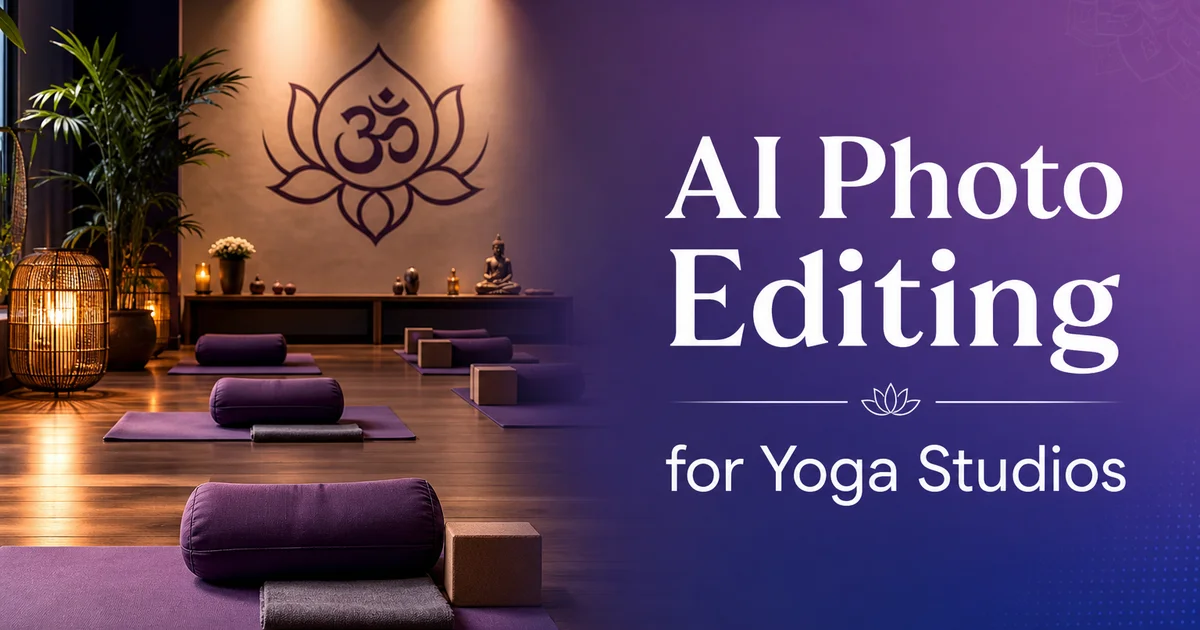
A yoga studio sells an experience. Calm, presence, physical well-being — and that experience begins long before a student rolls out their mat. It begins with the photos on your website, your Instagram grid, your Mindbody listing, and your Google Business Profile. Yoga Alliance research shows that the wellness industry has grown to over 36 million practitioners in the United States alone. The competition for new students happens overwhelmingly online. The studios that photograph well earn the first visit.
Yoga studio photography is paradoxically difficult. The spaces are designed for sensory calm. Warm tones, soft lighting, minimal decor — but photograph as dim, monochromatic rooms with scattered props and personal belongings. The warm ambient light that feels wonderful during practice reads as underexposed and muddy to a camera sensor. The clean aesthetic that practitioners experience is disrupted in photos by water bottles, phone chargers, towels, and personal bags lining the walls.
AI photo editing bridges this gap between how a yoga studio feels and how it photographs. Instead of hiring a professional photographer for every seasonal update, a studio manager can capture authentic moments and transform them into polished marketing assets in minutes. This guide covers the specific visual challenges yoga studios face and the AI editing workflows that solve them.
- Yoga studio photography must convey the calm, warmth, and intentionality that define the practice experience.
- Studio spaces photograph darker and more cluttered than they appear in person — AI editing corrects both issues.
- Background removal creates versatile instructor pose images for websites, schedules, social media, and print materials.
- AI color correction warms underexposed studio shots to match the ambient feel of the actual space.
- Consistent visual branding across Instagram, your website, and Mindbody builds recognition and trust in a competitive local market.
- Professional studio photography drives new student acquisition more effectively than discounts or class pack promotions.
Why yoga studios struggle with photography
Yoga studios are designed for human comfort, not camera sensors. The warm, dim lighting that creates a calming practice setting produces underexposed, low-contrast images with a yellow-orange cast. Windows that provide beautiful natural light during morning classes create blown-out rectangles of white in photos while the rest of the room stays dark. Mirrors — common in many studios — reflect the photographer, equipment, and whatever is on the opposite wall.
The physical space compounds the problem. During an actual class, the room is filled with students on mats, water bottles at the edges, personal items along the walls, and props. Blocks, straps, bolsters — scattered where they were last used. After class, the room has alignment marks on the floor, sweat spots, and the general evidence of physical activity. Neither state photographs well for marketing purposes.
Most yoga studio owners or managers handle their own marketing on a limited budget. Hiring a professional photographer for a dedicated shoot costs $500 to $2,000, produces a set of images that look dated within a year as the studio changes instructors, decor. Class offerings, and requires scheduling a gap in the class schedule long enough for setup, shooting, and breakdown. The economics push studios toward smartphone photos that accurately represent the space but fail to convey its atmosphere.
- Warm, dim studio lighting produces underexposed images with a yellow-orange color cast.
- Windows create extreme dynamic range — bright rectangles surrounded by dark interiors.
- Mirrors reflect the photographer, equipment, and opposite-wall clutter into every wide shot.
- Personal items, scattered props, and post-class floor evidence disrupt the clean aesthetic in photos.
Studio space photography: from cluttered to serene
The goal of studio space photography is to show the room as it feels during practice — clean, warm, intentional, and spacious. Start by photographing during the gap between classes when the room is empty. Use a wide-angle lens or the wide setting on your smartphone to capture the full practice space. Shoot from a corner to show depth and dimension.
Then open the photos in Magic Eraser and remove everything that breaks the serene aesthetic. Water bottles lined up against the wall, personal bags in cubbies visible in the frame, a coiled aux cable near the speaker, tape marks on the floor, the exit sign above the door, a first aid kit mounted to the wall. These are functional necessities that you see every day and no longer notice, but they register right away in photos. Brush over each one and the AI fills the space with clean wall, floor, or shelf texture.
For studios with mirrors, the reflection often reveals the photographer, tripod, and whatever is behind them. Magic Eraser can clean up mirror reflections by replacing the photographer's reflection with a continuation of the reflected room. The result is a mirror that shows the empty studio extending infinitely. A visual that enhances the feeling of spaciousness instead of distracting from it.
Instructor and pose photography
Instructor photos serve dual purposes — they market specific classes and they help prospective students connect with teachers before attending. A well-shot instructor showing Warrior II or a graceful arm balance shares both the physical practice and the teacher's energy. These images appear on class schedules, teacher bio pages, social media announcements, and workshop promotions.
The challenge is that studio backgrounds are visually busy. Shelves of props, sound systems, wall decorations, and other students in the frame all compete with the instructor for attention. Background Eraser solves this by isolating the instructor against a transparent background, which you can then replace with any setting. A clean white for website bios, a soft gradient for social media, a nature scene for retreat promotions, or your studio's brand color for consistency.
Timing matters for instructor photos. Shoot after class when the instructor is warm and naturally flushed. This reads as healthy and vital in photos, whereas cold-start poses can look stiff. Ask instructors to show their signature poses or the poses most associated with the classes they teach. These images become visual shorthand for the class experience. A student who sees a strong arm balance knows the class is challenging, while a seated meditation pose signals a gentler experience.
- Background Eraser isolates instructors from busy studio backgrounds for versatile, multi-channel use.
- Shoot instructors after class when they are warm — the natural flush reads as healthy and energetic.
- Match pose choices to class types so students visually understand the experience before booking.
Color correction for warm, inviting studio imagery
The single most impactful edit for yoga studio photos is color correction. The warm, amber-toned lighting that makes a studio feel cozy translates through a camera sensor as a heavy yellow-orange cast that makes skin look sallow and walls look dingy. Mixed lighting — warm overheads combined with cool daylight from windows — creates zones of different color temperature within the same frame. Smartphone cameras try to compensate with auto white balance. They often overcorrect, producing images that are cooler and more clinical than the space actually feels.
AI Enhance handles this balance precisely. It warms underexposed areas without blowing out highlights near windows. It corrects skin tones so they look healthy and natural regardless of the ambient light source. It lifts the exposure in dark studio corners so students can see the actual space rather than guessing what is hidden in shadow. The result is an image that looks like what your eyes see when you walk into the studio. Warm, bright, and inviting — rather than what the camera captured.
Apply the same boost settings across all photos from a single session. When your Instagram grid, website header, class schedule. Google Business Profile all share the same warm, consistent color palette, the visual brand reinforces the studio's identity. A prospective student scrolling through your social feed should right away associate that specific warmth and quality with your studio.
- AI Enhance corrects the yellow-orange cast from warm studio lighting while preserving the cozy atmosphere.
- Mixed lighting from overheads and windows creates color temperature zones that AI corrects to a unified palette.
- Consistent color correction across all photos builds a recognizable visual brand on social media and your website.
Class photography and candid moments
Candid class photography is the most authentic content a yoga studio can create. Real students in real classes, moving through real sequences. This resonates with prospective students far more than posed, empty-studio shots. But candid class photos have unique challenges: moving subjects in low light, mixed body types and skill levels that require sensitive representation. The practical reality that photographing during class is inherently disruptive.
The best approach is to dedicate one class per month as a photo class, with advance notice so students can consent to being photographed and dress accordingly. Shoot from the back of the room with a long zoom or from the doorway to minimize disruption. Focus on moments of collective movement. The class in Warrior II together, hands rising in unison to Mountain Pose, the stillness of Savasana.
After capturing these moments, use Magic Eraser to clean up distractions. A student checking their phone at the back, water bottles beside mats, a strap that fell off a block. AI Enhance lifts the low-light class atmosphere into a visible, shareable image without losing the warm, meditative quality. The combination of authentic moments and professional-quality editing produces content that outperforms any stock photo of a model in a white studio.
Building a visual brand across marketing channels
Yoga studios market across Instagram, their website, Mindbody or ClassPass listings, Google Business Profile, email newsletters. Increasingly TikTok and YouTube for class previews. Each channel has different image sizes and audience expectations, but the visual brand should feel consistent across all of them. Mindbody research indicates that studios with consistent, professional imagery convert profile views to bookings at higher rates than those with inconsistent or stock photography.
Start with a monthly photo editing session where you process that month's photos through a consistent AI workflow: Magic Eraser for cleanup, Background Eraser for instructor isolations. AI Enhance with saved settings for color correction. This produces a library of 20-30 edited images that you can distribute across channels throughout the month. An Instagram post, a website banner, a Mindbody class photo. An email header can all come from the same edited session with different crops.
Seasonality matters for yoga studios. Update your imagery quarterly to reflect seasonal themes — warm, golden tones for fall and winter. Bright, natural light for spring and summer. Outdoor practice shots for summer workshops. Cozy, candlelit imagery for winter restorative classes. AI editing makes these seasonal refreshes efficient. A new batch of photos edited in an afternoon keeps your visual presence current without the cost of quarterly professional shoots.
- Process a monthly batch of photos through a consistent AI workflow to build a reusable image library.
- One edited photo session produces content for Instagram, your website, Mindbody, Google Business Profile, and email.
- Update imagery quarterly to reflect seasonal themes — warm tones for winter, bright light for summer.
- Consistent visual branding converts Mindbody and ClassPass profile views to bookings at higher rates.
How to do it
- 1
Photograph the studio space and classes
Capture the studio during golden hour or with warm overhead lighting when the space looks most inviting. Shoot wide angles of the practice room, close-ups of props and decor, exterior signage. Candid moments during class with student consent. Use natural light whenever possible — yoga studios are designed for warmth and calm, and flash photography disrupts that atmosphere.
- 2
Remove visual distractions from studio photos
Open studio photos in Magic Eraser and brush over visible water bottles, phone chargers, personal bags along the wall, misaligned mats, stray straps and blocks. Any signage or equipment that clutters the serene aesthetic. The AI reconstructs clean floors, walls, and shelf surfaces so the studio looks as peaceful as it feels during practice.
- 3
Isolate instructor and pose photos with clean backgrounds
Use Background Eraser to isolate instructors showing poses against a clean, distraction-free backdrop. Replace the studio background with a soft gradient, neutral tone, or nature-inspired setting. This creates versatile images that work on your website, class schedules, teacher bios. Social media without the visual noise of a real studio in the background.
- 4
Enhance warmth, skin tones, and lighting
Run each photo through AI Enhance to warm the overall color temperature, correct skin tones under mixed lighting. Balance exposure between bright window light and darker studio corners. Yoga photography should feel warm and approachable. AI Enhance brings the image closer to how the space feels in person rather than how the camera recorded it.
- 5
Create consistent branded imagery
Process all photos from the same session through AI Enhance with matching settings so the color palette, warmth, and exposure are uniform. Consistency across your website, Instagram grid, and Google Business Profile creates a cohesive visual brand that shares professionalism and intentionality.
- 6
Export and distribute across marketing channels
Save edited images at full resolution and upload to your website, Mindbody listing, Google Business Profile, Instagram, and printed materials. Yoga studios compete for attention in local search and social media. Expert, consistent photography is the visual handshake that converts browsers into first-time students.
Sources
- Yoga in America Study: Participation and Spending Trends — Yoga Alliance
- Visual Marketing for Wellness Businesses — Mindbody
- The Impact of Imagery on Wellness Consumer Decision-Making — Wellness Creatives