
AI Photo Editing for Spas: Create Imagery That Books Appointments
How day spas and wellness centers use AI photo editing to create calming, expert marketing imagery. Covers treatment room photography, clutter removal, warm color grading, and multi-platform distribution.

Content Lead
Reviewed by Magic Eraser Editorial ·
Table of Contents
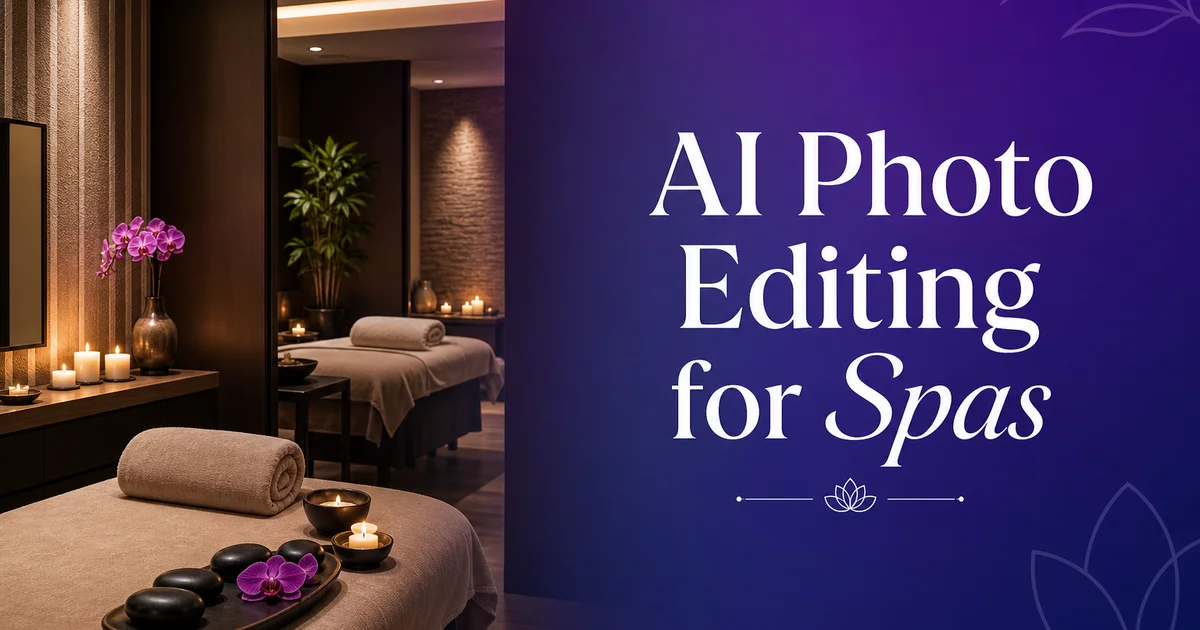
The spa and wellness industry generates over $120 billion annually in the United States alone, and the market is intensely visual. A potential client choosing between two day spas in their area will almost certainly make their first impression based on photographs. The spa's website gallery, Google Business Profile images, Instagram feed, and Yelp photos collectively create a visual promise about the experience. That promise must share calm, cleanliness, luxury, and expert care. A spa whose marketing images show cluttered treatment rooms, harsh fluorescent lighting, or inconsistent visual quality is making a negative first impression that no amount of five-star reviews can fully overcome. The visual impression forms before the client reads a single word.
The challenge for spa businesses is that the qualities that make a spa work as a physical space. Dim ambient lighting, warm color temperatures, natural materials, water features, botanical products — are precisely the qualities that are difficult to capture in photographs. Smartphone cameras compensate for low light by boosting ISO and activating flash, producing images that are either grainy and yellow or flat and overexposed. The warm, enveloping atmosphere that clients love in person becomes a dark, blurry photograph that shares the opposite of the luxury experience the spa provides. Expert photography solves this but costs hundreds or thousands of dollars per session and needs to be repeated whenever services, decor, or seasonal offerings change.
AI photo editing bridges this gap by transforming the photos spa owners and managers already take on their phones into polished marketing assets. Object removal eliminates the operational clutter that appears in every working spa. Electrical cords, product labels, safety signs, medical equipment, cleaning supplies visible in the background. Color boost corrects the warm-light color cast and brings out the natural beauty of wood, stone. Botanical elements without making the image look cold or clinical. Background replacement isolates specific treatments for social media and service page highlights. This article covers the complete photo editing workflow for day spas and wellness centers, from capture to multi-platform distribution.
- Spa marketing imagery must communicate calm, cleanliness, and luxury in the first visual impression — before the potential client reads any text or reviews.
- Low-light spa environments produce challenging photos on smartphones — AI color correction warms tones and corrects exposure without introducing the harsh, clinical look that repels wellness clients.
- Object removal eliminates operational clutter — cords, labels, signage, medical devices — that breaks the aspirational mood every spa image should convey.
- Consistent visual treatment across all marketing channels creates a cohesive brand experience that reinforces the spa's premium positioning.
- Multi-platform distribution with proper formatting ensures spa images perform well on Google Business Profile, Instagram, booking platforms, and the spa's own website simultaneously.
Why visual quality determines spa booking decisions
Spa services are inherently experiential — a client cannot evaluate a massage, facial, or body treatment until they have received it. This makes the purchase decision almost fully dependent on proxies for quality, and visual display is the strongest proxy available. Research by the International Spa Association always shows that facility look ranks among the top three factors influencing first-time spa visits, ahead of specific service offerings and comparable to price and location. In practice, this means a spa with excellent services but mediocre photography loses potential clients to competitors whose images better share the experience, even if the actual service quality is comparable or lower.
The visual expectations for spa imagery are specific and culturally conditioned. Consumers expect to see clean, uncluttered spaces with warm lighting, natural materials, folded white towels, botanical elements. An overall atmosphere that reads as calm and curated. These expectations are reinforced by decades of hospitality and wellness marketing. They function as visual shorthand for quality and professionalism. An image that deviates from these conventions. Showing harsh overhead lighting, visible commercial equipment, cluttered surfaces, or cold color temperatures — triggers an unconscious negative assessment regardless of how excellent the actual spa experience might be.
Google Business Profile has amplified the importance of spa photography because it surfaces images directly in local search results. When a potential client searches for day spas near me or facial treatments in their city, Google displays a carousel of photos alongside business listings. The spa whose images show a warm, inviting treatment room with expert-quality photography will receive more clicks than a competitor whose images show an unedited phone photo of the same caliber space. This is not speculation — Google's own research on local business listings confirms that businesses with high-quality photos receive greatly more direction requests, website visits. Calls than those with low-quality or missing photos.
- Facility appearance ranks among the top three factors influencing first-time spa visits, according to International Spa Association research.
- Consumers have culturally conditioned visual expectations for spa imagery — warm lighting, natural materials, white towels, botanical elements — that function as shorthand for quality.
- Google Business Profile surfaces spa photos directly in local search results, making image quality a direct driver of clicks, calls, and direction requests.
- A spa with excellent services but mediocre photography loses clients to competitors whose images better communicate the experience, regardless of actual service parity.
Treatment room photography: capturing the spa atmosphere
The treatment room is the centerpiece of spa marketing photography because it represents the core of the client experience. Photographing it well requires understanding that the goal is not records but emotional communication. The image should make the viewer feel the calm, warmth, and care they would experience during a treatment. This means shooting during off-hours when the room is pristine, using the spa's own ambient lighting rather than flash or overhead fluorescents. Styling the room with fresh towels, lit candles, and carefully arranged products before photographing.
Camera settings and positioning make a major difference in treatment room photography. Use a wide-angle lens or your phone's wide setting to capture the full room, but position yourself so the treatment bed or table is the clear focal point with supporting elements. Product shelves, artwork, water features — framing it. Shoot from a slightly lower angle to make the room feel spacious rather than cramped. For the lighting, turn off overhead fluorescents and rely on natural window light supplemented by the room's own accent lighting. If the room is too dark for a sharp handheld photo, use a phone tripod and the timer function rather than flash. Will destroy the ambient mood fully.
Detail shots are as important as full-room views for spa marketing. Close-ups of stacked towels, aromatic oils in elegant bottles, flower petals on water, heated stones in a bowl. The texture of natural wood or stone surfaces give potential clients sensory information that full-room photos cannot convey. These detail shots are also the most versatile marketing assets. They work as Instagram grid posts, website background textures, booking page headers, and email newsletter images. Shoot them with the same warm lighting you use for the full room to maintain visual consistency across your marketing materials.
- Photograph treatment rooms during off-hours with the spa's own ambient lighting — flash and overhead fluorescents destroy the warm, calm atmosphere that sells the experience.
- Use wide-angle framing with the treatment bed as the focal point and supporting elements like product displays and water features creating depth and context.
- Detail shots of towels, oils, stones, and natural textures provide sensory information that full-room views cannot convey and are the most versatile marketing assets.
- Maintain consistent warm lighting across all shots — full room, detail, and service — so the entire photo library belongs to one cohesive visual world.
Color grading for wellness: warm tones without over-processing
Color temperature is the most important technical element in spa photography because it directly shares the emotional character of the space. Warm tones — amber, gold, soft peach — signal comfort, relaxation, and luxury. Cool tones — blue-white, gray, stark white — signal clinical efficiency, medical precision, and sterility. Most spas want to land firmly in the warm range, with the exception of medi-spas and cryotherapy centers that may intentionally use cooler palettes to signal their medical credentials. AI Enhance lets you shift the white balance toward warm without the manual color grading knowledge that expert photographers develop over years of practice.
The danger zone in spa color grading is over-processing. Social media filters have conditioned some spa marketers to push warmth and saturation to extremes. Golden skin tones that look spray-tanned, wood surfaces that glow radioactive orange, and an overall amber cast that makes the spa look like it is on fire. This over-processing backfires because it looks obviously artificial. Artificiality is the opposite of the natural, authentic experience that wellness clients seek. The correction should be subtle: just enough warmth to counteract the blue-white cast of the phone camera's auto white balance, just enough saturation to make natural materials and botanical elements look vibrant without crossing into unnatural territory.
Skin tones require special attention in spa imagery because many spa photos include visible skin. A client receiving a facial, hands being manicured, shoulders during a massage. AI Enhance's skin-aware processing preserves natural skin texture and tone while warming the overall image. The skin should look healthy and natural, not filtered or smoothed. Over-smoothing skin in spa photos is a common mistake that makes the image look like a stock photo from 2010 rather than authentic records of a real spa experience. Maintain visible skin texture, natural pore detail, and realistic color variation while gently warming the overall tone.
- Warm tones signal comfort and luxury while cool tones signal clinical sterility — most spas should shift white balance warm, with medi-spas as the exception.
- Over-processing with extreme warmth and saturation backfires because it looks artificial, directly contradicting the natural authenticity wellness clients seek.
- Skin tones must look healthy and natural, not filtered — over-smoothing is a dated look that makes spa photos feel like stock imagery rather than authentic experiences.
- Subtle correction is the goal: neutralize the phone camera's auto white balance bias and bring out natural material warmth without crossing into unnatural color territory.
How to do it
- 1
Photograph treatment rooms and service areas with natural or warm lighting
Spa marketing photography should convey calm, cleanliness, and luxury. Photograph treatment rooms with the overhead lights dimmed and natural window light or warm-toned accent lighting as the primary source. Capture the full room at a wide angle to show the space. Take detail shots of folded towels, product displays, candles, and water features. Shoot during off-hours when the space is pristine and unoccupied. Use a phone tripod to avoid motion blur in the low-light conditions that create the warm, ambient mood spa clients expect.
- 2
Remove visual clutter with Magic Eraser
Even a well-staged spa has operational elements that break the mood in photographs: visible electrical outlets near treatment beds, safety signage on doors, commercial product labels that disrupt the curated aesthetic, medical devices in medi-spa settings. The everyday objects that accumulate in a working space. Use Magic Eraser to brush over these distractions. Remove visible cords, wall blemishes, ceiling fixtures that do not contribute to ambiance. Anything that pulls the viewer out of the aspirational experience the image should share.
- 3
Clean up backgrounds with Background Eraser for service highlight shots
For images that showcase specific services. A facial treatment, a massage technique, a manicure in progress — use Background Eraser to isolate the service from the room setting. Replace the background with a soft, neutral gradient or a clean color that matches your brand palette. This technique is mainly effective for social media posts and website service pages where you want the viewer's attention on the treatment itself rather than the room. Keep the replacement background soft and warm to maintain the spa ambiance.
- 4
Enhance warmth, skin tones, and product presentation with AI Enhance
Use AI Enhance to correct white balance toward warm tones. Spa photography should never feel cool or clinical unless you are specifically marketing a cryotherapy or medical aesthetic service. Gently boost saturation in the warm range to make wood, stone, and earth-tone surfaces glow. For images with visible skin, ensure the boost preserves natural skin texture and tone. Over-smoothing or artificial warmth makes spa images look dated. Sharpen product close-ups to make labels readable and textures visible on lotions, oils, and botanical ingredients.
- 5
Format for website galleries, booking platforms, and social media
Save edited photos in multiple aspect ratios: landscape for website hero banners and Google Business Profile, square for Instagram grid posts. 9:16 vertical for Stories and Reels. Create a consistent color grade across your entire photo library so every image on your website and social feeds belongs to the same visual world. Upload to your booking platform with service-specific alt text and captions. For Google Business Profile, include both interior atmosphere shots and individual service photos to appear in local search results for spa services in your area.
Sources
- Global Wellness Economy Report — Global Wellness Institute
- Visual Marketing in the Wellness Industry: Consumer Expectations — HubSpot
- ISPA U.S. Spa Industry Study — International Spa Association