
AI Photo Editing for Podcasters: Professional Cover Art and Promo Images
Learn how podcasters use AI photo editing to create expert cover art, episode thumbnails, guest promo images. Social media graphics that build audience recognition and attract new listeners.

Content Lead
Reviewed by Magic Eraser Editorial ·
Table of Contents
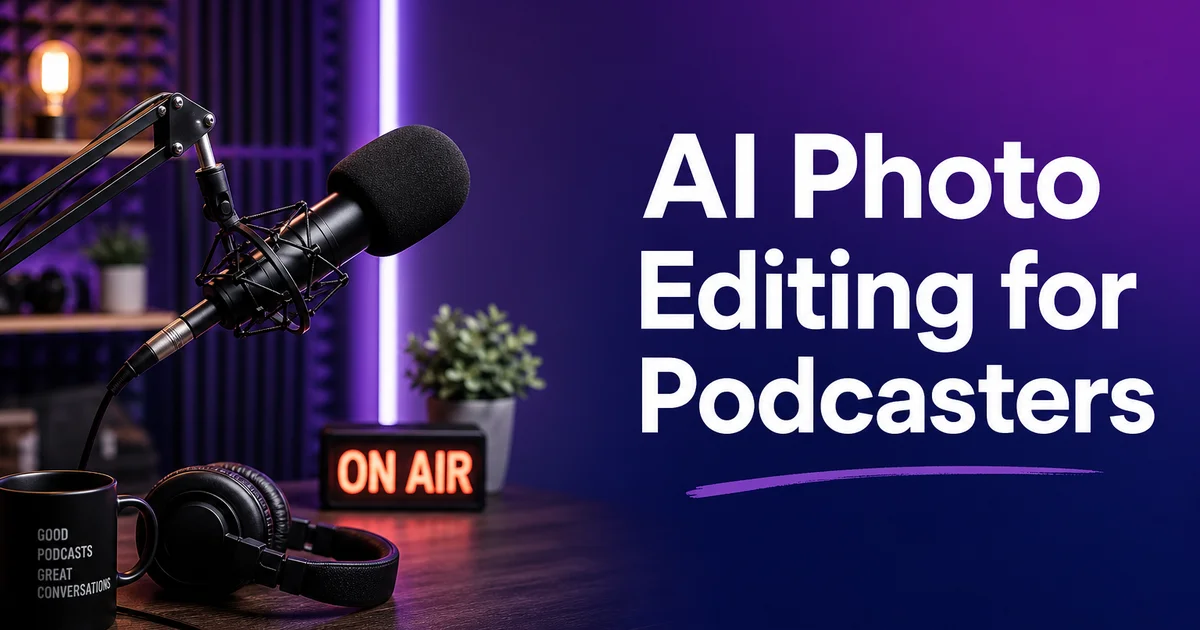
Podcasting has grown into one of the most competitive content formats in digital media. Visual branding plays a far larger role in discovery and audience growth than most creators realize. Edison Research data shows that podcast listeners increasingly browse visually before committing to a show. Platform algorithms on Apple Podcasts, Spotify, and YouTube surface content partly based on artwork engagement metrics. Your cover art, episode thumbnails, and social media promo images are not decorative afterthoughts. They are the primary discovery mechanism for potential listeners scrolling through hundreds of competing shows in their podcast app of choice.
Most independent podcasters produce their visual assets under the same constraints they face with audio production: limited budgets, no dedicated design team. Time pressure between recording, editing, and publishing episodes. The typical workflow involves taking a quick photo of the host or guest, maybe adding text in a free design tool. Publishing whatever results from that minimal process. The gap between this approach and the polished visual branding of expertly produced shows is right away visible in any podcast directory. It costs independent creators listeners who never click through to hear the audio.
AI photo editing tools give podcasters access to expert visual quality without the expert price tag. Background removal, lighting correction, portrait boost, and consistent branded graphics can all be produced by a solo creator with a smartphone and a few minutes of editing time per episode. This guide covers the complete visual workflow for podcast cover art, episode-specific thumbnails, guest promo images. Social media content that builds audience recognition and drives discovery.
- AI background removal creates clean, branded portraits for cover art from photos taken in any recording environment.
- Portrait enhancement optimizes lighting, sharpness, and skin tones for small-format display where clarity is critical.
- Consistent visual branding across episodes builds audience recognition in crowded podcast directories.
- Guest promo images encourage cross-promotion and social sharing that expands your listener base.
- Platform-specific exports ensure your artwork meets Apple, Spotify, and YouTube technical requirements.
Why podcast cover art directly affects listener growth
Podcast discovery happens visually before it happens audibly. When a potential listener browses a category page on Apple Podcasts, scrolls through Spotify recommendations, or sees a shared podcast link on social media, the cover art is the first and often only piece of information they use to decide whether to learn more. Research on visual attention in digital interfaces always shows that humans process images faster than text. In the split-second scrolling setting of a podcast app, your cover art either earns a tap or gets bypassed fully. No amount of audio quality compensates for artwork that fails to share professionalism and relevance at thumbnail size.
Apple Podcasts and Spotify both use artwork engagement as a signal in their recommendation algorithms. Shows with higher tap-through rates on their cover art get surfaced more prominently in browse categories, editorial features, and algorithmic suggestions. This creates a compounding advantage: better artwork drives more taps, more taps improve algorithmic placement, better placement drives more discovery, and more discovery grows the audience. Conversely, weak artwork suppresses discovery at every stage of this cycle, keeping excellent audio content invisible to the listeners who would love it.
The technical challenge is that cover art must share clearly at multiple display sizes at once. Apple Podcasts renders your artwork as large as 3000 by 3000 pixels on a desktop detail page and as small as 55 by 55 pixels in a CarPlay interface. Spotify shows it at varying sizes depending on device and context. Your design needs to be legible, distinct, and expert at every point on that size spectrum. AI photo editing tools help by ensuring that portraits are sharp, backgrounds are clean. Contrast is high enough for the artwork to survive aggressive downscaling without becoming an unreadable blur.
- Podcast discovery happens visually — cover art determines whether potential listeners tap through to hear audio.
- Platform algorithms use artwork engagement rates to inform browse placement and recommendation prominence.
- Cover art must read clearly from 3000 pixels on desktop down to 55 pixels on CarPlay and watch interfaces.
- AI enhancement ensures portraits remain sharp and recognizable even at aggressive thumbnail downscaling.
Creating professional host and guest portraits
The foundation of podcast visual branding is a high-quality portrait of the host that works across every platform and use case. This portrait appears on your main cover art, episode thumbnails, social media profiles, guest look credits on other shows, and press features. Most podcasters use a photo taken in their recording space. A home office, a studio apartment corner, or a co-working space — with whatever lighting happens to be available. The resulting image often shows acoustic foam, cable tangles, computer monitors. Room clutter that shares bedroom operation rather than expert production.
Background Eraser transforms any recording-space photo into a clean, brandable portrait in seconds. Upload your photo, let the AI isolate you from the background. Place yourself on a solid color or gradient that matches your podcast's brand palette. The isolation is precise enough to handle headphones, microphones positioned near your face. Detailed hair textures that simpler cutout tools would butcher. The result is a portrait that looks like it was shot in a expert studio against a seamless backdrop. It cost you nothing beyond the time to take the original phone photo.
For guest portraits, the same workflow applies but with an extra emphasis on consistency. When you feature a new guest each episode, their photo quality and framing varies wildly. Some send expert headshots, others send cropped vacation photos, and some send nothing at all. Run every guest photo through Background Eraser and AI Enhance, then place each guest on the same branded background template. The visual consistency signals to your audience that every episode receives the same production quality and creative care, regardless of what raw material the guest provided.
- Background Eraser isolates hosts from recording-space clutter to create studio-quality portraits instantly.
- The AI handles headphones, microphones, and detailed hair textures that basic cutout tools cannot process.
- Apply the same branded background to every guest photo for visual consistency across episodes.
- Consistent portrait treatment signals production quality and creative care to your audience.
Designing episode thumbnails that drive clicks
Episode-specific artwork is becoming standard practice for podcasts that publish on YouTube and video-first platforms. It also matters on audio platforms. Spotify and Apple Podcasts both support per-episode artwork. Shows that use custom thumbnails for each episode see higher engagement rates because the visual variety catches the eye of returning subscribers and new browsers alike. A feed of episodes that all display the same main cover art blends together visually. A feed with episode-specific thumbnails invites exploration.
The most effective episode thumbnails combine a guest portrait or topic-relevant image with bold, legible text at small sizes. Use AI Enhance to ensure the portrait is crisp and well-lit, Background Eraser to place the subject on your branded template. Magic Eraser to remove any unwanted elements from the source photo. Keep text to four or five words maximum. Enough to share the episode topic but not so much that it becomes illegible at thumbnail size. Test every thumbnail by viewing it at the smallest display size your target platforms use before publishing.
Batch production is the key to making per-episode thumbnails sustainable for a solo creator. Build a template with your show's branded background, consistent font treatment. A designated area for the guest portrait or topic image. For each new episode, drop in the AI-edited portrait, update the text, and export. The entire process should take under five minutes once your template is established. This investment compounds over time — a catalog of visually distinct episode thumbnails makes your back catalog more browsable and encourages listeners to explore beyond the latest release.
- Per-episode artwork increases engagement by adding visual variety that invites audience exploration.
- Combine an AI-enhanced guest portrait with four to five words of bold, legible text per thumbnail.
- Test every thumbnail at the smallest platform display size before publishing to ensure readability.
- A reusable branded template makes per-episode thumbnail production sustainable in under five minutes.
Guest promo images that drive cross-promotion
One of the most underutilized growth strategies in podcasting is providing guests with polished, ready-to-share promotional images right away after recording. When a guest appears on your show, they are likely to mention it on their own social media channels. But only if sharing is easy. Sending a guest a raw recording-space photo with a text message asking them to promote the episode produces negligible results. Sending them a expertly designed promo graphic with their portrait, your show's branding. The episode title produces enthusiastic sharing across their own audience.
Build a guest promo template that includes your podcast logo, the guest's AI-edited portrait on your branded background, the episode title, and the release date. Use Background Eraser to isolate the guest's portrait from whatever photo they provided, AI Enhance to optimize the image quality. Your branded color palette to create visual consistency. Produce the graphic in multiple aspect ratios. Square for Instagram feed posts, vertical for Stories and Reels, and horizontal for Twitter and LinkedIn. Send the complete set to your guest within twenty-four hours of recording while their enthusiasm is fresh.
The cross-promotional value of this workflow compounds with every guest. Each time a guest shares your expertly designed promo graphic to their audience, your show's visual branding reaches people who have never heard of you. If those people see consistent, polished artwork every time a friend or colleague shares an episode, your show builds a reputation for quality before the first second of audio plays. Over fifty episodes, these shared promo graphics create a distributed visual presence across dozens of audience networks that no amount of paid advertising could replicate as authentically.
- Provide guests with ready-to-share promo graphics within twenty-four hours of recording to maximize sharing.
- Include the guest's AI-edited portrait, your show branding, episode title, and release date on every graphic.
- Produce promo images in multiple aspect ratios for Instagram, Stories, Twitter, and LinkedIn simultaneously.
- Each guest share distributes your visual branding to their audience, compounding discovery over time.
Platform-specific export requirements and optimization
Every podcast platform has specific technical needs for cover art. Submitting artwork that does not meet these specifications causes rejection, display errors, or quality degradation that undermines your visual branding. Apple Podcasts requires cover art between 1400 by 1400 and 3000 by 3000 pixels in JPEG or PNG format with RGB color space. Spotify recommends 2400 by 2400 pixels minimum in JPEG format. YouTube podcast pages use the standard video thumbnail dimensions of 1280 by 720 pixels. Google Podcasts accepts square artwork between 1200 and 6000 pixels. Meeting all of these at once requires producing multiple export sizes from your master artwork file.
Beyond meeting minimum specifications, optimizing artwork for each platform's display context improves visual impact. Apple Podcasts displays cover art on bright white or dark backgrounds depending on the user's device theme. Artwork with thin borders or pale edge elements may disappear on white backgrounds or look washed out on dark ones. Spotify's dark interface means that artwork with dark edges blends into the surround and loses definition. Run your final artwork through AI Enhance with contrast improvement to ensure the image pops on any background. Consider adding a subtle border or vignette that separates your artwork from any platform background color.
Social media promotion requires extra format variations beyond what podcast platforms accept. Instagram feed posts work best at 1080 by 1080 pixels, Stories require 1080 by 1920 pixels. Twitter posts display at 1200 by 675 pixels for maximum visual real estate. Use AI Expand to adapt your square podcast artwork into these different aspect ratios without losing composition or cropping important elements. Maintaining consistent visual branding across the podcast platform, social media promotion. Your website creates a cohesive identity that listeners recognize and associate with quality regardless of where they encounter your show.
- Apple Podcasts requires up to 3000x3000 pixels, Spotify recommends 2400x2400, and YouTube uses 1280x720.
- Optimize contrast to ensure artwork pops on both light and dark platform background themes.
- Use AI Expand to adapt square podcast artwork into Instagram, Stories, and Twitter aspect ratios.
- Consistent visual branding across all platforms builds recognition that listeners associate with show quality.
How to do it
- 1
Photograph your host and guests in the recording space
Capture headshots and candid recording session photos of hosts and guests. Use your phone camera with natural or ring light illumination. Shoot multiple angles — straight-on for cover art, three-quarter for social media promo, and behind-the-scenes for audience engagement posts.
- 2
Remove recording studio clutter from backgrounds
Use Magic Eraser to clean up visible cables, water bottles, scattered notes, and acoustic treatment that looks messy in photos. Remove anything behind the subject that distracts from the expert podcasting image you want to project across platforms.
- 3
Create clean isolated portraits for cover art and graphics
Use Background Eraser to isolate host and guest portraits from the recording setting. Place them on solid color or gradient backgrounds that match your podcast brand colors for consistent, expert cover art and episode thumbnails.
- 4
Enhance photo quality for small-format display
Run all portraits and promo images through AI Enhance to optimize lighting, sharpness, and color. Podcast cover art displays as small as 55 pixels on some platforms. Maximum contrast and clarity are key for your artwork to remain distinct in tiny formats.
- 5
Export sized versions for every podcast platform
Create platform-specific exports: 3000x3000 pixels for Apple Podcasts, 2400x2400 for Spotify, 1600x1600 for Google Podcasts. Optimized crops for social media promotion on Instagram, Twitter, and LinkedIn. Consistent branding across all sizes reinforces show recognition.
Sources
- The Infinite Dial 2026: Podcast Listening Trends — Edison Research
- Apple Podcasts Best Practices for Artwork — Apple
- Spotify for Podcasters: Cover Art Guidelines — Spotify