
AI Photo Editing for Pet Photographers — Magic Eraser
Complete guide to AI photo editing for pet and animal photography. Learn how to enhance fur detail, remove distractions, replace backgrounds, and create professional pet portraits using AI tools.

Product Marketing
Reviewed by Magic Eraser Editorial ·
Table of Contents
- Capture strategy: maximizing usable frames from unpredictable subjects
- Removing distractions: leashes, handlers, and environmental clutter
- Fur and eye enhancement: the details that make pet portraits compelling
- Background replacement for studio-quality results from any location
- Workflow efficiency: batch processing and delivery for professional pet photographers
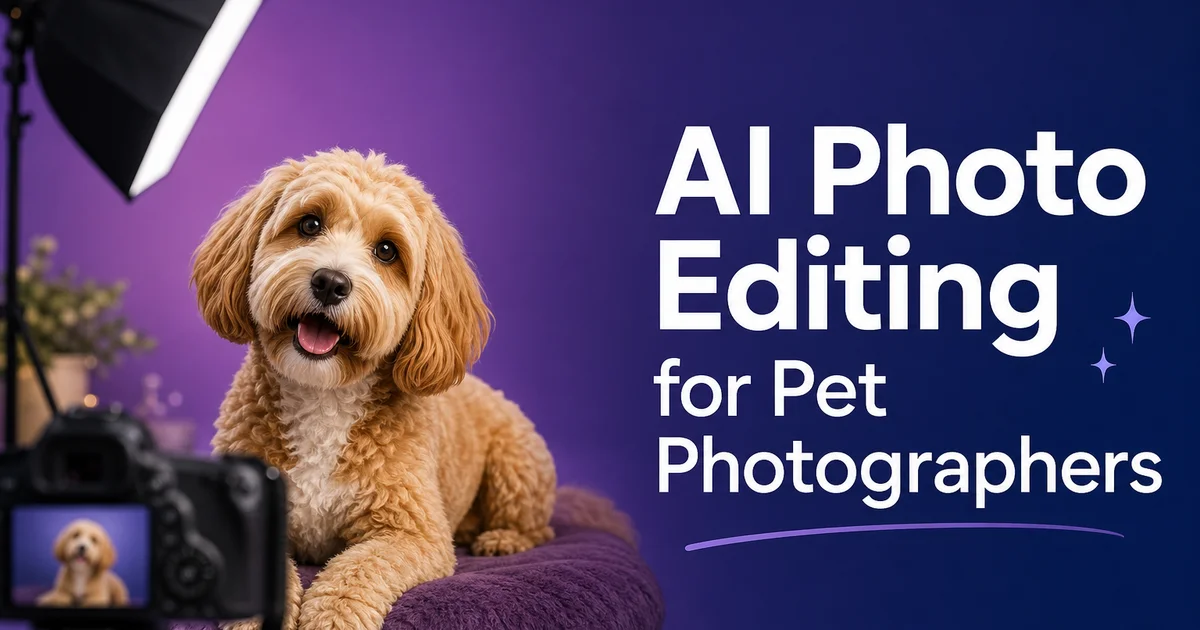
Pet photography is one of the fastest-growing segments of the professional photography market, driven by a cultural shift in how people relate to their animals. Pet owners increasingly treat their dogs, cats, and other companion animals as family members, and they want portraits that reflect that emotional bond with the same visual quality they would expect from a family photographer. The challenge is that animals are among the most difficult photography subjects. They do not take direction, they rarely hold still, they move unpredictably, and their fur creates editing challenges that human subjects simply do not present. A single pet photography session might produce three hundred frames to get twenty usable compositions. Even the best of those twenty will often need major post-processing work.
AI photo editing tools have transformed the pet photography workflow by automating the most time-consuming technical corrections while keeping the natural character that makes each animal unique. Magic Eraser removes the leashes, toys, and environmental distractions that clutter pet photography settings. Background Eraser handles the notoriously difficult task of separating furry subjects from their backgrounds with edge precision that would take thirty minutes or more to achieve manually. AI Enhance brings out fur texture, whisker definition, and the catchlight reflections in animal eyes that transform a technically acceptable photo into an emotionally strong portrait. Together, these tools reduce the per-image editing time from fifteen to twenty minutes down to two or three minutes without sacrificing quality.
This guide covers the complete AI-assisted workflow for pet photography, from capture strategy through final delivery. Whether you are a professional pet photographer serving clients, a shelter volunteer creating adoption listings, or a pet owner who wants better photos of your own animals, the techniques covered here will help you produce consistently professional results. The emphasis is on practical, immediately applicable methods that work with any camera, including smartphones, because the AI tools handle the technical heavy lifting that in the past required expensive equipment and advanced editing skills.
- Magic Eraser removes leashes, toys, food bowls, and environmental distractions from pet photos, replacing them with contextually appropriate content through AI inpainting.
- Background Eraser separates furry subjects from cluttered backgrounds with edge precision that handles individual hairs and whiskers — a task that takes thirty-plus minutes manually.
- AI Enhance sharpens fur texture, whisker definition, and eye catchlight reflections, transforming technically acceptable photos into emotionally compelling portraits.
- AI Filter applies color grades optimized for different coat colors and moods — warm tones for golden and orange animals, cool tones for black and grey subjects.
- The complete AI workflow reduces per-image editing time from fifteen to twenty minutes down to two or three minutes while maintaining professional output quality.
Capture strategy: maximizing usable frames from unpredictable subjects
The fundamental reality of pet photography is that your success rate per shutter press is greatly lower than with human subjects. A professional portrait photographer working with an adult human client might achieve a fifty percent or higher keeper rate because the subject can hold poses, follow directions, and maintain expressions. With animals, a ten to fifteen percent keeper rate from a burst sequence is considered good, and even those keepers will often have minor issues. Slightly soft focus on the eyes, an ear in an awkward position, a background element that was not noticed during shooting. Accepting this reality and compensating with volume and speed is the first step toward consistently good pet photography.
Camera settings should focus on speed above everything else. Aperture priority mode at f/2.8 to f/4 provides enough depth of field to keep the entire face in focus while maintaining a fast enough shutter speed to freeze movement. For active dogs, switch to shutter priority at 1/1000s or faster. Continuous autofocus with animal eye detection, available on most modern cameras and many smartphones — tracks the subject's eyes as they move, greatly increasing the sharp-eye hit rate compared to single-point focusing. If your camera lacks animal eye detection, focus on the nearest eye and accept that some frames will miss when the animal turns its head between the focus lock and the exposure.
Environmental preparation reduces the amount of post-processing needed later. Before bringing the animal into the shooting area, scan the background and remove any objects you can physically move. Water bowls, toys scattered on the floor, shoes by the door, garden hoses on the lawn. Every physical distraction you remove before shooting is one less object you need to erase digitally afterward. For outdoor shoots, choose locations with clean, uncluttered backgrounds whenever possible — open fields, solid-colored walls, simple fences. The cleaner the capture setting, the less editing time each image requires. The more natural the final result looks because the AI has less inpainting work to do.
- Expect a ten to fifteen percent keeper rate from burst sequences with animal subjects — compensate by shooting in high-speed continuous mode and reviewing frames quickly between bursts.
- Use aperture priority at f/2.8 to f/4 for portraits or shutter priority at 1/1000s or faster for active animals, always with continuous autofocus and animal eye detection enabled.
- Physically remove distractions from the shooting environment before the session begins — every object removed before capture saves editing time afterward.
- Choose shooting locations with clean backgrounds — open fields, solid walls, simple fences — to minimize the AI inpainting work required in post-processing.
Removing distractions: leashes, handlers, and environmental clutter
Even with careful environmental preparation, pet photos almost always contain elements that need to be removed in post. Leashes are the most common offender. They are necessary for safety during outdoor shoots but visually anchor the animal to a human presence that disrupts the illusion of a natural, candid moment. Magic Eraser removes leashes with a single brush stroke, and the AI inpainting fills the leash path with whatever would naturally be there. Sky, grass, the animal's own body where the leash overlaps the subject. For thick or brightly colored leashes that cross complex background areas, you may need to process the removal in two passes: first erasing the leash itself, then cleaning up any remaining shadow or color contamination from the leash's presence.
Handler hands and feet frequently appear at the edges of tight compositions, mainly when someone is holding the animal in position or offering treats just outside the frame. These partial human elements are deeply unwanted because the viewer's brain instinctively tries to complete the missing body, pulling attention away from the animal subject. Magic Eraser removes these intrusions cleanly, and because they are often at the edges of the frame where the background is simpler, the inpainting results are always excellent. Similarly, treat pouches, clickers, and training tools that might be visible in the frame should be erased to maintain the polished look of a professional portrait.
Background clutter in indoor settings — electrical outlets, baseboard heaters, furniture legs, cable runs, light switch plates — creates visual noise that degrades the professional feel of a pet portrait. While one by one small, these elements collectively make an image feel like a casual snapshot rather than an intentional portrait. A systematic cleanup pass with Magic Eraser, working from the largest distractions to the smallest, transforms the background from cluttered reality to clean simplicity. The key is restraint: remove elements that distract from the subject, but preserve elements that provide context or depth. A bookshelf in soft focus, a couch cushion that grounds the animal in a living room setting, a fence that establishes an outdoor location.
- Leashes are the most common distraction in pet photos — Magic Eraser removes them in one pass, inpainting the path with contextually appropriate sky, grass, or body texture.
- Handler hands, feet, treat pouches, and training tools at frame edges pull attention from the animal and should be erased to maintain the illusion of a natural, candid moment.
- Indoor background clutter — outlets, cables, furniture legs, switch plates — collectively degrades professional quality and should be systematically cleaned up from largest to smallest.
- Preserve background elements that provide beneficial context or depth — a soft-focus bookshelf, a grounding couch cushion — while removing only the elements that distract from the animal subject.
Fur and eye enhancement: the details that make pet portraits compelling
Fur texture is the single most important detail in pet photography because it shares the tactile quality that pet owners associate with their emotional bond. The softness of a kitten's coat, the wiry texture of a terrier's fur, the sleek shine of a Labrador's short hair. When fur appears soft and undefined in a photo, the portrait feels flat and fails to evoke the sensory experience of being with the animal. AI Enhance addresses this by applying intelligent sharpening that increases the definition of individual hair strands without creating the harsh, over-sharpened look that traditional unsharp mask tools produce. The AI distinguishes between fur texture that should be enhanced and background areas that should remain soft, applying different sharpening intensities to different regions of the image.
Eye boost is the other critical detail because eyes are the primary emotional connection point in any portrait — human or animal. A pet portrait where the eyes are slightly soft, slightly dark, or missing their catchlight reflections feels emotionally flat. The same composition with sharp, bright, catchlight-rich eyes feels alive and engaging. AI Enhance targets the eyes specifically, increasing clarity and bringing out iris detail, the reflection of the light source in the cornea (the catchlight). The subtle color variations that give animal eyes their depth and character. For dark-eyed breeds where the iris is nearly black, the boost reveals the subtle brown and amber undertones that are present but not visible in the original exposure.
Different coat types require different boost approaches. Long-haired breeds — Persian cats, golden retrievers, Afghan hounds — benefit from moderate sharpening that enhances the flow and layering of the coat without creating artificial crispness on what should be soft, flowing fur. Short-haired breeds — boxers, Siamese cats, Dobermans — benefit from stronger sharpening that brings out the individual hair pattern and the way light plays across the tight coat surface. Curly-coated breeds — poodles, Bichon Frises, Portuguese water dogs — need careful boost that defines the curl structure without over-sharpening the texture into an unnatural, crunchy look. AI Enhance adapts its processing based on the detected texture pattern. You can also adjust the intensity manually to match the specific look you want for each animal.
- AI Enhance applies intelligent sharpening to fur that increases individual hair strand definition without the harsh, over-processed look of traditional unsharp mask tools.
- Eye enhancement targets catchlight reflections, iris detail, and subtle color variations specifically, transforming flat animal eyes into emotionally engaging focal points.
- Long-haired breeds benefit from moderate sharpening that preserves flow, while short-haired breeds benefit from stronger enhancement that reveals individual hair patterns and light play.
- Curly-coated breeds need careful enhancement that defines curl structure without over-sharpening — AI Enhance adapts automatically but allows manual intensity adjustment per image.
Background replacement for studio-quality results from any location
Professional pet photography studios invest thousands of dollars in seamless paper backdrops, specialized lighting and controlled settings, but most pet photography happens in homes, parks, backyards, and shelters where the setting is anything but controlled. Background Eraser bridges this gap by separating the animal from whatever background it was photographed against and placing it on a clean, professional alternative. The separation quality is critical because fur edges are among the most challenging subjects for any masking tool. Individual hairs extend beyond the main body outline, whiskers create thin semi-transparent lines, and the space between upright ears may show background that needs to be removed while the ear interior is preserved.
Background Eraser handles these challenges through AI edge detection trained specifically on animal subjects. The system recognizes fur boundaries, whisker paths, and ear shapes as distinct edge types that require different processing approaches. Solid body edges receive clean, precise separation. Fur fringes receive graduated transparency that preserves the natural softness of the coat edge. Whiskers receive thin-line keeping that maintains their visibility without leaving background color attached. The result is a separation that looks natural and professional, ready for placement on any background. A studio grey gradient, a sun-dappled garden, a plain white for e-commerce, or a custom branded backdrop for a pet business client.
For shelter and rescue organizations, background replacement is mainly valuable because adoption listing photos are often taken in visually unappealing settings. Concrete kennel floors, chain-link fencing, institutional walls — that create negative associations and reduce adoption interest. Replacing these backgrounds with warm, home-like settings has been shown to increase adoption inquiry rates because potential adopters can more easily visualize the animal in their own home. Background Eraser makes this change possible at scale, allowing shelter volunteers to process dozens of adoption photos in a single session rather than spending hours masking each animal manually.
- Background Eraser uses AI edge detection trained on animal subjects, recognizing fur fringes, whisker paths, and ear shapes as distinct edge types requiring different separation approaches.
- Fur edges receive graduated transparency, whiskers receive thin-line preservation, and solid body edges receive precise separation — all handled automatically without manual refinement.
- Background options include studio gradients, natural outdoor scenes, plain white for e-commerce, and custom branded backdrops for pet business clients.
- Shelter adoption photos benefit dramatically from background replacement — swapping institutional concrete and chain-link for warm home-like settings increases adoption inquiry rates.
Workflow efficiency: batch processing and delivery for professional pet photographers
Professional pet photographers who shoot multiple sessions per week need an editing workflow that scales without sacrificing quality. A single pet photography session often produces two hundred to four hundred raw frames, from which twenty to forty selects need full editing before client delivery. At fifteen to twenty minutes of manual editing per image, that represents five to thirteen hours of post-processing for a single session, an unsustainable workload when combined with shooting, client communication, and business administration. AI tools compress this editing timeline by automating the repeated technical steps while leaving creative decisions to the photographer.
The most efficient workflow processes images in batches organized by edit type rather than working through each image sequentially. First, run all selects through AI Enhance to handle the universal technical improvements. Sharpening, noise reduction, eye enhancement, and exposure correction all happen in this pass. Second, batch-process any images that need background cleanup through Magic Eraser, addressing distractions that appeared repeatedly throughout the session. Third, process images requiring full background replacement through Background Eraser, applying the same replacement background to maintain visual consistency across the set. Finally, apply color grading through AI Filter to the entire batch, using the same preset for a cohesive look across all delivered images.
Client delivery for pet photography has unique needs that differ from human portrait photography. Pet owners often want a higher proportion of action shots and candid moments compared to posed portraits. They value natural-looking expressions over perfect technical composition. This means your editing should focus on keeping the animal's natural character. Their goofy grin, their alert ear position, their playful body language — over achieving technical perfection. AI tools help here by handling the technical cleanup automatically, freeing you to focus your limited manual editing time on the creative decisions that preserve each animal's personality. The result is faster turnaround times, more consistent quality and happier clients who receive their pet portraits days rather than weeks after the session.
- Batch-process images by edit type — enhancement first, then distraction removal, background replacement, and color grading — rather than working through each image sequentially from start to finish.
- AI tools compress per-session editing time from five to thirteen hours down to one to three hours while maintaining or improving output quality compared to manual processing.
- Apply consistent color grading and background treatments across the entire delivery set for visual cohesion that reinforces your brand identity as a pet photographer.
- Prioritize preserving the animal's natural character and personality over technical perfection — AI handles technical cleanup automatically, freeing creative attention for expression and personality.
How to do it
- 1
Capture the shot with speed priority and burst mode enabled
Animals are unpredictable subjects that rarely hold still on command. Shoot in burst mode with a fast shutter speed to maximize your chances of capturing the perfect expression and pose. A shutter speed of at least 1/500s freezes most pet movements. 1/1000s is necessary for running dogs or jumping cats. Accept that most frames in a burst will be imperfect. The goal is to get one or two frames with great expression and acceptable technical quality, knowing that AI tools will handle the remaining imperfections in post-processing.
- 2
Remove distracting background elements with Magic Eraser
Pet photography settings are rarely clean. There are leashes, toys, food bowls, other people's legs, trash cans, and dozens of other visual distractions that compete with the animal subject. Use Magic Eraser to remove these unwanted elements from the frame. The AI inpainting fills the removed areas with contextually right content. Grass where there was a leash on a lawn, wall texture where there was a light switch behind an indoor portrait. This cleanup step transforms a casual snapshot into a professional-looking portrait by eliminating everything that pulls the viewer's eye away from the animal.
- 3
Enhance fur detail and eye sharpness with AI Enhance
Fur texture is the pet photography equivalent of skin detail in human portraiture. It is what separates a strong close-up from a flat, lifeless image. Run AI Enhance to sharpen fur detail, bringing out individual hair definition, whisker clarity. The subtle texture variations between different parts of the animal's coat. Pay special attention to the eyes, which are the emotional anchor of any animal portrait. AI Enhance increases eye clarity, bringing out the catchlight reflections and iris detail that make a pet portrait feel alive and emotionally engaging.
- 4
Clean up or replace the background with Background Eraser
If the original background is too cluttered for Magic Eraser cleanup or simply does not match the look you want, use Background Eraser to remove it fully and replace it with a clean studio backdrop, a natural outdoor scene, or a gradient that complements the animal's coloring. Background Eraser handles the complex edge detection required by fur. Individual hairs, whiskers, and the semi-transparent edges of thin-coated breeds — far better than manual masking, which often takes thirty minutes or more per image when dealing with detailed animal outlines.
- 5
Apply color grading and final adjustments with AI Filter
Finish the edit by applying color grading that enhances the mood and visual appeal of the portrait. Warm tones work well for golden retrievers and orange cats, emphasizing their coat colors and creating an inviting, cozy feel. Cool tones suit black and grey animals, adding depth and drama to their darker coloring. AI Filter offers preset styles optimized for different looks. Options range from bright and airy studio aesthetics to moody natural-light feels — and each preset can be adjusted in intensity so the color treatment enhances the image without overpowering the subject.
Sources
- Pet Photography Market Size and Growth Trends — Grand View Research
- Understanding Animal Behavior for Better Photography — National Geographic
- Professional Pet Photography: Lighting and Posing Techniques — B&H Photo