
AI Photo Editing for Online Dating Profiles: Look Your Best Without Looking Fake
Edit your dating profile photos with AI to fix lighting, remove distracting backgrounds, and clean up incidental flaws — while keeping your photos authentic and true to how you really look.

Product Marketing
Reviewed by Magic Eraser Editorial ·
Table of Contents
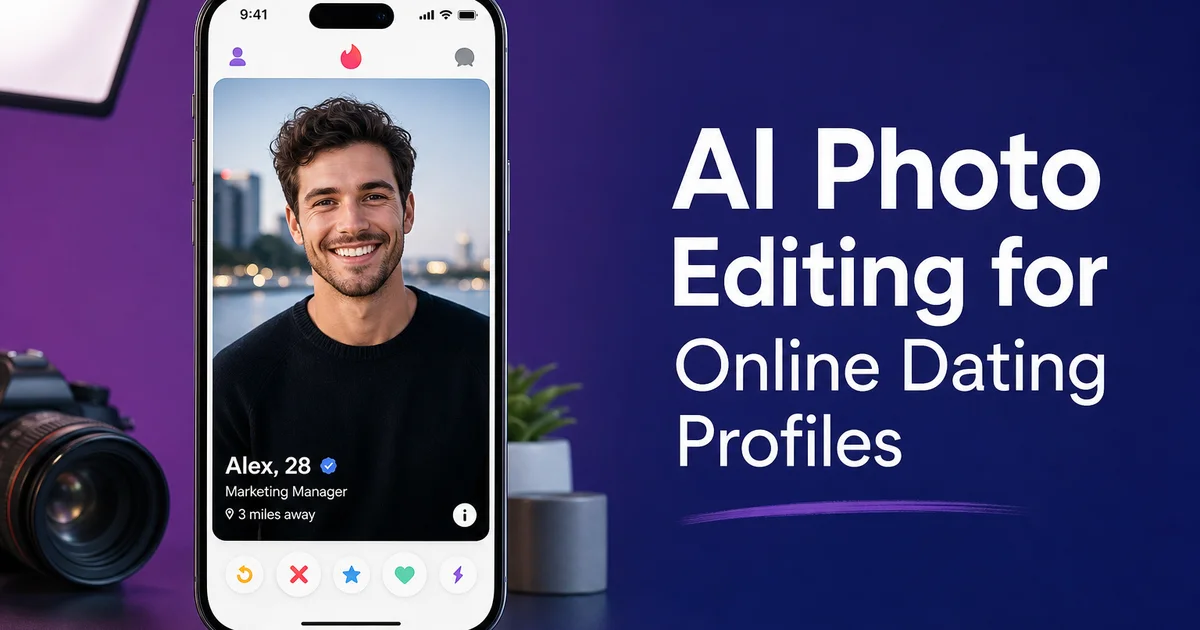
Your dating profile photos are doing more work than any resume, cover letter, or LinkedIn summary you have ever written. Research published in the Proceedings of the National Academy of Sciences found that profile photos are the dominant factor in online dating decisions. People form judgments about attractiveness, trustworthiness, and personality within milliseconds of seeing a photo, and those snap judgments determine whether they swipe right or keep scrolling. Pew Research data shows that roughly three in ten U.S. adults have used a dating app. For the majority of them, photos are the first and most important element they evaluate.
The problem is that most people do not have a library of well-lit, well-composed photos of themselves. Your best candid shots were taken in dim restaurants, backlit on beaches, or in cluttered apartments. The photo where your smile looks the most natural has someone's ex-partner in the background. The hiking shot that shows you doing something you love has harsh midday shadows cutting across your face.
AI photo editing fixes these environmental problems without changing how you look. It corrects the lighting so your face is visible. It cleans up the background so the focus is on you. It removes the stranger who wandered into your beach photo. The result is photos that look like a friend with a good camera took them on a nice day. Not photos that look filtered, airbrushed, or deceptively altered. This guide covers how to use AI editing to present the real you in the best possible light.
- AI lighting correction fixes dark restaurants, harsh shadows, and backlit situations that make casual photos unflattering.
- Background replacement removes messy rooms, bathroom mirrors, and crowded scenes without affecting how you look in the photo.
- Object removal eliminates photobombers, trash cans, distracting signs, and other visual noise from otherwise good shots.
- Enhancement sharpens facial features and corrects color so you look clear and natural, not filtered or processed.
- The editing focuses on environment and lighting — not on altering your face, body, or physical appearance.
- A well-edited profile set with variety in settings and activities builds trust and generates more meaningful matches.
Why most dating profile photos underperform
The photos that best represent your personality were rarely taken under ideal photographic conditions. That laughing group shot at your friend's birthday — taken in a dim bar with overhead fluorescent lighting. The beach vacation photo where you look relaxed and happy. Backlit by the setting sun so your face is a dark silhouette. The cooking shot that shows your favorite hobby. In a kitchen with yellow-orange tungsten lights that make your skin look sallow.
Research in Psychological Science shows that people form trustworthiness and competence judgments from faces in as little as 100 milliseconds. In a dating context, this means that technical photo quality. Lighting, focus, background — directly affects how attractive and trustworthy you appear, independent of your actual look. A well-lit photo of an average-looking person always outperforms a poorly-lit photo of an attractive person in studies measuring perceived attractiveness.
Most dating app users compensate for poor photo quality by applying heavy filters. The kind that smooth skin, enlarge eyes, slim faces, and add fake studio lighting. This creates a different problem: catfishing expectations. When your filtered profile photo looks greatly different from how you look in person, the first date starts with disappointment and eroded trust. The goal is not to look like a different person; it is to look like yourself in good lighting.
- The best personality-revealing photos are rarely taken in good lighting conditions.
- Trustworthiness judgments form in milliseconds and are influenced by technical photo quality, not just appearance.
- Well-lit photos of average-looking people outperform poorly-lit photos of attractive people in perception studies.
- Heavy filters create catfishing expectations that damage trust on actual dates.
Lighting correction: the highest-impact edit
If you only make one edit to your dating photos, fix the lighting. AI Enhance corrects the three most common lighting failures in casual photos. For dark settings like restaurants, bars, and evening outdoor settings, it lifts overall exposure and reveals facial detail that the camera could not capture. For backlit situations where you are standing in front of a window, sunset, or bright sky, it balances the exposure between the bright background and your shadowed face. For indoor fluorescent or tungsten lighting, it corrects the color cast so your skin tone looks natural rather than green-tinged or orange.
The correction looks natural because the AI understands the difference between ambient lighting problems and intentional photographic choices. It will brighten your face in a dark restaurant photo without blowing out the candle-lit ambiance in the background. It will correct a fluorescent color cast on your skin without removing the warmth from the wooden bar behind you. The result is a photo that looks like it was taken in better light. Not a photo that looks edited.
Process your potential profile photos in a batch and compare the before-and-after results. In most cases, the enhanced versions reveal details that make the photo significantly more engaging: eye color becomes visible, your smile shows more clearly. The texture of your hair and clothing adds visual interest that was lost in the dark original. These are not fabricated details — they were captured by the camera but hidden by poor exposure.
Background cleanup: focus on you, not your surroundings
After lighting, background is the second most common issue in dating profile photos. Bathroom mirror selfies remain one of the most common photo types on dating apps. And one of the most universally criticized. The messy bedroom behind your full-length mirror shot. The cluttered kitchen counter in your cooking photo. The crowded bar where six people are in frame and a viewer cannot tell which one is you.
Background Eraser isolates you from the setting and lets you replace it with something cleaner. The key is choosing replacement backgrounds that look natural for the photo context. A headshot works well with a softly blurred outdoor background — trees, a park, a neutral building facade. A full-body shot can use a clean wall or a simple outdoor setting. Avoid backgrounds that look obviously fake or staged; the goal is plausible, not impressive.
For some photos, a full background replacement is not necessary. Use Magic Eraser instead to remove specific unwanted elements. The pile of laundry on the couch behind you, the toilet visible through the bathroom door, the ex-partner's arm still in frame from the crop. These targeted removals clean up the photo while keeping the original setting. Often looks more natural than a complete background swap.
- Bathroom mirror selfies and messy backgrounds are among the most common dating photo complaints.
- Choose replacement backgrounds that look plausible for the photo context — not obviously fake.
- For minor distractions, targeted removal with Magic Eraser looks more natural than a full background swap.
- A clean background keeps the viewer's attention on you rather than your surroundings.
The authenticity rule: edit the environment, not yourself
There is one unbreakable rule for dating photo editing: change the lighting, change the background, remove the photobomber. But do not change how you look. No slimming. No skin smoothing. No teeth whitening. No jaw reshaping. If someone would not recognize you when you walk into the coffee shop for a first date, the edit has gone too far.
This is not just an ethical point — it is a practical one. Pew Research data shows that the number one complaint about online dating is that people do not look like their photos. Heavily edited photos generate matches based on a false premise, leading to awkward first dates and wasted time for both people. Moderately edited photos that accurately represent your look in good conditions generate fewer total matches but more genuine interest. And that is the actual goal.
AI photo editing tools are mainly good at this boundary because they distinguish between the person and the setting. AI Enhance brightens the lighting on your face without altering your facial features. Background Eraser removes the setting behind you without changing your body. Magic Eraser removes objects from the scene without touching you. The edits are inherently environmental rather than cosmetic, which makes it much harder to accidentally cross the realism line.
Build your final profile with 4-6 photos that show variety: a clear headshot, a full-body shot, an activity shot, and a social shot. Make sure at least one photo is very recent with your current hairstyle and style. The combination of good lighting, clean backgrounds, and honest representation is the formula that generates quality matches.
- Never alter your physical appearance — no slimming, smoothing, whitening, or reshaping.
- If someone would not recognize you at a first date, the edit has gone too far.
- AI tools naturally distinguish between environmental edits and cosmetic alterations.
- Include 4-6 varied photos with at least one very recent shot showing your current appearance.
How to do it
- 1
Select your best candid photos
Choose 4-6 photos that represent the real you: a clear headshot with good lighting, a full-body shot, photos of you doing activities you enjoy, and a social shot with friends. Avoid heavy filters, sunglasses in every photo, and group shots where it is unclear which person you are. The best dating photos feel natural, not staged.
- 2
Enhance lighting and clarity
Run each photo through AI Enhance to fix the lighting issues that plague casual photos. Dark restaurant ambiance, harsh midday shadows across your face, indoor fluorescent color casts, and backlit situations where your face is in shadow. The AI brightens your features, corrects color temperature, and sharpens detail without making the edit look processed or filtered.
- 3
Clean up distracting backgrounds
Use Background Eraser to replace cluttered or unflattering backgrounds. Messy rooms, bathroom mirrors, crowded bar scenes — with cleaner options. A solid color, a softly blurred outdoor setting, or a neutral wall preserves the casual feel of the photo while removing visual noise that distracts from you.
- 4
Remove incidental distractions from the scene
Use Magic Eraser to clean up small distractions: a stranger photobombing your hiking shot, a trash can in an otherwise scenic background, a drink stain on your shirt, or a unwanted sign behind your head. These micro-edits remove things that pull attention without changing how you actually look.
- 5
Review the final set for authenticity and variety
Look at all your edited photos together as a profile set. Do they represent what someone would see when meeting you in person? Is there variety in settings, expressions, and activities? Delete any photo where the edit changed your look rather than your surroundings. The goal is to present the real you in the best available light — literally.
Sources
- Profile Photo Perceptions in Online Dating — Proceedings of the National Academy of Sciences
- Online Dating Statistics and Trends 2025 — Pew Research Center
- The Psychology of First Impressions in Digital Contexts — Psychological Science