
AI Photo Editing for Nonprofit Organizations: Professional Visuals on a Mission-First Budget
Learn how nonprofit organizations use AI photo editing to create professional event photos, protect participant privacy, build branded visuals, and strengthen donor engagement without a design team.
SEO & Growth
Reviewed by Magic Eraser Editorial ·
Table of Contents
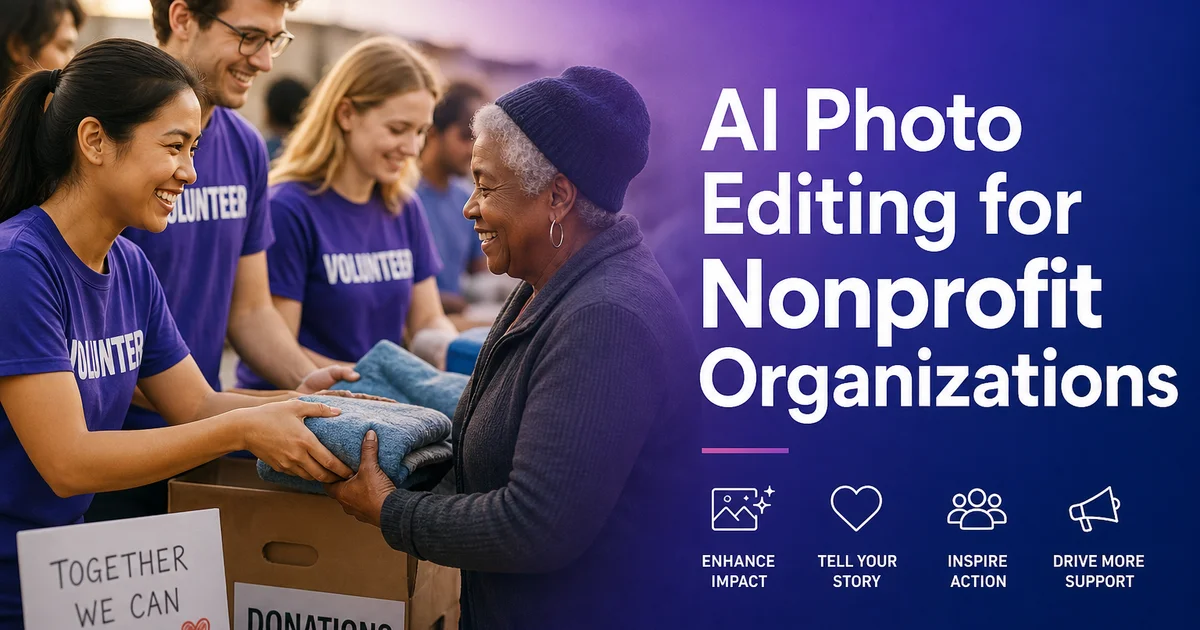
Nonprofit organizations face a persistent visual quality gap that undermines their fundraising and communications efforts. M+R Benchmarks data consistently shows that nonprofit email and social posts depend on strong creative presentation to earn engagement, click-throughs, and donations. Yet most nonprofits operate without dedicated photographers, graphic designers, or marketing budgets that would allow them to produce expert-grade visuals for every campaign, grant application, and annual report.
The typical nonprofit photo workflow depends on staff members and volunteers capturing images on their phones during events, programs, and community activities. These photos are taken under whatever lighting conditions exist at the time. Fluorescent overhead lights in community centers, harsh midday sun at outdoor service events, or dim portable lighting at evening fundraisers. The images get uploaded to social media, pasted into email newsletters. Embedded in grant applications with little or no editing, resulting in a visual identity that does not reflect the professionalism or impact of the actual work being done.
AI photo editing tools close this gap without requiring a photography budget or design expertise. Tasks that once required hiring a professional photographer and a graphic designer can now be handled by any staff member with a smartphone and a few minutes per image. This guide walks through the specific AI editing workflows that nonprofit communications teams need to transform everyday program records into powerful assets for donor engagement, grant applications, and public awareness campaigns.
- AI enhancement transforms smartphone event photos into images suitable for annual reports and grant applications in seconds.
- Object removal eliminates institutional clutter like exit signs, stacked chairs, and bulletin boards that distract from program stories.
- Background replacement creates consistent, branded portraits for staff and board pages without a professional photo session.
- Privacy protection tools remove identifying details from photos of vulnerable populations while preserving emotional impact.
- A single communications staff member can edit an entire event's photo library in under an hour using AI tools.
Why visual quality directly affects donor confidence
Donors make split-second judgments about organizational competence based on visual display. When a potential supporter scrolls through their email inbox, your year-end appeal sits alongside beautifully designed messages from retail brands and media companies with dedicated creative teams. The substance of your message may be far more meaningful. If the accompanying photos are dark, cluttered, or poorly composed, the email gets skimmed or deleted before the reader reaches the donation link. Giving USA research confirms that donor confidence correlates with perceived professionalism across all communication channels.
This visual credibility gap extends to every touchpoint where your organization competes for attention and funding. Foundation program officers reviewing a stack of grant proposals are influenced by display quality even when they are explicitly evaluating program outcomes and financial management. An annual report with dim, blurry photos of community programs looks less impactful than one with clear, well-lit images of the same work. The programs being documented are identical — the perception of organizational capacity differs based fully on visual quality.
AI photo editing lets nonprofits close this gap without redirecting mission-critical funds to marketing overhead. A communications coordinator running event photos through AI Enhance and Magic Eraser can produce visuals that match the quality of organizations spending thousands on expert photography. The investment is measured in minutes per image rather than thousands of dollars per shoot, which means every fundraising email, social media post, and grant application can include polished imagery that reinforces the professionalism of your mission work.
- Donors interpret visual quality as a signal of organizational competence and financial stewardship.
- Grant reviewers are influenced by presentation quality even when evaluating program outcomes.
- AI editing produces professional results at a cost measured in minutes rather than thousands of dollars.
- Every communication channel benefits from consistent visual quality — email, social, reports, and applications.
Enhancing event and program photography with AI
Event photography forms the visual backbone of nonprofit communications. Fundraising galas, volunteer service days, after-school programs, community health fairs, and awareness campaigns all generate photos that need to serve double duty. Documenting the event internally and creating strong content for external donor communications. The fundamental challenge is that these events happen in settings optimized for the program activity, not for photography. The person with the camera is usually at once managing logistics, greeting donors, or supervising participants.
AI Enhance handles the full range of lighting problems that nonprofit event photographers encounter. Community centers with flat fluorescent fixtures that cast green-yellow tones across skin are automatically corrected to warm, natural color. Evening fundraiser photos taken in dim ballrooms or decorated gymnasiums get lifted exposure that reveals attendee faces and venue details. Outdoor event shots taken under harsh midday sun receive balanced treatment where both shaded faces and bright backgrounds render properly. The correction is fully automatic and requires zero knowledge of color theory or photo editing software.
The practical impact on communications efficiency is substantial. Instead of sorting through two hundred event photos to find the fifteen that are usable as-is, a communications coordinator can run the entire batch through AI Enhance and find that most of them are now publication-ready. A photo library that before contained twenty percent usable images after an event now yields eighty percent or more, giving your team far more options for selecting the shots that best tell your program's story across different platforms and campaign contexts.
- Fluorescent community center lighting is automatically corrected from green-yellow to warm natural tones.
- Dim evening event photos gain lifted exposure that reveals faces and venue decoration details.
- Harsh outdoor sun gets balanced so shaded faces and bright backgrounds both render properly.
- Batch processing transforms event photo usability from roughly twenty percent to eighty percent or higher.
Removing institutional clutter from program photos
Nonprofit program photos are taken in functional spaces designed for service delivery, not visual storytelling. Community centers, school cafeterias, church basements, health clinics. Social service offices feature exit signs above every doorway, fire extinguishers mounted on walls, stacked folding chairs pushed into corners, bulletin boards covered in outdated flyers, and industrial fluorescent fixtures visible in ceilings. Staff who work in these spaces daily stop noticing these elements. They are right away visible in photographs and they undermine the emotional impact of the human story happening in the foreground.
Magic Eraser removes these visual distractions while keeping the authentic, documentary character of the image. Brush over the exit sign above a volunteer's head and the AI reconstructs clean wall texture. Erase the stack of surplus folding chairs behind a tutoring session and the tool fills in floor and wall seamlessly. Remove the cluttered bulletin board behind a client success portrait and replace it with a clean surface that keeps the viewer's attention on the person's face and expression. The photo still looks like a real moment captured in a real place. Just without the institutional details that pull donor attention away from the mission narrative.
For fundraising communications specifically, clean backgrounds make a measurable difference in engagement. When donors see a photo of your program in action, you want every second of their attention focused on the faces, the activity, and the impact. Not on the fire extinguisher, the trash can, or the stack of surplus office furniture. Every visual distraction removed from a program photo is a moment of donor attention preserved for your mission message. That attention translates directly into higher click-through rates and stronger fundraising results.
- Exit signs, fire extinguishers, stacked chairs, and bulletin boards are removed with a single brush stroke.
- The AI reconstructs natural wall, floor, and ceiling textures that match the surrounding environment.
- Photos retain their authentic documentary character while losing the institutional clutter that distracts viewers.
- Cleaner program photos in fundraising emails correlate with higher click-through rates and donor engagement.
Protecting participant privacy with responsible editing
Nonprofits serving vulnerable populations face a unique editorial challenge that commercial businesses never encounter: protecting the privacy and dignity of program participants while still telling the visual stories that drive donations and awareness. Children in after-school programs, people receiving substance abuse or mental health treatment, domestic violence survivors, unhoused community members accessing services. Immigrants navigating legal aid processes all deserve to have their privacy respected, even when their stories represent your most powerful fundraising content.
Traditional approaches to privacy protection in photography. Shooting exclusively from behind, using heavy silhouettes, or pixelating faces — create images that feel clinical or dehumanizing, which is the opposite of the emotional connection needed for effective donor engagement. AI editing tools offer better options that preserve the warmth and humanity of the image. Use Magic Eraser to remove name tags, school logos on children's clothing, street signs that identify a shelter location. Identifying documents visible in the frame. Use Background Eraser to isolate subjects and place them against neutral backgrounds that do not reveal geographic or institutional details.
For situations where faces cannot be shown, photograph from angles that capture the activity without revealing identity. Hands engaged in artwork, backs turned toward the camera during a group session, or wide shots where individual features are not distinguishable. Then run these thoughtfully composed photos through AI Enhance to ensure they look expert. The result is a visual that shares the human impact of your programs without exploiting or exposing the people you serve. Always obtain informed consent when possible, and default to stronger privacy protection when consent is ambiguous or when working with minors.
- Remove name tags, school logos, street signs, and documents that could identify vulnerable participants.
- Use Background Eraser to replace settings that reveal shelter or clinic locations with neutral backdrops.
- Photograph activities from angles that show engagement without revealing faces when identity protection is critical.
- Default to stronger privacy measures when working with minors or when informed consent cannot be obtained.
Building a reusable photo library for campaigns and grants
Effective nonprofit communications require a library of edited, tagged, ready-to-use photos that can be pulled into any campaign on short notice. Too many organizations scramble to find usable images every time a fundraising email goes out, a social media post needs a visual, or a grant application deadline approaches. Building a systematic photo library eliminates this recurring scramble and ensures that every communication channel has access to strong imagery that accurately represents current programs and impact.
After each event or program milestone, dedicate thirty to sixty minutes to selecting the ten to twenty strongest photos and running them through the complete AI editing workflow. Apply AI Enhance for lighting and color correction, use Magic Eraser to clean up background clutter. Process any portraits through Background Eraser for consistent branded treatment. Tag each edited photo with metadata including program name, date, location, consent status, and suggested use cases so your communications team can search and retrieve the right image months later when building a specific campaign.
Grant applications deserve particular visual attention because program officers review applications under time pressure and strong photos make submissions memorable. Include two to four carefully selected, expertly edited photos that illustrate your program model, community engagement, and measurable outcomes. Clean, well-lit images embedded in a grant narrative reinforce the impression of an organization that manages its operations with professionalism and attention to detail. Qualities that grantmakers evaluate alongside program design and budget accuracy.
- Dedicate thirty to sixty minutes after each event to edit and organize the strongest photos into your library.
- Tag every edited photo with program name, date, consent status, and suggested campaign use cases.
- Grant applications with professionally edited photos reinforce organizational credibility with reviewers.
- A systematic photo library eliminates last-minute scrambles when campaign deadlines approach.
How to do it
- 1
Capture authentic program and event photos
Photograph fundraising events, volunteer days, community activities, and program milestones using whatever equipment you have. Focus on moments that show your mission in action rather than posed group shots. Smartphone photos are usable when the moment is authentic; AI editing handles much of the technical polish afterward.
- 2
Enhance photos with AI to professional quality
Run event and program photos through AI Enhance to correct lighting, color, and exposure automatically. Community center fluorescent lights, dim evening fundraiser venues, and harsh outdoor sun can all be improved in a single pass without manual adjustment.
- 3
Remove distracting elements from scenes
Use Magic Eraser to clean up institutional clutter like exit signs, stacked chairs, bulletin boards, and fire extinguishers that distract from the human story. Brush over the unwanted element and the AI reconstructs the background naturally.
- 4
Create consistent branded portraits for staff and board
Use Background Eraser to isolate staff, board members, and volunteers from inconsistent backgrounds. Replace with a clean, branded backdrop using your organization's colors so every portrait on your website and annual report has a unified, expert look.
- 5
Protect participant privacy while preserving impact
Use Magic Eraser to remove identifying details from photos of vulnerable populations. Name tags, school logos, street signs, and address details. Maintain the emotional power of the image while ensuring the dignity and safety of the people your organization serves.
Sources
- M+R Benchmarks: Nonprofit Digital Marketing Trends — M+R Strategic Services
- Giving USA Annual Report on Philanthropy — Giving USA Foundation
- Nonprofit Communications Trends Report — Nonprofit Marketing Guide