
AI Photo Editing for Martial Arts Studios — Magic Eraser
How martial arts studios use AI photo editing for belt promotions, competition photos, and social media content. Fix dojo lighting, remove distractions, and create professional visuals.

Product Marketing
Reviewed by Magic Eraser Editorial ·
Table of Contents
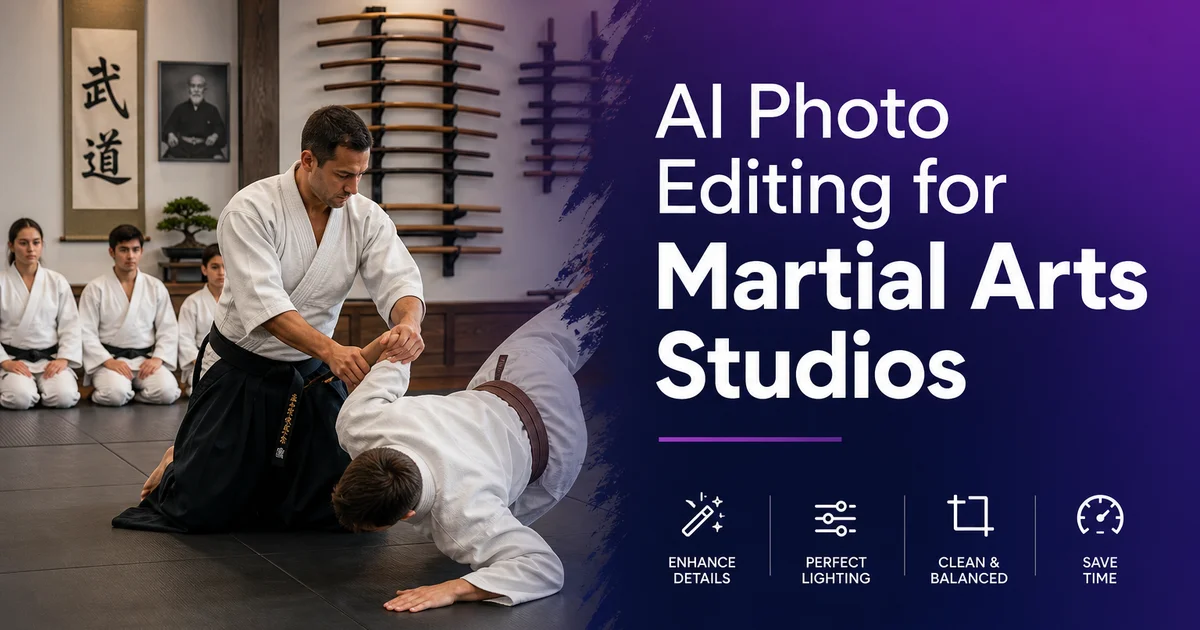
Martial arts studios — whether teaching karate, Brazilian jiu-jitsu, taekwondo, boxing, Muay Thai, or mixed martial arts — generate an enormous volume of photography that directly drives enrollment and retention. Belt promotion ceremonies produce the images that families share most widely on social media, creating organic word-of-mouth marketing that no advertising budget can replicate. Competition photos showcase student achievement and the studio's competitive success. Class action shots show the energy and community that prospective students are looking for when they evaluate studios. Every one of these photo categories suffers from the same fundamental challenge: martial arts happen indoors under terrible lighting.
The typical dojo or training space was designed for physical activity, not photography. Fluorescent tube lighting casts unflattering green or yellow color casts across skin tones. Overhead lighting creates harsh shadows under brows and chins. Mirrors along one or more walls produce reflections and double images that complicate every shot. Equipment racks, heavy bags, stacked mats, water bottles, and posted rules clutter every background. The space is functional for training but hostile to photography. Most studio owners cannot justify the expense of professional lighting or regular photographer bookings when operating on tight margins.
AI photo editing tools solve these problems at a fraction of the cost and effort of traditional approaches. AI Enhance corrects the color casts, boosts the exposure. Sharpens faces that are soft from slow shutter speeds in dim conditions. Background Eraser isolates students from cluttered dojo backgrounds for clean promotional materials. Magic Eraser removes unwanted elements like partially visible referees, equipment, and spectators from competition photos. This guide covers the specific photo challenges that martial arts studios face and how AI tools address each one, from belt promotion ceremonies to tournament records to daily social media content.
- Belt promotion photos are the highest-value marketing asset for martial arts studios — families share them organically on social media, driving enrollment inquiries.
- AI Enhance corrects fluorescent color casts, boosts exposure in dim dojo lighting, and sharpens faces softened by slow indoor shutter speeds.
- Background Eraser isolates students from cluttered training space backgrounds for professional website profiles and printed belt certificates.
- Magic Eraser removes distracting referees, spectators, and equipment from tournament and sparring photos, transforming snapshots into focused action shots.
- Consistent AI Filter presets across photos from multiple sources — phone cameras, parent submissions, tournament photographers — create a cohesive visual brand identity.
Belt promotion photography: the highest-value content for martial arts marketing
Belt promotions are emotionally charged events that mark months or years of dedication. The photographs from these ceremonies have a marketing impact that far exceeds any other content a martial arts studio produces. When a parent posts their child's belt promotion photo on social media with a caption about how proud they are, that post reaches an audience of friends and family who see a happy child achieving a meaningful goal. And many of those viewers have children of their own who might benefit from martial arts training. One well-photographed promotion ceremony shared by twenty proud families reaches thousands of potential customers through the most trusted marketing channel: personal recommendation.
The photography challenges at belt promotions are major despite their importance. Ceremonies often happen on the dojo floor during regular class times, under the same inadequate fluorescent lighting. The instructor and student stand fairly still for the belt display, but the lighting creates deep shadows under faces, unflattering color casts on skin. A background filled with seated students, equipment, and dojo signage. Parents shooting with phone cameras compound the problems with flash that either fires and creates harsh frontal lighting or does not fire and produces dark, noisy images. The result is a batch of underexposed, color-cast, cluttered photos that represent the studio's most important marketing moment.
AI Enhance transforms these ceremony photos into professional-quality images. Upload the best frames from the promotion. Selecting for sharpness and expression rather than exposure or color — and AI Enhance handles the rest. The white balance correction neutralizes fluorescent green and yellow casts, restoring natural skin tones. The exposure boost lifts the faces out of shadow without blowing the background to white. The sharpening recovers facial detail that was softened by the slow shutter speeds required in dim dojo lighting. The improvement is dramatic enough that studios can send enhanced promotion photos to families as a value-added service. Strengthens retention and encourages social sharing.
- Belt promotion photos shared by families on social media generate organic reach to thousands of potential customers through personal recommendation — the most effective marketing channel.
- Ceremony photography under fluorescent dojo lighting produces color casts, deep facial shadows, and underexposure that AI Enhance corrects automatically.
- Select frames for sharpness and expression rather than exposure or color — AI Enhance fixes the technical issues while the emotional moment cannot be recreated.
- Sending enhanced promotion photos to families as a value-added service strengthens retention and encourages the social sharing that drives enrollment.
Competition and tournament photo editing for maximum impact
Tournament and competition photos capture the intensity, technique, and athletic achievement that define martial arts at its most strong. A perfectly timed photo of a spinning kick, a jiu-jitsu submission, or a boxing combination in full extension shares more about what a studio teaches than any written description. These images work as website hero shots, social media content, printed posters for the studio walls, and recruitment materials for new students. The problem is that competition settings are even more photographically challenging than the home dojo. Unfamiliar lighting, crowded venues, multiple simultaneous matches, and no control over backgrounds or shooting positions.
The first step in processing competition photos is sorting and selecting the strongest images before editing. From a tournament day, a studio owner might have two hundred to five hundred photos, and the majority will have issues. Motion blur from fast action, poor framing from shooting through crowds, background clutter from adjacent mats and spectators, and unflattering moments between techniques. Select the ten to twenty strongest action moments and process only those. AI Enhance sharpens the action, corrects the gym lighting color cast. Often a mix of sodium vapor and fluorescent that produces an orange-green combination — and boosts contrast to make the athletes pop against the busy background.
Magic Eraser handles the background clutter that makes raw tournament photos look amateur. A typical competition photo has the competing athletes in the center but also includes a referee in a striped shirt at the edge, a scoring table with judges behind it, spectators holding phones and banners, other competitors warming up on adjacent mats, and advertising banners from sponsors. Removing these distractions with Magic Eraser transforms the image from a documentary snapshot into a focused athletic portrait. The competing athletes become the sole visual focus, standing on a clean mat with a simplified background. Greatly more impactful for marketing purposes.
- Select the ten to twenty strongest action moments from hundreds of tournament photos before editing — quality over quantity produces better marketing content.
- AI Enhance corrects the mixed sodium vapor and fluorescent gym lighting that produces the orange-green color cast common in competition venues.
- Magic Eraser removes referees, scoring tables, spectators, and adjacent-mat competitors to transform documentary snapshots into focused athletic portraits.
- Processed competition photos work as website hero shots, social media content, printed posters, and recruitment materials — maximize each edited image across all channels.
Building a consistent social media presence from daily dojo content
Martial arts studios that maintain a steady social media rhythm — three to five posts per week — give prospective families more current proof of class energy than studios that post sporadically. The challenge is generating enough quality visual content to maintain that frequency without a professional photographer on retainer. The solution is a daily photo workflow: the instructor or a designated parent volunteer captures three to five phone photos during each class. The studio owner batch-processes the best images through AI editing before posting. This produces a steady stream of authentic, in-the-moment content that showcases the energy and community of the studio.
The content categories that perform best for martial arts studios are, in order of engagement: student achievement moments (belt promotions, stripe awards, first successful technique execution), action shots of techniques being performed with intensity, group photos showing camaraderie and team spirit, behind-the-scenes glimpses of instructor training and preparation, and before-and-after progression comparisons. Each category has different editing needs. Achievement moments need background cleanup and face sharpening. Action shots need motion deblurring and exposure correction. Group photos need consistent lighting and expression timing. Background Eraser works mainly well for before-and-after progression posts. Isolate the student at month one and month twelve on matching clean backgrounds for a powerful visual comparison.
Visual brand consistency is what separates amateur studio social media from accounts that actually drive enrollment. When prospective families scroll through your Instagram or Facebook page, they should see a cohesive aesthetic. Consistent color treatment, similar brightness and contrast levels, and a distinct style that shares professionalism. AI Filter achieves this by applying the same preset to every image regardless of its source. Whether the photo was taken on the instructor's phone, submitted by a parent, captured at a tournament, or shot during a special event, the AI Filter preset normalizes the color temperature, contrast curve. Overall feel into a unified look that builds brand recognition over time.
- Studios posting three to five times per week on social media give prospective families a current view of class energy — a daily photo capture and AI editing workflow makes this frequency sustainable.
- Student achievement moments generate the highest engagement, followed by action shots, group photos, behind-the-scenes content, and progression comparisons.
- Background Eraser creates powerful before-and-after progression posts by isolating the student at different stages on matching clean backgrounds.
- AI Filter presets applied to every image normalize photos from different sources into a cohesive visual brand that communicates professionalism to prospective families.
How to do it
- 1
Photograph belt promotions and ceremonies with proper lighting
Belt promotion ceremonies are the single most important photo opportunity for a martial arts studio because families share these images more than any other content you produce. Position the student and instructor in the best-lit area of the dojo. Often near windows or under the brightest overhead lights — and avoid shooting directly into mirrors or reflective surfaces that create unwanted reflections. Capture the moment of the belt being tied and the handshake or bow afterward. Shoot multiple frames because motion blur is common in indoor dojo lighting. AI Enhance will sharpen the best frame later, but having multiple options gives you a better starting point.
- 2
Use AI Enhance to fix low-light dojo photography challenges
Most martial arts studios have challenging lighting. Fluorescent overheads that cast a green or yellow color cast, mixed lighting temperatures from different bulb types, and generally insufficient brightness for action photography. Upload your dojo photos to AI Enhance to correct these issues automatically. The AI adjusts white balance to neutralize color casts, boosts exposure in underlit areas without blowing highlights. Sharpens faces and details that are soft from slow shutter speeds in dim conditions. For competition photos taken in gymnasiums with harsh overhead lighting, AI Enhance evens out the extreme contrast between spotlit areas and deep shadows.
- 3
Remove distracting backgrounds with Background Eraser for promotional materials
Belt promotion photos, instructor portraits, and student spotlight images often have cluttered dojo backgrounds. Equipment racks, other students, water bottles, stacked mats, and exit signs. Background Eraser isolates the subject cleanly, allowing you to place them on a solid color background for a professional look suitable for the studio website, social media announcements, and printed certificates. For group promotion photos where you want to keep all the students but remove the cluttered background, Background Eraser handles multiple subjects at once, keeping the group composition while replacing the dojo clutter with a clean backdrop.
- 4
Clean up competition and sparring photos with Magic Eraser
Tournament and sparring photos capture peak action moments but often include unwanted elements. Referees partially in frame, scoring tables, other competitors waiting on the mat edge, advertising banners, and spectators with phones raised. Magic Eraser removes these distractions while keeping the action subjects and the mat surface. For sparring photos where a judge's hand or foot is partially visible at the frame edge, Magic Eraser seamlessly extends the background to fill the removed area. This transforms a cluttered tournament snapshot into a focused action shot suitable for the studio's promotional materials.
- 5
Create consistent social media content from varied photo sources
Martial arts studios receive photos from multiple sources. The owner's phone camera, parents' submissions, tournament photographers, and occasionally professional shoots. These images vary wildly in quality, lighting, color temperature, and composition. Use AI Filter to apply a consistent color treatment and style across all images so your social media feed and website have a cohesive visual identity. A warm, slightly desaturated film look works well for martial arts content, lending a timeless quality that suits the traditional aspects of the discipline. Apply the same filter preset to every image before posting for instant visual brand consistency.