
AI Photo Editing for Jewelry Stores: Showcase Every Sparkle
Use AI photo editing to create stunning jewelry product photos for your store, website, and social media. Remove reflections, enhance gemstone brilliance, isolate pieces on white backgrounds, and build an expert visual catalog without expensive studio shoots.

Product Marketing
Reviewed by Magic Eraser Editorial ·
Table of Contents
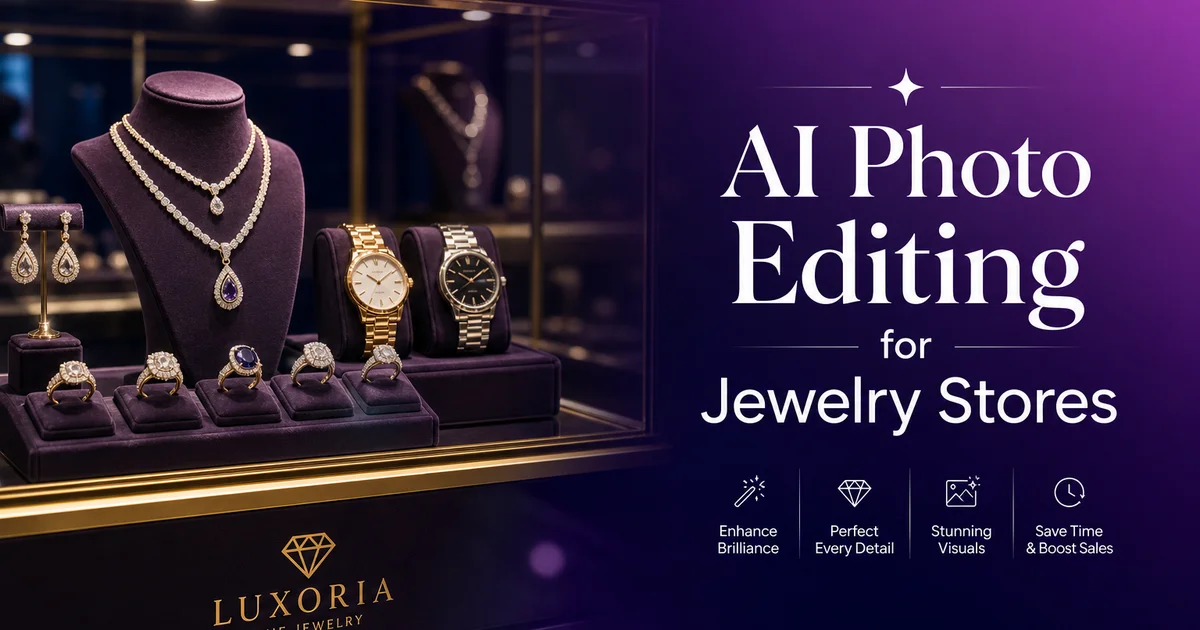
Jewelry is one of the most photographically challenging product categories in retail. Every piece is small, highly reflective, and packed with fine details that customers need to see before making a purchase. The brilliance of a diamond, the color depth of a sapphire, the smoothness of a polished gold band, the intricacy of a filigree setting. A blurry or poorly lit jewelry photo does not just fail to impress; it actively undermines customer confidence. According to Baymard Institute research, product image quality is among the top factors influencing online purchase decisions. For high-value items like jewelry, the stakes are even higher because customers cannot physically inspect the piece before buying.
Expert jewelry photography has in the past required specialized equipment. Macro lenses, light tents, focus stacking rigs, and reflector cards — along with the expertise to manage reflections on metal surfaces that act as tiny curved mirrors capturing everything in the room. A single ring photographed without proper lighting control can show the photographer, the ceiling, and every object in the studio reflected in its polished surface. Studios that specialize in jewelry photography charge hundreds of dollars per piece, which quickly becomes prohibitive for stores with large or frequently changing inventories.
AI photo editing tools transform jewelry photography from a specialist discipline into something any store owner can handle with a smartphone and good natural light. Magic Eraser removes surface imperfections and background distractions. Background Eraser isolates pieces on clean white backgrounds for e-commerce compliance. AI Enhance sharpens gemstone facets and boosts metal luster to reveal the brilliance that draws customers in. Together, these tools let independent jewelry stores compete visually with major retailers and luxury brands, producing catalog-quality imagery without the overhead of expert studio sessions.
- AI enhancement reveals gemstone fire and metal luster that smartphone cameras typically flatten under automatic exposure.
- Background removal produces marketplace-compliant white-background images while preserving fine details like chain links and filigree.
- Object removal eliminates fingerprints, dust, lint, and reflection artifacts without re-photographing the piece.
- Consistent photo treatment across your entire inventory builds the professional visual catalog that drives customer trust.
- Lifestyle context generation with AI Fill creates aspirational marketing imagery without separate model photo shoots.
Why jewelry photography is uniquely difficult and how AI solves each challenge
The fundamental difficulty of jewelry photography comes from the physics of light interacting with highly reflective and refractive surfaces at once. A diamond ring, for example, combines a polished metal band that acts as a convex mirror with a cut gemstone that both reflects light off its surface and refracts light through its internal facets. The metal band will reflect every light source, every nearby object, and the camera itself unless the photographer carefully controls the lighting setup. Meanwhile, the diamond needs directional light at specific angles to produce the fire. The spectral dispersion of white light into rainbow colors — and brilliance that makes it desirable. Lighting that controls metal reflections often fails to produce gemstone fire. Lighting that maximizes fire creates uncontrolled reflections on the metal.
Scale compounds the problem. Most jewelry pieces are small enough that a smartphone camera must use digital zoom or close focusing modes that reduce depth of field to millimeters. A ring photographed at close range may have the top of the stone sharp while the band falls completely out of focus, or the front prongs sharp while the back prongs are blurred. Expert jewelers address this with focus stacking. Capturing dozens of frames at incrementally different focus distances and compositing them into a single image where everything is sharp. This requires a tripod, a macro rail, and specialized software, none of which a typical store owner has available.
AI photo editing addresses both challenges after the fact. AI Enhance applies computational sharpening that recovers detail across the depth of field, closely mimicking the result of focus stacking from a single capture. It also processes highlight and reflection information to separate desirable reflections. The sparkle and fire of a gemstone — from undesirable ones like ceiling reflections in a metal band. Magic Eraser can remove specific unwanted reflections while leaving the desired brilliance intact, something that would require precise masking and clone-stamping skills in traditional photo editing software.
- Polished metal and cut gemstones require contradictory lighting — AI Enhance separates and optimizes reflective and refractive light properties independently after capture.
- Shallow depth of field at macro distances blurs parts of tiny jewelry pieces — AI sharpening recovers detail across the focus range from a single shot.
- Magic Eraser removes unwanted reflections like ceiling lights in metal surfaces while preserving desirable gemstone sparkle and brilliance.
- These AI corrections eliminate the need for light tents, focus stacking rigs, and reflection cards that make traditional jewelry photography a specialist discipline.
Building a consistent visual catalog that drives customer confidence
Consistency is arguably more important than perfection in jewelry product photography. A customer browsing your online catalog or Instagram grid forms an impression of your brand from the collective visual quality of every image, not just individual photos. If some rings are photographed on white backgrounds and others on dark velvet, if some have warm golden lighting and others have cool blue tones, if some are tightly cropped and others show excessive negative space, the catalog reads as disorganized and amateur. Luxury jewelry brands maintain fanatical consistency in their visual display because they understand that visual coherence signals quality, attention to detail, and professionalism. The same values customers associate with well-made jewelry.
AI photo editing makes consistency achievable without the controlled studio setting that normally produces it. Background Eraser places every piece on the same clean white background regardless of where or how it was originally photographed. A ring shot on a display counter, a necklace draped over a jewelry bust, earrings laid on a textured surface all end up with identical neutral backgrounds. AI Enhance applies the same color correction and sharpening treatment to every image, normalizing the lighting differences between photos taken at different times of day, in different locations, or with different phone cameras. The result is a catalog where every piece is presented with the same visual treatment, even if the original photos were captured under completely different conditions.
For stores with large inventories or frequent new arrivals, this consistency workflow is transformative. A new shipment of twenty pieces can be photographed quickly on a counter near a window, then batch-processed through Background Eraser and AI Enhance in under an hour. The resulting images are visually indistinguishable from pieces that were photographed months ago under different conditions because the AI normalizes everything to the same standard. This means your website and social media always present a cohesive visual identity, regardless of when items were added or who photographed them.
- Visual consistency across your catalog signals brand quality and attention to detail — the same values customers expect from well-made jewelry.
- Background Eraser normalizes every photo to the same clean white regardless of original shooting conditions, counters, or display surfaces.
- AI Enhance applies uniform color correction and sharpening across all images, eliminating variations from different times of day and lighting conditions.
- Batch processing lets you photograph and publish new inventory within an hour while maintaining visual consistency with your existing catalog.
Capturing and enhancing gemstone color and brilliance for online display
Gemstones present a unique challenge in digital photography because their beauty comes from optical phenomena. Fire, brilliance, and scintillation — that are inherently three-dimensional and dynamic. Fire is the spectral dispersion of white light into rainbow colors as it passes through the stone's facets. Brilliance is the total amount of white light reflected back to the viewer. Scintillation is the pattern of light and dark areas that shifts as the stone or viewer moves. A photograph captures a single static moment of these dynamic phenomena, meaning the image must be both well-lit and well-timed to show the stone at its most impressive. A diamond photographed from the wrong angle or under flat light can look like a piece of glass.
AI Enhance specifically targets the optical properties that make gemstones attractive. It identifies specular highlights on facet surfaces. The tiny bright points where light is directly reflected — and preserves their intensity while enhancing the surrounding color saturation. For colored gemstones like rubies, emeralds, and sapphires, the AI boosts color depth in the body of the stone without oversaturating the surface reflections, maintaining the distinction between the stone's internal color and its surface brilliance. For diamonds and other clear stones, it increases the contrast between the bright fire spots and the darker internal facets, mimicking the sparkling look that the human eye perceives in person but that cameras tend to flatten.
White balance is critical for gemstone photography because even slight color casts change the perceived color grade of the stone. A warm-toned photo makes a white diamond look yellowish, possibly misrepresenting a D-color stone as a J-color. A cool-toned photo can make a warm champagne diamond look white, creating unrealistic expectations. AI Enhance corrects white balance to neutral while keeping the stone's actual body color, ensuring that customers see an accurate representation of what they will receive. For colored gemstones, accurate color representation is even more important. A customer who orders an emerald based on a photo with warm lighting may be disappointed when the stone arrives showing its true blue-green rather than the warm green suggested by the photo.
- AI Enhance identifies and preserves specular highlights on gemstone facets while boosting surrounding color saturation to reveal the fire and brilliance cameras typically flatten.
- Colored gemstones receive color depth boost in the body of the stone without oversaturation of surface reflections, maintaining the natural distinction between internal color and surface brilliance.
- White balance correction to neutral prevents color misrepresentation — critical for diamond color grading and colored gemstone accuracy in online sales.
- Enhanced contrast between bright fire spots and darker internal facets mimics the dynamic scintillation effect that makes gemstones sparkle in person.
Marketing jewelry on social media with AI-enhanced lifestyle imagery
While clean white-background product photos are key for e-commerce listings and catalog pages, social media marketing demands a different visual approach. Instagram, Pinterest, and Facebook audiences respond most strongly to lifestyle imagery. Jewelry worn by real people in aspirational settings that help the viewer imagine themselves wearing the piece. A diamond pendant photographed in isolation shares the product's features, but the same pendant on a woman at a rooftop dinner shares the feeling of wearing it. Feeling drives purchase decisions for emotional product categories like jewelry. McKinsey's fashion industry research suggests that brands investing in lifestyle visual content can outperform those relying solely on product photography.
Creating lifestyle jewelry photography in the past requires model bookings, location scouting, wardrobe coordination, and a photographer. An investment of thousands of dollars per shoot that most independent jewelry stores cannot justify for social media content that has a shelf life of days. AI Fill transforms this equation by generating lifestyle context around your existing product photos. Upload a close-up of a ring on a hand. AI Fill can place that hand against a candlelit dinner table, a sun-drenched garden, or a minimalist office desk. Upload a necklace photo, and AI Fill generates a collarbone-and-shoulders context that suggests how the piece sits when worn. The generated backgrounds are photorealistic and can be matched to your brand's aesthetic. Warm and romantic, cool and modern, earthy and bohemian.
The key to effective AI-generated lifestyle jewelry imagery is realism and restraint. The best-performing social media content shows jewelry in realistic, relatable contexts rather than fantasy settings. A ring photographed with a coffee cup and laptop suggests everyday luxury. Earrings paired with a simple black dress suggest evening sophistication. A bracelet shown during a yoga session or beach walk suggests an active lifestyle where fine jewelry is a daily companion. AI Fill generates these contexts quickly, letting you create a diverse library of lifestyle imagery that keeps your social media feed fresh and aspirational without the recurring cost of expert photo shoots.
- Lifestyle imagery drives higher social media engagement than isolated product shots because viewers imagine themselves wearing the piece in aspirational settings.
- AI Fill generates photorealistic lifestyle contexts around existing product photos — eliminating the need for model bookings, location scouting, and professional shoot costs.
- Effective lifestyle contexts are realistic and relatable rather than fantastical — coffee cups, dinner tables, and everyday settings outperform elaborate staged scenes.
- A diverse library of AI-generated lifestyle imagery keeps social media feeds fresh and aspirational without recurring professional photography costs.
How to do it
- 1
Photograph jewelry on a clean neutral background with diffused lighting
Place each piece on a white or light gray surface. Acrylic, tile, or fabric — and use diffused natural window light or a softbox to eliminate harsh reflections. Position the light at a forty-five degree angle to the piece rather than directly overhead, which creates flat, dimensionless images. Use a macro or close-up lens mode to capture fine details like prong settings, hallmarks. Stone facets at enough resolution for cropping.
- 2
Remove background distractions and surface imperfections with Magic Eraser
Brush over fingerprints on metal surfaces, dust particles on gemstones, lint on display pads. Any props or tags visible in the frame. Magic Eraser reconstructs clean metal and fabric textures automatically so each piece appears pristine against an uncluttered background, eliminating the need to re-photograph items after cleaning.
- 3
Isolate the piece on a pure white background with Background Eraser
For e-commerce listings and catalog pages, use Background Eraser to place each piece on a clean white background. The AI preserves fine details like chain links, delicate filigree. The transparent facets of gemstones that traditional background removal tools often clip or blur. This produces marketplace-compliant images for platforms that require white-background product photos.
- 4
Enhance metal luster and gemstone brilliance with AI Enhance
Run each photo through AI Enhance to boost the reflective qualities of gold, silver. Platinum surfaces while sharpening the internal fire and color saturation of gemstones. The AI adjusts highlights and micro-contrast to make diamonds sparkle, emeralds glow. Polished metal surfaces show their trait luster without introducing artificial-looking HDR artifacts.
- 5
Create lifestyle context images with AI Fill for marketing use
For social media and marketing materials, use AI Fill to place jewelry pieces into lifestyle contexts. A ring on a hand against a cafe background, a necklace on a model against a sunset, earrings paired with an outfit. This eliminates the need for separate lifestyle photo shoots while giving you aspirational marketing imagery that drives higher engagement than isolated product shots.
Sources
- The Impact of Product Photography on E-commerce Conversion Rates — Baymard Institute
- Jewelry Industry Retail Trends and Digital Transformation — McKinsey & Company
- Macro Photography Techniques for Small Product Documentation — B&H Photo