
AI Photo Editing for Gyms and CrossFit Boxes: Transform Your Marketing Photos
Learn how gyms and CrossFit boxes use AI photo editing for member transformation photos, facility marketing, social media content, and promotional materials. Remove background clutter, enhance gym lighting, and create professional athlete portraits from phone photos.

Product Marketing
Reviewed by Magic Eraser Editorial ·
Table of Contents
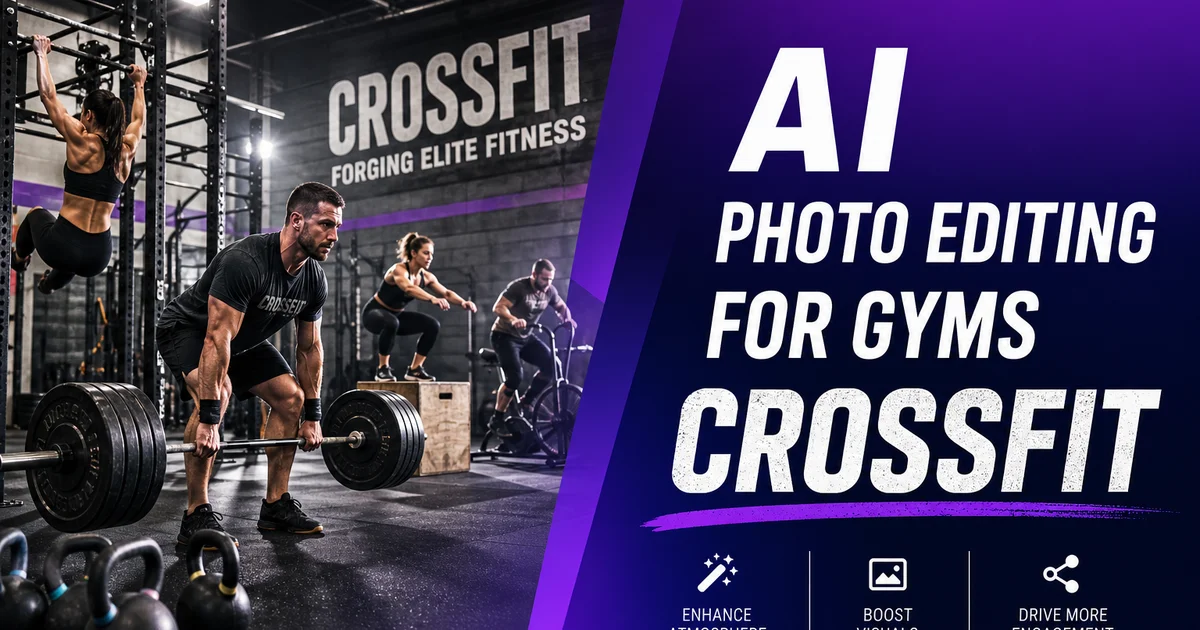
Fitness businesses run on visual proof. A prospective member looking at your website, Instagram, or Google Business Profile is asking one question: does this gym produce results? The answer is communicated primarily through photos. Member change comparisons, action shots of classes and workouts, facility images that convey energy and professionalism, and athlete portraits that showcase the community. Strong visual content is the single most effective marketing tool for gym membership sales and class bookings.
The challenge is that gyms and CrossFit boxes are difficult photography settings. Mixed lighting from fluorescent overheads, warehouse windows, and accent fixtures creates inconsistent color casts. Backgrounds are busy with equipment, other members, and the organized chaos of an active training floor. Members work out in a setting optimized for function, not photography. And the staff responsible for marketing — usually the owner or a coach — takes photos between sessions with whatever time and equipment they have.
AI photo editing bridges the gap between the raw reality of gym-floor photography and the polished visual content that drives membership sales. Magic Eraser, Background Eraser, and AI Enhance turn phone photos into professional marketing assets that showcase member results, facility quality, and community energy.
- Transformation photos are the highest-converting marketing content for gyms, and AI editing makes them look professional.
- Magic Eraser removes background equipment, other members, and facility clutter from workout and portrait photos.
- Background Eraser isolates athletes for clean testimonial images, social media features, and promotional materials.
- AI Enhance corrects the mixed fluorescent, natural, and accent lighting typical of gym environments.
- Consistent photo editing treatment across all marketing channels builds a professional brand identity.
Member transformation photos that convert prospects
Before-and-after transformation photos are the most persuasive marketing content a gym can produce. They provide specific, visual, undeniable proof that your programming and coaching produce results. A written testimonial saying a member lost forty pounds is meaningful. A side-by-side photo showing that transformation is powerful. The emotional impact of seeing a real person's physical change — someone who looks like a prospective member — drives more trial signups and membership conversions than any other content type.
The credibility of transformation photos depends on consistency between the before and after shots. Same position, same angle, same framing, same lighting, same background. When these elements match, the viewer's eye goes directly to the physical changes and trusts that the comparison is honest. When they differ — different lighting, different background, different distance from the camera — the comparison looks manipulated even if it is completely authentic. AI editing helps standardize these elements across both photos.
AI Enhance is critical for transformation photo consistency. Apply identical boost settings to both the before and after images so that any visible changes reflect actual physical progress, not differences in lighting or color treatment. Correct the white balance in both images to the same neutral tone. Recover shadow detail in both so muscle definition is equally visible. This ensures the comparison is honest and credible — the change speaks for itself without any editing tricks.
- Transformation photos drive more trial signups and membership conversions than any other content type.
- Matched positioning, angle, framing, and lighting between before and after shots ensures credibility.
- Identical AI Enhance settings on both images guarantees visible changes reflect actual physical progress.
Facility photography for website and Google Business Profile
Your gym facility photos are a prospective member's first virtual visit. They are evaluating the equipment quality, the cleanliness, the space, the atmosphere. They are deciding whether this looks like a place where they would feel comfortable working out. Facility photos that show cluttered floors, worn equipment, harsh lighting, and chaotic backgrounds communicate a very different experience than the same gym photographed and edited with care. Even though the actual gym is identical.
Magic Eraser is especially effective for gym facility photos. Remove the water bottles, towels, and personal items left on equipment by members who just finished a set. Clean up the stacked weight plates that have not been re-racked yet. Remove the cleaning cart parked in the corner. Erase the EXIT sign and fire extinguisher that are necessary for safety but visually unwanted in a marketing photo. Each removal takes seconds and shifts the photo from a snapshot of a gym mid-session to a curated display of a well-maintained training facility.
Timing matters for facility photos. The best time to photograph is right after a deep clean and before the first class of the day. Equipment is organized, floors are clear, and the space looks its best. If you cannot shoot during these windows, take photos whenever the gym looks good and rely on AI editing to handle the rest. The important thing is to have current, high-quality facility photos rather than waiting for the perfect moment that never comes.
Action shots and class photography
Action photography captures the energy, intensity, and community that differentiate your gym from home workouts and budget fitness chains. A CrossFit box during a WOD, a group class hitting a synchronized movement, a member grinding through the last rep of a heavy set. These moments are magnetic on social media and convey the experience of training at your gym better than any written description.
The technical challenges of action photography in gyms are major. Movement requires faster shutter speeds, which your phone may not achieve in the dim interior lighting. The background is always busy — other members, equipment, banners, clocks, whiteboards. The lighting mix of fluorescents, windows, and colored accent lights creates inconsistent color across the frame. And you are shooting quickly, during an active class, with no time to adjust composition or wait for a clean background.
AI editing compensates for all of these limitations after the fact. AI Enhance sharpens motion-blurred areas and corrects the color inconsistencies from mixed lighting. Magic Eraser removes unwanted background elements and other members who did not consent to being in marketing photos. Background Eraser can isolate a single athlete from a crowded class for a feature post. The combination turns raw, imperfect action shots into dynamic marketing images that capture the energy of your gym without the visual noise.
- Action shots convey gym energy and community more effectively than static facility photos.
- Mixed gym lighting and fast movement create technical challenges that AI editing corrects after the shot.
- Removing non-consenting members from background areas addresses privacy concerns in class photography.
- Isolating featured athletes from crowded class environments creates compelling social media content.
Social media strategy for gyms with AI-edited content
Social media drives membership at gyms and CrossFit boxes more than any other marketing channel. Instagram, TikTok, and Facebook are where prospective members discover your gym, see the community, evaluate the programming, and ultimately decide to try a class or sign up. Consistency and volume of posting matter. Gyms that post daily outperform those that post weekly, and gyms with high-quality visual content outperform gyms with low-quality content at any posting frequency.
AI editing makes daily high-quality posting sustainable for gym staff who are also coaching classes, managing operations, and handling member relations. A coach snaps a photo of the whiteboard workout, takes a quick shot of a member hitting a PR, and captures the class during a metcon. Three photos, taken in under a minute between coaching duties. In five minutes of editing during a break, all three photos are enhanced, cleaned up, and ready to post with captions.
The content mix that performs best for fitness businesses combines transformation stories, workout highlights, facility showcases, and community features. Transformation photos get the most saves and shares. Workout action shots drive the most comments and engagement. Facility photos perform best on Google Business Profile and drive website traffic. Community features — member spotlights, coach introductions, event recaps — build the emotional connection that turns followers into members. AI editing ensures all of this content meets a professional quality standard regardless of the shooting conditions.
How to do it
- 1
Set up a consistent photo spot in your gym for member transformations
Designate a specific wall or area with good lighting as your standard transformation photo spot. Mark the floor position for the member to stand and the camera position so every photo has identical framing. Use a neutral background — a solid-colored wall works best. If your gym does not have a clean wall, choose the best available spot and plan to clean up the background with AI tools. Consistent positioning makes before-and-after comparisons much stronger.
- 2
Remove background gym equipment and clutter with Magic Eraser
Brush over weight racks, cable machines, water fountains, other members, and any equipment visible behind the subject. For transformation photos, the background should not distract from the member's physical progress. For facility marketing shots, selectively remove cluttered areas, stacked plates left out of place, and worn or damaged equipment while keeping the overall gym setting visible and appealing.
- 3
Isolate athletes on clean backgrounds with Background Eraser
For website testimonials, social media feature posts, and promotional materials, use Background Eraser to completely isolate the member from the gym setting. Place them on a clean white, black, or branded background. This produces professional-quality athlete portraits from gym-floor snapshots and gives you full control over the final display for any marketing context.
- 4
Enhance lighting and muscle definition with AI Enhance
Run photos through AI Enhance to correct the mixed lighting conditions common in gyms. Fluorescent overheads, natural window light, and warm accent lighting can all appear in the same shot. The tool normalizes skin tones, recovers shadow detail to show muscle definition, and sharpens the overall image. For transformation photos, apply identical boost settings to both the before and after images to ensure any visible changes reflect actual physical progress.
- 5
Export for social media, website testimonials, and ad campaigns
Create square crops for Instagram grid posts and Facebook ads, vertical formats for Stories and TikTok, and wide formats for website banners. For transformation photos, create side-by-side composites with the before image on the left and after on the right. Include the timeframe and program name as text overlays. Save high-resolution originals for print materials like gym window displays, flyers, and in-gym poster boards that showcase member results.
Sources
- Fitness Industry Marketing Trends and Digital Content Strategy — IHRSA
- Social Media Marketing for Gyms: Visual Content Performance Data — Sprout Social
- Before-and-After Transformation Photo Guidelines for Fitness Professionals — American Council on Exercise