
AI Photo Editing for Food Trucks: Stand Out on Social Media and Delivery Apps
Learn how food truck businesses use AI photo editing for menu boards, social media content, and delivery app listings. Remove parking lot clutter, enhance food colors, and create expert menu images from photos taken at your truck.

Product Marketing
Reviewed by Magic Eraser Editorial ·
Table of Contents
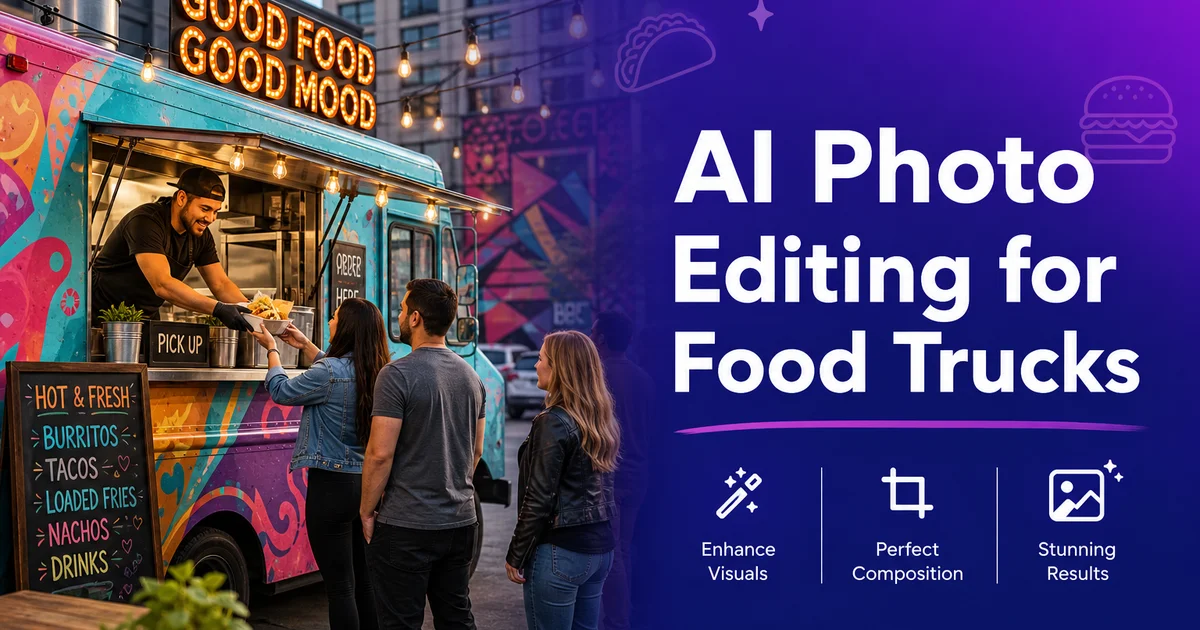
Food trucks operate in one of the most visually driven sectors of the restaurant industry. Your customers discover you on Instagram, check your menu on a delivery app, or spot your truck from across a food court. And in every case, the quality of your food photos determines whether they approach the window or keep scrolling. Yet food trucks face photography challenges that brick-and-mortar restaurants never encounter: uncontrolled outdoor lighting, parking lot backgrounds, cramped kitchen spaces. Weather that changes between the lunch rush and dinner service.
AI photo editing solves these problems without requiring an expert photographer or a controlled studio setting. With Magic Eraser, Background Eraser, and AI Enhance, you can turn a quick photo of today's special — taken on your phone, at the service window, between orders — into a polished image that works on your Instagram, your DoorDash listing, and your printed menu board.
This guide covers the specific challenges food truck operators face with photography and how AI editing tools address each one, from removing parking lot clutter to creating consistent menu imagery across every platform where your customers find you.
- AI editing corrects the inconsistent outdoor lighting that changes with weather, time of day, and location.
- Object removal eliminates parking lot backgrounds, passing pedestrians, and neighboring vendor clutter.
- Background removal creates isolated product shots suitable for delivery app menu templates.
- Color enhancement restores the vibrant, appetizing appearance of fresh ingredients under any lighting condition.
- Quick editing workflow makes same-day photography and posting realistic between service rushes.
- Consistent photo treatment across social media, delivery apps, and physical menus builds brand recognition.
The unique photography challenges of food truck operations
A restaurant photographs food in a controlled setting. Consistent lighting, a curated plating station, maybe a dedicated photo corner with good natural light. A food truck photographs food wherever the truck happens to be parked that day. Monday's background might be a sunny farmers market with colorful awnings. Tuesday's background is a grey parking lot outside an office park. Wednesday brings rain, and the photos are shot under the truck's awning with flat, shadowless light. This inconsistency makes it nearly impossible to maintain a cohesive visual brand using raw, unedited photos.
The kitchen compounds the problem. Food truck kitchens are compact by necessity, and every square inch is functional. The serving window that frames your customer's view also frames your photos, and through it they see — and your phone captures — stacked containers, paper towel rolls, condiment squeeze bottles, and the back of your cooking equipment. These details might be clean and organized. They read as commercial food production, not the artisan street food experience your brand promises.
Timing is the final challenge. Food trucks serve during peak hours, and peak hours are when you need photos of the food that is selling. There is no quiet afternoon to set up a photo shoot. The best taco of the day gets photographed in the twelve seconds between plating it and handing it through the window. Under whatever light happens to exist at that moment, against whatever background is behind the counter.
- Truck location changes daily, making backgrounds inconsistent and often unappealing.
- Compact kitchens fill photos with functional equipment, containers, and supplies.
- Peak service hours are the only time fresh food is available for photos, leaving no time for setup.
- Weather and time of day create dramatically different lighting conditions at the same location.
Cleaning up parking lot photos with object removal
The single biggest improvement you can make to food truck photos is removing the environmental clutter. A beautiful poke bowl loses its appeal when it is framed by a trash can, a parking meter, a minivan, and a chain-link fence. These elements are not just ugly. They actively compete with the food for visual attention, and the viewer's eye goes to the brightest, most contrasty element in the frame, which is rarely the food.
Magic Eraser handles these elements efficiently. Brush over the parking lot asphalt visible behind your serving counter and the AI fills it with a clean, neutral surface. Remove a pedestrian walking behind the truck, a neighboring vendor's signage, or the port-a-potty that the event organizers unfortunately placed within your camera's field of view. Each removal takes seconds, and the AI matches surrounding textures — concrete, sky, wall surfaces — convincingly.
For food truck rally and festival shots where the setting is part of the story, you do not need to remove everything. Keep the festive atmosphere — string lights, event banners, crowds in the distance — but remove specific distractions that pull focus from your food. A selectively cleaned photo retains the energy of the event while centering attention on the dish.
Creating menu-ready images with Background Eraser
Delivery platforms like DoorDash, UberEats, and Grubhub display your menu items in standardized grid layouts. The most professional-looking listings feature food on clean, consistent backgrounds — either transparent, white, or a brand-specific color. Background Eraser makes this possible from any food truck photo by completely removing the setting behind the dish and leaving you with an isolated product image.
The workflow is straightforward: photograph the dish, run Background Eraser to isolate it, then place the isolated image on your chosen background color. When every item on your delivery menu sits on the same background, the menu looks curated and professional. A major advantage on platforms where customers scroll through dozens of options from different restaurants. Research in hospitality management journals confirms that consistent, high-quality food images greatly increase order conversion on delivery platforms.
Physical menu boards benefit from the same approach. Many food trucks use printed or digital menu boards mounted on or near the truck. Isolated food images on a clean background print cleanly and are visible from a distance. The same images work on your website menu page, ensuring visual consistency between your online and on-site presence.
- Delivery platforms favor clean, consistent product images in their grid menu layouts.
- Background Eraser isolates dishes from any truck environment for placement on standardized backgrounds.
- Consistent menu imagery increases order conversion rates on DoorDash, UberEats, and Grubhub.
- The same isolated images work for printed menu boards, website menus, and social media.
Color and texture enhancement for outdoor food photography
Outdoor lighting is at once food truck photography's biggest advantage and its biggest inconsistency. On a clear day with soft side light, the food practically photographs itself. Colors are vivid, textures are detailed, and the image has natural depth. On an overcast day, the flat diffused light washes out color and eliminates shadows, making a vibrant burrito look dull and flat. Under direct midday sun, harsh shadows cut across the plate and highlights blow out to white.
AI Enhance normalizes these lighting conditions. It detects the white balance of the ambient light and corrects it, restoring warm, natural tones regardless of whether the original photo was taken under blue overcast skies, golden hour sun, or the greenish tint of a parking garage. It also recovers detail in both shadow and highlight areas. Bringing out the texture of grilled char marks that were lost in shadow, and restoring the color of a sauce that appeared blown out in direct sun.
The texture boost is especially important for food truck fare, which is often highly textured. Crispy fried coatings, charred grill marks, fresh cilantro leaves, melted cheese pulls, and crunchy slaw toppings. These textures communicate freshness and craftsmanship. When lighting flattens them, the food looks institutional. When AI boost reveals them, the food looks like it was prepared by someone who cares about every detail.
- AI Enhance corrects white balance across variable outdoor lighting conditions automatically.
- Shadow and highlight recovery brings out texture detail lost to harsh sun or flat overcast light.
- Vibrant, texture-rich food photos communicate freshness and craftsmanship to potential customers.
- Consistent color treatment across photos taken at different times and locations unifies your visual brand.
Social media strategy for food trucks with AI-edited photos
Social media is the primary marketing channel for most food trucks. Instagram, TikTok, and Facebook are where you announce your daily location, show off the specials, and build the following that drives foot traffic. The U.S. Small Business Administration identifies social media as the highest-ROI marketing activity for mobile food businesses. Photo quality is the single largest variable in social media engagement for food content.
AI editing makes daily posting sustainable. Photograph the morning prep or the first dish off the line, edit in two minutes with AI Enhance and Magic Eraser, and post before the lunch rush. This cadence — fresh content daily, featuring today's actual food — outperforms a backlog of professional photos taken months ago because it signals that the truck is active, the menu is current, and the food is real.
For TikTok and Instagram Reels, the before-and-after edit itself becomes content. Record a screen capture of the AI editing process. The cluttered parking lot photo transforming into a clean, vibrant food shot — and post it as a short-form video. These behind-the-scenes change videos perform exceptionally well because they satisfy curiosity about the editing process while showcasing the food.
How to do it
- 1
Photograph menu items in natural daylight near the truck
Use the natural light available at your serving location. Position the dish on the serving counter or a simple surface near the truck window where daylight hits it from the side. Shoot from a 30-45 degree angle for dishes with height like tacos and burgers, or directly overhead for flat items like loaded fries and bowls. The serving window itself can serve as a natural frame.
- 2
Remove background distractions with Magic Eraser
Brush over parking lot elements, passing pedestrians, trash bins, nearby vehicles, cord tangles. Any kitchen equipment visible through the service window. The AI reconstructs clean surfaces so the food becomes the focal point. Pay special attention to removing branded items from neighboring vendors if you shoot at food truck rallies.
- 3
Isolate menu items with Background Eraser for delivery app listings
For delivery platform menus that require clean product shots, use Background Eraser to completely remove the setting behind each dish. This gives you a transparent-background image that works on any delivery app layout and can be placed on a consistent colored background for your full menu.
- 4
Enhance color and texture with AI Enhance
Run each photo through AI Enhance to correct white balance, boost the vibrant colors of fresh ingredients, and sharpen texture detail. The char on grilled meat, the gloss of a fresh sauce, the crunch of fried toppings. A single pass compensates for the uncontrolled outdoor lighting that varies with weather and time of day.
- 5
Export for menu boards, social media, and delivery platforms
Save high-resolution versions for your physical menu board printing. Create square crops for Instagram and Google Business Profile, vertical crops for TikTok and Stories. Platform-specific sizes for UberEats, DoorDash, and Grubhub listings. Consistent photo quality across all channels builds recognition for your truck.
Sources
- Food Truck Industry Size and Growth Trends 2026 — IBISWorld
- Visual Content and Consumer Behavior in Food Delivery Apps — International Journal of Contemporary Hospitality Management
- Social Media Marketing for Mobile Food Businesses — U.S. Small Business Administration