
AI Photo Editing for Daycare and Preschool Programs: Enrollment Materials, Social Media, and Parent Communications
How childcare facilities use AI photo editing to create stronger enrollment materials, engaging social media content, and professional parent communications while protecting children's privacy and meeting consent needs.

Product Marketing
Reviewed by Magic Eraser Editorial ·
Table of Contents
- The privacy-first approach to childcare photography
- Fixing the fluorescent lighting problem that plagues every childcare facility
- Social media content that keeps current families engaged and attracts new ones
- Enrollment materials that compete for attention in a crowded childcare market
- Parent communications and daily documentation with privacy safeguards
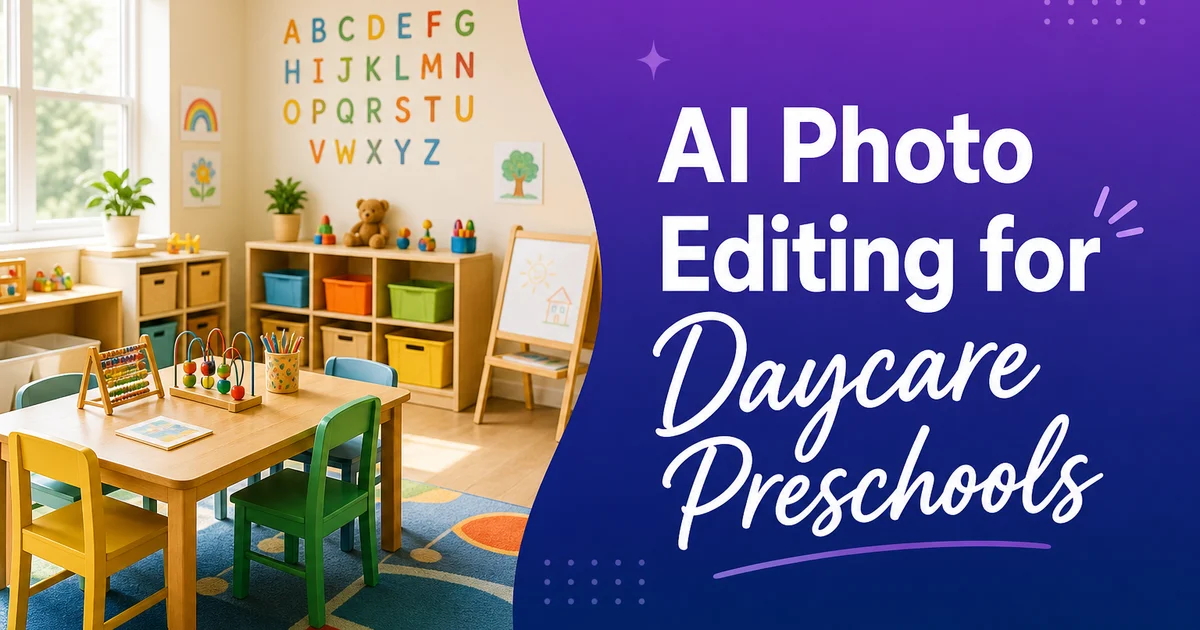
Childcare facilities face a unique photography challenge that no other small business category shares: their strongest visual content involves minors whose privacy must be carefully protected. A restaurant can photograph its dining room. A salon can showcase its work. A daycare or preschool must navigate photo consent forms, privacy regulations, and the understandable sensitivity parents have about their children's images appearing in marketing materials. The result is that many childcare facilities either avoid photography altogether, leaving their website and social media visually barren — or limit themselves to sterile photos of empty rooms that fail to convey the warmth and energy of the program.
AI photo editing tools offer a practical middle path. They allow childcare operators to work with the photos they have. Often quick snapshots taken during the day by busy staff members — and transform them into expert marketing assets while addressing the privacy constraints that govern the industry. Magic Eraser removes personally identifiable information from backgrounds. Background Eraser isolates settings and activity setups without requiring children to be visible. AI Enhance corrects the harsh fluorescent lighting that makes every childcare facility look like a hospital waiting room in raw photos.
This guide covers the specific ways daycare centers and preschool programs use AI photo editing across their three primary visual communication needs: enrollment marketing materials that attract new families, social media content that keeps current families engaged, and parent communications that document the program's daily activities. Each use case has its own privacy considerations and editing needs. AI tools address them efficiently without requiring the facility to hire an expert photographer or train staff in manual photo editing software.
- Background Eraser isolates classroom environments and activity setups without showing identifiable children.
- Magic Eraser removes names, allergy charts, and personal information visible in classroom photo backgrounds.
- AI Enhance corrects fluorescent lighting to reveal the warm, colorful environment that parents look for in facility photos.
- Batch enhancement normalizes photo quality across rooms and staff members for consistent enrollment materials.
- Selective clutter removal shows an organized facility without misrepresenting the active classroom environment.
The privacy-first approach to childcare photography
Photo consent in childcare is not a formality. It is a legal and ethical need that shapes every aspect of how a facility can use photography in its marketing. Most programs collect consent forms at enrollment that specify whether a child's image may be used on the facility's website, social media, printed materials, or internal communications. Some parents consent to all uses; some consent to internal use only; some decline all photo use fully. A single classroom photo posted to Instagram that includes a child whose family opted out can create a serious trust violation, potential legal liability, and lasting damage to the facility's reputation in a community where word-of-mouth drives enrollment.
This consent landscape means that childcare facilities often have photos they cannot use as-is because one or two children in the frame lack consent for that particular use. In the past, the options were limited: do not use the photo, crop it awkwardly, or apply a blurring effect that looks clinical and draws attention to the fact that faces are hidden. AI tools provide better options. Background Eraser can isolate the setting — the art table covered in finger-paint masterpieces, the block tower in the construction area, the garden boxes in the outdoor classroom — without including any children at all. Magic Eraser can remove specific elements that identify non-consented children without destroying the overall composition.
The most effective privacy-first photography strategy combines intentional shooting with AI editing. Photograph activity setups before or after children use them: the art station laid out with paints and brushes, the sensory table filled with materials, the dramatic play kitchen stocked with pretend food. These photos show the richness of the program without any privacy concerns. Then use AI Enhance to make these preparatory shots look warm and inviting rather than staged. The result is a photo library that is fully privacy-compliant, visually strong, and authentically represents the program's offerings.
- Photo consent forms vary by family — a single non-compliant post can create legal liability and erode trust.
- Background Eraser isolates environments and materials without including any children in the frame.
- Photographing activity setups before or after use creates privacy-compliant content showing program richness.
- AI enhancement makes setup photos feel warm and active rather than empty and staged.
Fixing the fluorescent lighting problem that plagues every childcare facility
Walk into any daycare center or preschool classroom and notice the lighting: overhead fluorescent tubes or LED panels that cast a flat, cool-toned light across the entire space. This lighting is functional — it provides even illumination for activities and meets building code needs for childcare spaces — but it is terrible for photography. Photos taken under fluorescent lighting have a green or blue-white cast that makes warm wood furniture look gray, primary-colored toys look muted, and skin tones look sickly. The colorful, nurturing setting that parents experience when they visit in person does not translate to the camera under these conditions.
AI Enhance corrects this color cast by analyzing the lighting conditions in the photo and adjusting the white balance to produce natural-looking colors. The warm browns of wooden shelving units reappear. The bright reds, blues, and yellows of classroom materials pop with the vibrancy they have in person. Skin tones in consented photos shift from the green-tinged pallor of fluorescent lighting to the healthy, natural tones that parents see during drop-off and pickup. This single correction transforms the visual impression of the facility from institutional to inviting.
The exposure correction component of AI Enhance is equally important for childcare spaces. Classrooms often have a mix of overhead lighting and window light, creating zones of different brightness. The reading nook by the window may be beautifully lit while the far corner with the dress-up area is dim. A photo that exposes for the bright area leaves the dark corner underexposed. A photo that exposes for the dark area blows out the window. AI Enhance balances these exposure zones so that the entire classroom is visible and well-lit in the photo, showing parents the full scope of the learning setting rather than half of it disappearing into darkness.
- Fluorescent and LED panel lighting creates a green or blue-white color cast in all facility photos.
- Color correction restores the warm wood tones and vivid toy colors that parents see during in-person visits.
- Mixed lighting zones — windows versus overhead — create exposure problems that AI enhancement resolves.
- The correction transforms facility photos from institutional-looking to warm and inviting.
Social media content that keeps current families engaged and attracts new ones
Social media is the primary marketing channel for most childcare facilities. Parents research programs by looking at their Facebook and Instagram presence before scheduling a tour. Current families stay engaged with daily or weekly posts showing what their children are doing. The challenge is producing this content consistently — a post every day or two — with the limited time and photography skills available to childcare staff who are primarily focused on caring for children, not creating marketing content.
AI photo editing reduces the friction between capturing a moment and publishing it. A teacher sees the children building an impressive block structure and takes a quick phone photo. The photo has harsh overhead lighting, a cluttered background with cubbies and backpacks, and a name chart visible on the wall behind the structure. Without editing tools, this photo either gets posted as-is with its privacy and quality issues, or it goes into the phone's camera roll and is never used. With AI tools, the teacher or director can enhance the lighting, remove the background clutter and name chart, and have a postable image in under a minute.
Consistency matters more than perfection for childcare social media. Parents do not expect studio-quality photography from their child's preschool — they expect authentic glimpses of the program's daily life. But there is a meaningful difference between a dark, fluorescent-lit photo with visible personal information and a warm, well-exposed photo where the activity is the clear focal point. AI enhancement brings every photo up to a baseline quality level that looks professional without looking produced. That is exactly the aesthetic that childcare social media should aim for.
- Social media is the primary research channel for parents evaluating childcare programs.
- AI editing reduces the time from capturing a classroom moment to publishing a privacy-safe post.
- Consistency in quality matters more than perfection — parents expect authentic, not polished.
- A baseline quality level achieved through AI enhancement looks professional without looking overproduced.
Enrollment materials that compete for attention in a crowded childcare market
In competitive childcare markets — urban areas, affluent suburbs, regions with high parent workforce participation — families often tour three to five programs before making an enrollment decision. The visual display of the facility's marketing materials plays a major role in which programs make the tour shortlist. A website with dark, cluttered photos of classrooms suggests a disorganized program. A brochure with bright, warm photos of well-arranged learning settings suggests intentional design and expert operation. The correlation between photo quality and perceived program quality is not fair, but it is real.
Enrollment brochures, website galleries, and virtual tour materials pull photos from across the facility. Every classroom, the outdoor space, the kitchen, the entry area, the nap room. These photos are rarely taken in a single coordinated session. They accumulate over months from different staff members using different phones in different lighting conditions. Without normalization, the resulting collection looks inconsistent and unintentional. AI Enhance batch-processes the entire set to produce uniform exposure, color temperature, and contrast levels across all photos, creating a cohesive visual identity that suggests a well-managed, detail-oriented operation.
The specific photos that drive enrollment decisions are the ones that help parents imagine their child in the space. Activity area photos showing rich materials and inviting setups. Outdoor spaces with visible nature elements and age-right equipment. Cozy reading nooks and well-organized art stations. These are the images that convert a website visitor into a tour booking. AI editing ensures that these key photos present the space at its visual best. Warm lighting, clear composition, no unwanted clutter — so that the quality of the program's setting comes through in every image a prospective parent sees.
- Families typically shortlist three to five programs based partly on visual presentation before touring.
- Inconsistent photo quality across rooms and seasons suggests disorganized facility management.
- Batch AI enhancement normalizes all facility photos to a cohesive visual standard.
- Activity setup photos that help parents envision their child in the space drive tour bookings.
Parent communications and daily documentation with privacy safeguards
Beyond marketing, childcare facilities use photography for daily parent communications. Apps like Brightwheel, HiMama, and Tadpoles deliver photos and updates to families throughout the day. These internal communications have different privacy parameters than public marketing, but they still require attention. A photo sent to one family should not prominently feature another family's child, even on an internal platform. Staff must be thoughtful about what appears in the background of documentation photos, mainly in mixed-consent classrooms where some families have opted out of even internal photo sharing.
Magic Eraser helps staff quickly clean documentation photos for appropriate sharing. If a classroom documentation photo includes a non-consented child in the background, the staff member can remove that child before sending the photo to other families. If a photo of a child's art project includes another child's name-labeled cubby in the background, that identifying information can be erased in seconds. These quick edits make the difference between a photo that is safe to share and one that could create a consent violation.
AI Enhance improves the quality of these daily documentation photos so that parents receive images that actually convey what their child's day looked like. A dark, blurry photo of a child painting tells the parent very little. An enhanced photo with corrected lighting and improved sharpness shows the concentration on the child's face, the colors they chose, and the work they produced. These improved documentation photos build parent confidence in the program's quality and engagement level. They become treasured keepsakes that families save long after their child has moved on to elementary school.
- Daily parent communication apps require the same privacy diligence as public marketing materials.
- Magic Eraser removes non-consented children and identifying information from documentation photos.
- Enhanced documentation photos convey the child's experience more effectively than dark, raw snapshots.
- High-quality daily photos build parent confidence and become valued family keepsakes.
How to do it
- 1
Use Background Eraser to isolate activity setups and classroom environments without showing identifiable children
Many childcare facilities need marketing photos that show their spaces and activities without displaying identifiable children whose parents may not have consented to public image use. Background Eraser lets you isolate the classroom setting. The art station, the reading nook, the outdoor play structure — by removing backgrounds and replacing them with clean, neutral contexts. Alternatively, photograph the setups when children are not present and use AI Enhance to make the empty room look warm and inviting rather than sterile.
- 2
Remove personal information visible in classroom photos before posting to social media
Classroom photos frequently contain visible personal information in the background. Children's names on cubbies, attendance charts, allergy lists, family photos on display, and artwork with names written by teachers. Before using any classroom photo for marketing or social media, scan the background for these privacy-sensitive elements and use Magic Eraser to remove them. This protects children's privacy and keeps the facility in compliance with its own photo consent policies and applicable regulations like COPPA.
- 3
Enhance indoor photos taken under fluorescent lighting to show accurate warm colors
Childcare facilities are often lit by fluorescent or LED panel lighting that casts a green or blue-white color temperature. Photos taken under this lighting make colorful classrooms look washed out and institutional rather than warm and engaging. AI Enhance corrects the white balance to produce colors that match the actual look of the room. Warm wood tones, vivid primary colors on toys and materials, and natural skin tones in any photos where children appear with parental consent. This correction transforms an institutional-looking photo into one that conveys the warm, nurturing setting parents are looking for.
- 4
Create consistent visual assets for enrollment brochures by normalizing photo quality across rooms and seasons
Enrollment brochures and website galleries pull photos from across the facility. The infant room, the toddler room, the preschool classroom, the outdoor playground — often taken by different staff members at different times with different phones. The resulting photo set looks inconsistent in exposure, color, and quality. Run the entire set through AI Enhance to normalize the lighting and color across all photos, creating a cohesive visual display that looks intentional rather than cobbled together from a year's worth of random snapshots.
- 5
Remove clutter and daily mess from facility photos without misrepresenting the environment
A working childcare classroom is messy by nature. Art supplies out, snack crumbs on tables, coats on the floor, toys scattered across activity areas. Marketing photos need to show the facility looking organized and inviting. Removing every trace of activity would misrepresent the setting. Use Magic Eraser selectively to remove unwanted clutter. A stack of delivery boxes in the corner, a maintenance cart left in the hallway, adult personal items on counters — while leaving age-right materials and child-sized furniture that honestly represent what the space looks like during a typical day.
Sources
- Children's Online Privacy Protection Act (COPPA) Compliance Guidelines — Federal Trade Commission
- Best Practices for Photographing Children in Educational Settings — National Association for the Education of Young Children
- Visual Marketing for Childcare Programs: A Guide for Directors — U.S. Department of Health and Human Services