
AI Photo Editing for Dance Studios: Recital Photos, Marketing, and Social Media
Learn how dance studios use AI photo editing for recital and performance photography, studio marketing materials, and social media content. Remove stage distractions, enhance movement shots, and build a professional visual brand.

Product Marketing
Reviewed by Magic Eraser Editorial ·
Table of Contents
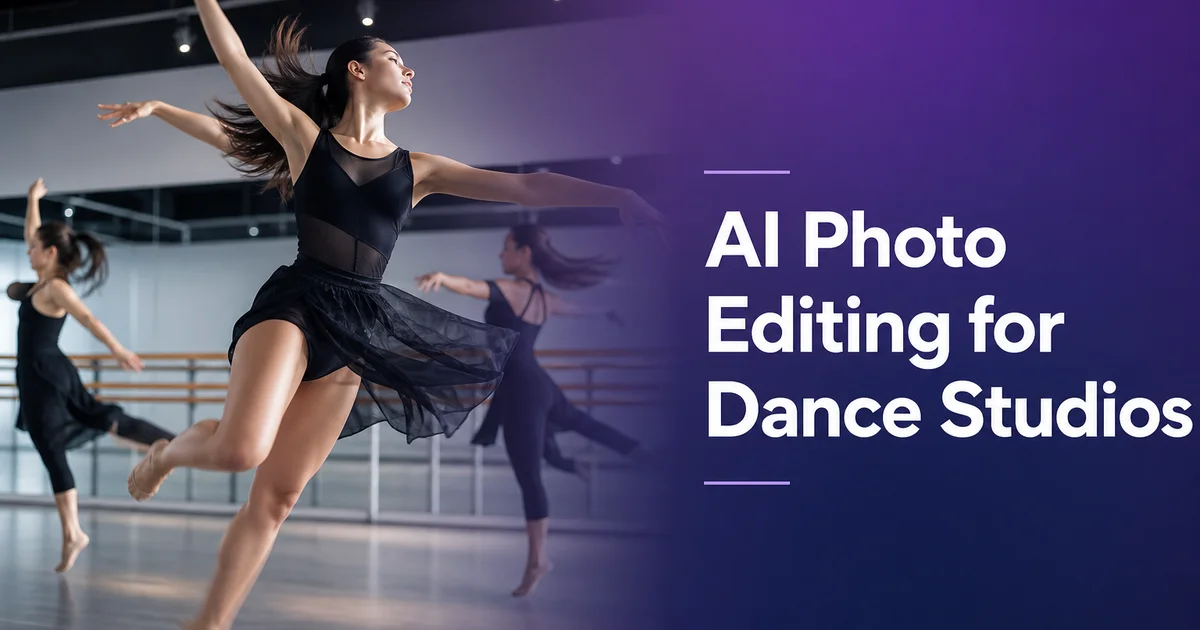
Dance studios are visual businesses. Parents choose a studio based on photos of recitals and performances. Prospective students browse Instagram galleries of dancers in motion. Competition judges review headsheets and entry photos. Every touchpoint in a dance studio's marketing depends on photography. And yet most studios operate with the same challenge: beautiful movement happening in poorly lit spaces, captured on phone cameras by staff members who are at once managing a class or running backstage at a recital.
AI photo editing bridges the gap between what happens in the studio and how it looks in a photo. Magic Eraser removes the visual clutter of a working studio. Water bottles, gym bags, visible exit signs, tape marks on the floor. AI Enhance corrects the harsh or uneven lighting of stages and rehearsal rooms. Background Eraser isolates dancers for promotional materials. Together, these tools let any studio owner or staff member produce the kind of polished imagery that used to require hiring a professional dance photographer.
This guide covers the practical workflow for editing dance studio photos. From recital and rehearsal captures to studio portraits and social media content — using AI tools that work on a phone in under two minutes per image.
- Magic Eraser removes exit signs, water bottles, audience phones, and backstage clutter from performance shots.
- AI Enhance corrects mixed stage lighting and brings out costume detail, skin tones, and body lines.
- Background Eraser isolates dancers for programs, headsheets, and promotional graphics.
- The workflow produces professional results from phone photos taken during actual classes and performances.
- Consistent visual branding across social media, print programs, and studio displays attracts new students.
Why dance studio photography is uniquely challenging
Dance happens in spaces optimized for movement, not photography. Studio rooms have mirrors that create confusing reflections and double images. Floors are marked with tape that serves a functional purpose during class but looks messy in photos. Barres, sound equipment, cubbies for personal belongings, and stacks of props line the walls. The lighting is often overhead fluorescent panels supplemented by whatever natural light enters through windows. A combination that creates unflattering shadows under eyes and chins and washes out skin tones.
Recital and performance venues add their own challenges. Stage lighting uses colored gels that shift skin tones toward blue, red, or amber depending on the scene. Spotlights create pools of harsh light surrounded by deep shadow. Wings and backstage areas are visible from certain audience angles, revealing costume racks, stage managers with headsets, and dancers waiting for their entrance. And the audience itself contributes visual noise. Glowing phone screens, recording cameras held above heads, and program booklets catching the house lights.
The most fundamental challenge is that dance is movement, and movement is hard to photograph. A dancer at the peak of a jump is there for a fraction of a second. The difference between a beautiful arabesque and an awkward-looking one is a few degrees of hip rotation and a pointed versus flexed foot. Capturing the right moment requires burst shooting, which means reviewing dozens of frames to find the one that shows peak form. And that one frame almost always needs editing to remove the environmental distractions that are invisible when you watch dance in real time but glaringly obvious in a still photo.
- Studio mirrors create distracting reflections and double images in dance photos.
- Fluorescent overhead lighting produces unflattering shadows and washed-out skin tones.
- Stage gels shift skin color unpredictably toward blue, red, or amber.
- Peak-movement captures require burst shooting and always include environmental distractions.
Cleaning up recital and performance photos
Recital photos are the highest-value images a dance studio produces. Parents purchase prints and digital downloads, the studio uses them for next season's marketing. Dancers add them to competition portfolios and social media. Yet recital photos taken from the audience are full of distractions. The glow of the phone screen two rows ahead, the EXIT sign over the stage-left door, a stray prop from the previous number left in the wings, the conductor's music stand visible at the orchestra pit edge.
Magic Eraser handles all of these removals quickly. Brush over the glowing phone screens in the foreground and they vanish, replaced by the dark audience texture that should have been there. Remove the exit sign and the AI fills in the stage curtain or wall behind it. Clear the stray prop from the wings and the backstage darkness extends cleanly to the curtain edge. Each removal takes seconds, and the cumulative effect transforms a candid audience-perspective snapshot into an image that looks like it was taken by a photographer with exclusive stage access.
For studio owners who also take photos from the wings or backstage, Magic Eraser cleans up the technical infrastructure visible from these angles. Lighting rigs, cable runs, glow tape on the floor, and the backs of set pieces. These behind-the-scenes angles are valuable for social media because they show the energy and preparation of performance. They look much stronger once the technical clutter is removed.
- Remove audience phone screens, EXIT signs, and stray props from performance captures.
- Clean up backstage and wing-view shots by erasing lighting rigs, cables, and glow tape.
- Transform audience-perspective snapshots into images that look like professional stage photography.
Creating versatile dancer portraits and cutouts
Dance studios need individual and group dancer images in multiple formats. The studio website roster, recital program bios, competition entry headsheets, promotional flyers, and social media graphics. Each format requires the dancer against a different background or in a different layout. Shooting separate photos for each context is impractical, but a single clean cutout serves them all.
Background Eraser extracts the dancer from any studio or stage photo and delivers a PNG with a transparent background. A dancer photographed mid-leap in the rehearsal room can be placed on a solid-color background for the program bio, on a branded gradient for an Instagram post, or alongside other dancers in a composite for a class schedule flyer. The extraction handles the complex edges of dance. Flowing skirts, extended fingers, hair in motion, ribboned pointe shoes — with the precision needed to look natural in any context.
For competition headsheets, which require a specific format and clean, professional display, the workflow is straightforward: photograph the dancer in costume against any available wall or studio backdrop, use Background Eraser to isolate them, then place the cutout on the required background color or template. The result is a headsheet-quality image produced in the studio without a dedicated photo shoot.
- Transparent-background dancer cutouts serve programs, websites, flyers, and social media.
- Complex dance edges — flowing fabric, extended limbs, pointe ribbons — are handled precisely.
- Competition headsheets can be produced from studio photos without a dedicated shoot.
Building a consistent studio brand on social media
Social media is how most dance studios attract new students. Parents researching studios for their children check Instagram and Facebook before visiting in person. Adult students browse class videos and studio photos on TikTok and YouTube. The visual quality of your social media often influences enrollment inquiries. Studios with polished, consistent imagery project competence and pride that parents and students associate with quality instruction.
AI photo editing makes visual consistency achievable without a dedicated marketing hire. When every recital photo is cleaned of distractions, every studio shot is enhanced with corrected lighting. Every dancer portrait uses a consistent background treatment, the cumulative effect is a social media feed that looks intentional and professional. Followers recognize your visual style before they read the caption. That recognition builds the brand equity that converts social media browsers into enrolled students.
The practical workflow is simple: assign one staff member to take photos at every class, rehearsal, and performance. At the end of each week, spend 20 to 30 minutes running the best shots through Magic Eraser and AI Enhance. Schedule the edited images across your social media platforms for the coming week. Over a semester, this habit builds a visual library that documents the studio's energy, artistry, and community. All presented at a level of visual polish that sets your studio apart from competitors still posting unedited phone snapshots.
- Visual quality on social media often influences enrollment inquiries and studio reputation.
- Consistent editing treatment across all images creates a recognizable, professional brand identity.
- A weekly 30-minute editing session produces enough polished content for a full week of social media posts.
How to do it
- 1
Photograph rehearsals, recitals, and studio sessions
Capture a mix of candid and posed shots during classes, rehearsals, and performances. Use burst mode for mid-movement captures. Jumps, turns, and lifts — to ensure at least one frame catches peak form. Shoot from a low angle to elongate lines and add drama. For recital photos, position yourself at the front of the audience area with a clear sightline to center stage.
- 2
Remove stage and studio distractions with Magic Eraser
Brush over emergency exit signs, lighting rigs visible at the stage edge, water bottles along the studio mirror, gym bags in the corner. Tape marks on the floor that are not part of the composition. For recital photos, remove audience members' phones held up to record, glowing screens in the foreground. Any backstage equipment visible in the wings.
- 3
Create clean dancer portraits with Background Eraser
Isolate individual dancers or small groups against a transparent background for use on promotional materials, competition headsheets, and the studio website roster. Background Eraser separates the dancer from the studio setting. Mirrors, barres, sound systems — giving you a versatile cutout suitable for any design context, from recital programs to social media graphics.
- 4
Enhance movement and skin tone with AI Enhance
Apply AI Enhance to correct the mixed stage lighting. Gels, spotlights, and house lights create unpredictable color casts on skin and costumes. The tool normalizes skin tones, sharpens costume detail and beadwork. Brings out the muscle definition and body lines that make dance photography strong. For dark-stage recital shots, it lifts shadow detail to reveal facial expressions without washing out the theatrical lighting mood.
- 5
Export for programs, social media, and studio displays
Save full-resolution images for printed recital programs, lobby display prints, and the studio website gallery. Create cropped versions for Instagram posts, Facebook event covers, and TikTok thumbnails. Use the isolated dancer cutouts in Canva or similar tools to build promotional flyers, class schedule graphics. Competition entry forms with consistent, professional visual branding.
Sources
- Dance Studio Marketing: Building Your Brand Through Visual Storytelling — Dance Studio Owner
- Photographing Dance: Capturing Movement and Emotion — Adorama
- Social Media Marketing for Performing Arts Organizations — National Endowment for the Arts