
AI Photo Editing for Bakeries: Make Every Pastry Look Irresistible
Use AI photo editing to make bakery products look stunning online. Fix kitchen lighting, remove counter clutter, enhance golden-brown tones, and create consistent menu photos for your bakery website, social media, and ordering platforms.
Content Strategist
Reviewed by Magic Eraser Editorial ·
Table of Contents
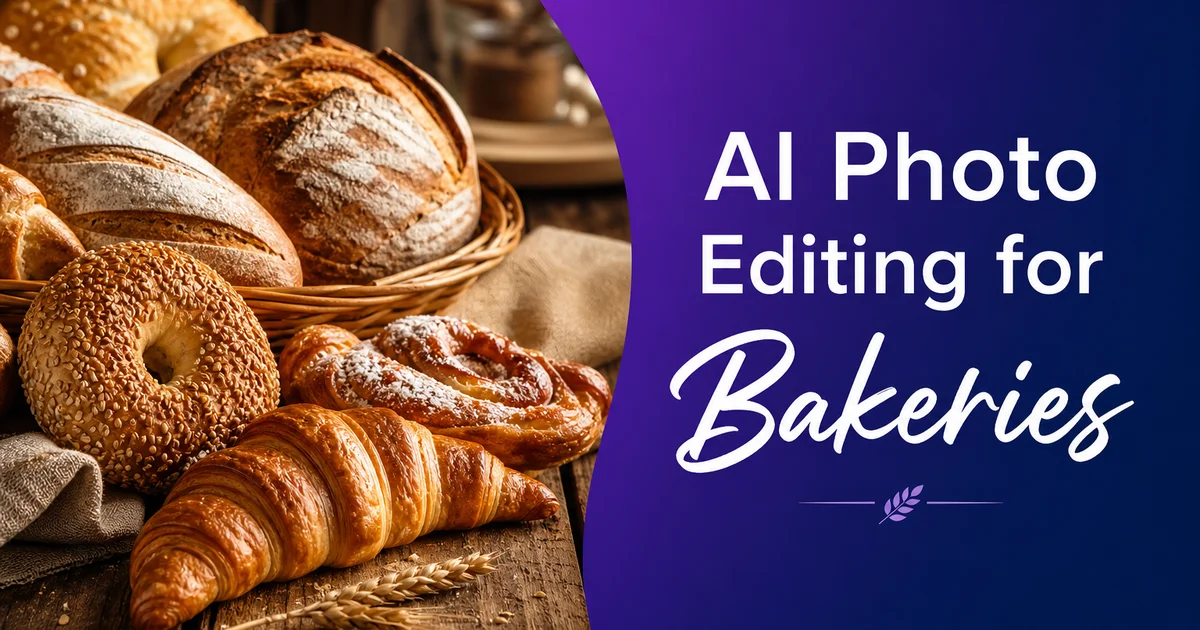
People eat with their eyes first, and nowhere is this truer than in the bakery business. A customer scrolling through Instagram, browsing your online menu, or checking your Google Business Profile will decide whether your croissants, cakes, and bread loaves are worth a visit based almost fully on how they look in photos. Research published in the British Food Journal confirms that food image quality greatly influences consumer purchasing decisions. Toast's industry reports show that online ordering now accounts for a substantial portion of bakery and restaurant revenue.
Yet most bakery owners photograph their products in the kitchen. Under harsh fluorescent lights, on flour-dusted counters, with ovens, sheet pans, and packaging materials visible in the background. The croissant that looks golden and flaky in person appears flat and yellowish in the photo. The intricately decorated cake that took three hours to create loses all its detail in a dark, poorly lit shot.
AI photo editing bridges the gap between what your baked goods look like in person and what they look like on screen. In minutes, you can transform a quick kitchen snapshot into a photo that belongs on a professional menu or food magazine cover without a studio, professional lighting, or Photoshop expertise.
- AI color correction restores golden-brown tones lost to fluorescent kitchen lighting.
- Object removal clears counter clutter, stray crumbs, flour dust, and visible kitchen equipment.
- Enhanced texture detail makes frosting swirls, crust patterns, and glaze sheen visible on screen.
- Consistent photo treatment across your menu, website, and social platforms builds brand trust.
- Quick editing workflow means you can photograph and publish new items the same day they debut.
- Better product photos drive higher conversion on online ordering platforms and delivery apps.
Why kitchen photos fail your baked goods
Commercial kitchens are designed for food production, not photography. The lighting is optimized for visibility and safety. Bright fluorescent tubes overhead that cast flat, cool-toned illumination with no directional quality. Under these lights, a golden brioche looks pale and slightly greenish, chocolate ganache loses its depth and appears dusty. The delicate caramel tones of a properly baked crust flatten into a uniform tan.
The setting compounds the problem. Even in a tidy kitchen, every counter surface is a working surface. A beautiful tart photographed on the prep counter will in time have flour traces, a piping bag, stacked sheet pans, or a sanitizer spray bottle in the frame. These details register subconsciously as commercial food production rather than artisan craftsmanship. They undercut the premium positioning most bakeries want to convey.
Timing creates extra pressure. A bakery's daily production cycle peaks in the early morning, and the products look their best. Fresh, glossy, perfectly shaped — in a narrow window before they cool, settle, or are handled for packaging. There is no time to set up a photo station, adjust lighting angles, and carefully compose each shot. The photos happen fast, between batches, on a phone, in whatever light is available.
- Fluorescent kitchen lighting flattens golden-brown tones and adds green-yellow color casts.
- Working counters always have flour, tools, and equipment that clutter photo backgrounds.
- Baked goods look their best in a narrow freshness window that rarely aligns with photo-ready conditions.
- Time pressure during production means most photos are taken quickly on a phone without composition planning.
Color correction: restoring warmth and appetite appeal
Color temperature is the single most important factor in food photography. It is the one that kitchen lighting gets most wrong. Warm tones — golden browns, amber highlights, rich chocolates, caramel hues — trigger appetite appeal. Cool tones suppress it. This is not subjective; it is a well-documented psychological response that food stylists and restaurant marketers have leveraged for decades.
AI Enhance corrects white balance to restore the warm, natural tones your baked goods display under proper lighting. The green-yellow fluorescent cast disappears. Golden crusts regain their rich amber glow. Chocolate surfaces show depth and dimension. Cream cheese frosting reads as fresh white rather than dingy gray. The correction happens globally across the image but adapts to each color region on its own. Warm tones are enhanced without pushing cool elements (like a blue plate or white parchment) into an unrealistic orange cast.
The boost also reveals texture detail that flat kitchen lighting suppresses. The flaky layers of a croissant cross-section, the crystalline sugar coating on a crumb cake, the smooth-to-rough gradient of a sourdough crust. These textures are what make a customer say 'I need to try that.' Under fluorescent light, they go invisible. After AI color correction, they pop.
- Warm golden-brown tones trigger appetite appeal; cool fluorescent tones suppress it.
- AI correction restores natural warmth without creating an unrealistic orange color shift.
- Texture details like flaky layers, sugar crystals, and crust patterns become visible after enhancement.
- Each color region is corrected independently — warm baked tones glow while neutral surfaces stay neutral.
Cleaning up the shot with object removal
Once color is corrected, the next step is eliminating distractions that pull attention away from the food. Kitchen photos often include unwanted elements: a dusting of flour on the counter around the subject, crumbs from the previous batch, a visible price label, the edge of a parchment paper roll, or a smudge on the serving plate.
Magic Eraser removes these elements cleanly. Brush over flour dust and the AI reconstructs the clean counter surface beneath it. Remove crumbs, and the background reads as spotless. Erase a fingerprint on a glass display dome or a water ring on a serving board, and the surface looks freshly cleaned. The tool handles varied surface textures well — wood grain, marble veining, stainless steel, and tile all reconstruct naturally.
For bakeries that photograph products on display shelves or in cases, Magic Eraser also handles price tags, shelf labels, and reflections on glass case surfaces. The goal is an image where the baked good is the only thing the viewer processes. No visual noise to compete with the food.
Building a consistent visual menu
Customers browsing your online menu or scrolling your Instagram expect visual consistency. When some product photos are bright and warm while others are dark and cool, the impression is disjointed. It feels like different bakeries rather than a curated collection from one artisan shop. Consistency signals professionalism and care, qualities that customers transfer to the products themselves.
The fastest path to consistency is a standardized editing workflow applied to every product photo. Photograph on the same two or three background surfaces (a wooden board, a marble slab, a white plate). Run every photo through AI Enhance with the same settings. Use Magic Eraser to clean each shot to the same standard. This does not mean the photos will look identical. The products are different, the compositions vary — but the visual treatment is uniform, and that uniformity creates a cohesive brand feel.
This consistency pays dividends beyond aesthetics. When you add a new product to your menu, the photo you take today will sit alongside photos taken months ago. If all of them received the same editing treatment, the new addition blends seamlessly into the existing collection. Without consistent editing, the new photo stands out as different, disrupting the visual flow of your menu page.
- Consistent visual treatment across all product photos signals professionalism and care.
- Standardize on two or three background surfaces and apply the same AI editing workflow to every photo.
- New product photos blend seamlessly into existing galleries when the editing treatment is uniform.
- Visual consistency builds brand recognition whether customers encounter your photos on your website, Instagram, or a delivery app.
Social media and seasonal promotions
Bakeries thrive on visual social media. Instagram, Facebook, and Pinterest are primary discovery channels, and SCORE data shows that consistent social media posting is among the most effective marketing activities for small food businesses. The challenge is maintaining quality and consistency when you are also baking, decorating, managing staff, and serving customers.
AI photo editing makes same-day posting realistic. Photograph the morning's fresh croissants, run the photos through AI Enhance and Magic Eraser during a quiet moment, and post by lunchtime. The process takes under five minutes per photo. For seasonal promotions — holiday cookie boxes, Valentine's Day cake collections, pumpkin spice pastry launches — you can build a bank of polished promotional images from a single morning photo session.
Pinterest deserves special attention for bakeries. Users actively search for baking inspiration, birthday cake ideas, wedding dessert options, and holiday treat displays. A beautifully edited photo of your signature cake pinned with the right description and link becomes a long-term traffic driver that brings customers to your ordering page for months or years after the original post.
Online ordering and delivery platform optimization
If your bakery offers online ordering through your website, DoorDash, UberEats, or a platform like Square Online, photo quality directly affects order volume and average ticket size. Customers ordering sight-unseen rely fully on photos to decide what to buy. A clear, warm, well-lit photo of a chocolate lava cake with visible ganache flow and cocoa dust detail will outsell the same cake represented by a dark, flat photo taken under fluorescent lights.
Delivery platform algorithms also factor in. Platforms like DoorDash and UberEats promote listings that perform well. Listings with high-quality photos get more clicks, which signals to the algorithm that the listing is valuable. This creates a positive feedback loop: better photos lead to more clicks, more clicks lead to higher placement, higher placement leads to more orders.
Every item in your online menu should have an edited photo. Items without photos get skipped — customers are not going to order a mystery pastry. If you have a large menu and limited time, focus on your highest-margin items first and work through the catalog as time allows. Even a basic pass through AI Enhance on every photo greatly improves the visual quality of your online presence.
- Photo quality directly impacts conversion rates and average order values on delivery platforms.
- Platform algorithms promote listings with higher click-through rates, which better photos drive.
- Every menu item should have an edited photo — items without images get skipped by customers.
- Prioritize highest-margin items first if you cannot edit all photos at once.
How to do it
- 1
Photograph baked goods in natural light
Place items near a large window with indirect sunlight. Shoot from directly above for flat items like cookies and pastries. Use a 30-45 degree angle for items with height like cakes and bread loaves. Use a simple background — a wooden cutting board, marble slab, or clean white surface works well.
- 2
Remove background distractions with Magic Eraser
Brush over flour dust on the counter, stray crumbs around the plate, fingerprints on serving platters, or any kitchen equipment visible in the background. The AI reconstructs clean surface textures so the baked good becomes the sole focus of the image.
- 3
Enhance color, warmth, and detail with AI Enhance
Run each photo through AI Enhance to correct white balance, boost the golden-brown tones of crusts and pastries, and reveal texture detail in frosting, glaze, and dough surfaces. A single pass corrects most lighting issues from kitchen settings without oversaturating the image.
- 4
Edit for consistency across your menu
Apply the same editing workflow to every product photo so your online menu, social media, and ordering platform display a cohesive visual style. Consistent lighting, background, and color treatment makes your bakery look professional and curated.
- 5
Export and publish across platforms
Save at full resolution for your website and ordering platform. Create square crops for Instagram and Google Business Profile, and vertical crops for Pinterest and Stories. Upload consistently across all channels to maintain brand quality.
Sources
- Food Photography and Consumer Purchasing Decisions — British Food Journal
- Small Business Digital Marketing Trends 2025 — SCORE
- The State of Online Food Ordering — Toast