
AI Photo Editing for Auto Detailing: Better Before/After Shots
How auto detailing businesses use AI photo editing for professional before/after documentation, social media marketing content, and portfolio building that wins new customers and fleet contracts.

Product Marketing
Reviewed by Magic Eraser Editorial ·
Table of Contents
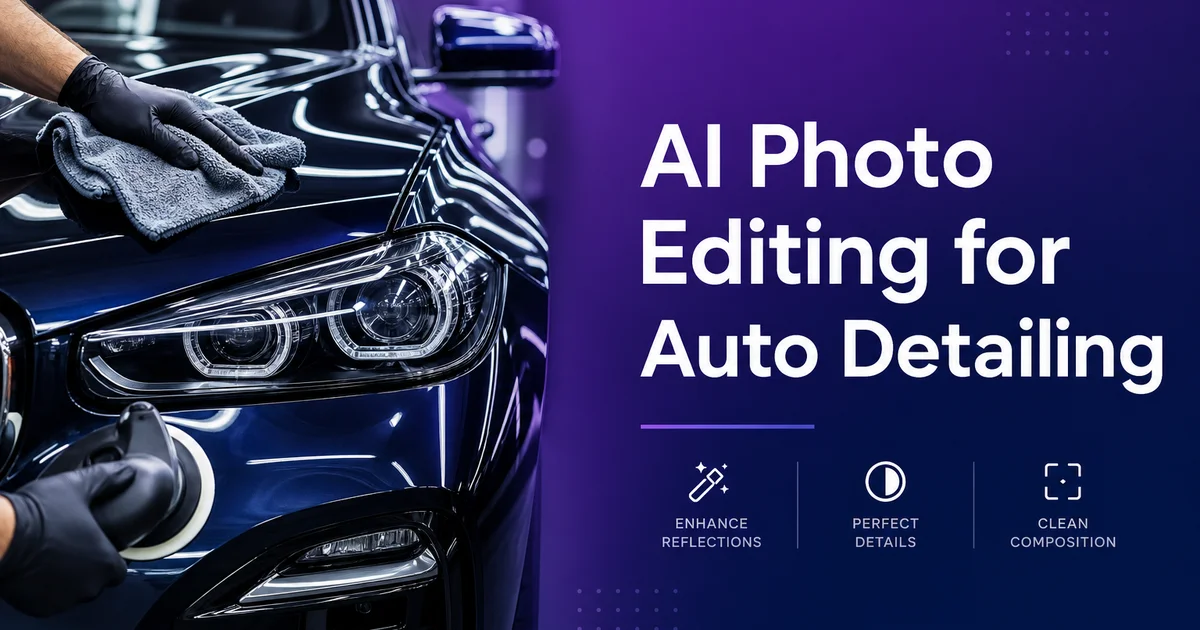
Auto detailing is a business built on visible change. A customer brings in a vehicle with swirl marks ground into the clear coat, water spots etched into the windows. A year of coffee spills embedded in the upholstery. Two hours later, the paint reflects like a mirror, the glass is crystal clear, and the interior smells new. That change is your product, and the most effective way to sell it to the next customer is to show it. Not describe it — show it.
The problem is that phone cameras are terrible at capturing what makes detailing impressive. The mirror finish on a freshly polished hood shows up as a flat, slightly shiny surface. The deep black of restored plastic trim looks the same as the faded gray it was before. Interior cleaning results are invisible in photos where the camera's auto-exposure crushes shadows into blackness. You know the work is excellent because you can see it in person. Your Instagram photos look like you barely did anything.
AI photo editing closes the gap between what your work looks like in person and what it looks like on screen. Magic Eraser removes the driveway clutter, garden hoses, and neighbor's minivan from your photos. AI Enhance brings out the paint depth, the trim restoration, and the interior detail that phone cameras flatten. The result is a photo that represents your actual work honestly. Not exaggerated, but finally visible the way a customer standing next to the vehicle would see it.
- Before/after photos are the highest-converting marketing format for auto detailing businesses.
- Phone cameras flatten the visual qualities that make detailing impressive — mirror finishes, deep blacks, and restored clarity.
- Magic Eraser removes background clutter from driveways, parking lots, and mobile work locations.
- AI Enhance recovers the paint depth, trim contrast, and interior detail that cameras fail to capture.
- Consistent, professional documentation builds portfolios that win fleet contracts and dealership partnerships.
Why great detailing work photographs poorly
The qualities that make a freshly detailed vehicle impressive in person are exactly the qualities that phone cameras struggle to capture. Paint correction removes microscopic scratches and swirl marks that scatter light, producing a surface that reflects like a mirror. In person, you can see the surroundings reflected clearly in the hood. A sign that the surface is optically smooth. In a phone photo, that mirror finish compresses into a slightly shinier version of the flat, hazy look the paint had before. The camera's dynamic range cannot handle the extreme contrast between the bright sky reflection and the deep paint color. It compromises and the result looks mediocre.
Interior detailing has the opposite problem. The work is real — steam-cleaned carpets, conditioned leather, sanitized surfaces, restored plastics — but it happens in an enclosed space where phone cameras default to settings that do not serve the subject. Auto-exposure brightens the dashboard but crushes the footwell into shadow. Auto white balance shifts under the warm-toned interior lighting. The result is a photo where the steering wheel looks acceptably clean but everything else disappears into darkness. The customer comparing your before/after photos thinks you only cleaned the steering wheel.
These are not problems with your work quality. They are problems with the translation from three-dimensional reality to a two-dimensional phone screen. Your eyes adjust instantly when you lean into a car interior. You see the clean carpet in the footwell, the conditioned leather on the back seat, the restored headliner. The camera makes one exposure decision for the entire frame and loses everything that is not in the middle of the brightness range. AI boost corrects this translation problem, recovering the detail that your eyes see but your camera misses.
- Mirror paint finishes compress into flat shininess in phone photos due to limited dynamic range.
- Interior cleaning results disappear when auto-exposure crushes shadowed areas into blackness.
- The translation from three-dimensional viewing to two-dimensional photography loses the qualities detailing produces.
- AI enhancement corrects the camera's limitations without exaggerating the actual results.
Photographing detailing work for maximum impact
Before you edit, you need good raw material. The single most important factor in detailing photography is lighting consistency between before and after shots. If you photograph the dirty vehicle in your garage under fluorescent lights and the finished vehicle in the sun, the change looks fake even if it is real. The viewer attributes the improvement to the lighting change rather than the detailing. Shoot both in the same location, at the same time of day, under the same sky conditions whenever possible.
Overcast days are a detailer's best friend for photography. Even cloud cover eliminates harsh reflections and hot spots on paint while still providing enough light to show surface condition. The soft, diffused lighting reveals swirl marks and scratches in the before photo without creating blown-out reflections. It shows the smooth, corrected surface in the after photo without hiding the result behind glare. If you must shoot in direct sun, position the vehicle so the sun is behind you and slightly to one side, illuminating the panels evenly rather than creating a single bright streak across the hood.
Detail shots tell the story that wide shots cannot. A full-vehicle photo shows general cleanliness, but a close-up of a paint section showing the reflection clarity, a wheel before and after iron decontamination, or a leather seat with the conditioning visible in the grain — these photos share craftsmanship. Shoot three to five detail pairs per vehicle: the worst area before treatment alongside the same area after, the dirtiest wheel before and after, and one interior detail pair. These close-ups are your most shareable social media content because they show the change at a scale where the difference is undeniable.
- Light both before and after photos identically — same location, same time of day, same sky conditions.
- Overcast days provide ideal lighting that reveals surface condition without harsh reflections.
- Detail close-ups of specific areas communicate craftsmanship that full-vehicle shots cannot.
- Shoot three to five detail pairs per vehicle for social media and portfolio content.
Editing for social media and portfolio building
Social media drives new customer acquisition for auto detailing businesses more than any other marketing channel. The before/after format is inherently engaging. Viewers love change content, and auto detailing provides some of the most satisfying changes in any service industry. A swipe-reveal post showing a neglected vehicle transformed into a showroom-quality finish generates engagement, shares. The specific kind of comment that converts: people tagging friends and asking about pricing.
The editing workflow for social media content is straightforward. Clean the background with Magic Eraser so the vehicle stands alone against an uncluttered backdrop. Apply AI Enhance to bring out the paint depth and surface quality that the phone camera flattened. For before photos, be honest — show the actual condition without making it look worse than it was. Also without letting the camera's auto-exposure minimize the visible problems. For after photos, let the boost show what your eyes see in person: the reflections, the depth, the restored contrast between trim and paint.
Build your portfolio systematically by editing and saving the best three to five images from every job. Organize them by service type — paint correction jobs show different skills than interior restoration jobs. A fleet wash package shows different capabilities than a full ceramic coating detail. Over six months of consistent records, you build a visual library that shows your range, your consistency, and your quality. When a dealership or fleet manager asks for a proposal, that portfolio is more persuasive than any price sheet or service description.
- Before/after transformation content drives more engagement and customer inquiries than any other format.
- Clean backgrounds with Magic Eraser and enhance surfaces with AI Enhance for every piece of content.
- Be honest in before photos — show real condition without artificial exaggeration.
- Systematically archive three to five edited images per job to build a comprehensive portfolio over time.
Winning fleet contracts and dealership partnerships with documentation
The auto detailing businesses that grow beyond solo operations into profitable companies with employees and fleet contracts are almost always the ones with expert-grade records. When a property management company needs a detailer for their 40-vehicle fleet, they do not choose based on the lowest bid. They choose based on proven quality and reliability. A detailer who presents a portfolio of consistently excellent before/after work across dozens of vehicles, organized by service type and vehicle class, shares both capability and professionalism in a way that a competitor offering the same services but showing no records simply cannot match.
Dealership partnerships follow the same logic. A used car dealership needs their inventory to photograph well for online listings. They need it done efficiently and always. Showing the dealership manager your portfolio of exterior paint correction results, interior deep-cleaning changes, and wheel restoration work. All with expert-quality photos — positions you as a partner who understands the visual standards their business requires. The detailing quality matters, but the documentation is what gets you in the door.
The investment in AI photo editing pays dividends at this level. A few minutes per vehicle editing your records photos produces marketing materials that work for social media today and sales proposals tomorrow. The detailer who spends five minutes editing each job's photos builds a portfolio that the detailer who never edits photos cannot compete with, even when the actual detailing work is comparable. In a service business, perceived quality follows documented quality, and documented quality follows expert display.
- Fleet managers and dealerships choose detailers based on documented quality, not lowest bids.
- Organized portfolios by service type and vehicle class demonstrate capability and professionalism.
- Professional documentation gets you in the door for partnership conversations that price sheets cannot open.
- Minutes spent editing each job's photos compound into a competitive advantage no undocumented competitor can match.
How to do it
- 1
Photograph vehicles before and after detailing in consistent conditions
Capture before photos in the same location and lighting as after photos. The best setup is outdoors on an overcast day or in a shaded area where even lighting shows the paint condition without harsh reflections. Walk around the vehicle and photograph it from the same four to six angles every time. Front three-quarter, rear three-quarter, driver side profile, and detail shots of problem areas like swirl marks, water spots, or interior stains. Consistency between before and after shots is what makes the change convincing.
- 2
Remove background distractions and environmental clutter with Magic Eraser
Auto detailing photos are taken wherever the work happens — driveways, parking lots, garage bays, and mobile locations. These settings are full of visual distractions: other vehicles, trash cans, garden hoses, extension cords, product bottles, and shop equipment. Use Magic Eraser to clean these elements from the background so the vehicle is the sole focus of every image. Remove license plates for customer privacy. Erase water puddles, leaf debris, and parking lot stains that undermine the clean display.
- 3
Enhance paint clarity and interior detail with AI Enhance
Apply AI Enhance to make the detailing results pop. For exterior shots, AI boost deepens the paint reflection and clarity that detailing produces. The mirror-like finish on a freshly polished hood, the deep black of restored trim, the crystal-clear windows after water spot removal. For interior shots, it recovers detail in shadowed areas like footwells, between seats. Under dashboards where your cleaning work is real but hard to see in a phone photo taken through the window.
- 4
Create before/after comparison content for social media
Arrange before and after photos in side-by-side or swipe-reveal formats for Instagram, TikTok, and Facebook. The before photo should show the vehicle's actual condition. The swirl marks under direct light, the stained seats, the dirty wheel wells — without making it look artificially worse than it was. The after photo should show your actual results with the boost bringing out the quality of your work that phone cameras often fail to capture. Label the photos with the services performed so viewers understand what was done.
- 5
Export for Google Business Profile, website portfolio, and print materials
Save high-resolution images for your website gallery organized by service type. Paint correction, ceramic coating, interior restoration, wheel and tire detailing. Export optimized versions for Google Business Profile where potential customers in your area will see your work first. Create a separate set for printed materials. Business cards with a before/after on the back, flyers for local businesses and car dealerships, and a portfolio binder for in-person consultations with fleet clients.