
Magic Eraser + beehiiv: Newsletter Hero Images, Boost Partner Discovery, Recommendations
beehiiv is the newsletter platform that built its growth engine around monetization and audience-growth features — Boost partner discovery, the recommendation network, advanced segmentation, and a native ad network — and has grown to become Substack's primary platform competitor for newsletter creators in 2025-2026. The platform's visual surfaces span post thumbnail images (1200×675 standard), publication logos, author photos, Boost partner imagery (the cards that appear when other publications recommend yours), recommendation-network share cards, and email-newsletter inline imagery. Magic Eraser preps the full beehiiv visual stack — phone-to-publish in minutes per asset — without a designer on staff.
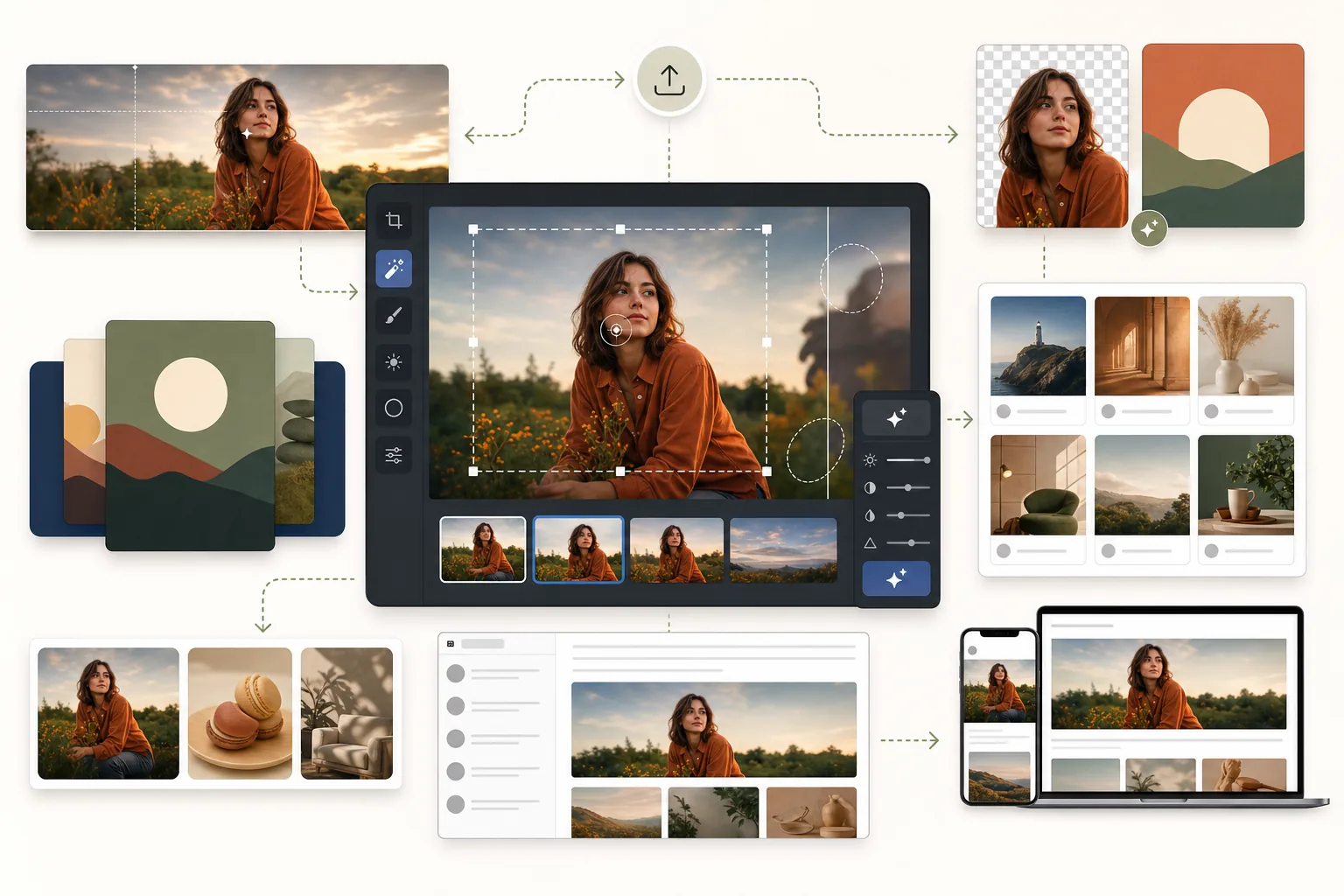
About beehiiv
beehiiv is the newsletter platform built by former Morning Brew operators, launched 2021 and grown to power thousands of publications across newsletters, paid memberships, and creator businesses. The platform's distinguishing features for image-workflow purposes: Boost — the platform's partner-driven subscriber acquisition program where publications recommend each other and earn revenue from each successful referral — surfaces publication thumbnails and partner imagery in the in-product discovery feed; the recommendation network surfaces curated newsletter cards across publications; advanced segmentation lets publications send variant images per subscriber segment; the post composer supports 1200×675 hero thumbnails (16:9 aspect, downsampled across email-delivery / recommendation-feed / share-card surfaces); and the platform's mobile app uses the same image surfaces as the web reader. Pricing tiers run from Launch (free) to Grow to Scale to Max with creator-business features escalating per tier.
Benefits
Post thumbnail images that perform across email, web, recommendation feed, and share cards
beehiiv post thumbnails render at 1200×675 (16:9) on the post page, downsampled to recommendation-feed thumbnail sizes, email-newsletter delivery renders, and the 1200×630 OG share card when readers share posts to Twitter / LinkedIn / Facebook. Each render context has different conversion stakes — the post page confirms the read decision after click-through, the recommendation feed earns the click from non-subscribers, the email delivery affects open and click-through, the share card travels the cover across social. Magic Eraser preps thumbnails with AI Fill outpaint extending source photos to 1200×675 with subject roughly centered (so smaller crops still include the subject), Background Eraser for clean isolated subjects, AI Enhance for sharpening, and AI Filter for the publication's consistent color grade across the full archive.
Boost partner imagery designed for the partner-discovery feed
Boost is beehiiv's distinctive growth feature — publications enrolled in Boost recommend each other in their post bottoms or dedicated recommendation surfaces, with the recommending publication earning revenue per successful subscriber referral. The Boost imagery (publication card thumbnails, partner cover graphics, recommendation share cards) renders in dedicated Boost discovery surfaces where it competes for subscriber attention against other Boost partners. The imagery has to telegraph the publication's value proposition at a glance — what kind of writing, which audience, what tone — within the small thumbnail display. Magic Eraser preps Boost partner imagery from the publication's master photo library with the same recipe (AI Filter color grade, Background Eraser brand palette, AI Enhance for crisp render) used across post thumbnails, so the publication reads as a coherent brand identity in the Boost partner feed.
Recommendation network share cards that travel beyond beehiiv
beehiiv's recommendation network surfaces curated newsletter cards across publications and external content surfaces. The share cards render at 1200×630 OG dimensions when shared externally, and the visual treatment affects whether the recommendation earns the click. Magic Eraser preps share cards with AI Fill outpaint to 1200×630 aspect, AI Filter for consistent publication color grade, Magic Eraser brush for any distraction cleanup, and a typography template overlay if the publication uses overlay text. The share-card investment pays back across every external mention and every cross-publication recommendation — image consistency is the lever that compounds brand recognition across all the surfaces the publication appears on.
Email-newsletter inline imagery that fits Gmail's 102KB clip threshold across image-heavy posts
beehiiv's email-delivery pipeline behaves like other major newsletter platforms in the constraint that matters for inline imagery: email clients render inline images at 600px wide across Gmail / Apple Mail / Outlook / Yahoo regardless of subscriber device, and Gmail clips emails larger than 102KB total (replacing the clipped portion with a 'View entire message' link many subscribers don't click). For image-heavy beehiiv posts with 3-7 inline images per post, individual inline images need to stay 80-150KB max to keep the full email under the Gmail clip threshold. Magic Eraser's AI Enhance + JPEG quality 75-80 export combination typically produces 80-130KB images at 1200×600 source resolution — within budget for image-heavy posts. AI Filter applies the consistent publication grade across every inline image so the visual identity holds across the email archive.
How to Use Magic Eraser with beehiiv
Identify the image's role across beehiiv surfaces
Before opening any editor, decide what the image is doing on beehiiv: post thumbnail (1200×675 standard, downsampled to recommendation-feed + email-delivery + 1200×630 OG share), publication logo (square format used across the publication header and Boost partner cards), author photo (used across post bylines and About section), Boost partner imagery (1200×675 with strong subject framing for the partner-discovery feed), recommendation network share card (1200×630 OG aspect), or email-newsletter inline imagery (1200×600 source for 600px email-client render). Each role has different framing and editing priorities. beehiiv handles WebP serving and responsive srcset downstream, so the source upload should be the highest-quality version — don't pre-compress.
Prep post thumbnails with the publication's saved recipe
Open the source photo for the post thumbnail in Magic Eraser. AI Fill outpaints if the source isn't already 16:9 close to 1200×675. Background Eraser swaps to a brand-color solid if the subject needs isolation. AI Enhance recovers detail and sharpens. AI Filter applies the publication's color-grade preset (saved from the recipe definition session). Magic Eraser brush handles any per-photo cleanup. The discipline of one-tap recipe application across every post thumbnail is what compounds visual brand identity across the publication's archive — and it's what most newsletter writers under time pressure skip when designing each post hero individually.
Prep Boost partner imagery to perform in the discovery feed
Boost partner cards compete for subscriber attention in the in-product discovery feed where other Boost partners' publications appear alongside yours. The partner imagery has to telegraph the publication's value proposition in the discovery-feed thumbnail crop. From the publication's master photo library (the same library that powers post thumbnails), prep a 1200×675 Boost partner image with: AI Fill outpaint to 16:9 with subject prominently centered, Background Eraser swap to the publication's primary brand color, AI Filter apply the publication grade, AI Enhance for crisp render at the discovery-feed display size, and an optional typography overlay if the publication uses overlay text. Test the result at the discovery-feed thumbnail size (typically 320-400px wide displayed) to confirm the subject and the brand identity read at small size.
Prep email-newsletter inline imagery for the 600px render and Gmail clip threshold
Upload inline imagery at 1200×600 source (double resolution for retina-display support). Subjects in the inline image need to be readable at the 600px email-client render — subject-centered or subject-prominent composition with high contrast. To stay under Gmail's 102KB clip threshold across an image-heavy post with 3-7 inline images, individual inline images should be 80-150KB max. Use JPEG quality 75-80 for image-heavy posts; 82-85 for lighter posts with 2-3 inline images. Magic Eraser's AI Filter applies the consistent publication grade across every inline image, AI Enhance handles sharpening, Background Eraser maintains brand-color consistency.
Run the cross-platform visual recipe across Substack, beehiiv, and any other newsletter surfaces
Many newsletter publications run on more than one platform — a primary newsletter on beehiiv plus a mirror on Substack for the platform's discovery surface, or a primary newsletter plus distribution on RSS-syndicated platforms. The cross-platform visual-consistency lever is the saved publication recipe in Magic Eraser: same AI Filter color grade, same Background Eraser brand palette, same composition discipline applied to images regardless of the destination platform. The subscriber reading your beehiiv post via the beehiiv app and the subscriber reading your Substack mirror both see the same visual identity — which is the brand-recognition discipline most multi-platform newsletter writers under-invest in.
Frequently Asked Questions
Does Magic Eraser have a direct beehiiv integration?
+
No native plugin — Magic Eraser is a web/iOS/Android image editor that runs outside the beehiiv post composer. The workflow is: prep images in Magic Eraser, export at full resolution (PNG or JPEG), then upload to beehiiv through the standard image-upload flow in the post composer. beehiiv's image pipeline handles the WebP conversion, responsive srcset, and CDN distribution from there. For most writers, the lack of a direct plugin isn't a friction — image prep happens in batches at a different point in the workflow than post writing, and the separation actually helps with consistency.
What's the optimal post thumbnail source-image size for beehiiv?
+
beehiiv recommends 1200×675 (16:9 aspect) as the source for post thumbnails. This dimension gives the platform enough resolution for the post-page render, the responsive downsampling to recommendation-feed thumbnails, the email-delivery render, and the 1200×630 OG share card (which is close enough to 1200×675 that the platform crops cleanly to the OG aspect). Magic Eraser's AI Fill outpaint solves the common composition problem of phone-camera source photos that aren't natively 16:9 — start with whatever source you have, AI Fill out to 1200×675+ with subject roughly centered, and beehiiv's responsive pipeline handles the rest.
What's the visual difference between Boost partner imagery and regular post thumbnails?
+
Both render at 1200×675 with the same technical specs, but the conversion goals are different. Regular post thumbnails sell the click on a specific post to a reader who already knows your publication. Boost partner imagery sells the subscription on your publication as a whole to a reader who doesn't know you yet but is browsing other publications' partner-recommendations. The Boost imagery has to telegraph 'what kind of publication is this' — the topic, the tone, the audience — in the 320-400px discovery-feed thumbnail display. Composition-wise: stronger brand-identity elements (publication logo or signature visual mark), subject prominence that doesn't require the viewer to already know the post context, and color grading that matches the publication's standard recipe so a subscriber clicking from Boost lands on a visually-consistent publication.
Should I upload pre-compressed images to beehiiv?
+
No. Upload the highest-quality source — beehiiv's image pipeline serves automatic WebP, builds responsive srcset for every breakpoint, and applies its own compression based on viewport and connection. Pre-compressing images before upload (saving as 80% JPEG, for instance) just compounds with beehiiv's own compression and produces visibly worse output at every render size. Magic Eraser exports at full quality by default — keep that quality through the upload step and let beehiiv handle downstream optimization. The exception is email-newsletter inline imagery where Gmail's 102KB clip threshold forces the file-size constraint: use JPEG quality 75-80 for image-heavy posts to fit the budget.
Can I use the same visual recipe across beehiiv and Substack if I mirror my publication?
+
Yes, and this is exactly the right discipline for multi-platform newsletter publications. Save your publication's visual recipe (AI Filter color grade, Background Eraser brand palette, composition discipline, typography template if applicable) once in Magic Eraser. Apply the same recipe to images regardless of whether they're heading to beehiiv (1200×675 post thumbnail), Substack (1456×816 post hero), Ghost (variable per theme), or any other platform. The subscriber reading across multiple platforms sees the same visual identity, which is the brand-recognition discipline that compounds reader engagement across platforms.
Does beehiiv have a Notes-equivalent microblog feature like Substack?
+
Not directly. beehiiv's discovery surfaces are different from Substack Notes — beehiiv emphasizes Boost partner discovery, the recommendation network, and the in-product publication feed rather than a microblog format. For publications growing on beehiiv, the visual-discipline focus is the post thumbnail and the Boost partner imagery rather than a daily microblog cadence. For publications running on both platforms, the Substack Notes cadence (3-7 image-bearing Notes per week) and the beehiiv Boost partner imagery work as parallel growth surfaces with different visual brief shapes.
How does this compare to using beehiiv's built-in image features?
+
beehiiv's post composer handles upload, cropping, and basic positioning of images. Magic Eraser handles operations beehiiv's composer doesn't: object removal (distractions, unintended people in the frame, watermarks from stock-photo sources), background swap (cluttered home backgrounds to clean brand-color), AI Fill outpainting (extending source photos to the 1200×675 thumbnail aspect or 1200×630 OG share-card aspect), and AI Enhance (upscaling and sharpening low-light phone photos to retina-display resolution). The right shape is sequential: prep in Magic Eraser first for the major transforms, then upload to beehiiv for the final positioning and post composition.
Newsletter visual identity that compounds across beehiiv surfaces
Magic Eraser preps post thumbnails, Boost partner imagery, recommendation network share cards, and email-newsletter inline imagery with one consistent recipe applied through saved presets — phone-to-publish in minutes per asset. Free tier on web, iOS, and Android.
Try Magic Eraser freeRelated use cases
See how professionals use these tools in real-world workflows.
Listing photos cluttered with personal items, parked cars, or construction equipment can turn buyers away. Magic Eraser uses AI to clean up your property photos instantly — no Photoshop skills required.
Product listings need clear images before shoppers can judge the item. Magic Eraser helps sellers remove messy backgrounds, table edges, labels, props, glare, and other distractions so each product photo is easier to review before publishing.
Photobombers ruining your travel pics? Messy backgrounds killing your selfie game? Stop wasting hours in Photoshop. Magic Eraser removes distractions, cleans up cluttered shots, and expands your photos to fit any platform format — all in one tap.
Related comparisons
See how Magic Eraser compares to similar tools.
TouchRetouch is a popular paid mobile app for removing objects and blemishes. Magic Eraser offers free AI-powered editing on any device with no install required. See how they compare across features, pricing, and ease of use.
Cleanup.pictures is a free web tool with one generic eraser brush. Magic Eraser gives you 100+ purpose-built removal tools — one for emoji, glasses, watermarks, sky, power lines, and dozens more — plus background removal, AI enhance, and mobile apps, in 16 languages. See how breadth changes the result.
remove.bg is the market leader for background removal, offering a powerful API and integrations with Photoshop and Figma. Magic Eraser goes further with eight AI-powered editing tools — from object removal and generative fill to AI enhance and design — all in one editor.
Two powerful AI photo editors with different strengths. Magic Eraser offers a broader set of generative AI tools for creative editing, while Photoroom excels at e-commerce product photography and batch processing. See which fits your workflow.
Related articles
Tips, guides, and tutorials related to this topic.
Learn how to use Magic Eraser to remove objects, people, text, and distractions from photos with cleaner AI editing results.
Learn how to remove people from photos using AI in seconds. Step-by-step guide for travel photos, real estate shots, and product images.
Step-by-step guide to removing watermarks from your own photos using AI. Learn when it is appropriate, the best techniques, and how Magic Eraser handles it.
Other integrations
Explore more platforms that work with Magic Eraser.