
How to Remove Watermarks from Images
Step-by-step guide to removing watermarks from your own photos using AI. Learn when it is appropriate, the best techniques, and how Magic Eraser handles it.

Product Marketing
Table of Contents
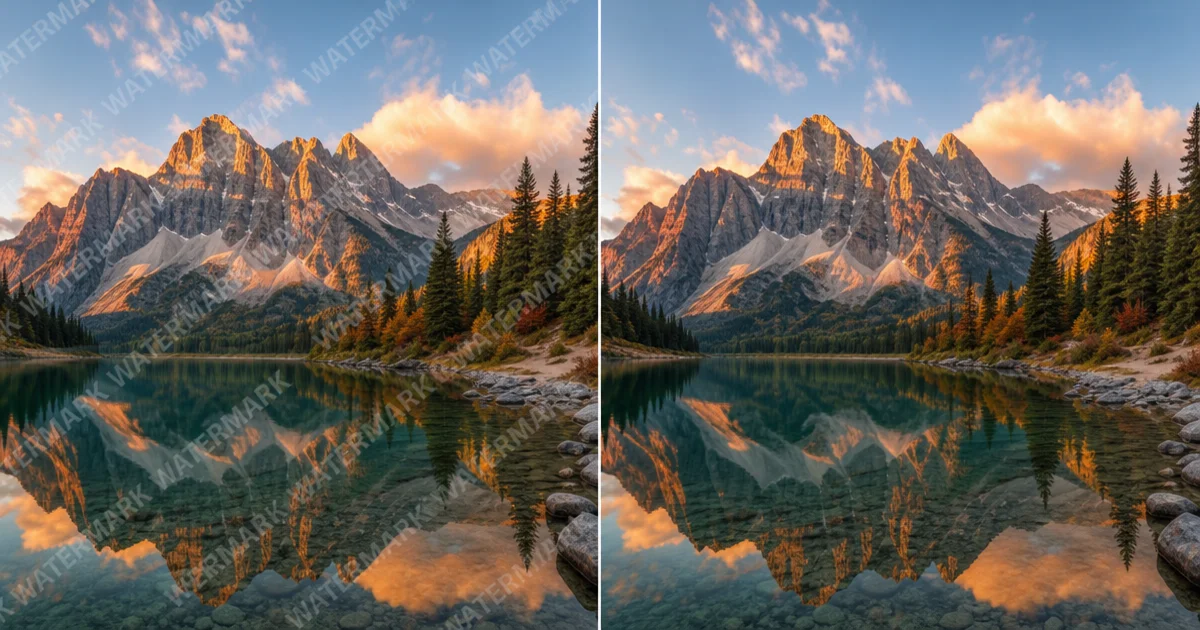
Watermarks are semi-transparent text or logos overlaid on images to indicate ownership or prevent unauthorized use. While they serve an important purpose for protecting creative work, there are legitimate reasons you might need to remove a watermark from your own photo — for example, after purchasing a stock image license or recovering an old photo where you lost the original unwatermarked version.
This guide covers how to remove watermarks using AI tools like Magic Eraser, when it is appropriate to do so, and tips for getting clean results. We want to be clear: you should only remove watermarks from images you own or have the proper license to use.
- Open your image in Magic Eraser.
- Select the Remove Object tool and zoom into the watermarked area.
- Carefully brush over the watermark text or logo. Cover the entire watermark including any semi-transparent edges.
- Process the removal. The AI will reconstruct the image underneath the watermark.
- For large or complex watermarks, do multiple passes — remove one section at a time.
- Use the AI Enhance tool afterward to sharpen any areas that look slightly soft after removal.
When is it okay to remove a watermark?
The most common legitimate scenario is stock photography. You find a preview image on a stock site, purchase the license, but the download fails or you lose the file. You still have the watermarked preview and a valid license. Removing the watermark in this case is legally fine because you have paid for the right to use the image.
Another common case is recovering your own photos. Photographers sometimes apply watermarks to images before sharing them on social media, then lose the original files. If you are the copyright holder of the image, removing your own watermark is perfectly acceptable.
What is not okay: removing watermarks from images you do not own or have not licensed. Using someone else's watermarked photo without permission is copyright infringement, regardless of whether the watermark is visible. The watermark is there because the creator wants to protect their work.
- Licensed stock images where you have a valid purchase but lost the clean version.
- Your own photos where you applied a watermark and lost the original.
- Client work where the client provided a watermarked proof and later approved the final license.
- Never remove watermarks from images you do not own or have not properly licensed.
Tips for clean watermark removal
Watermarks are designed to be difficult to remove, so expect some cases where the result is not perfect on the first try. Semi-transparent watermarks that blend with the image are harder than opaque ones because the AI needs to separate the watermark layer from the original image data underneath.
Work in sections for large watermarks. If a watermark spans the entire image, do not try to remove it all at once. Start with one corner, process it, then move to the next section. This gives the AI more clean context to work with for each pass.
After removing the watermark, the area might look slightly softer or have minor color differences compared to the surrounding image. Running AI Enhance over the affected area usually fixes this. The enhance tool sharpens details and normalizes colors, making the removal invisible.
- Semi-transparent watermarks need more careful brushing to cover all edges.
- Work in sections for watermarks that span a large area.
- Use AI Enhance after removal to restore sharpness and normalize colors.
- Zoom to at least 200 percent when brushing to ensure complete coverage.
- For repeating pattern watermarks, remove one instance first and check the result before continuing.
Watermark removal vs buying the license
If you are considering removing a watermark because you do not want to pay for an image, stop and reconsider. Stock images are affordable — many sites offer subscriptions starting at a few dollars per month. The photographer or designer who created that image deserves to be compensated for their work.
Beyond the ethical issue, using unlicensed images creates legal risk. Copyright holders can and do use reverse image search tools to find unauthorized uses of their work. The penalties for copyright infringement can be significant, often far more than the cost of the license would have been.
Magic Eraser is a tool for legitimate editing purposes. We built it to help people fix their own photos, not to enable piracy. If you need an image for a project, purchase the license. It supports the creative community and protects your business from legal issues.
- Stock image licenses are inexpensive — often less than the time you would spend trying to remove a watermark.
- Copyright holders actively search for unauthorized use of their images.
- Legal penalties for infringement far exceed the cost of a license.
- Support the creative community by licensing images properly.
Types of watermarks and how to handle each
Not all watermarks are created equal. Understanding the type of watermark you are dealing with helps you choose the right approach and set realistic expectations for the result.
Text watermarks are the most common type. Stock photo sites overlay text like the company name or a copyright notice diagonally across the image. These are usually semi-transparent white or gray text. The AI handles these well because text has predictable edges and the underlying image data is partially visible through the transparency. Brush over the text carefully, making sure to include the full extent of each character including any drop shadows.
Logo watermarks are more challenging because they often contain solid colors and complex shapes. A company logo stamped in the center of an image may completely obscure the details underneath. For these, work in small passes and let the AI reconstruct each section. The result depends on how much of the original image is hidden — a small logo in the corner will produce better results than a large centered logo.
Tiled or repeating watermarks cover the entire image with a pattern. These are the hardest to remove cleanly because every part of the image is affected. Start with a small section to test the result, then systematically work across the image. Processing time is longer for tiled watermarks, but the AI can still produce good results if you are patient and methodical.
- Text watermarks: brush over all characters including drop shadows. Usually one or two passes.
- Logo watermarks: work in small sections. Corner logos are easier than centered ones.
- Tiled watermarks: start small, test the result, then work systematically across the image.
- Colored watermarks may leave a slight color cast — use AI Enhance to normalize afterward.
- Semi-transparent watermarks preserve more original data and produce cleaner results.