
Magic Eraser + Instagram: フィード用に洗練された写真
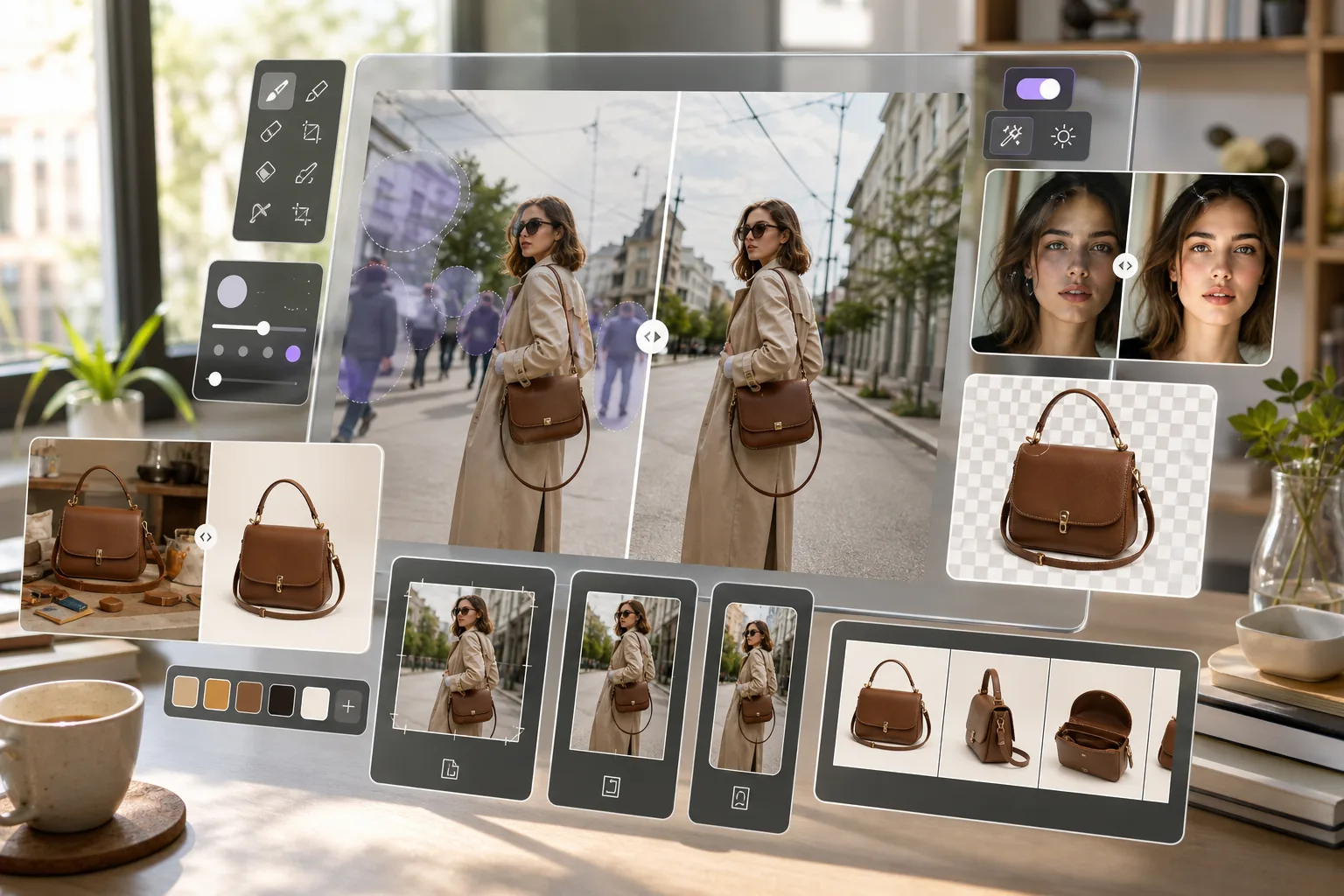
Instagram の優れたコンテンツは、優れた画像から始まります。 Magic Eraser は、製品ショーケースの背景を削除し、写真から不要なオブジェクトを消去し、画質を向上させて、すべての投稿、ストーリー、リールがプロフェッショナルに見えるようにします。
概要 Instagram
Instagram は、月間アクティブ ユーザー数が 20 億人を超えるビジュアル ソーシャル メディア プラットフォームです。クリエイター、ブランド、企業はこれを使用して、写真、ストーリー、リール、ショッピング コンテンツを視聴者と共有します。
メリット
ショッピング投稿用のきれいな商品写真
商品写真から乱雑な背景を削除して、Instagram のショッピング投稿やカルーセル広告で目立つ、すっきりとした孤立した画像を作成します。
フィードに気を散らさない写真を掲載
投稿する前に、フォトボマー、電線、ゴミ箱、その他の不要な要素を写真から削除してください。フィードの美学を一貫して洗練されたものに保ちます。
モバイルアップロード用の強化された画質
AI Enhancement を使用して細部を鮮明にし、照明を改善し、解像度を上げます。これにより、スマートフォンの写真はどの画面サイズでも鮮明に見えます。
ストーリーとリールの透明な背景
被写体やオブジェクトから背景を削除して、切り抜き PNG を作成します。ストーリーやリールのグラデーション、ビデオ、またはブランドのテンプレートの上にそれらを重ねます。
Instagram で Magic Eraser を使用する方法
写真をアップロードする
携帯電話またはブラウザで Magic Eraser を開き、Instagram に投稿したい写真をアップロードします。
編集と強化
写真のニーズに応じて、背景を削除したり、不要なオブジェクトを消去したり、画質を向上したりできます。
結果をエクスポートする
編集した画像を背景が透明の場合は PNG として、標準投稿の場合は JPEG としてダウンロードします。
インスタグラムに投稿する
Instagram を開いて、処理した画像をフィード、ストーリー、リール、またはショッピング投稿にアップロードします。
よくある質問
Magic Eraser は Instagram に直接接続しますか?
+
Magic Eraser は準備ステップとして機能します。 Magic Eraser で写真を編集および補正し、デバイスに保存して、アプリを通じて Instagram にアップロードします。
投稿する前に携帯電話で Magic Eraser を使用できますか?
+
はい。 Magic Eraser はモバイル ブラウザーとアプリで動作するため、Instagram への投稿に使用するのと同じデバイスで写真を編集できます。
Instagram の投稿に最適な画像サイズはどれですか?
+
Instagram は、縦長の投稿では最大 1080x1350 ピクセル、正方形の投稿では最大 1080x1080 の画像をサポートします。 Magic Eraser は元の解像度を保持し、AI Enhancement は小さい画像をアップスケールできます。
Instagram の商品タグの背景を削除できますか?
+
はい。 Magic Eraser の背景除去を使用して、白または透明な背景にきれいな製品画像を作成します。これは、Instagram のショッピング投稿や製品タグに最適です。
編集すると画質が低下しますか?
+
書き出し品質は元画像と選択した出力設定によって異なります。AI Enhancement で細部を鮮明にしたりノイズを抑えたりできますが、効果は画像ごとに異なります。
Instagram のすべての投稿を目立たせる
Instagram で共有する前に、Magic Eraser を無料で試して、背景を削除し、気を散らすものを消し、写真を加工してください。
Magic Eraser を無料でお試しください関連するユースケース
プロフェッショナルが実際のワークフローでこれらのツールをどのように活用しているかをご覧ください。
生活感あふれる私物や路上駐車、工事機材が写り込んだ物件写真は、内見意欲を下げてしまいます。Magic Eraserを使えば、Photoshopのスキルがなくても瞬時にきれいな物件写真に仕上がります。
背景がごちゃごちゃした商品写真では、お客様はすぐにスクロールして通り過ぎてしまいます。Magic Eraserなら、プロ品質の商品画像を数秒で作成できます。Photoshopのスキルは不要。アップロードして、不要な部分を消して、すぐに出品しましょう。
旅行写真に知らない人が写り込んでいませんか?自撮りの背景がごちゃごちゃしていませんか?Photoshopで何時間もかける必要はもうありません。Magic Eraserなら不要なオブジェクトの除去、背景のクリーンアップ、各プラットフォーム向けのリサイズがワンタップで完了します。
関連する比較
Magic Eraserと類似ツールの比較をご覧ください。
TouchRetouchはオブジェクトや傷の除去に特化した人気の有料モバイルアプリです。Magic Eraserはインストール不要で、あらゆるデバイスから無料でAI編集が利用できます。機能、価格、使いやすさを比較してみましょう。
Cleanup.picturesはオブジェクト除去に特化した無料ウェブツールです。Magic Eraserは8つのAI編集ツール、モバイルアプリ、高度な処理機能を備えています。両者の違いをご覧ください。
remove.bgは背景除去の業界リーダーで、強力なAPIとPhotoshop・Figmaプラグインを提供しています。Magic Eraserはオブジェクト除去、生成塗りつぶし、AI高画質化、デザインなど8つのAIツールを1つのエディターに統合しています。
異なる強みを持つ2つの強力なAI写真エディター。Magic Eraserはより幅広いジェネレーティブAIツールを提供し、Photoroomはeコマース商品撮影とバッチ処理に優れています。あなたのワークフローに合うのはどちらか確認しましょう。
他の連携
Magic Eraserと連携できる他のプラットフォームをご覧ください。