
Magic Eraser + Figma: あらゆるデザインに適したクリーンなアセット
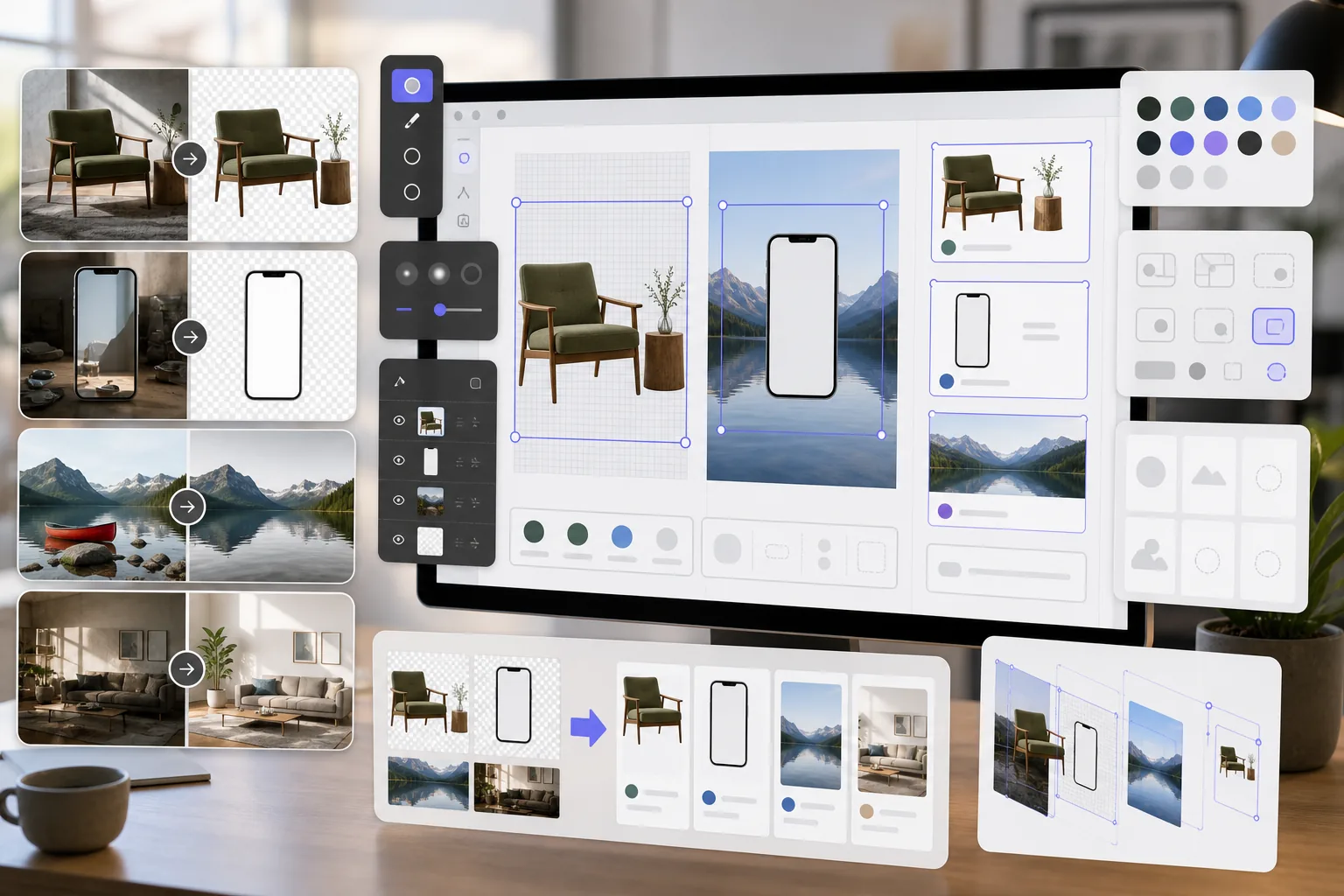
Figma デザイナーは、モックアップ、プロトタイプ、製品設計用のクリーンな画像アセットを必要としています。 Magic Eraser は、透明な PNG の背景を削除し、参照画像をクリーンアップして、写真アセットを準備するため、Figma プロジェクトは最初から洗練されたものになります。
概要 Figma
Figma は、製品チーム、UI/UX デザイナー、代理店がインターフェイス設計、プロトタイピング、およびデザイン システム管理に使用する共同作業用のブラウザベースの設計ツールです。リアルタイムのコラボレーションとプラグインの統合をサポートします。
メリット
モックアップとプロトタイプ用の透過 PNG
製品の写真、デバイス画面、UI 要素から背景を削除して、Figma のフレームやコンポーネントにきれいに重ねられる透明な PNG を作成します。
クリーンアップされた参照画像
Figma デザイン ファイルに配置する前に、参照画像やスクリーンショットから透かし、注釈、邪魔な要素を削除します。
制作可能な写真アセット
Figma デザインのアセットとしてインポートする前に、画質を向上させ、写真から不要なオブジェクトを削除することで、関係者との修正サイクルを短縮します。
アセットの準備を迅速化
Figma にインポートする前に別のソフトウェアで手動でマスキングやレタッチを行うのではなく、AI を活用したツールを使用して画像アセットを数秒で準備します。
Figma で Magic Eraser を使用する方法
画像をアップロードする
Magic Eraser を開いて、Figma デザイン プロジェクト用に準備したい写真またはアセットをアップロードします。
画像を加工する
デザインのニーズに応じて、透明なアセットの背景を削除したり、不要な要素を削除したり、品質を高めたりできます。
PNG としてダウンロード
処理された画像を PNG としてエクスポートして透明度を維持するか、JPEG として完全な背景画像をエクスポートします。
Figma へのインポート
処理された画像を Figma ファイルにドラッグするか、画像の配置機能を使用してフレームやコンポーネントに追加します。
よくある質問
Magic Eraser は Figma と直接統合されますか?
+
Magic Eraser と Figma は、エクスポート/インポート ワークフローを通じて連携します。 Magic Eraser で画像を準備してダウンロードし、ファイルをキャンバスにドラッグして Figma にインポートします。
Figma コンポーネントの透明 PNG を作成できますか?
+
はい。 Magic Eraser の背景除去により、完全なアルファ チャネル サポートを備えた Figma にインポートされる透明な PNG が作成され、コンポーネント、モックアップ、レイヤード デザインに最適です。
Figma 用にどの解像度でエクスポートすればよいですか?
+
Magic Eraser は、元の画像解像度を保持します。 Figma デザインの場合、通常はこれで十分です。プレゼンテーションやハンドオフ用に高解像度のアセットが必要な場合は、AI Enhancement を使用してアップスケールします。
モックアップ用のストック写真から透かしを削除できますか?
+
Magic Eraser は画像から視覚要素を削除できます。ただし、ストック写真をデザインに使用する前に、必ず適切なライセンスを取得していることを確認してください。
これは、Figma の組み込み画像ツールを使用するよりも高速ですか?
+
はい。 Figma の画像ツールは、基本的なトリミングと色の調整に限定されています。 Magic Eraser は、Figma がネイティブで実行できない背景の削除、オブジェクトの消去、および AI Enhancement を処理します。
Figma デザインに適したアセットを準備する
Magic Eraser を無料で試して、透明 PNG を作成し、参照画像をクリーンアップし、Figma プロジェクト用の写真アセットを強化してください。
Magic Eraser を無料でお試しください関連するユースケース
プロフェッショナルが実際のワークフローでこれらのツールをどのように活用しているかをご覧ください。
生活感あふれる私物や路上駐車、工事機材が写り込んだ物件写真は、内見意欲を下げてしまいます。Magic Eraserを使えば、Photoshopのスキルがなくても瞬時にきれいな物件写真に仕上がります。
背景がごちゃごちゃした商品写真では、お客様はすぐにスクロールして通り過ぎてしまいます。Magic Eraserなら、プロ品質の商品画像を数秒で作成できます。Photoshopのスキルは不要。アップロードして、不要な部分を消して、すぐに出品しましょう。
パスポートやビザの証明写真は、背景が不適切だと毎日何千枚も却下されています。Magic Eraserなら数秒で背景を除去し、白、ライトグレー、ブルーなど必要な色に置き換えられます。
関連する比較
Magic Eraserと類似ツールの比較をご覧ください。
TouchRetouchはオブジェクトや傷の除去に特化した人気の有料モバイルアプリです。Magic Eraserはインストール不要で、あらゆるデバイスから無料でAI編集が利用できます。機能、価格、使いやすさを比較してみましょう。
remove.bgは背景除去の業界リーダーで、強力なAPIとPhotoshop・Figmaプラグインを提供しています。Magic Eraserはオブジェクト除去、生成塗りつぶし、AI高画質化、デザインなど8つのAIツールを1つのエディターに統合しています。
異なる強みを持つ2つの強力なAI写真エディター。Magic Eraserはより幅広いジェネレーティブAIツールを提供し、Photoroomはeコマース商品撮影とバッチ処理に優れています。あなたのワークフローに合うのはどちらか確認しましょう。
主要なAI写真編集ツールをテスト・比較しました。オブジェクト除去から背景置換まで、あなたのワークフローに最適なエディターを見つけましょう。
他の連携
Magic Eraserと連携できる他のプラットフォームをご覧ください。