
AI vs 手動写真編集の比較
速度、精度、結果におけるAI vs 手動写真編集。AIが優れているタスク、手動がまだ勝つ場面、ハイブリッドの方法。

Product Marketing
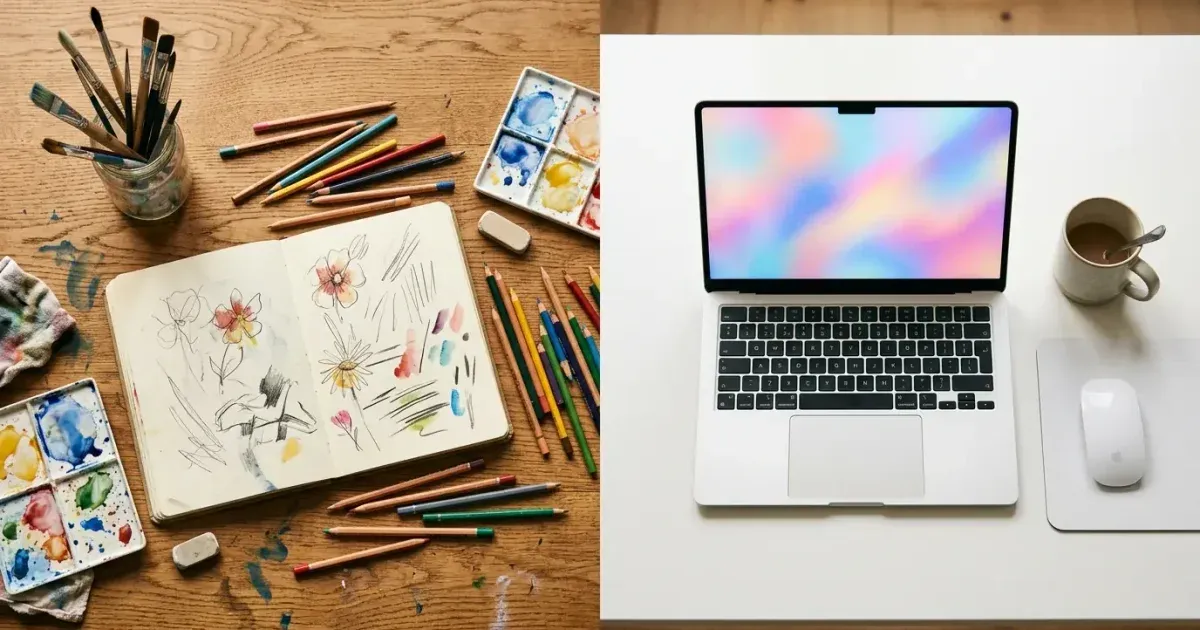
AIによる写真編集と手動編集は競合するものではなく、状況に応じて使い分ける道具です。AIは背景除去やオブジェクト消去のような繰り返し作業において、スピードと一貫性に優れています。手動編集は複雑な合成や繊細なアート系レタッチのような作業において、創造的なコントロールと精度に優れています。
多くの人にとって現実的な問いは、AIと手動編集のどちらを使うかではなく、どの道具がどの作業に合うかです。本ガイドでは、それぞれのアプローチの強みを整理し、両方をうまく活用するワークフローの組み立て方を示します。
- AIは数秒で画像を処理しますが、手動編集は1枚あたり数分から数時間かかります。
- オブジェクト除去、背景消去、補正こそ、AIが最大の利点を発揮する領域です。
- 複雑な合成、創造的なレタッチ、繊細なアート作品は、今なお手動コントロールの恩恵を受けます。
- ハイブリッドなワークフローは、重い作業にAIを、精密な仕上げに手動ツールを使います。
- AIが繰り返し作業を大規模に処理することで、1枚あたりのコストは劇的に下がります。
AI編集が優れている場面
AI写真編集ツールは、パターン認識と文脈を踏まえた再構築を伴う作業で最も力を発揮します。オブジェクト除去が最もわかりやすい例です。不要な要素をブラシでなぞると、AIが周囲を解析してその背後にあるべきものを再構築します。この作業はAIなら数秒、Photoshopの手動クローンスタンプなら5〜20分かかります。
背景除去もまた際立った例です。AIは被写体の輪郭を識別でき、髪や布のような複雑な縁、さらには透明な物体までも見分け、ワンクリックで背景から分離します。その選択マスクを手動で作るには、熟練した編集者でも面倒に感じる精密な作業が必要です。
アップスケーリング、ノイズ除去、色補正、シャープ化を含む画像のブーストもAIに適しています。これらは、自然な写真がどう見えるべきかを理解した学習済みモデルが導く数理的な変換です。AIは数十もの補正を一度に適用しますが、従来のソフトウェアでは複数の手動調整レイヤーが必要になります。
- オブジェクト除去:AIなら数秒、手動なら5〜20分。
- 背景除去:AIのワンクリック対、手動による丁寧なマスキング。
- 補正:同時補正対、複数の調整レイヤー。
- バッチ処理:AIは何百枚もの画像にわたり一貫した品質を保ちます。
手動編集がまだ勝つ場面
創造的な合成、つまり複数の写真の要素を一枚のまとまった画像に組み合わせる作業は、今なお手動コントロールの恩恵を受けます。AIは塗り足し内容を生成できますが、合成の創造的な方向づけには、光の向き、カラーグレーディング、遠近感、感情的な物語性についての人間の判断が必要です。
ファッション、ビューティー、エディトリアル写真向けの繊細なアート系レタッチは、現在のAIが提供できる以上の精度を求めます。質感を保ちながら肌の欠点を取り除くレタッチ、トーンと質感を制御する周波数分離、顔に光を彫り込むダッジ&バーンは、いずれも熟練の手を必要とします。
特定の雰囲気やブランドの美学に合わせたカラーグレーディングも、手動の強みです。AIは技術的に正確な色補正ができます。しかし特定のシネマティックな質感、ブランドに一貫したパレット、エディトリアルな雰囲気を作り出すには、人間の編集者だけが意図して下せる芸術的判断が必要です。
- 創造的な合成には、光と物語性についての人間の判断が必要です。
- 繊細なアート系レタッチには、肌の質感と光の精密なコントロールが必要です。
- 特定の雰囲気やブランドの美学に合わせたカラーグレーディングは芸術的判断です。
- タイポグラフィやグラフィックを伴う複雑なレイヤーベースのデザインには、手動のレイアウト作業が必要です。
ハイブリッドワークフローの構築
最も効率的な現代の編集ワークフローは、重い作業にAIを使い、精密な作業には手動編集を残します。まずAIで背景除去、オブジェクト消去、基本的なブースト、バッチ処理を行います。その後、創造的な方向づけ、最終的な仕上げ、ブランド固有の調整のために手動ツールへ切り替えます。
商品撮影チームの場合、これはMagic Eraserで50枚の商品画像の背景除去とブーストを行い(合計30分)、その後5枚のヒーロー画像をPhotoshopで開いてカスタムのカラーグレーディングと合成作業を行う(2時間)ことを意味するかもしれません。合計で50枚が2.5時間となり、すべて手動で行った場合の25時間以上に比べて大幅に短縮されます。
ソーシャルメディアチームでは、AIが作業の90%を担います。ほとんどの投稿は繊細なアート処理ではなく、手早いクリーンアップが必要です。手動編集はキャンペーンのヒーロー画像に取っておき、日々のコンテンツ制作はAIワークフローに任せましょう。
- まずAIを背景除去、クリーンアップ、補正に使いましょう。
- 創造的な方向づけとブランド固有の仕上げには手動ツールへ切り替えましょう。
- 商品チーム:バッチ処理にはAIを、ヒーロー画像には手動を。
- ソーシャルチーム:日々のコンテンツにはAIを、キャンペーンのヒーローショットには手動を。
コストと時間の比較
経済性は大量作業において明確にAIに有利です。熟練したPhotoshop編集者でも、複雑な編集は1時間に最大5〜10件です。AIツールは1人の監督のもとで1時間に30〜60枚を処理します。毎月200枚の商品画像を編集する企業にとって、AIは40時間の作業量を10時間未満に減らします。
ソフトウェアのコストも大きく異なります。Photoshopは月額22ドルのCreative Cloudサブスクリプションと多大な学習投資を必要とします。Magic EraserのようなAI編集ツールはブラウザ上で動作し、学習が不要で、1枚あたりのコストも低くなります。
本当のコストの差は機会費用にあります。繰り返しの背景除去や基本的なクリーンアップに費やした時間は、創造的な仕事、戦略、その他の価値の高い活動に使えなかった時間です。AIが繰り返し作業を担うことで、人間は人間が最も得意とすることに集中できます。
- AIは1時間に30〜60枚を処理し、手動編集の5〜10枚と比べられます。
- 月200枚の画像:AIなら10時間未満、手動なら40時間以上。
- ブラウザベースのAIツールには学習投資が不要です。
- 取り戻した編集時間を、創造的・戦略的な仕事へ振り向けられます。
一般的なタスクにおける品質比較
オブジェクト除去と背景置換について、AIツールは今や大多数の画像で中級レベルの手動編集の品質に匹敵するか、それを上回ります。AIがなお及ばないのは、非常に複雑な縁のディテールを持つ画像です。質感のある布地に対する繊細なジュエリーのチェーンや、ガラスやチュールのような半透明の素材を思い浮かべてください。こうしたエッジケースには、ハイブリッドなアプローチが最適です。最初の除去はAIに任せ、その後、難しい部分を手動で仕上げます。これにより、最も難しい10パーセントの画像で品質基準を保ちつつ、スピードの利点の90パーセントを得られます。ブーストとアップスケーリングの作業では、AIの優位性はさらに明確です。周囲のピクセルから失われたディテールを再構築することこそ、ニューラルネットワークが得意とすることです。