
AI ツールを使用した卒業アルバムの写真編集
卒業アルバムの写真には、一貫した背景、均一な照明、きれいなポートレートが必要です。 Magic Eraser は、学校、スタジオ、保護者が高価なレタッチ ワークフローを使用せずにプロ並みの結果を得るのに役立ちます。
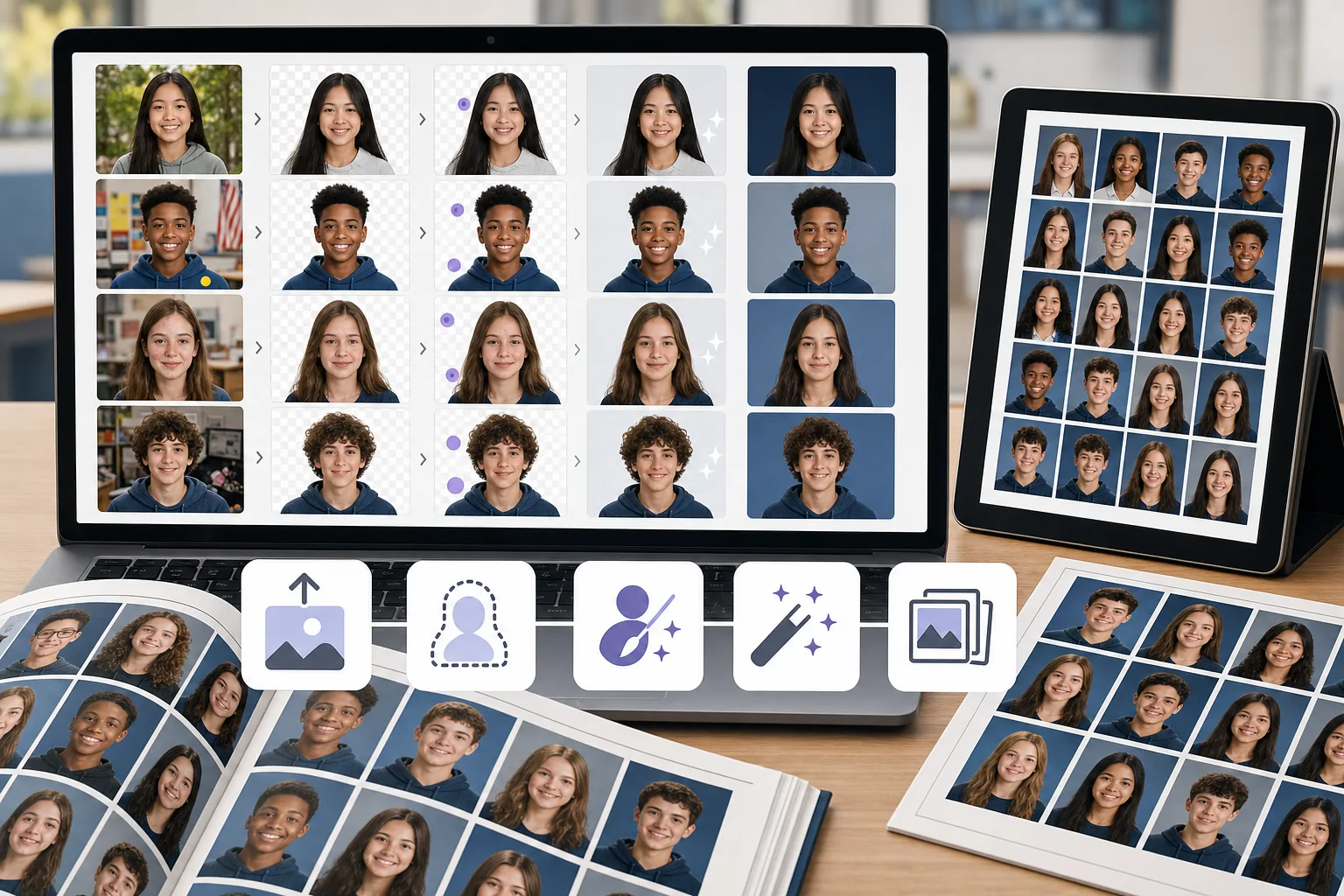
写真全体で一貫性のない背景
異なる生徒を異なる場所または異なる日に撮影すると、背景の色、質感、照明が異なります。手動で標準化するには時間がかかります。
肖像画の汚れや気を散らすもの
洗練された卒業アルバムのポートレートを作成するには、抜け毛、肌の傷、衣服に貼られたステッカー、背景のオブジェクトなどをすべてクリーンアップする必要があります。
バッチサイズが大きく、納期が厳しい
年鑑チームは締め切りに合わせて数百枚のポートレートを処理します。画像ごとの編集のボトルネックは、クラス全体の名簿全体にわたって増大します。
Magic Eraser が卒業アルバムの写真にどのように役立つか
ポートレートをアップロードする
Magic Eraser を開いて、クリーンアップが必要な生徒のポートレートまたは写真のバッチをアップロードします。
背景を削除または置き換える
背景の削除を使用して主題を分離し、それらをきれいで一貫した卒業アルバムの背景に配置します。
気を散らすものを一掃する
AI 消しゴム ツールを使用して、傷、漂流物、不均一な照明アーティファクトを消去します。
強化してエクスポートする
AI Enhancement を適用してポートレートをシャープにし、露出のバランスを整えてから、印刷解像度でエクスポートします。
よくある質問
Magic Eraser は卒業アルバムの写真の背景を置き換えることはできますか?
+
はい。背景の削除を使用して生徒を分離し、無地またはブランドの背景にポートレートを配置して、卒業アルバムの一貫した外観を実現します。
これは学年誌チームに適していますか?
+
はい。 Magic Eraser は、プロの編集経験がなくても、卒業アルバム委員会のメンバーや保護者ボランティアでも簡単に使用できます。
学生のポートレートから傷を取り除くことはできますか?
+
はい。消しゴムツールは、ポートレートショットから肌の傷、ステッカー、気を散らす小さなものを取り除くのに適しています。
Magic Eraser は集合写真にも使えますか?
+
はい。邪魔になる背景を取り除き、照明を強化し、構図の問題を修正することで、グループ写真をクリーンアップできます。
卒業アルバムの写真はどの解像度でエクスポートできますか?
+
利用できる書き出しサイズは、選択した補正設定とアカウントのオプションによって異なります。入稿前に、ダウンロードした画像のピクセル寸法が卒業アルバム印刷会社の指定サイズと DPI を満たすか確認してください。
最高の見栄えの卒業アルバムのポートレートを入手
Magic Eraser 無料のきれいな背景を試し、高価なソフトウェアを使用せずに気を散らすものを修正し、生徒のポートレートを強化してください。
Magic Eraser を無料でお試しください関連するユースケース
プロフェッショナルが実際のワークフローでこれらのツールをどのように活用しているかをご覧ください。
生活感あふれる私物や路上駐車、工事機材が写り込んだ物件写真は、内見意欲を下げてしまいます。Magic Eraserを使えば、Photoshopのスキルがなくても瞬時にきれいな物件写真に仕上がります。
背景がごちゃごちゃした商品写真では、お客様はすぐにスクロールして通り過ぎてしまいます。Magic Eraserなら、プロ品質の商品画像を数秒で作成できます。Photoshopのスキルは不要。アップロードして、不要な部分を消して、すぐに出品しましょう。
パスポートやビザの証明写真は、背景が不適切だと毎日何千枚も却下されています。Magic Eraserなら数秒で背景を除去し、白、ライトグレー、ブルーなど必要な色に置き換えられます。
関連する比較
Magic Eraserと類似ツールの比較をご覧ください。
TouchRetouchはオブジェクトや傷の除去に特化した人気の有料モバイルアプリです。Magic Eraserはインストール不要で、あらゆるデバイスから無料でAI編集が利用できます。機能、価格、使いやすさを比較してみましょう。
Cleanup.picturesはオブジェクト除去に特化した無料ウェブツールです。Magic Eraserは8つのAI編集ツール、モバイルアプリ、高度な処理機能を備えています。両者の違いをご覧ください。
remove.bgは背景除去の業界リーダーで、強力なAPIとPhotoshop・Figmaプラグインを提供しています。Magic Eraserはオブジェクト除去、生成塗りつぶし、AI高画質化、デザインなど8つのAIツールを1つのエディターに統合しています。
異なる強みを持つ2つの強力なAI写真エディター。Magic Eraserはより幅広いジェネレーティブAIツールを提供し、Photoroomはeコマース商品撮影とバッチ処理に優れています。あなたのワークフローに合うのはどちらか確認しましょう。