不動産向けAI写真編集
不動産エージェントとフォトグラファーがAIで物件写真を編集する方法:散らかりの除去、暗い室内の強化、外観の修正、MLS要件の準拠。
Product Team
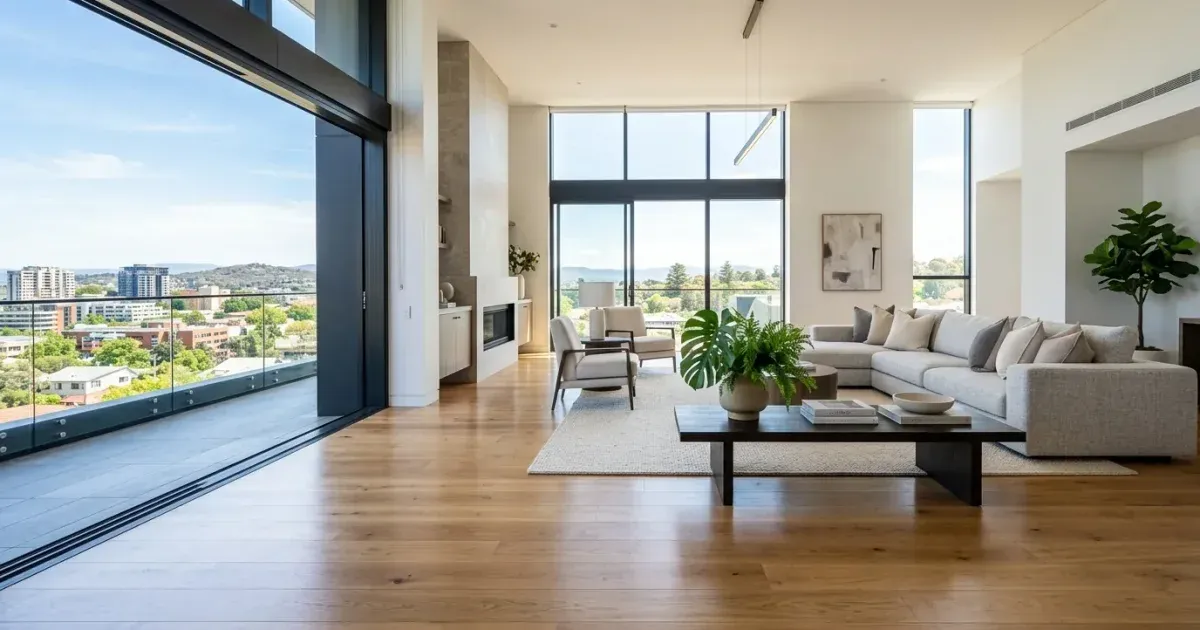
Real estate photos sell properties. Listings with expert, clean photos get more views, more showings, and higher offers. But most agents photograph properties as-is: occupied rooms with personal items, dim interiors, cluttered yards. Overcast skies that make exteriors look dull.
AI photo editing tools help agents and photographers fix these problems without expensive reshoots or hours of Photoshop work. Remove personal items from rooms, brighten dim interiors, clean up yard clutter, and improve exterior lighting. All from a browser in minutes.
This guide covers the most common real estate photo editing tasks and practical workflows for handling them efficiently.
- Remove personal items like family photos, toiletries, and clutter from room shots.
- Brighten dim interiors where natural light is limited.
- Clean up exterior shots by removing trash cans, cars, and yard debris.
- Improve sky appearance in overcast exterior photos.
- Meet MLS photo guidelines for resolution and composition.
- Process multiple rooms sequentially for fastest turnaround.
部屋からの私物や散らかりの除去
Occupied properties present the biggest editing challenge. Sellers cannot always stage perfectly for photos. Kitchen counters have appliances and utensils. Bathroom shelves have toiletries. Living rooms have personal photos, toys, and daily clutter. All of these distract buyers from seeing the space itself.
Use Magic Eraser to brush over personal items and clutter. The AI removes the objects and reconstructs the surface underneath — countertops, shelves, walls, and floors reappear naturally. For larger items like furniture that you want to remove fully, the AI fills the space with floor or wall texture that matches the rest of the room.
Focus your editing time on the most impactful rooms: kitchen, living room, master bedroom, and bathrooms. These are the photos buyers spend the most time examining. Secondary bedrooms and utility spaces rarely need the same level of cleanup.
- Kitchen counters: remove appliances, utensils, and mail to show clean surfaces.
- Bathrooms: erase toiletries, towels on floor, and personal care items.
- Living areas: remove toys, magazines, and personal photos from surfaces and walls.
- Prioritize kitchen, living room, master bedroom, and bathrooms for editing time.
室内照明の強化
Dim interiors are the second most common real estate photo problem. Rooms with limited natural light, mainly basements, hallways, and north-facing rooms, photograph dark and unwelcoming. Flash photography creates harsh shadows and unnatural color casts that look even worse.
AI boost can brighten underexposed interiors while keeping the natural feel of the light. The tool increases exposure in dark areas without blowing out windows or already-bright surfaces. It also corrects color temperature, removing the yellow cast from incandescent bulbs or the blue cast from fluorescent fixtures.
For the best results, photograph rooms with all lights on and curtains open, even if the ambient light is not great. Give the AI the most information possible to work with. A slightly underexposed photo with full ambient light produces a much better enhanced result than a pitch-dark room where the AI has to guess what the walls look like.
- AI enhancement brightens dark areas without overexposing bright windows.
- Color correction removes yellow incandescent and blue fluorescent casts.
- Photograph with all lights on and curtains open for best AI enhancement results.
- Multiple rooms can be enhanced sequentially with consistent brightness settings.
外観写真のクリーンアップ
Exterior photos are the first thing buyers see in listing searches. A clean, well-lit front exterior photo greatly increases click-through rates. But exterior shots often include trash cans at the curb, cars in the driveway, yard tools, garden hoses. Neighbors' clutter visible from the property line.
Remove these distractions with the eraser tool. Trash cans, cars, and yard debris disappear cleanly because the AI can reconstruct grass, driveway pavement, and sky from the surrounding context. For larger removals, make multiple passes. Remove one item at a time rather than trying to erase half the driveway at once.
Overcast skies make exteriors look flat and uninviting. AI boost can improve sky brightness and add subtle warmth to make the property look more appealing. The goal is not to fabricate a sunset. To present the property the way it looks on a pleasant day rather than under gray cloud cover.
- Remove trash cans, parked cars, and yard debris from front exterior shots.
- Clean up visible neighbor clutter near property boundaries.
- Enhance overcast skies to look brighter and more inviting.
- Process front exterior and backyard photos first — these drive the most buyer interest.
MLS要件と納品ワークフロー
Most MLS systems require photos to be at least 1024x768 pixels, with many now recommending 3000+ pixels on the long edge. Ensure your camera settings capture at the highest available resolution. If working from older photos, AI upscaling can increase resolution while adding genuine detail.
MLS rules prohibit adding elements that are not physically present at the property. Virtual staging — adding furniture to empty rooms — must be clearly disclosed. Removing personal items and clutter is generally acceptable because you are showing the actual space without distractions, not adding fictional elements.
Establish a consistent delivery workflow: photograph the property, transfer images to your laptop, process them through Magic Eraser in browser, export at MLS-required resolution, and upload. With practice, the entire editing step takes 30-45 minutes for a standard 20-25 photo listing.
- Meet MLS minimum resolution requirements (typically 1024x768, recommended 3000+ px).
- Removing clutter is acceptable; virtual staging requires disclosure.
- Aim for 20-25 photos per listing covering all rooms and exterior angles.
- A standard listing edit takes 30-45 minutes with an efficient workflow.
競争の激しい不動産市場で目立つ
In hot markets where dozens of similar properties compete for buyer attention, photo quality is one of the few differentiators you control. Listings with expertly edited photos receive greatly more clicks and showing requests than those with unedited smartphone snapshots. Even small improvements — removing a cluttered kitchen counter, brightening a dim hallway, enhancing the curb appeal of a front exterior — compound into a noticeably more polished listing that signals care and professionalism to both buyers and the listing agent's future clients. Agents who always deliver high-quality listing photos build a stronger personal brand and attract more seller referrals over time.