
イベントプランナーのためのAI写真編集:印象的なレキャップとポートフォリオを作成
イベントプランナーがAI写真編集を使って会場の雑然とした要素を除去し、混在する照明を修正し、洗練されたレキャップギャラリーとポートフォリオ画像を数時間ではなく数分で作成する方法を学びましょう。

Product Marketing
レビュー担当 Magic Eraser Editorial ·
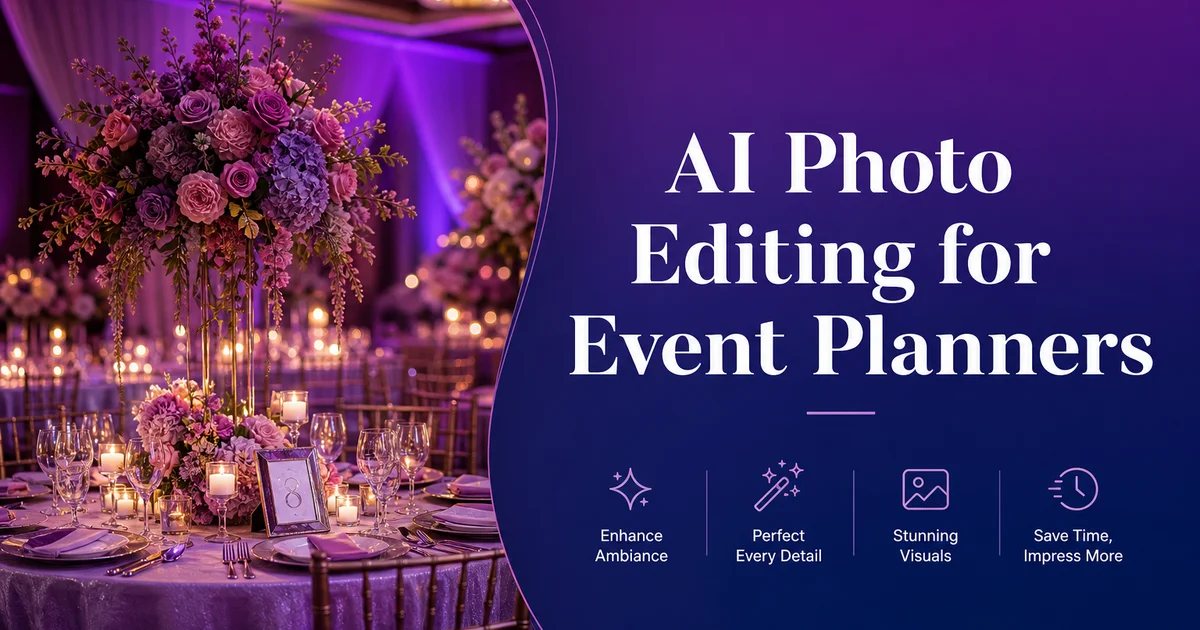
イベントプランナーはビジュアルポートフォリオに命運を懸けています。あらゆる結婚披露宴、企業ガラ、製品発表会、チャリティー募金イベントは、あなたのデザインビジョンを披露する機会です。しかし未加工の写真が実際のイベントの様子と一致することはめったにありません。慎重に配置されたフラワーアレンジメントの上に非常口サインが光ります。電源コードがダンスフロアを這います。新郎新婦のファーストダンスの背景にケータリングスタッフが映り込みます。肉眼では魔法のように見えた会場の照明は、暖色のスポットと寒色の影が入り混じった不統一な混沌として写ってしまいます。
Allied Market Researchによると、世界のイベント業界は急速に成長を続けており、プランナー間の競争は、あなたのオンラインポートフォリオやソーシャルメディアでの存在感が、見込み客が提案依頼を決める前に目にする最初の——そして時には唯一の——タッチポイントであることを意味します。Eventbriteの調査は、ビジュアルコンテンツがイベントマーケティングで最も影響力のある要素であり、高品質なイベント写真がテキストのみのレキャップよりもはるかに高いエンゲージメントを生み出すことを裏付けています。
AI写真編集ツールは、イベントの実際の様子とカメラが捉えたものとのギャップを解消します。会場写真の整理にPhotoshopで何時間も費やしたり、レタッチャーに数百枚のレキャップ画像の処理を依頼したりする代わりに、邪魔な要素を除去し、照明を修正し、ポートフォリオに使える画像を数分で作成できます。本ガイドでは、イベントプランナーが直面する具体的な課題と、それに対応するAIワークフローを順を追って解説します。
- AIオブジェクト除去は、非常口サイン、電源コード、ケータリング機材、その他の会場の邪魔な要素をイベント写真から数秒で消し去ります。
- 背景置換は、雑然としたイベント背景から登壇者、VIPゲスト、重要な瞬間を切り出し、洗練されたハイライトリールを作成します。
- AI色補正は、混在する会場照明——タングステンのアップライト、LEDステージの照明、フラッシュ撮影——を統一感のあるギャラリーへと正規化します。
- バッチ処理により、プランナーは手作業のレタッチに何日もかける代わりに、200枚以上のレキャップ写真を一度の午後で編集できます。
- Instagram、LinkedIn、ウェブサイトのポートフォリオ、クライアント向けレキャップ資料にわたる一貫したビジュアル品質が、ブランドの信頼性を築きます。
- 短い納期は、イベントがまだ話題を生んでいるうちに、当日のイベントハイライトをソーシャルメディアに投稿できることを意味します。
なぜ未加工のイベント写真は実際の体験と一致しないのか
イベントは人間の目のために設計されており、カメラのセンサーのためではありません。プランナーは何週間もかけてアップライトの色、フラワーアレンジメント、リネンの質感を選びます。直接体験したときに特定の雰囲気を生み出すテーブルセッティング。しかしカメラは平均値で露出するため、明るいステージは白飛びし、薄暗いカクテルラウンジは黒つぶれします。広角レンズは美しいセンターピースと、その背後の非常口サインを同じ鮮明さで捉えてしまいます。
混在照明が最大の課題です。典型的な企業ガラには、暖かいタングステンのシャンデリア、冷たい青のLEDステージ照明、壁の紫のアップライト、フラッシュを焚くゲストのスマートフォンが混在します。この環境で撮影されたすべての写真は、どの光源が支配的かによって異なる色かぶりを持ちます。その結果、同じ白いテーブルクロスがある写真では金色に、次の写真では青く、三枚目では正しく白く写るギャラリーができあがります。
会場の雑然とした要素が問題をさらに複雑にします。どれほど慎重に視線の通り道を計画しても、現実的な必需品が割り込んできます。AV機材のステーション、ステージ上のモニタースピーカー、メインテーブル下の電源タップ、厨房入口に積まれたサービストレイ、壁の消火器ボックス。これらの要素はイベントを楽しむゲストには見えませんが、写真にはすぐに写り込みます。主にデザインワークの全容を映し出す広角ショットで。
- カメラは平均的な光に露出を合わせるため、アップライトやキャンドルが直接生み出す繊細な雰囲気が失われます。
- 混在する光源は、同じ部屋で数分の間隔で撮影された写真の間に不統一な色かぶりを生み出します。
- 会場のインフラ——AV機材、電源タップ、非常口サイン、消火設備——はあらゆる広角ショットに写り込みます。
- フラッシュを焚くゲストのスマートフォンは、何気ない瞬間に予測できない光のスパイクを加えます。
AIオブジェクト除去で会場の邪魔な要素を取り除く
オブジェクト除去は、イベントプランナーにとって最も効果の高い編集です。Magic Eraserを一度通すだけで、雑然とした会場写真を、あなたのデザインワークを披露するポートフォリオにふさわしい一枚へと変えられます。鍵となるのは、何を除去し何を残すかを見極めることです。
まずはデザインから注意をそらす要素から始めましょう。出入口の上の非常口サイン、壁沿いや床を横切る電源コード、隅に積まれたAV機材ケース、サービス出入口付近に置かれたケータリング機材。イベントデザインの一部ではない一時的な看板すべて。各要素をブラシでなぞると、AIがその背後の壁、床、背景を再構築します。壁沿いの椅子の山のような大きな除去では、区画ごとに作業しましょう。まず椅子を除去し、その後で再構築された壁面のアーティファクトを整えます。
何気ないゲスト写真では、瞬間から注意をそらす小さな邪魔な要素を除去しましょう。フレームに伸びるサーバーの腕、手前に掲げられたゲストの携帯電話、テーブルの飲みこぼし、床に丸まったナプキン。これらのマイクロ編集はそれぞれ10〜15秒で済み、写真を何気ないスナップショットから、レキャップのスライドショーに掲載できる瞬間へと格上げします。
重要な指針が一つあります。設定から邪魔な要素を除去しても、イベントそのものは改変しないこと。非常口サインの除去は会場の制約を整えることです。出席者が多く見えるように空席を除去するのは虚偽表示です。あなたのポートフォリオは、イベントの架空のバージョンではなく、あなたのデザインスキルを披露すべきです。
イベントギャラリー全体の混在照明を修正する
イベントギャラリー全体の色の一貫性こそが、プロらしいレキャップとアマチュアの写真の寄せ集めを分けるものです。クライアントがレキャップ資料を開いたり、あなたのInstagramグリッドをスクロールしたりするとき、すべての写真が同じイベントに属しているように感じられるべきです。たとえ個々のショットが根本的に異なる照明条件で撮影されていたとしても。
AI Enhanceは、最も一般的な三つのイベント照明課題に対応します。キャンドルディナーやタングステン照明の宴会場のような暖色が支配的なシーンでは、オレンジのかぶりを抑え、リネン、肌の色、花の色を正確に復元します。LED照明のステージや会議スペースのような寒色が支配的なシーンでは、画像をわずかに暖め、登壇者を不利に見せる肌の青かぶりを補正します。複数の光源が競合する混在シーンでは、支配的な光源を特定し、二次的なかぶりを正規化します。
個々の写真を補正するのではなく、イベントギャラリー全体を一括で処理しましょう。これによりAIがセット全体に一貫した調整を適用することが保証されます。バッチ処理の後は、ギャラリーを一連の流れとして見直し、外れ値に的を絞った調整を行います。多くの場合、最も暗いセレモニーのショットと最も明るいステージの瞬間です。二度の処理で、すべての写真が一貫した色温度と露出を持つギャラリーが生まれ、会場のどこで撮影されたかにかかわらず、あなたのデザインワークが統一感を持って見えます。
- すべてのイベント写真を一緒にバッチ処理して、AI Enhanceがセット全体に一貫した色補正を適用するようにします。
- タングステンが強いシーン:AIはオレンジのかぶりを除去し、リネンと花の色を正確に復元します。
- LEDが強いシーン:AIは、ステージ上で肌の色を不利に見せる青いかぶりを補正します。
- 補正後のギャラリーを一連の流れとして見直し、外れ値——通常は最も暗い部分と最も明るい部分——を調整します。
ポートフォリオとソーシャルメディアプレゼンスの構築
あなたのイベントポートフォリオは、主要な営業ツールです。見込み客は、あなたが提示する写真に完全に基づいて、デザインの美的感覚、細部へのこだわり、経験の幅を評価します。AI編集は、ポートフォリオのすべての画像があなたの仕事を最高の状態で表すことを保証します。あなたの手の及ばない会場の制約から解放されて。
ソーシャルメディアでは、スピードは品質と同じくらい重要です。イベントハイライトをその晩のうちに投稿すること。参加者がまだ自分の写真を共有し、あなたの会場をタグ付けしている間に——エンゲージメントのピーク時間帯を捉えます。AI編集は、レタッチの所要時間を何日もから数時間へと短縮することで、これを可能にします。プランナーはイベント最後の一時間でヒーロー画像を10枚選び、帰りの車中で編集できます。深夜になる前に洗練されたInstagramカルーセルを投稿しましょう。
あなたのブランドのために一貫した編集テンプレートを作りましょう。あなたの美的感覚を反映するカラーグレードを選びます。ウェディングプランナーには暖かくロマンチック、会議の主催者にはクリーンで企業的、音楽イベントには鮮やかでエネルギッシュ。このグレードを、オブジェクト除去と照明補正の後の最終ステップとして適用します。ポートフォリオのすべてのイベントが一貫したビジュアルトーンを共有すると、クライアントはすぐにあなたのスタイルを理解し、連絡を取る前に自ら選び取ります。
- 当日のソーシャルメディア投稿は、参加者がまだ共有しタグ付けしている間にエンゲージメントのピークを捉えます。
- ポートフォリオ全体にわたる一貫したカラーグレードは、あなたのデザインの美的感覚を一目で伝えます。
- プラットフォームに適した解像度で書き出します。Instagramには1080x1080、LinkedInやプレゼンテーションには1920x1080。
How to do it
- 1
Capture raw event photos during setup and live moments
Photograph every phase of your event: the empty venue during setup, table arrangements, decor details, keynote speakers, candid guest interactions, and the dance floor. Shoot in burst mode for live moments and bracket exposures in mixed-lighting ballrooms so you have the best starting material for edits.
- 2
Remove distracting elements from venue photos
Open your venue and decor photos in Magic Eraser and brush over exit signs, electrical cords, catering equipment in the background, stacked chairs along walls, and any staff members caught mid-setup. The AI reconstructs the wall, floor, or backdrop behind each removed object so the venue looks pristine.
- 3
Clean up or replace backgrounds in highlight shots
Use Background Eraser to isolate speakers, couples, or VIP guests from cluttered event backgrounds. Replace the background with a clean gradient, a branded event backdrop, or a softly blurred version of the venue. This creates polished hero images for recap decks and social posts.
- 4
Correct lighting and color across mixed venue conditions
Run all photos through AI Enhance to normalize the wildly different lighting conditions found at events. Warm tungsten uplighting, cool LED stage washes, dim cocktail-hour ambiance, and harsh flash photography. One pass balances exposure and color temperature so every photo in your recap gallery looks cohesive.
- 5
Create consistent social media and portfolio assets
Select your best 15-20 images and batch-process them with consistent color grading through AI Enhance. Remove any remaining distractions with Magic Eraser. Export at platform-right resolutions — 1080x1080 for Instagram grid, 1920x1080 for LinkedIn and recap displays, and full resolution for your portfolio.
参考資料
- 2025 Global Event Industry Report — Allied Market Research
- The Power of Visual Content in Event Marketing — Eventbrite
- Social Media Marketing for Events: 2025 Guide — Social Tables