PM
Priya Menon
@priya.shoots

"I used to spend 20 minutes in Photoshop removing a tourist from a beach shot. Magic Eraser does it in like 3 seconds and honestly the result is better than what I was doing manually."
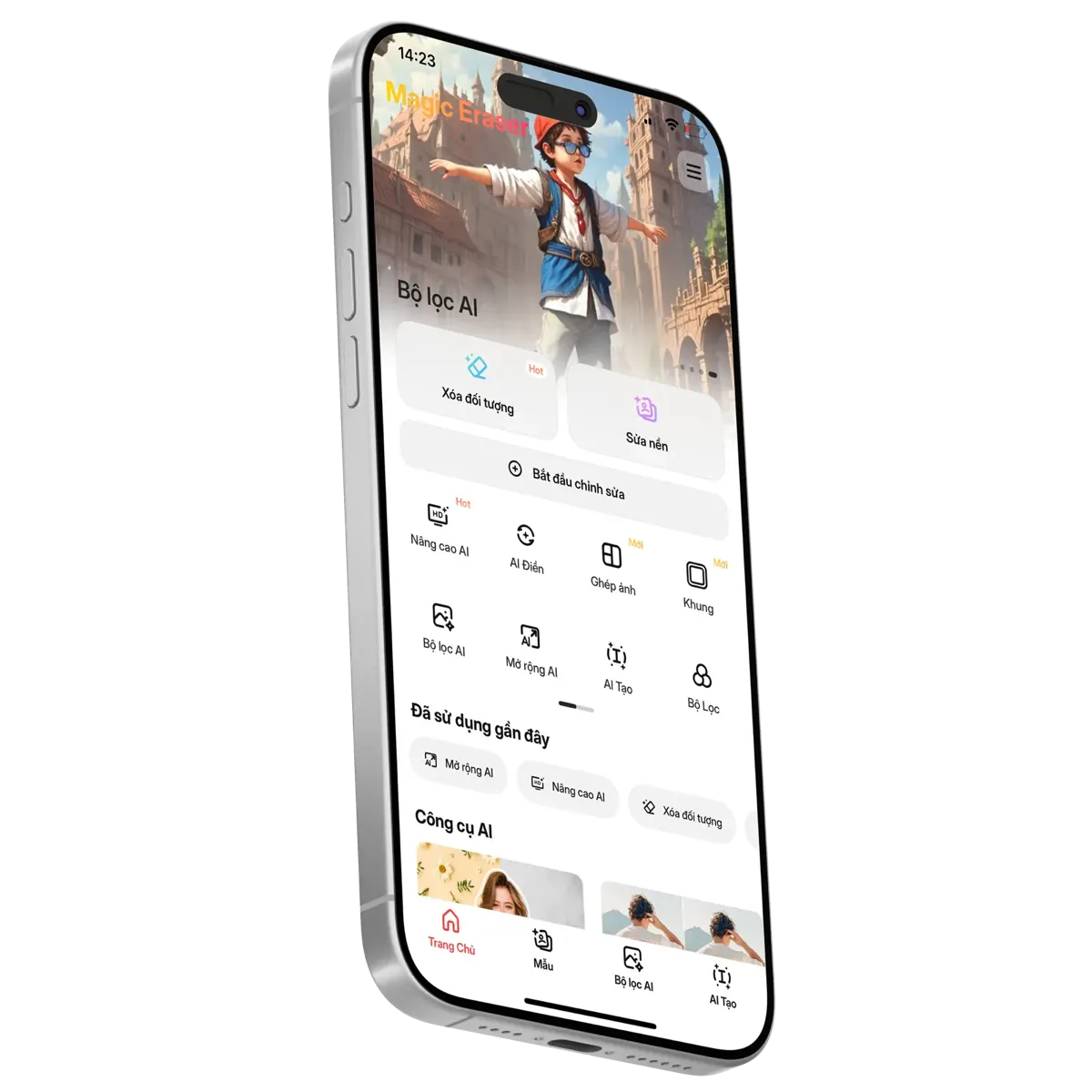
Transform your photos with advanced AI image editing technology. Remove unwanted objects, replace backgrounds, and enhance image quality with just a few taps.
Start creating images
Erase distractions in one click and restore your image naturally.


Remove backgrounds in one click with clean, accurate results.

Automatically fill empty areas and rebuild backgrounds with natural-looking results.


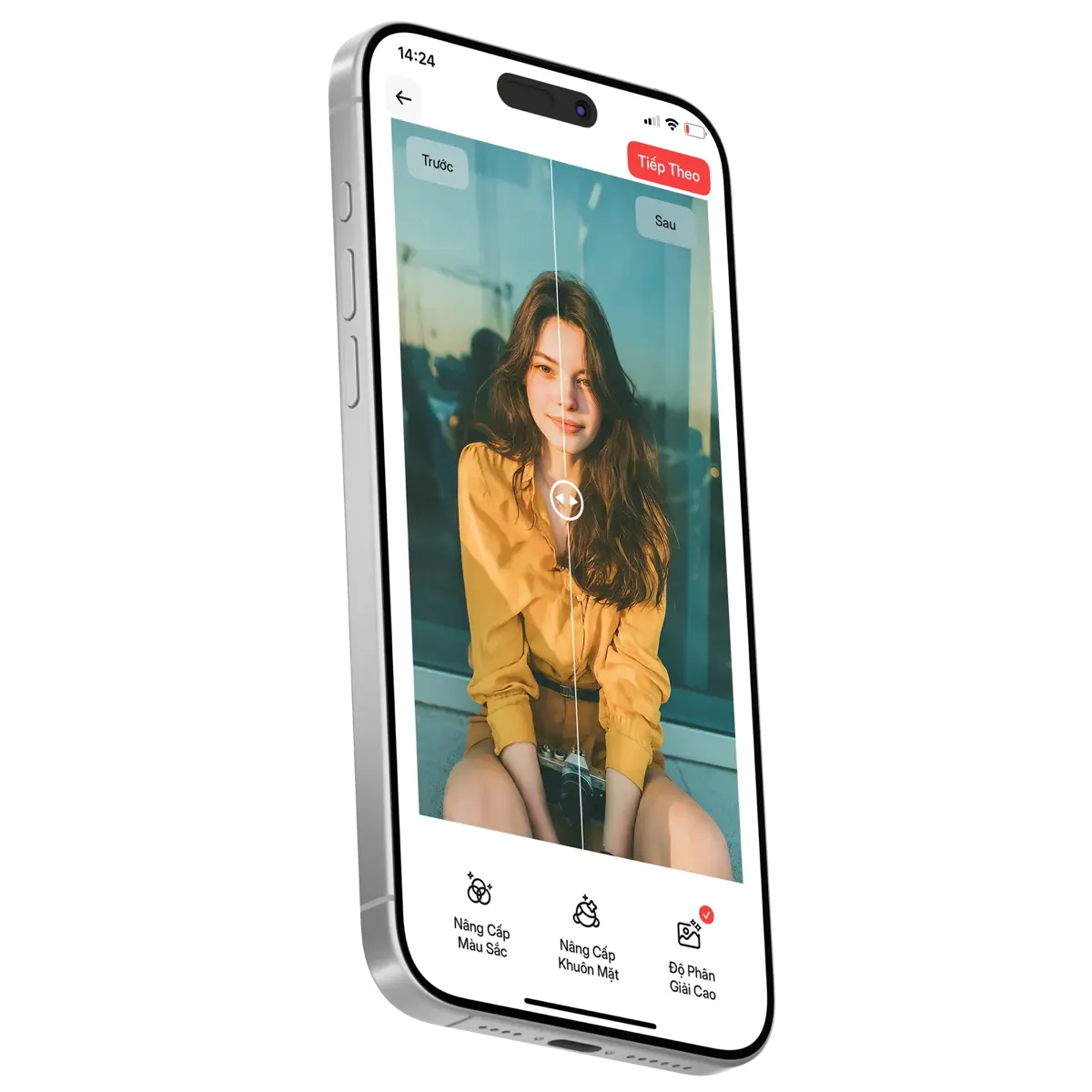
Improve image quality in one click with AI.
Method: 4.8 uses App Store Connect iOS ratings for all countries plus the Google Play Console default rating; 602,217 combines 42,424 App Store ratings with 559,793 Google Play Console rating users. Public store ratings may vary by country, region, or device. Checked July 29, 2026.
Sources: App StoreGoogle PlayChecked July 29, 2026Rating methodology
Use Magic Eraser as your AI photo editor to remove objects, erase backgrounds, enhance images, apply AI filters, and design visuals faster. Edit product photos, portraits, social media images, and marketing assets in just a few clicks.


Remove distracting people, text, or clutter from photos
Erase unwanted objects in seconds with AI
Clean up photo backgrounds with natural-looking precision
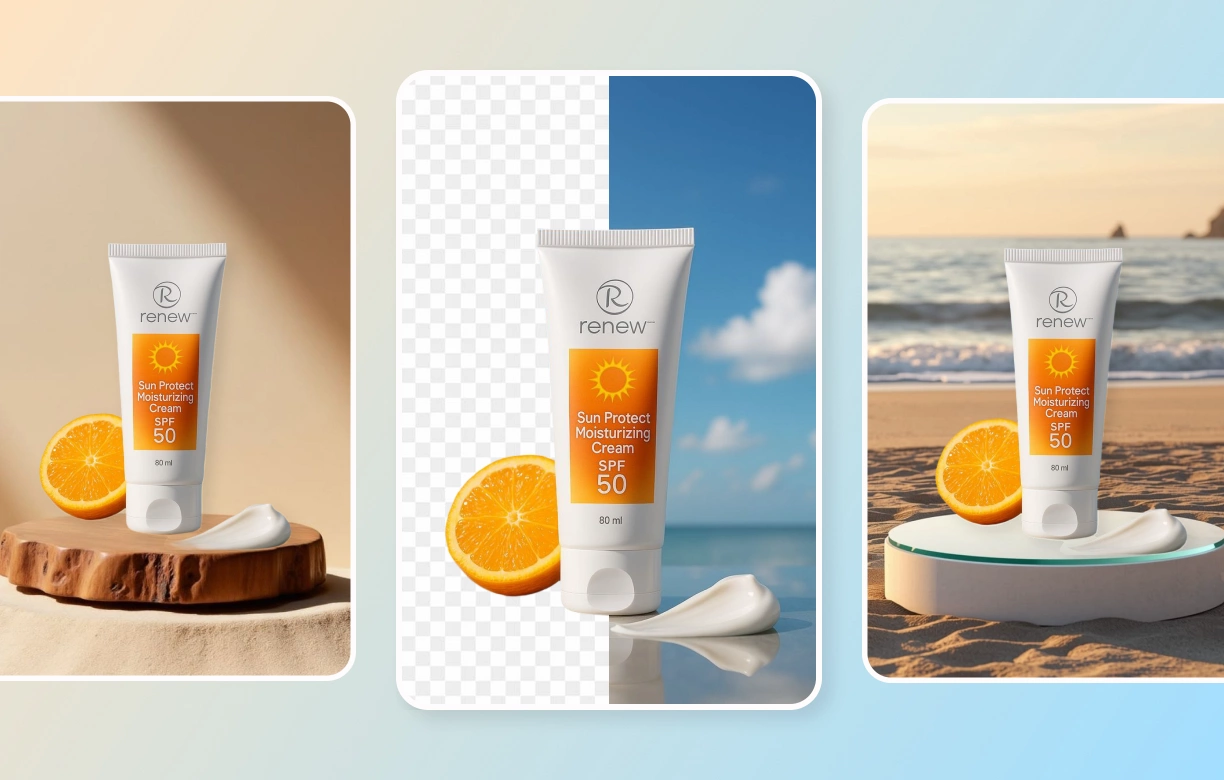
Remove backgrounds automatically from product and portrait photos
Replace any background with a clean studio or lifestyle scene
Powered by fast AI background editing technology

Improve sharpness, clarity, and overall photo quality
Fix dim photos with better brightness and color recovery
Bring out facial detail and fine texture with AI enhancement
#ART KNOWS NO BOUNDARIES.
Type anything you can imagine. AI transforms your ideas into aesthetic images in seconds.
Experience now


A bottle of perfume

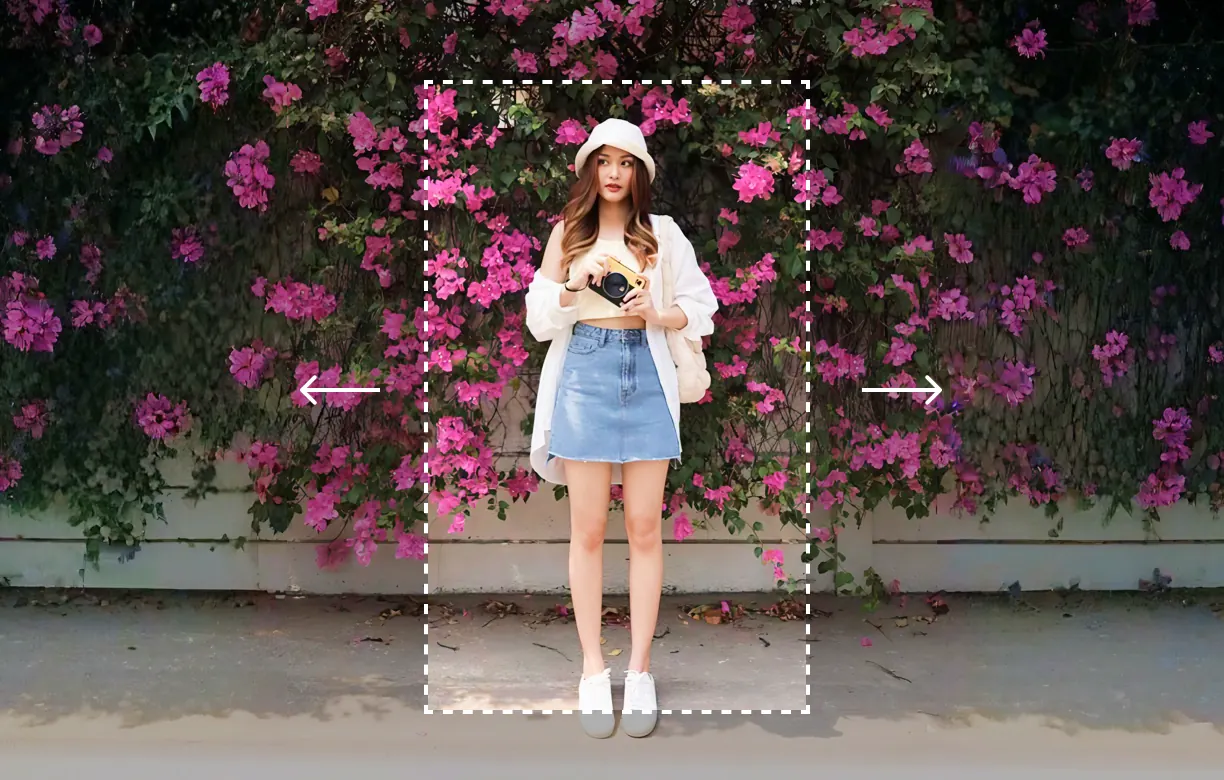
Extend photo backgrounds naturally for wider layouts and banners.
Generate missing image areas seamlessly with AI outpainting.

Turn everyday images into stylized visuals with AI filters.
Create cinematic, artistic, and social-ready edits instantly.
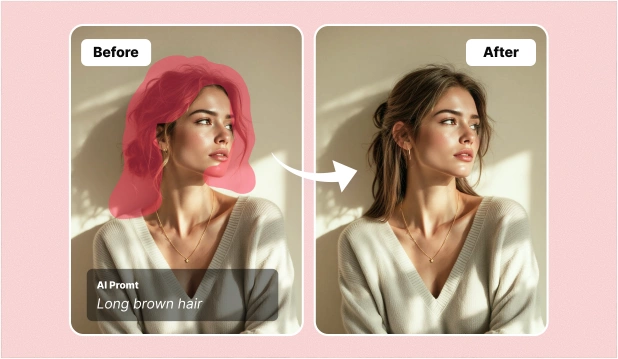
Replace selected areas and rebuild missing background details in seconds
Improve product photos, social media posts, and marketing visuals with AI Fill
Free browser tools
Resize, compress, crop, convert, and sample colors locally in your browser. These utilities are small, fast, and built for repeat edits.
Resize photos for web, social, and product listings in your browser.
Reduce image file size with a quality slider and instant preview.
Pick HEX and RGB values from any uploaded image or screenshot.
Crop images with freeform, square, and common aspect ratios.
Flip, rotate, and straighten photos without uploading them.
Combine multiple photos into a clean grid or social layout.
Convert JPG images to PNG locally in your browser.
Export PNG files as smaller JPG images with background fill.
Create round avatars, profile photos, and circular crops.
Extract a color palette from a photo for design and branding.
Convert JPG, PNG, and WebP files for faster web images.
Turn iPhone HEIC photos into shareable JPG files.
Photographers, sellers, creators, and agencies use Magic Eraser every day. Here's what they have to say.
Priya Menon
@priya.shoots
"I used to spend 20 minutes in Photoshop removing a tourist from a beach shot. Magic Eraser does it in like 3 seconds and honestly the result is better than what I was doing manually."
Tom Bakker
@tombakker
"My girlfriend told me about this app and it completely changed how I photograph my products. No more spending $200 on white backdrop setups — I just shoot on my kitchen table and remove the background after."
Aiko Tanaka
@aiko_creates
"I post daily on Instagram and the amount of time I save is insane. Fixing a distracting sign or cleaning up the background of a selfie takes literally two taps. My followers keep asking how my photos look so clean."
Daniel Reyes
@danielreyes.co
"We switched from a $50/month editing tool to Magic Eraser and haven't looked back. The AI expand feature is a game-changer for when clients send photos that are too tightly cropped for their banner ads."
Maya Chen
@mayamakesgoods
"I photograph handmade jewelry near a window, so dust and tiny reflections show up everywhere. Magic Eraser lets me clean each product shot without making the metal look over-edited."
Lucas Ferreira
@lucaslists
"For property listings, I use it to remove bins, cables, and small distractions before uploading the gallery. The rooms still feel honest, just much easier to focus on."
Sofia Rossi
@sofiaeats
"A perfect food shot can still have a stained napkin or a stray crumb in the corner. I remove those little distractions and keep the lighting and texture exactly as I photographed them."
Omar Khalid
@omarwanders
"My favorite travel photos usually happen in crowded places. Removing one distracting sign or passerby helps the scene feel the way I remember it without changing the character of the place."
Comparisons, use cases, guides, and resources around Magic Eraser.
See how Magic Eraser stacks up against other photo editing apps.
How professionals use Magic Eraser in real-world workflows.
Use Magic Eraser with Canva, Shopify, and more.
Photo editing templates for e-commerce, social media, and design.
Structured courses to learn photo editing skills.
AI photo editing tips, guides, and editorial content.
Industry-specific photo editing guides.
Step-by-step guides to editing photos with AI.
AI photo editing and image processing terms explained.
Magic Eraser is an AI photo editor for quickly cleaning up and improving images on web, iOS, and Android. It combines object removal, background erasing, image enhancement, AI Fill for reconstructing selected areas, AI Expand for extending image borders, and creative AI filters in one editing workflow. Users can brush over distractions, separate a subject from its background, sharpen a soft photo, or generate extra canvas without switching apps. It is available as a native app on iPhone, iPad, and Android, plus a browser editor at magiceraser.live for desktop users. Common use cases include cleaning real estate listing photos, removing photobombers from travel shots, preparing product photos for online stores, and making social media images look ready to publish. The Magic Eraser product team maintains this page and documents rating methodology, store evidence, and before/after example limits for users who need source context.
Yes, Magic Eraser offers limited free edits after sign-in, including core editing features such as object removal, background erasing, and basic image enhancement. Signed-in free users can process a limited number of photos and export without watermarks. The Premium plan unlocks additional capabilities including higher resolution exports up to 4K, batch processing for editing multiple photos at once, advanced AI tools like AI Expand and AI Create, priority processing speeds, and access to all creative AI filters. Premium is available as a monthly or annual subscription through the App Store and Google Play. Many users find the free tier sufficient for casual editing, while professionals and businesses benefit from the expanded toolset and higher output quality of Premium.
Magic Eraser's object removal uses an AI inpainting model to intelligently reconstruct the area behind any removed object. To use it, simply brush over the unwanted element in your photo — a person, a wire, a sign, a shadow, or any other distraction. The AI analyzes the texture, lighting, perspective, and color patterns of the surrounding pixels, then generates new content that blends seamlessly with the rest of the image. The entire process takes just a few seconds. For complex scenes with multiple textures or depth layers, the model uses contextual understanding to produce natural transitions. You can refine results by adjusting brush size or making multiple passes. The technology works equally well on portraits, landscapes, architecture, and product photos.
Yes. Magic Eraser's background removal tool uses AI segmentation to automatically detect the main subject — whether it is a person, product, animal, or object — and cleanly separate it from the background in one tap. The edge detection is precise enough to handle fine details like hair strands, fur, and translucent materials. After removing the background, you have several options: replace it with a solid color (white is popular for e-commerce), use a custom image as the new background, apply a gradient, or keep it transparent for use in designs and composites. The tool supports PNG export with alpha transparency. Background removal is one of the most popular features among e-commerce sellers, social media creators, and graphic designers who use Magic Eraser.
Magic Eraser is available on iOS, Android, and the web editor at magiceraser.live. Mobile users can edit in the native apps, while desktop users can upload and edit images in a modern browser with no installation required. Subscriptions are available on all platforms through platform-specific purchase systems.
Magic Eraser uses secure image-processing workflows for editing tasks that may run in the browser, in the mobile apps, or through backend AI services depending on the tool. Review the Privacy Policy for current details about data handling, retention, and analytics controls.
Discover what you can create.
Join millions of creators and transform your photos with AI-powered tools.