
Real Estate Listing Photo
Transform ordinary property shots into MLS-ready listing photos. This template applies HDR-like dynamic range recovery, replaces overcast skies, removes distracting clutter, and balances interior lighting — giving every room the polished look buyers expect.
Try this template freeReal Estate template preview
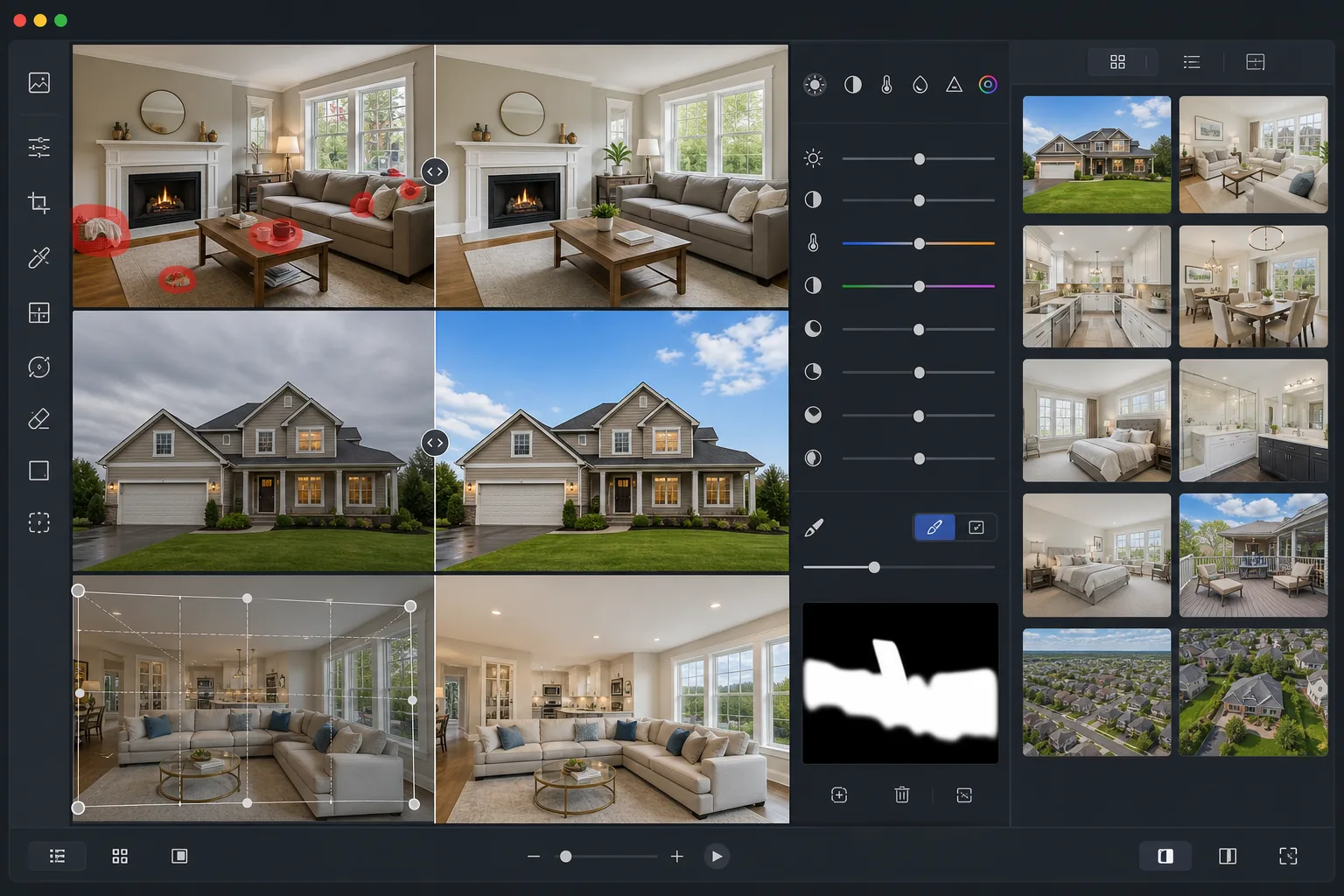
What this template does
Enhances property photos with professional-grade corrections used by real estate photographers. The template recovers blown-out windows, lifts shadow detail in dark rooms, corrects mixed indoor lighting, and removes everyday clutter like trash cans, cars in driveways, and personal items. The result looks like a professionally bracketed HDR photo without the tripod or editing time.
Template settings
| Output size | 3000×2000px (3:2 MLS standard) |
| Dynamic range | HDR tone mapping (+2 EV shadow recovery) |
| Sky enhancement | Auto blue-sky replacement on overcast days |
| Color temperature | 5500K daylight balance (neutralizes yellow indoor cast) |
| File format | JPEG 90% quality (MLS upload optimized, under 10MB) |
| Lens correction | Auto vertical straightening and barrel distortion fix |
How to use this template
Upload your property photo
Upload interior or exterior shots taken with any camera or smartphone. Wide-angle lenses work best for rooms, but the template corrects barrel distortion automatically.
Remove clutter and distractions
Magic Eraser removes personal items, cars in driveways, trash bins, power lines, and other elements that distract from the property itself. Select objects to remove or let the AI detect common distractions.
Enhance lighting and color
AI Enhance applies HDR-like tone mapping to recover blown-out windows and lift dark corners. Mixed lighting from tungsten, fluorescent, and daylight sources is automatically balanced to a clean neutral tone.
Export for MLS and listing sites
Download at 3000×2000px for MLS, Zillow, Realtor.com, and Redfin. The JPEG output is optimized to stay under platform file-size limits while preserving detail.
Pro tips for best results
- ✓Shoot interiors with all lights on and curtains open — the template can recover window brightness, but having some natural light in the room produces the most realistic HDR effect.
- ✓For exterior shots, photograph from across the street at chest height to capture the full facade without extreme upward angles that distort vertical lines.
- ✓Stage the space before shooting: remove small personal items, close toilet lids, and clear kitchen counters. While Magic Eraser can remove objects, a cleaner starting photo gives the most natural result.
- ✓Take both landscape and portrait orientations of key rooms — MLS uses landscape, but Zillow's mobile app often crops to square, so having options ensures the best presentation on every platform.
Common questions
Does this meet MLS photo requirements?
+
Yes. The template outputs at 3000×2000px in 3:2 aspect ratio, which meets or exceeds the requirements for every major MLS system in the US and Canada. The JPEG quality is calibrated to stay under the typical 10MB upload limit.
Can I fix window blow-out in interior shots?
+
Absolutely. The HDR tone-mapping algorithm recovers detail in overexposed windows while preserving natural interior lighting. The result shows the outdoor view through the windows without darkening the room — similar to professional flash-ambient blending.
Will edited photos look artificial?
+
The enhancements are calibrated to match the look of professional real estate photography, not over-processed HDR. Colors stay realistic, shadows are lifted naturally, and sky replacements use photographic skies that match the lighting direction of the original shot.
Make every listing look professionally photographed
Upload your property photos and get MLS-ready images in seconds. No HDR bracketing, no flash equipment, no editing experience needed.
Try it freeRelated templates
More real estate templates for your workflow.
Enhance architecture exterior photos with vertical line correction, sky replacement, car and pedestrian removal, and golden hour color grading for listings and portfolios.
Transform Airbnb and vacation rental photos with room brightening, clutter removal, color correction, and wide-angle lens distortion fix for higher booking rates.
Enhance interior design portfolio photos with room brightening, clutter removal, material texture sharpening, and color-accurate rendering of finishes and fabrics.
Enhance drone aerial photography with sky replacement, property boundary highlighting, color vibrancy boost, and distraction removal for real estate and land surveys.
Virtually stage empty rooms with realistic furniture, decor, and lighting. Help buyers visualize living spaces without physical staging costs.
Clean, enhance, and standardize floor plan images for real estate listings with stain removal, line sharpening, and consistent styling.