
Генеративное заполнение фотографий продуктов, социальных креативов и маркетинговых изменений.
Используйте AI Fill, чтобы заменить выбранные области, восстановить недостающие детали и создать более естественные результаты, когда фотография нуждается в очистке, исправлении сцены или визуальном расширении.
Magic Eraser AI Fill восстанавливает отсутствующие или удаленные области изображения с помощью контекстно-зависимой генеративной заливки. После удаления объекта AI Fill реконструирует пустую область содержимым, соответствующим окружающей сцене — обычно используется для исправления отредактированных областей, замены удаленных объектов естественным фоном и восстановления поврежденных фотографий.
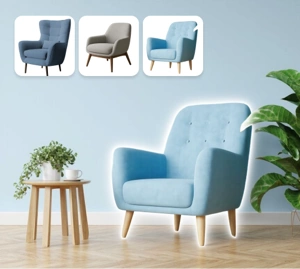

Используйте генеративную заливку для восстановления недостающих частей изображения.
AI Fill помогает заменять ненужные области и восстанавливать недостающую визуальную информацию без явных пятен. Он полезен для фотосъемки продуктов, творческой очистки и быстрого создания контента, когда вам нужны реалистичные результаты без тяжелой ретуши.
Попробуйте AI Fill прямо сейчас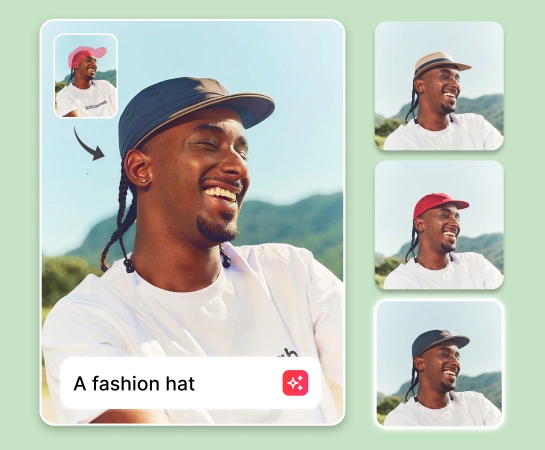
Ускорьте редактирование фотографий с помощью генеративной заливки вместо ручной ретуши.
Вместо того, чтобы исправлять каждую небольшую область вручную, выберите область, которую вы хотите изменить, и позвольте AI Fill сгенерировать лучшее соответствие. Это хорошо работает, когда вам нужно исправить края, убрать отвлекающие факторы или завершить незавершенную сцену, сохраняя при этом изображение пригодным для коммерческой работы.
Попробуйте AI Fill прямо сейчас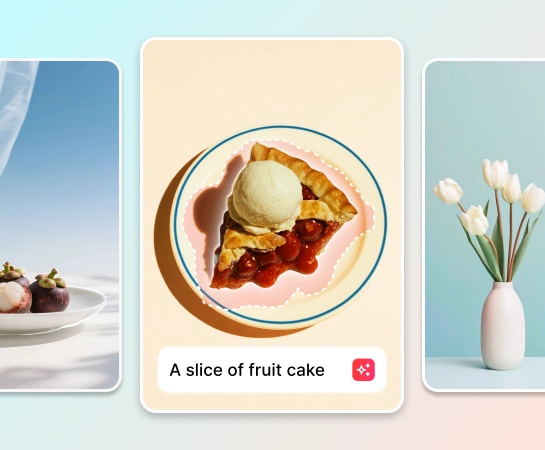
Используйте генеративную заливку в нескольких сценариях редактирования изображений.
AI Fill хорошо работает, когда вы хотите заполнить пустое пространство после удаления объекта, заменить часть фона, уточнить края изображения или добавить дополнительный контекст сцены. Это полезно для фотографий электронной коммерции, ресурсов социальных сетей и быстрой очистки кампании.
Попробуйте AI Fill прямо сейчас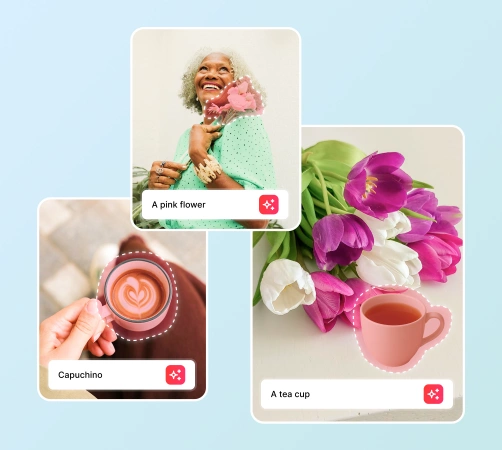
Соедините AI Fill с полным рабочим процессом редактирования фотографий AI
AI Fill становится более полезным в сочетании с Remove Objects, Remove Background, AI Enhance и AI Expand. Очистите изображение, восстановите недостающие области, повысьте резкость результата и подготовьте окончательный ресурс для рекламы, торговых площадок и социальных каналов в рамках одного рабочего процесса.
Попробуйте AI Fill прямо сейчас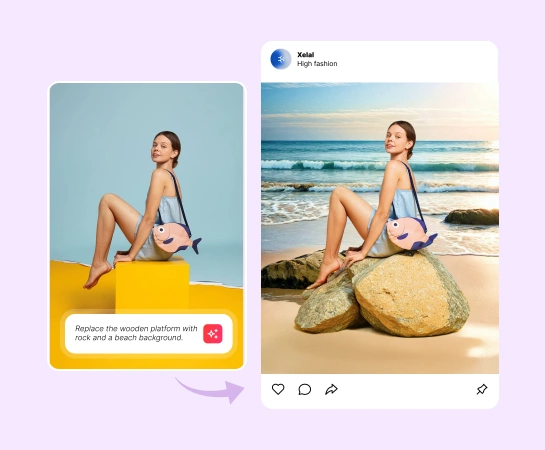
Как использовать генеративную заливку
Загрузите свое изображение
Начните с фотографии продукта, социального изображения, образа образа жизни или любого объекта, который нуждается в частичной перестройке.
Выберите область для изменения
Закрасьте область, которую вы хотите заменить, отремонтировать или регенерировать, с помощью AI Fill.
Опишите, что вы хотите, с помощью текста
Введите короткую подсказку с описанием нового контента, фона или визуальных деталей, которые вы хотите создать с помощью AI Fill.
Запустить генеративное заполнение
Позвольте ИИ перестроить выбранную область, чтобы новый контент более естественно сочетался с остальной частью изображения.
Все необходимые инструменты редактирования изображений AI
Изучите основные возможности редактирования, доступные в Magic Eraser Web: от очистки и улучшения до создания, расширения и дизайна.

AI Заливка
Замените выбранные области и восстановите недостающий контент с естественным результатом.

Удалить объекты
Сотрите людей, реквизит, текст или отвлекающие факторы, прежде чем восстанавливать очищенную область.

Удалить фон
Сначала изолируйте объект, а затем используйте AI Fill, чтобы уточнить края или восстановить детали сцены.

AI Enhance
Улучшите четкость, детализацию и общий вид после создания результата заливки.

ИИ Развернуть
Расширьте холст и объедините его с генеративной заливкой, чтобы создать больше полезного пространства.

Дизайн
Перемещайте отредактированные визуальные эффекты в макеты, рекламные объявления, миниатюры или простые дизайнерские композиции.

AI-фильтр
Измените визуальное настроение или стиль после завершения основного редактирования генеративной заливки.

ИИ Создать
Создавайте свежие визуальные идеи на основе подсказок и продолжайте их совершенствовать с помощью AI Fill.
Часто задаваемые вопросы
AI Fill — это генеративный рабочий процесс заливки, который заменяет выбранные области и восстанавливает отсутствующий визуальный контент, чтобы редактирование более естественно сочеталось с остальной частью изображения.
Используйте генеративную заливку, когда вам нужно восстановить очищенную область, заменить часть фона, восстановить отсутствующий контент или создать более полную сцену после редактирования.
Да. Он полезен для фотографий продуктов, визуальных эффектов электронной коммерции, креативов для социальных сетей, миниатюр и маркетинговых ресурсов, где вам нужна быстрая очистка и более точные результаты.
Да. Многие рабочие процессы работают лучше, если вы сначала удаляете объекты или фон, затем используете AI Fill для восстановления областей и, наконец, улучшаете или расширяете изображение для окончательного экспорта.
Обычный процесс прост: загрузите изображение, закрасьте область, которую хотите изменить, запустите AI Fill, просмотрите сгенерированный результат и экспортируйте окончательное изображение.