
Magic Eraser vs Photoshop: какой редактор подходит для более быстрых рабочих процессов?
Photoshop — отраслевой стандарт для глубокого редактирования изображений, но многим нужно лишь быстро удалить объекты, получить чистый фон и ИИ-исправления. Magic Eraser сосредоточен на этих задачах с более лёгким рабочим процессом, который выполняется за секунды в вебе и на мобильных устройствах.
Last updated
Попробовать Magic Eraser бесплатноComparison rows are editorial summaries from the latest page review, not a guarantee of current pricing, limits, watermark policy, batch support, speed, or platform availability.
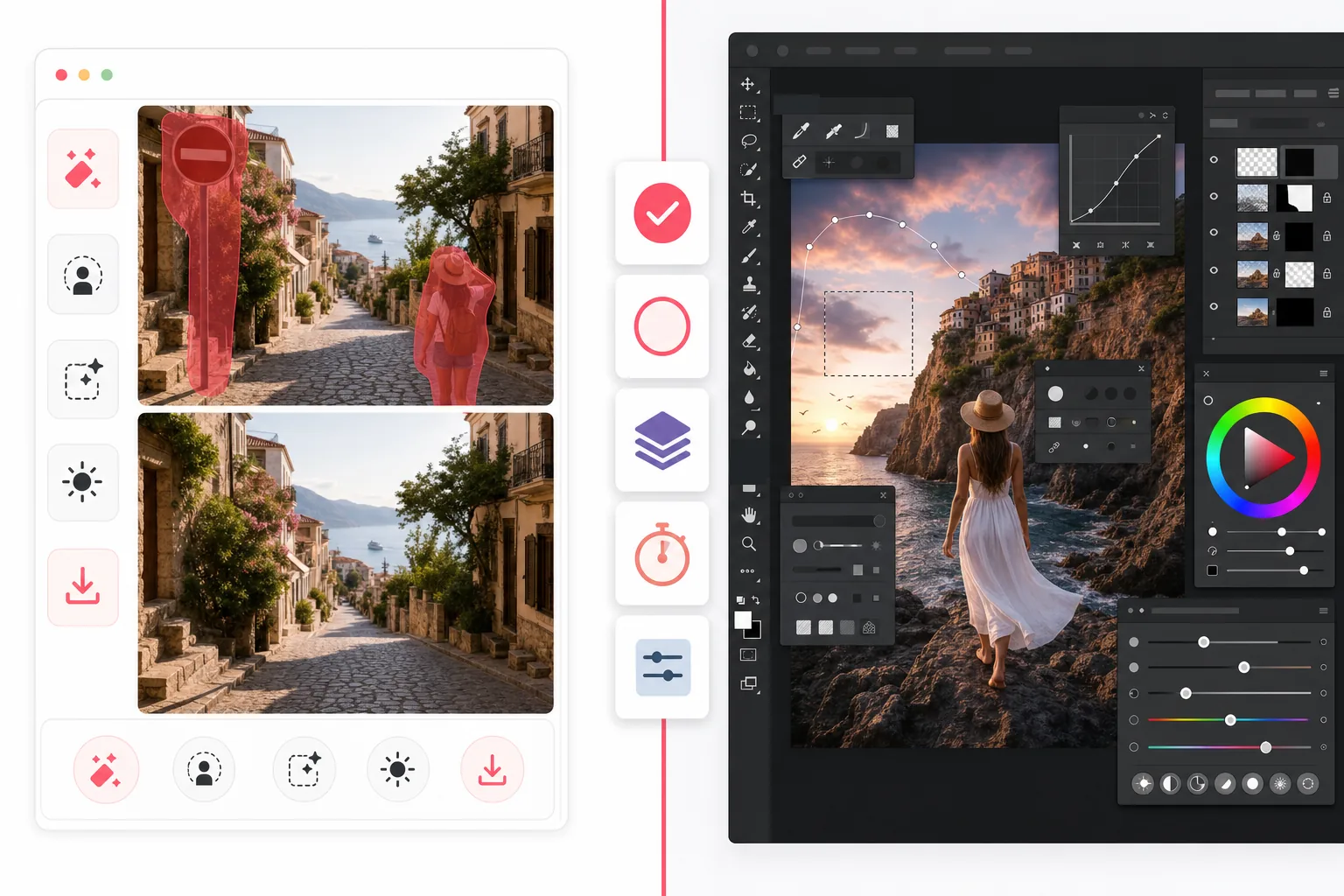
Обзор
Magic Eraser — это ИИ-редактор фотографий, созданный для быстрых задач очистки: удаление людей, устранение беспорядка, замена фона, улучшение размытых изображений и заполнение недостающих областей без крутой кривой обучения.
Adobe Photoshop — это полноценный профессиональный пакет для редактирования изображений с продвинутыми слоями, масками, ретушью, генеративной заливкой и инструментами композитинга, рассчитанный на детальный творческий контроль на десктопе и iPad.
Сравнение функций
Magic Eraser — это ИИ-редактор фотографий, созданный для быстрых задач очистки: удаление людей, устранение беспорядка, замена фона, улучшение размытых изображений и заполнение недостающих областей без крутой кривой обучения.
Adobe Photoshop — это полноценный профессиональный пакет для редактирования изображений с продвинутыми слоями, масками, ретушью, генеративной заливкой и инструментами композитинга, рассчитанный на детальный творческий контроль на десктопе и iPad.
| Feature | Magic Eraser | Adobe Photoshop |
|---|---|---|
| Удаление объектов | Да — ИИ-кисть | Да — инструменты с учётом содержимого |
| Удаление фона | Да — в один клик | Да — вручную + ИИ |
| Генеративная заливка | Да — упрощённый процесс | Да — продвинутые инструменты подсказок |
| Кривая обучения | Удобно новичкам | Высокая |
| Платформа | Веб + iOS + Android | Десктоп + iPad + веб-бета |
| Пакетное редактирование | Да | Да — больше настройки |
| Требуется подписка | Нет для начала | Да |
| Лучше всего для | Быстрое повседневное редактирование | Профессиональная производственная работа |
Feature rows summarize visible product positioning and should be rechecked against official product pages before purchase, migration, or compliance decisions.
- Last content review May 1, 2026
- Adobe Photoshop source: official product site (https://www.adobe.com/products/photoshop.html)
- Magic Eraser source: https://magiceraser.live/ru/product/magic-eraser
- Pricing, feature availability, platform support, and limits can change; recheck official sources before relying on a buying decision.
Сравнение цен
| Plan | Magic Eraser | Adobe Photoshop |
|---|---|---|
| Бесплатный тариф | Бесплатно — ограниченные правки | Пробный период 7 дней |
| Ежемесячно | $9.99/мес | $22.99/мес |
| Ежегодно | $4.99/мес (при оплате за год) | $20.99/мес (при оплате за год) |
Цены по состоянию на май 2026 года. Уточняйте текущие тарифы у каждого поставщика.
Pricing rows are snapshots from review time. Free tiers, subscriptions, trials, export limits, and regional availability can change without notice.
- Last content review May 1, 2026
- Adobe Photoshop source: official product site (https://www.adobe.com/products/photoshop.html)
- Magic Eraser source: https://magiceraser.live/ru/product/magic-eraser
- Pricing, feature availability, platform support, and limits can change; recheck official sources before relying on a buying decision.
Почему выбрать Magic Eraser
Быстрее от первого клика до экспорта
Magic Eraser избавляет от затрат на настройку. Откройте редактор, выделите помеху и позвольте ИИ восстановить область без работы со слоями, масками и сложными меню.
Создан для практичной очистки фото
Если ваша цель — удалить туристов, вывески, дефекты, провода, текст или захламлённый фон, Magic Eraser достигает результата напрямую, не заставляя осваивать целый творческий пакет.
Работает где угодно
Photoshop по-прежнему силён в глубоких десктоп-процессах, но Magic Eraser работает в браузере и на мобильных устройствах, что упрощает редактирование откуда угодно для маркетологов, продавцов, авторов и команд.
Меньше трения для команд
Magic Eraser проще стандартизировать в команде, которой нужны единообразные быстрые правки для фото товаров, материалов для соцсетей, карточек и рекламы, без покупки полноценного творческого ПО для каждого.
Инструменты
Часто задаваемые вопросы
Заменяет ли Magic Eraser Photoshop?
+
Для быстрой очистки, удаления фона и ИИ-исправлений фото — да. Для продвинутого композитинга, дизайнерской работы с множеством слоёв и детальной профессиональной ретуши Photoshop по-прежнему даёт больше глубины.
Какой инструмент проще для новичков?
+
Magic Eraser намного проще для новичков, потому что он построен вокруг управляемых ИИ-задач редактирования, а не полноценного профессионального рабочего пространства.
У Photoshop лучше контроль?
+
Да. Photoshop предлагает больше ручного контроля, особенно для профессиональной ретуши и композитинга. Magic Eraser жертвует частью этой глубины ради гораздо более быстрого повседневного редактирования.
Можно ли использовать Magic Eraser на мобильном?
+
Да. Magic Eraser доступен на iOS и Android, а также работает в вебе, поэтому вы можете переходить между устройствами без смены инструмента.
Что лучше для фото товаров в электронной коммерции?
+
Magic Eraser часто оказывается более быстрым выбором для удаления фона, очистки помех и подготовки больших наборов изображений товаров. Photoshop лучше, когда каждому изображению нужна индивидуальная ретушь на уровне дизайна.
Нужно быстрое редактирование без сложности Photoshop?
Попробуйте Magic Eraser бесплатно и очищайте фотографии за секунды с помощью ИИ-удаления объектов, очистки фона и генеративной заливки.
Попробовать Magic Eraser бесплатноСвязанные сценарии использования
Узнайте, как профессионалы используют эти инструменты в реальных рабочих процессах.
Фотографии объявлений, заваленные личными вещами, припаркованными машинами или стройматериалами, отпугивают покупателей. Magic Eraser использует ИИ для мгновенной очистки ваших фото — навыки Photoshop не нужны.
Грязный фон и неопрятные фотографии товаров каждый день стоят вам продаж. Magic Eraser помогает создавать чистые, профессиональные изображения за секунды — без навыков Photoshop. Загрузите фото, удалите всё лишнее и размещайте с уверенностью.
Случайные прохожие портят ваши фото из путешествий? Беспорядок на фоне убивает ваши селфи? Хватит тратить часы в Фотошопе. Magic Eraser удаляет всё лишнее, очищает фон и адаптирует фото под любой формат — в одно касание.
Похожие руководства
Изучите другие руководства и редакционный контент, связанные с этим сценарием.
Узнайте, как с помощью Magic Eraser удалять объекты, людей, текст и отвлекающие детали с фото и получать более чистый результат ИИ.
Узнайте, как убрать людей с фото с помощью ИИ за секунды. Руководство для тревел-фото, недвижимости и товаров.
Пошаговое руководство по удалению водяных знаков с собственных фото с помощью ИИ. Когда это уместно, техники и советы.
Другие сравнения
Узнайте, как Magic Eraser сравнивается с другими инструментами для редактирования фото.
Мы протестировали и сравнили лучшие инструменты для AI-редактирования фото. От удаления объектов до замены фона — узнайте, какой редактор лучше всего подходит для вашей работы.
Adobe Photoshop — мощный инструмент, но большинство людей используют лишь малую часть его возможностей. Magic Eraser предоставляет именно те инструменты обработки фото, которые вам действительно нужны — удаление объектов, удаление фона, улучшение с помощью AI и генеративную заливку — в более простом интерфейсе, который работает в вебе и на мобильных устройствах и не требует подписки для начала работы.
Tried to remove an object or background and hit a Pro paywall in Canva, Adobe Express/Photoshop, or Fotor? Magic Eraser does the same job — object removal, background removal, watermark cleanup, and enhancement — for free. No subscription, and no watermark stamped on your download.
Сравните Magic Eraser с magic-eraser.io. Смотрите функции, цены и удобство использования бок о бок. Узнайте, почему Magic Eraser — лучший выбор для AI-обработки фото.
Сравните Magic Eraser с Pixelcut. Смотрите функции, цены и удобство использования бок о бок. Узнайте, почему Magic Eraser — лучший выбор для AI-обработки фото.
Откройте лучшие Инструменты удаления эмодзи для обработки фотографий. Мы сравнили функции, цены и AI-возможности, чтобы помочь вам выбрать подходящий инструмент.