Skip to content

Создавать более сильные визуалы с Удаление фона

Используйте Удаление фона как часть более широкого workflow редактирования внутри Magic Eraser.

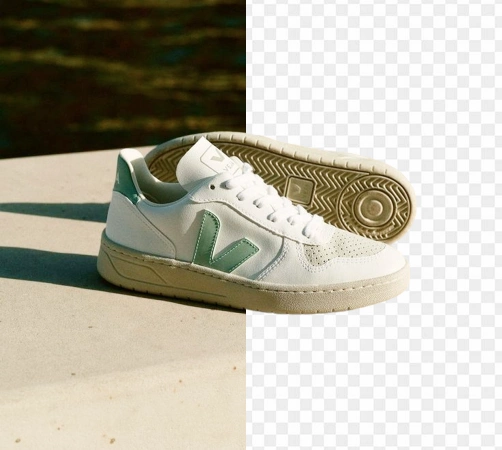
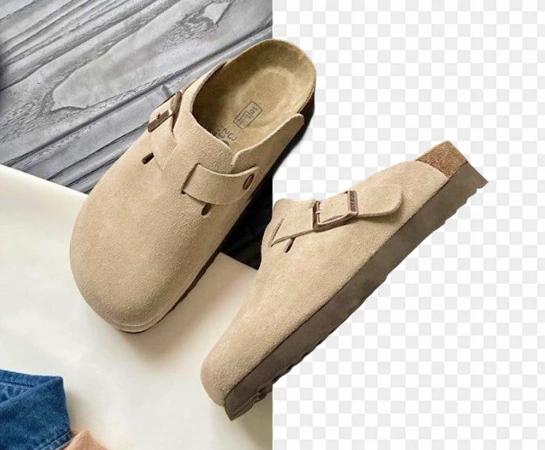
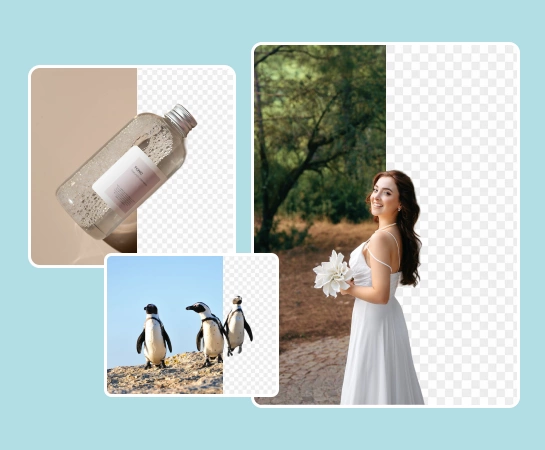
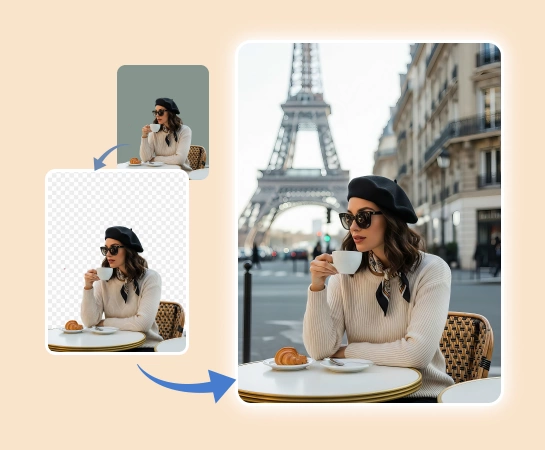
Magic Eraser Удаление фона — AI-инструмент, который позволяет пользователям удалять фон и выделять главный объект. Частые сценарии: карточки товаров, аватары, visual для маркетплейсов и рекламы.

Создавать более сильные визуалы с Удаление фона

Удаление фона помогает работать быстрее, когда нужны более чистые визуалы и более плавные workflow публикации.

Открыть Удаление фона
Удаление фона
Удаление фона

Ускорять практические workflow редактирования

Удаление фона помогает работать быстрее, когда нужны более чистые визуалы и более плавные workflow публикации.

Открыть Удаление фона
Удаление фона
Удаление фона

Использовать Удаление фона в ecommerce, social и marketing

Удаление фона помогает работать быстрее, когда нужны более чистые визуалы и более плавные workflow публикации.

Открыть Удаление фона
Удаление фона
Удаление фона

Связывать Удаление фона с остальным стеком Magic Eraser

Удаление фона помогает работать быстрее, когда нужны более чистые визуалы и более плавные workflow публикации.

Открыть Удаление фона
Удаление фона
Удаление фона

Как использовать Удаление фона

Шаг 1

Удаление фона

Начните с исходного изображения, подходящего под ваш workflow.

Шаг 2

Удаление фона

Примените основное действие Удаление фона, чтобы быстрее получить результат.

Шаг 3

Удаление фона

Проверьте результат и доработайте детали при необходимости.

Шаг 4

Удаление фона

Экспортируйте изображение или продолжите редактирование в других инструментах Magic Eraser.

Ключевые возможности Удаление фона

Используйте Удаление фона как часть более широкого workflow редактирования внутри Magic Eraser.

Удаление фона

Удаление фона помогает работать быстрее, когда нужны более чистые визуалы и более плавные workflow публикации.

AI Enhance

Удаление фона помогает работать быстрее, когда нужны более чистые визуалы и более плавные workflow публикации.

Удаление объектов

Удаление фона помогает работать быстрее, когда нужны более чистые визуалы и более плавные workflow публикации.

AI Expand

Удаление фона помогает работать быстрее, когда нужны более чистые визуалы и более плавные workflow публикации.

Дизайн-редактор

Удаление фона помогает работать быстрее, когда нужны более чистые визуалы и более плавные workflow публикации.

AI Create

Удаление фона помогает работать быстрее, когда нужны более чистые визуалы и более плавные workflow публикации.

AI Filter

Удаление фона помогает работать быстрее, когда нужны более чистые визуалы и более плавные workflow публикации.

AI Fill

Удаление фона помогает работать быстрее, когда нужны более чистые визуалы и более плавные workflow публикации.

Как команды используют Удаление фона

Эти примеры отражают типичные workflow, где Удаление фона помогает командам быстрее производить изображения.

"Удаление фона помог нашей команде сократить время ручного редактирования и сохранить более стабильный output."

CraftsByJenna
Контент workflow

"Мы используем Удаление фона, когда нужно ускорить производство без роста сложности инструментария."

D. Morales
Маркетинг workflow

"Удаление фона хорошо ложится в наши workflow для контента, product images и campaign assets."

ShopVista Team
Ecommerce workflow

"Главная ценность — скорость: путь от исходного изображения до готового asset стал заметно короче."

ThumbnailKing_99
Креативные операции

Часто задаваемые вопросы

Удаление фона создан, чтобы помогать пользователям удалять фон и выделять главный объект.

Удаление фона хорошо подходит для карточки товаров, аватары, visual для маркетплейсов и рекламы.

Да. Многие команды комбинируют Удаление фона с workflow очистки, улучшения, генерации и дизайна в одном стеке.

Да. Удаление фона полезен, когда нужен более быстрый и стабильный visual output для контента и маркетинга.

Обычный flow прост: начать с изображения, загрузить изображение, определить объект и доработать вырезание, проверить результат и затем экспортировать или продолжить редактирование.

Другие сравнения

Узнайте, как Magic Eraser сравнивается с другими инструментами для редактирования фото.

Magic Eraser vs TouchRetouch: какой инструмент удаления объектов лучше?

TouchRetouch — популярное платное мобильное приложение для удаления объектов и дефектов. Magic Eraser предлагает бесплатное AI-редактирование на любом устройстве без установки. Сравните функции, цены и удобство использования.

Magic Eraser vs remove.bg

remove.bg — лидер рынка удаления фона с мощным API и плагинами для Photoshop и Figma. Magic Eraser предлагает восемь ИИ-инструментов — от удаления объектов и генеративной заливки до ИИ-улучшения и дизайна — всё в одном редакторе.

Magic Eraser vs Photoroom

Два мощных AI-фоторедактора с разными сильными сторонами. Magic Eraser предлагает более широкий набор генеративных AI-инструментов, а Photoroom отлично подходит для фотографии товаров и пакетной обработки. Узнайте, что лучше подойдёт для вашего рабочего процесса.

Лучшие AI-фоторедакторы 2025 — Подробное сравнение

Мы протестировали и сравнили лучшие инструменты для AI-редактирования фото. От удаления объектов до замены фона — узнайте, какой редактор лучше всего подходит для вашей работы.

Magic Eraser vs Photoshop: Which Photo Editor Fits Faster Workflows?

Photoshop is the industry standard for deep image editing, but many people only need fast object removal, clean backgrounds, and AI-powered fixes. Magic Eraser focuses on those jobs with a lighter workflow that works in seconds on web and mobile.

Magic Eraser vs Canva: Which Editor Is Better for Photo Cleanup?

Canva is excellent for layouts and social graphics, but many users need faster object removal, cleaner background edits, and stronger AI photo tools. This comparison shows where Magic Eraser fits better for image-first workflows.

Связанные сценарии использования

Узнайте, как профессионалы используют эти инструменты в реальных рабочих процессах.

Удалите лишние объекты с фото недвижимости за считанные секунды

Фотографии объявлений, заваленные личными вещами, припаркованными машинами или стройматериалами, отпугивают покупателей. Magic Eraser использует ИИ для мгновенной очистки ваших фото — навыки Photoshop не нужны.

Чистые фото товаров, которые продают

Грязный фон и неопрятные фотографии товаров каждый день стоят вам продаж. Magic Eraser помогает создавать чистые, профессиональные изображения за секунды — без навыков Photoshop. Загрузите фото, удалите всё лишнее и размещайте с уверенностью.

Создайте Идеальное Фото на Паспорт с Помощью ИИ

Паспортные столы ежедневно отклоняют тысячи фотографий из-за неправильного фона. Magic Eraser удаляет любой фон и заменяет его нужным цветом — белым, светло-серым или голубым — за считанные секунды.

Маркетинговые визуалы как от профессионального дизайнера

Вам нужны яркие коллажи, баннеры и листовки, но нет бюджета на дизайнера и времени осваивать Photoshop. Magic Eraser предлагает инструменты вёрстки, ИИ-генерацию фонов и вырезание в один клик — создавайте цепляющие маркетинговые визуалы за считанные минуты.

Wedding Photo Editing Made Faster with AI

Wedding photos deserve perfection, but manual retouching takes hours. Magic Eraser helps photographers and couples remove distracting elements, clean backgrounds, and enhance details so every shot looks its best.

Yearbook Photo Editing with AI Tools

Yearbook photos need consistent backgrounds, even lighting, and clean portraits. Magic Eraser helps schools, studios, and parents get professional-looking results without expensive retouching workflows.

Car Photo Editing for Dealerships and Sellers

Vehicle listings with clean, professional photos sell faster. Magic Eraser helps dealers, private sellers, and automotive marketers remove background clutter, fix reflections, and enhance car images without a photo studio.

Professional Headshot Editing Made Simple

A clean, professional headshot matters for LinkedIn profiles, team pages, and corporate directories. Magic Eraser helps individuals and companies produce polished portraits without a studio reshoot.

Pet Photo Editing with AI Tools

Pet photos rarely come out the way you want. The dog moves, the cat is half in shadow, the background is full of clutter. Magic Eraser handles all of that in seconds — background swaps, leash removal, blur cleanup, sharper fur — without manual masking or expensive software.

Virtual Staging with AI

Empty listings sit on the market longer because buyers struggle to visualize the space. Virtual staging with AI fills the rooms with furniture in the style your buyer wants — modern, transitional, coastal, traditional — in minutes per room instead of days. Magic Eraser handles the pre-staging cleanup (paint touch-ups, painter's tape, debris) and the post-staging polish (lighting refinement, edge cleanup).

Restaurant Menu Photo Editing

Dish photos move delivery and dine-in revenue more than menu copy ever will. Magic Eraser turns phone-shot food photos into delivery-platform-ready images: clean the cluttered table, enhance the dish, swap to a brand-consistent background, and export to DoorDash, Uber Eats, Yelp, and Instagram specs without a food photographer.

YouTube Thumbnail Editing for Creators

YouTube thumbnails decide 50-70% of the click decision in the first 1-2 seconds of feed exposure. Magic Eraser handles the workflow that lets creators ship higher-CTR thumbnails in 25-40 minutes per video: subject isolation via Background Eraser, dark-mode-feed color contrast via AI Filter, clean text-overlay surfaces via AI Fill, and 2-3 distinct variants ready for YouTube's native Test & Compare in under 30 minutes.

Travel Photo Editing for Trip Recaps and Memory Books

Travel photos are the most-edited and most-shared images on most cameras — and the hardest to fix manually. Crowds at every landmark, harsh midday sun, lens glare from phone cameras pressed against bus windows, dim interiors, and decades-old film scans that finally need restoration. Magic Eraser handles every common travel-photo failure mode in seconds, on the same phone you took the photo with.

Pinterest Pin Design for Bloggers, Creators, and Small Brands

Pinterest is a visual search engine, not a social feed — pins keep earning impressions for 6-18 months on evergreens and 2-5 years on seasonal evergreens like holiday recipes and gift guides. That long-tail traffic only compounds if every pin is built for the 2:3 vertical canvas at 1000×1500 displayed at ~320px on mobile (85%+ of Pinterest traffic). Magic Eraser's AI tools turn a landscape source photo library into pin-ready vertical compositions in 2-3 minutes per pin instead of 20-40 minutes in Photoshop.

Online Course Creator Photo Workflow: Sales Page to Last Lesson

Online course businesses live or die by their visual production quality. The sales-page hero photo, the instructor headshot in the bio section, the in-lesson screenshots, the social-promo carousels driving traffic to the sales page, and the email-newsletter inline imagery in the launch sequence — every one of those surfaces directly affects conversion, completion, and refund rates. Magic Eraser handles the full course-creator image workflow without a designer on staff, on the same laptop or phone you record courses with.

Podcaster Photo Workflow: Cover Art, Guest Graphics, Per-Season Refresh

Podcasting is a uniquely visual-poor medium that lives or dies by its visual surfaces. The cover art is the most-viewed surface of every podcast brand, displayed at 56-100px in feed where new listeners decide whether to tap in under a second. The supporting graphic set per episode (Instagram squares, Stories, TikTok, YouTube audiogram covers, email-newsletter inline imagery) is where the show's growth happens between episodes. Magic Eraser handles the full podcaster visual stack — 3000×3000 cover art, host-portrait libraries, per-episode guest graphics, per-season AI refreshes, supporting graphic sets — without a designer on staff, on the laptop or phone you record episodes with.

Self-Published Author Photo Workflow: Covers, Headshots, BookTok, Series

Indie authors compete with traditional publishing on Amazon's discovery surface where the same algorithms, the same readers, and the same 100-150px mobile-thumbnail decision window apply equally to both. The difference is the production budget — traditional publishers have in-house art departments and marketing teams; indie authors have to handle covers, author headshots, BookTok and Instagram promo, A+ Content modules, and series-consistent visual identity themselves. Magic Eraser preps the full self-published author visual stack — book covers that survive the thumbnail render, author headshots for back covers and bios, social-promo across BookTok / Instagram / Pinterest, Amazon A+ Content modules, and series-consistent presets across 3-12 books — in minutes per asset instead of $400-1500 of designer time per book.

Newsletter Writer Photo Workflow: Hero Images, Inline Imagery, Notes, Author Photos

Newsletter writing in 2026 is platform-fragmented across Substack (35M+ subscribers), beehiiv, ConvertKit, Ghost, and Beehiiv-adjacent indie tools — and the visual surfaces have multiplied with each platform's discovery features (Substack Notes, beehiiv Boost, Ghost's recommendation network). Newsletter writers need post hero images that survive every platform's render pipeline, author photos that work across bylines and email signatures, microblog imagery for the discovery-driving feed surfaces, and email-newsletter inline graphics that render across Gmail / Apple Mail / Outlook. Magic Eraser preps the full newsletter visual stack — phone-to-publish in minutes per asset — without a designer on staff.

Dental Practice Photo Editing: Clinical Cases, Team Headshots & Patient Marketing

Dental practices rely on visual proof more than almost any other healthcare vertical — prospective patients evaluate smile transformations, office environment, and team professionalism before ever calling the front desk. The challenge is that clinical photography happens under operatory lighting with clamps, bibs, cheek retractors, and background clutter that undermines the professional impression the photo needs to convey. Magic Eraser cleans up clinical before-and-after shots, standardizes team headshots against consistent backgrounds, and prepares office interior photos for Google Business Profile, social media, and website use — all while keeping the dental team focused on patient care rather than photo production.

Fashion Influencer Content: Background Swaps, Feed Aesthetic & Brand-Ready Photos

Fashion influencers operate in a visual-first economy where feed consistency, photo quality, and content volume directly determine brand-partnership rates, follower growth, and affiliate revenue. The production reality is that most outfit shoots happen in bedrooms, parking lots, coffee shops, and hotel lobbies — not studios — and the gap between where the photo was taken and where it needs to look like it was taken is the core editing challenge. Background Eraser, AI Filter, and AI Enhance transform location-constrained outfit photos into feed-consistent, brand-ready content at the volume Instagram's algorithm and brand partners demand.

School Yearbook Photo Production: Consistent Portraits, Better Event Photos & Clean Candids

School yearbook production means processing 300-2,000+ student portraits, 200-500 event and activity photos, and dozens of candid shots into a cohesive publication — typically managed by a yearbook advisor and a student committee working on a compressed timeline with limited editing skills and no professional photo-production budget. The biggest visual challenge is consistency: portrait photos arrive from picture day with varying background quality, event photos are shot by student photographers in gymnasium lighting, and candids include background clutter that distracts from the moment being captured. Background Eraser, AI Enhance, and Magic Eraser make it possible to produce a professionally consistent yearbook without professional editing skills or budget.

Nonprofit Fundraiser Visuals: Donor Appeals, Event Photos & Campaign Graphics

Nonprofits compete for donor attention in the same visual channels as brands with six-figure marketing budgets — Instagram, email, direct mail, and event presentations. The photos that drive donations are the ones that show impact clearly and emotionally: the community garden thriving, the after-school program in action, the families served by the food bank. But most nonprofits capture these moments with volunteers' smartphones in unglamorous settings, and the resulting photos need significant cleanup before they're suitable for donor-facing communications. Background Eraser, AI Enhance, and design tools bridge the gap between volunteer-captured reality and donor-ready visual storytelling without requiring a graphic designer on staff.

Jewelry Photography: Clean Backgrounds, Gemstone Detail & Catalog Consistency

Jewelry is one of the most photographically demanding product categories — customers purchasing a $200 ring or a $5,000 necklace online are making the decision almost entirely from photos, and they expect to see the precise color of the gemstone, the quality of the metalwork, the clasp mechanism, and the scale on a human hand or neck. The technical challenge is that jewelry is small, reflective, and transparent in ways that confuse smartphone cameras and even entry-level DSLRs: gemstones refract light unpredictably, polished metal reflects everything in the environment, and the scale demands macro-level sharpness that consumer cameras struggle to deliver. Background Eraser, AI Enhance, and Magic Eraser solve the three core jewelry-photography problems — background consistency, detail sharpness, and reflection cleanup — so independent jewelers and Etsy sellers can produce catalog-quality product photos without a dedicated studio.

Plant Nursery Catalog: True-Color Foliage, Clean Backgrounds & Consistent Listings

Online plant sales have grown into a multi-billion-dollar category, and nurseries competing for orders on their own e-commerce sites, Etsy, Amazon, and wholesale platforms need product photos that accurately represent foliage color, plant health, and specimen size — the three attributes customers evaluate when deciding whether to pay $12 for a 4-inch pot or $85 for a specimen-size plant. The photography challenge is that plants are photographed in greenhouse environments with filtered light, surrounded by hundreds of other plants competing for visual attention, and the foliage color that defines a cultivar's appeal shifts dramatically under different light temperatures. Background Eraser and AI Enhance produce the clean, color-accurate catalog photography that drives online plant sales without requiring a photo studio separate from the growing operation.

Event Photographer Workflow: Conferences, Galas, Corporate & Social Events

Event photographers face a unique production bottleneck: hundreds to thousands of images captured in a single session under mixed lighting, crowded venues, and unpredictable conditions — all due for delivery within 24-72 hours. The margin between a profitable event photography business and an unsustainable one lives in post-production speed. Magic Eraser handles the repetitive cleanup work — removing photobombers, exit signs, stray cables, and branded clutter from venue backgrounds — so you can focus on color grading and creative selects instead of pixel-level retouching.

Veterinary Practice Photos: Clinic Marketing, Patient Galleries & Social Media

Veterinary practices live and die by trust — pet owners choose their vet based on perceived warmth, competence, and genuine care for animals. The visual communication of that trust happens through the practice's website, social media, and Google Business Profile, where photos of happy patients, caring staff, and a clean welcoming facility signal everything words cannot. The problem is that veterinary clinics are clinical environments: stainless steel tables, medical equipment, fluorescent overhead lighting, and animals that are often anxious or restrained. Magic Eraser's Background Eraser and AI Enhance transform clinical snapshots into the warm, approachable imagery that builds the trust pet owners are looking for.

Antique Dealer Catalog Photos: Inventory, Auctions & Online Sales

Antique dealers move inventory constantly — acquiring at estate sales, auctions, and picker networks, then listing across multiple platforms (eBay, Ruby Lane, Etsy, 1stDibs, Chairish, LiveAuctioneers, their own website) with photos that must communicate condition, provenance quality, and value. The photography challenge is unique: items are photographed in cluttered booths, packed storage units, and show floors where isolating a single item visually is nearly impossible without a dedicated studio setup most dealers do not have. Magic Eraser's toolset handles the antique dealer's specific photo challenges — isolating items from cluttered backgrounds, enhancing detail in patina and maker's marks, and removing price tags and display clutter for clean catalog presentation.

Daycare & School Photos: Parent Communication, Marketing & Enrollment

Daycare centers and preschools take more photos than almost any other small business — daily activity documentation for parents, enrollment marketing for their website and social media, seasonal event documentation, and milestone celebrations. The challenge is that classrooms are visually chaotic environments: primary-colored furniture, cluttered art stations, snack remnants, cubbies overflowing with backpacks, and other children who may not have photo release permission in the background. Background Eraser creates clean, warm compositions that focus on the activity and the child, while AI Enhance corrects the fluorescent classroom lighting that makes every phone photo look institutional.

Hair Salon Portfolio: Stylists, Colorists & Barbershops

For hair stylists and colorists, the portfolio is the primary client-acquisition tool. New clients choose their stylist based on Instagram galleries, Google Business Profile photos, and the salon's website portfolio. The quality of these photos directly determines whether a potential client books a $150-$400 color appointment or scrolls past. The problem is that salon environments — mirrors reflecting the photographer, mixed warm and cool lighting that shifts color perception, cluttered station backgrounds, and other clients in frame — fight against accurate color representation at every turn. Magic Eraser's toolset solves the specific visual challenges that prevent salon photos from showcasing the actual quality of the work.

Online Dating Photos: Better Profile Pictures for Tinder, Hinge, Bumble & More

On dating apps, the profile photo is evaluated in 1-3 seconds during a swipe. The lighting, sharpness, composition, and background quality of the photo influence the swipe decision as much as physical attractiveness — a well-lit, clear photo with a clean background consistently outperforms a better-looking person photographed poorly. The problem is that most people do not have a library of high-quality solo photos with clean backgrounds and flattering lighting. They have group shots where they need to be isolated, photos with exes who need to be removed, and dimly-lit bar or restaurant photos that are their only recent full-body shots. Magic Eraser's toolset handles these specific dating-photo challenges without creating misleading or catfish-level alterations.

Thrift & Resale Photos: Poshmark, Depop, Mercari & eBay Listings

Resale is a volume business — successful Poshmark, Depop, Mercari, and eBay clothing sellers list 20-100+ items per week, each requiring 4-8 photos that compete against both other resellers and brand-direct retail listings. The visual gap between a reseller's bedroom flat-lay and a brand's studio product shot is the gap between a quick scroll-past and a sale. Background Eraser and Magic Eraser close that gap at the speed and scale resale economics demand, turning phone photos of thrift-sourced inventory into marketplace-competitive product listings without a studio, a lightbox, or per-item editing time that would destroy the margin on a $15 shirt.

Craft & Handmade Product Photos: Etsy, Craft Fairs & Maker Markets

Handmade sellers compete against mass-produced alternatives on visual presentation — and the price premium of handcrafted work only holds when the product photos communicate the material quality, craftsmanship detail, and tactile appeal that distinguish a $45 handmade ceramic mug from a $12 factory version. Most makers photograph their work on kitchen tables, workshop benches, or craft-fair booth surfaces using phone cameras that flatten texture and lose the material detail that justifies the price. Background Eraser creates clean, professional product presentations, while AI Enhance reveals the wood grain, fiber texture, glaze variation, and handmade character that makes the work worth the premium.

Band & Musician Promo: EPKs, Social Media, Gig Posters & Merch

Musicians and bands need a constant supply of visual assets — electronic press kit photos for venue and festival submissions, social media content to maintain audience engagement between releases, gig posters and flyers for upcoming shows, and merchandise designs for an increasingly important revenue stream. Professional photo shoots cost $300-$1,500 per session, and the results age quickly as lineups change, looks evolve, and the visual identity needs refreshing for each release cycle. Background Eraser isolates band and artist photos from venue and rehearsal-space clutter. AI Filter applies stylized treatments that establish visual identity. AI Enhance recovers detail from low-light live performance captures. Together, they maintain a professional visual presence on the budget reality of working musicians.

Похожие руководства

Изучите другие руководства и редакционный контент, связанные с этим сценарием.

Удаление фона - Magic Eraser