
Magic Eraser против Inpaint: какой инструмент эффективнее удаляет отвлекающие элементы?
Inpaint — узнаваемое имя для удаления нежелательных объектов с фотографий. Magic Eraser развивает этот рабочий процесс с более широкими инструментами редактирования с ИИ, более быстрым кроссплатформенным доступом и более полезными функциями очистки за пределами единственной задачи.
Last updated
Попробовать Magic Eraser бесплатноComparison rows are editorial summaries from the latest page review, not a guarantee of current pricing, limits, watermark policy, batch support, speed, or platform availability.
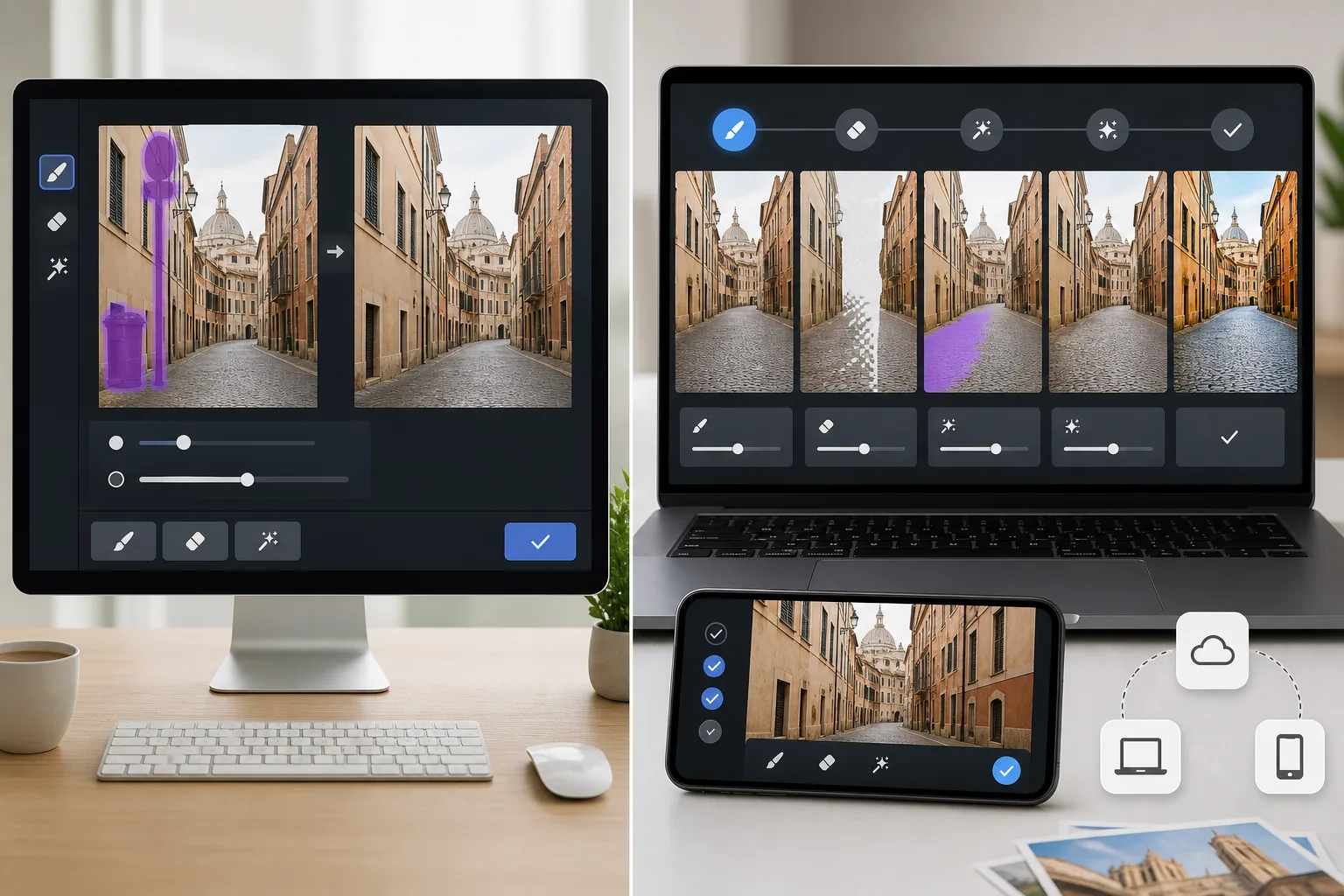
Обзор
Magic Eraser — это ИИ-фоторедактор, который удаляет объекты, текст, беспорядок и отвлекающие элементы фона, а также предлагает инструменты улучшения, заполнения и более широкой очистки изображений.
Inpaint сосредоточен на удалении нежелательных элементов с фотографий. Он эффективен для простых задач очистки, но не предлагает того же более широкого набора инструментов редактирования, что и Magic Eraser.
Сравнение функций
Magic Eraser — это ИИ-фоторедактор, который удаляет объекты, текст, беспорядок и отвлекающие элементы фона, а также предлагает инструменты улучшения, заполнения и более широкой очистки изображений.
Inpaint сосредоточен на удалении нежелательных элементов с фотографий. Он эффективен для простых задач очистки, но не предлагает того же более широкого набора инструментов редактирования, что и Magic Eraser.
| Feature | Magic Eraser | Inpaint |
|---|---|---|
| Удаление объектов | Да — с приоритетом ИИ | Да |
| Удаление текста | Да | Да |
| Удаление фона | Да | Нет |
| Заполнение с ИИ | Да | Нет |
| Улучшение изображения | Да | Нет |
| Платформа | Веб + мобильные | Веб + десктоп |
| Лучше всего для | Многоэтапной очистки | Удаления объектов в одной задаче |
| Широта рабочего процесса | Широкая | Узкая |
Feature rows summarize visible product positioning and should be rechecked against official product pages before purchase, migration, or compliance decisions.
- Last content review June 21, 2026
- Inpaint source: official product site (https://theinpaint.com/)
- Magic Eraser source: https://magiceraser.live/ru/product/magic-eraser
- Pricing, feature availability, platform support, and limits can change; recheck official sources before relying on a buying decision.
Сравнение цен
| Plan | Magic Eraser | Inpaint |
|---|---|---|
| Бесплатный уровень | Бесплатно — ограниченные правки | Нет бесплатного уровня |
| Ежемесячно | $9.99/мес | Н/Д — разовая покупка $19.99 |
| Ежегодно | $4.99/мес (при годовой оплате) | Н/Д — разовая покупка |
Цены по состоянию на май 2026 года. Проверяйте актуальные тарифы у каждого поставщика.
Pricing rows are snapshots from review time. Free tiers, subscriptions, trials, export limits, and regional availability can change without notice.
- Last content review June 21, 2026
- Inpaint source: official product site (https://theinpaint.com/)
- Magic Eraser source: https://magiceraser.live/ru/product/magic-eraser
- Pricing, feature availability, platform support, and limits can change; recheck official sources before relying on a buying decision.
Почему выбрать Magic Eraser
Справляется со всем рабочим процессом очистки
Magic Eraser может удалить проблему, исправить фон, улучшить качество изображения и помочь сгенерировать недостающий контекст, если фото требует больше, чем одно действие стирания.
Лучше для современных контент-команд
Сегодняшним командам нужен один инструмент, способный поддерживать соцсети-активы, продуктовые снимки, объявления и маркетинговые визуалы. Magic Eraser покрывает больше этих повседневных задач в одном редакторе.
Более сильный кроссплатформенный доступ
Magic Eraser работает в вебе и на мобильных, упрощая очистку и публикацию изображений без привязки к одной машине.
Больше пространства для итераций
После удаления объекта пользователям часто нужно продолжать редактирование. Magic Eraser даёт им больше возможностей для следующих шагов, чем узкоспециализированный инструмент удаления объектов.
Инструменты
Часто задаваемые вопросы
Лучше ли Magic Eraser, чем Inpaint, для удаления объектов?
+
Для простого удаления объектов оба могут работать хорошо. Magic Eraser становится более полезным, когда изображению после удаления также нужны очистка фона, улучшение или генеративное заполнение.
Может ли Inpaint удалять текст с фотографий?
+
Да. Inpaint может удалять текст и водяные знаки с простых фонов. Magic Eraser также справляется с этими задачами, давая вам больше вариантов редактирования впоследствии.
Какой инструмент лучше для бизнес-команд?
+
Magic Eraser обычно подходит лучше, потому что командам часто нужны более широкие рабочие процессы, чем узкоспециализированная очистка изображений.
Может ли Magic Eraser также удалять фон?
+
Да. Magic Eraser включает специализированное удаление фона, а также инструменты удаления объектов и заполнения.
Какой инструмент проще для повторяющейся работы по редактированию?
+
Magic Eraser проще для повторяющихся рабочих процессов, потому что он объединяет несколько задач редактирования с ИИ в одном интерфейсе, вместо того чтобы заставлять пользователей использовать отдельные инструменты или последующие шаги.
Нужно больше, чем инструмент удаления объектов для одной задачи?
Попробуйте Magic Eraser бесплатно и переходите от очистки к улучшению и финальному экспорту, не меняя инструмент.
Попробовать Magic Eraser бесплатноСвязанные сценарии использования
Узнайте, как профессионалы используют эти инструменты в реальных рабочих процессах.
Фотографии объявлений, заваленные личными вещами, припаркованными машинами или стройматериалами, отпугивают покупателей. Magic Eraser использует ИИ для мгновенной очистки ваших фото — навыки Photoshop не нужны.
Грязный фон и неопрятные фотографии товаров каждый день стоят вам продаж. Magic Eraser помогает создавать чистые, профессиональные изображения за секунды — без навыков Photoshop. Загрузите фото, удалите всё лишнее и размещайте с уверенностью.
Случайные прохожие портят ваши фото из путешествий? Беспорядок на фоне убивает ваши селфи? Хватит тратить часы в Фотошопе. Magic Eraser удаляет всё лишнее, очищает фон и адаптирует фото под любой формат — в одно касание.
Похожие руководства
Изучите другие руководства и редакционный контент, связанные с этим сценарием.
Узнайте, как с помощью Magic Eraser удалять объекты, людей, текст и отвлекающие детали с фото и получать более чистый результат ИИ.
Узнайте, как убрать людей с фото с помощью ИИ за секунды. Руководство для тревел-фото, недвижимости и товаров.
Пошаговое руководство по удалению водяных знаков с собственных фото с помощью ИИ. Когда это уместно, техники и советы.
Другие сравнения
Узнайте, как Magic Eraser сравнивается с другими инструментами для редактирования фото.
Мы протестировали и сравнили лучшие инструменты для AI-редактирования фото. От удаления объектов до замены фона — узнайте, какой редактор лучше всего подходит для вашей работы.
Photoshop — отраслевой стандарт для глубокого редактирования изображений, но многим нужно лишь быстро удалить объекты, получить чистый фон и ИИ-исправления. Magic Eraser сосредоточен на этих задачах с более лёгким рабочим процессом, который выполняется за секунды в вебе и на мобильных устройствах.
Adobe Photoshop — мощный инструмент, но большинство людей используют лишь малую часть его возможностей. Magic Eraser предоставляет именно те инструменты обработки фото, которые вам действительно нужны — удаление объектов, удаление фона, улучшение с помощью AI и генеративную заливку — в более простом интерфейсе, который работает в вебе и на мобильных устройствах и не требует подписки для начала работы.
Tried to remove an object or background and hit a Pro paywall in Canva, Adobe Express/Photoshop, or Fotor? Magic Eraser does the same job — object removal, background removal, watermark cleanup, and enhancement — for free. No subscription, and no watermark stamped on your download.
Сравните Magic Eraser с magic-eraser.io. Смотрите функции, цены и удобство использования бок о бок. Узнайте, почему Magic Eraser — лучший выбор для AI-обработки фото.
Сравните Magic Eraser с Pixelcut. Смотрите функции, цены и удобство использования бок о бок. Узнайте, почему Magic Eraser — лучший выбор для AI-обработки фото.