
The Free Magic Eraser You Don't Need Pro For
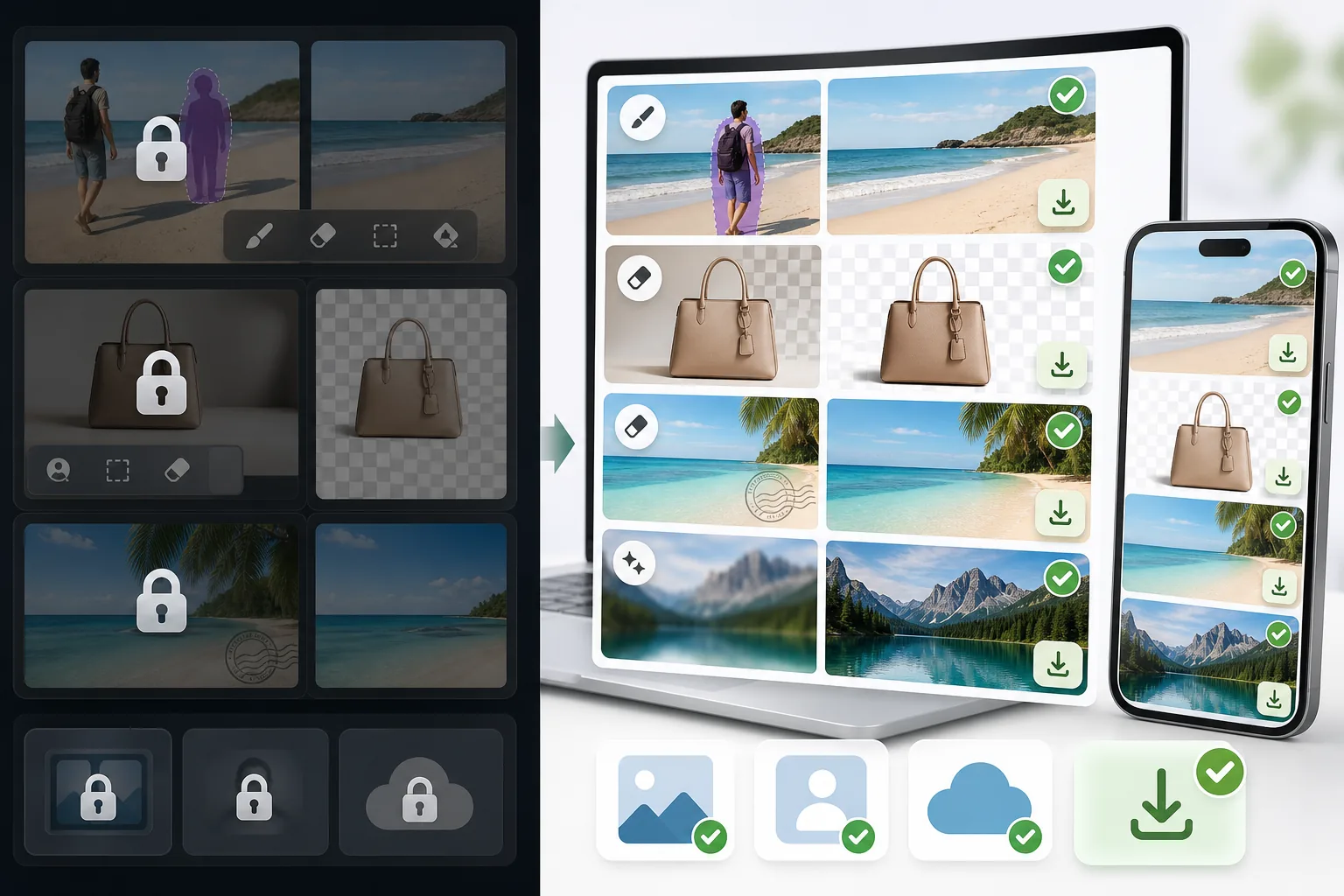
Tried to remove an object or background and hit a Pro paywall in Canva, Adobe Express/Photoshop, or Fotor? Magic Eraser does the same job — object removal, background removal, watermark cleanup, and enhancement — for free. No subscription, and no watermark stamped on your download.
Last updated
Erase free, no ProComparison rows are editorial summaries from the latest page review, not a guarantee of current pricing, limits, watermark policy, batch support, speed, or platform availability.
Overview
Magic Eraser is a dedicated AI photo editor built around cleanup. Object removal, background removal, watermark and emoji removal, and image enhancement include limited free edits on web and mobile after sign-in, with no watermark added to exported images.
Canva, Adobe (Express and Photoshop), and Fotor are powerful, well-made editors. The catch for many people is that their object and background removal — the exact feature you came for — is often placed behind a Pro or paid tier, so the cleanup step triggers an upgrade prompt before you can export.
Magic Eraser vs Pro-Gated Editors
Magic Eraser is a dedicated AI photo editor built around cleanup. Object removal, background removal, watermark and emoji removal, and image enhancement include limited free edits on web and mobile after sign-in, with no watermark added to exported images.
Canva, Adobe (Express and Photoshop), and Fotor are powerful, well-made editors. The catch for many people is that their object and background removal — the exact feature you came for — is often placed behind a Pro or paid tier, so the cleanup step triggers an upgrade prompt before you can export.
| Feature | Magic Eraser | Others |
|---|---|---|
| Object removal | Yes — free, core feature | Yes — but often behind a Pro / paid tier |
| Background removal | Yes — free | Yes — frequently Pro-gated or limited on free |
| Watermark & emoji removal | Yes — free | Limited or Pro-only |
| Watermark on your export | None | Sometimes added on the free tier |
| Signup required | No — start editing instantly | Usually an account is required |
| Image enhancement | Yes — free | Often Pro-gated |
| Task-specific removal tools | 100+ (emoji, watermark, date stamp, person, sky…) | Typically one general brush, Pro-gated |
| Cost to do the cleanup job | Free | Often requires a paid subscription |
| Platform | Web + iOS + Android | Web + iOS + Android |
Feature rows summarize visible product positioning and should be rechecked against official product pages before purchase, migration, or compliance decisions.
- Last content review June 20, 2026
- Pro-gated editors source: official product site (https://www.canva.com/)
- Magic Eraser source: https://magiceraser.live/ru/product/magic-eraser
- Pricing, feature availability, platform support, and limits can change; recheck official sources before relying on a buying decision.
Why Switch When You Hit the Paywall
The cleanup step is free, not the upgrade prompt
In Canva, Adobe Express/Photoshop, and Fotor, the object- or background-removal action is often what triggers an upgrade screen. In Magic Eraser, that same action is the free core of the product — you remove the object, remove the background, or clean a watermark and export, with no Pro tier standing between you and the result.
No watermark on what you download
Some free tiers let you edit but stamp a watermark on the export, which defeats the point. Magic Eraser never adds a watermark to your image — what you erase is what you download, at full usable quality.
Sign in, use free edits, no card
You don't create an account, start a trial, or enter payment details to do the job. Open Magic Eraser, upload your photo, brush over what you want gone, and save. The whole flow is built to skip the friction those tools put in front of cleanup.
100+ purpose-built removal tools
Instead of one general-purpose brush gated behind Pro, Magic Eraser offers task-specific tools — remove emoji, watermark, date stamp, person, glasses, sky, glare, and more — each tuned for that exact job, and each available with limited free edits after sign-in.
Frequently Asked Questions
Is Magic Eraser really free?
+
Yes. Object removal, background removal, watermark and emoji removal, and enhancement include limited free edits after sign-in, with no watermark added to your export. There is an optional paid plan with higher limits and extras, but the core cleanup tasks people hit paywalls for elsewhere are free here.
Can I remove objects or backgrounds without Canva Pro or Adobe's paid plan?
+
Yes. Magic Eraser is a free alternative for exactly that. Canva, Adobe Express/Photoshop, and Fotor are capable tools, but their object and background removal is often behind a Pro or paid tier. Magic Eraser does the same job for free — so you can finish the edit instead of hitting an upgrade screen.
What's the catch?
+
There's no watermark and sign-in required wall on the core tools. The honest caveat is technical, not commercial: like every AI eraser (including the Pro ones), Magic Eraser reconstructs the area behind whatever you remove, so busy textures or complex backgrounds may need a second pass or light touch-up. Most everyday removals are clean in one go.
Do I have to create an account or enter a credit card?
+
No. You can start editing immediately on the web with sign-in required and no payment details. That's the main difference from the paywalled flows — there's nothing to unlock before you export.
Will there be a watermark on my downloaded image?
+
No. Magic Eraser does not stamp a watermark on your exported image. You download the cleaned photo at full usable quality, free.
Skip the Pro paywall — erase it free
Remove the object, clear the background, or wipe a watermark without a subscription, a signup, or a watermark on your download. Open Magic Eraser and finish the edit you came to do.
Erase free, no ProСвязанные сценарии использования
Узнайте, как профессионалы используют эти инструменты в реальных рабочих процессах.
Фотографии объявлений, заваленные личными вещами, припаркованными машинами или стройматериалами, отпугивают покупателей. Magic Eraser использует ИИ для мгновенной очистки ваших фото — навыки Photoshop не нужны.
Грязный фон и неопрятные фотографии товаров каждый день стоят вам продаж. Magic Eraser помогает создавать чистые, профессиональные изображения за секунды — без навыков Photoshop. Загрузите фото, удалите всё лишнее и размещайте с уверенностью.
Случайные прохожие портят ваши фото из путешествий? Беспорядок на фоне убивает ваши селфи? Хватит тратить часы в Фотошопе. Magic Eraser удаляет всё лишнее, очищает фон и адаптирует фото под любой формат — в одно касание.
Похожие руководства
Изучите другие руководства и редакционный контент, связанные с этим сценарием.
Узнайте, как с помощью Magic Eraser удалять объекты, людей, текст и отвлекающие детали с фото и получать более чистый результат ИИ.
Узнайте, как убрать людей с фото с помощью ИИ за секунды. Руководство для тревел-фото, недвижимости и товаров.
Пошаговое руководство по удалению водяных знаков с собственных фото с помощью ИИ. Когда это уместно, техники и советы.
Другие сравнения
Узнайте, как Magic Eraser сравнивается с другими инструментами для редактирования фото.
Мы протестировали и сравнили лучшие инструменты для AI-редактирования фото. От удаления объектов до замены фона — узнайте, какой редактор лучше всего подходит для вашей работы.
Adobe Photoshop — мощный инструмент, но большинство людей используют лишь малую часть его возможностей. Magic Eraser предоставляет именно те инструменты обработки фото, которые вам действительно нужны — удаление объектов, удаление фона, улучшение с помощью AI и генеративную заливку — в более простом интерфейсе, который работает в вебе и на мобильных устройствах и не требует подписки для начала работы.
Сравните Magic Eraser с magic-eraser.io. Смотрите функции, цены и удобство использования бок о бок. Узнайте, почему Magic Eraser — лучший выбор для AI-обработки фото.
Сравните Magic Eraser с Pixelcut. Смотрите функции, цены и удобство использования бок о бок. Узнайте, почему Magic Eraser — лучший выбор для AI-обработки фото.
Adobe Express объединяет редактирование фотографий в пакете для дизайна и создания контента, связанном с Adobe Firefly. Magic Eraser создан специально для очистки фотографий с помощью ИИ: удаление объектов, замена фона, генеративная заливка и улучшение. Это сравнение показывает, где каждый инструмент подходит лучше всего.
Magic Eraser и Pixelcut предлагают редактирование фотографий на основе ИИ в вебе, на iOS и Android с бесплатными тарифами и платными тарифами Pro. Pixelcut сильно ориентирован на фотографии товаров для электронной коммерции с шаблонами. Magic Eraser создан специально для задач AI-очистки по всему спектру фотоработы. Это сравнение показывает, где выигрывает каждый инструмент.