
Magic Eraser + Figma: risorse pulite per ogni progetto
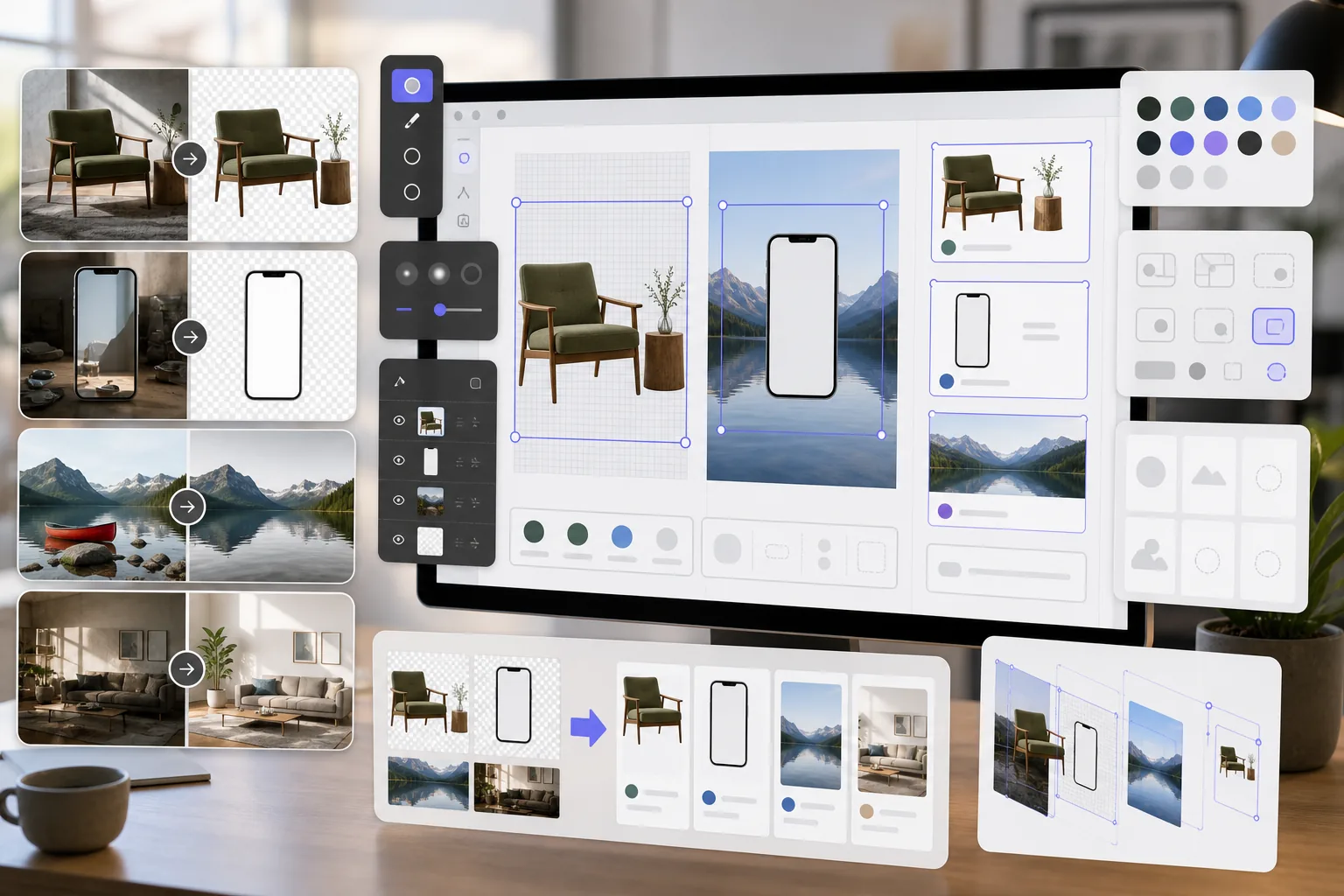
I progettisti di Figma necessitano di risorse di immagine pulite per modelli, prototipi e progetti di produzione. Magic Eraser rimuove gli sfondi per PNG trasparenti, ripulisce le immagini di riferimento e prepara le risorse fotografiche in modo che i tuoi progetti Figma appaiano raffinati fin dall'inizio.
Informazioni su Figma
Figma è uno strumento di progettazione collaborativo basato su browser utilizzato da team di prodotto, progettisti UI/UX e agenzie per la progettazione di interfacce, la prototipazione e la gestione del sistema di progettazione. Supporta la collaborazione in tempo reale e le integrazioni dei plugin.
Vantaggi
PNG trasparenti per mockup e prototipi
Rimuovi gli sfondi dalle foto dei prodotti, dagli schermi dei dispositivi e dagli elementi dell'interfaccia utente per creare PNG trasparenti che si sovrappongono in modo pulito ai frame e ai componenti Figma.
Immagini di riferimento ripulite
Cancella filigrane, annotazioni ed elementi di distrazione dalle immagini di riferimento e dagli screenshot prima di inserirli nei file di progettazione Figma.
Risorse fotografiche pronte per la produzione
Migliora la qualità delle immagini e rimuovi gli oggetti indesiderati dalle foto prima di importarli come risorse nei progetti Figma, riducendo i cicli di revisione con le parti interessate.
Preparazione delle risorse più rapida
Prepara le risorse di immagine in pochi secondi con strumenti basati sull'intelligenza artificiale invece di mascherare e ritoccare manualmente in un software separato prima di importarli in Figma.
Come utilizzare Magic Eraser con Figma
Carica la tua immagine
Apri Magic Eraser e carica la foto o la risorsa che desideri preparare per il tuo progetto di design Figma.
Elabora l'immagine
Rimuovi gli sfondi per le risorse trasparenti, cancella gli elementi indesiderati o migliora la qualità in base alle tue esigenze di progettazione.
Scarica come PNG
Esporta l'immagine elaborata come PNG per preservare la trasparenza o come JPEG per immagini di sfondo complete.
Importa in Figma
Trascina l'immagine elaborata nel tuo file Figma o utilizza la funzione Posiziona immagine per aggiungerla a cornici e componenti.
Strumenti
Domande frequenti
Magic Eraser si integra direttamente con Figma?
+
Magic Eraser e Figma lavorano insieme attraverso un flusso di lavoro di esportazione-importazione. Prepara le tue immagini in Magic Eraser, scaricale e importale in Figma trascinando i file sulla tela.
Posso creare PNG trasparenti per i componenti Figma?
+
SÌ. La rimozione dello sfondo di Magic Eraser crea PNG trasparenti che vengono importati in Figma con il supporto completo del canale alfa, ideale per componenti, prototipi e progetti a più livelli.
Quale risoluzione dovrei esportare per Figma?
+
Magic Eraser preserva la risoluzione dell'immagine originale. Per i progetti Figma, questo è in genere sufficiente. Utilizza AI Enhancement per eseguire l'upscaling se hai bisogno di risorse con una risoluzione più elevata per presentazioni o handoff.
Posso rimuovere filigrane dalle foto stock per i mockup?
+
Magic Eraser può rimuovere elementi visivi dalle immagini. Tuttavia, assicurati sempre di disporre della licenza adeguata per qualsiasi foto stock prima di utilizzarla nei progetti.
È più veloce rispetto all'utilizzo degli strumenti di immagine integrati di Figma?
+
SÌ. Gli strumenti di immagine di Figma sono limitati al ritaglio di base e alle regolazioni del colore. Magic Eraser gestisce la rimozione dello sfondo, la cancellazione degli oggetti e AI Enhancement che Figma non può eseguire in modo nativo.
Prepara risorse migliori per i tuoi progetti Figma
Prova Magic Eraser gratuitamente per creare PNG trasparenti, ripulire le immagini di riferimento e migliorare le risorse fotografiche per i tuoi progetti Figma.
Prova Magic Eraser gratuitamenteCasi d'uso correlati
Scopri come i professionisti utilizzano questi strumenti nei flussi di lavoro reali.
Le foto degli annunci piene di oggetti personali, auto parcheggiate o materiali di cantiere allontanano gli acquirenti. Magic Eraser usa l'IA per ripulire le foto dei tuoi immobili all'istante — senza bisogno di Photoshop.
Sfondi disordinati e foto prodotto trascurate ti costano vendite ogni giorno. Magic Eraser ti aiuta a creare immagini prodotto professionali in pochi secondi — senza competenze di Photoshop. Carica, cancella le distrazioni e pubblica con sicurezza.
Questure e consolati rifiutano migliaia di fototessere ogni giorno per sfondi non conformi. Magic Eraser rimuove qualsiasi sfondo e lo sostituisce con il colore esatto richiesto in pochi secondi.
Confronti correlati
Scopri come Magic Eraser si confronta con strumenti simili.
TouchRetouch è una popolare app mobile a pagamento per rimuovere oggetti e imperfezioni. Magic Eraser offre editing IA gratuito su qualsiasi dispositivo senza installazione. Confronta funzionalità, prezzi e facilità d'uso.
remove.bg è il leader di mercato per la rimozione sfondo, con una potente API e integrazioni con Photoshop e Figma. Magic Eraser offre otto strumenti IA — dalla rimozione oggetti e riempimento generativo al miglioramento IA e design — tutto in un unico editor.
Due potenti editor foto IA con punti di forza diversi. Magic Eraser offre un set più ampio di strumenti IA generativi, mentre Photoroom eccelle nella fotografia di prodotti e-commerce e nell'elaborazione batch. Scopri quale si adatta al tuo flusso di lavoro.
Abbiamo testato e confrontato i migliori strumenti di editing foto AI per te. Dalla rimozione di oggetti alla sostituzione dello sfondo, scopri quale editor offre i risultati migliori per il tuo flusso di lavoro.
Articoli correlati
Consigli, guide e tutorial su questo argomento.
Scopri come l'IA sta trasformando le operazioni aziendali, dall'automazione all'analisi dei dati fino a esperienze cliente più personalizzate.
Scopri come usare Magic Eraser per rimuovere oggetti, persone, testo e distrazioni dalle foto con risultati AI più puliti.
Scopri come usare un plugin di traduzione per Figma per localizzare file di design più velocemente mantenendo il layout sotto controllo.
Altre integrazioni
Esplora altre piattaforme che funzionano con Magic Eraser.