
Rimuovi gli sfondi dalle immagini con l'intelligenza artificiale per ritagli puliti e PNG trasparenti
Utilizza la rimozione sfondo AI di Magic Eraser per separare i soggetti dagli sfondi occupati in pochi secondi. Crea immagini PNG trasparenti per foto di prodotti, ritratti, loghi, immagini del profilo e contenuti dei social media.

Design templates
Start from an app template
Browse Magic Eraser design templates from the app catalog before opening the editor.
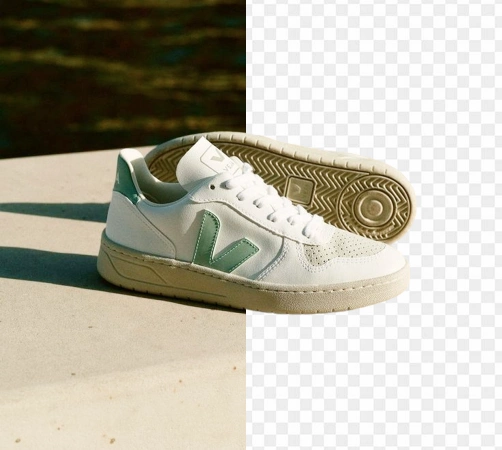
Rimuovi gli sfondi dalle foto dei prodotti con l'intelligenza artificiale
Crea immagini di prodotto più pulite per Amazon, Shopify, marketplace e annunci senza perdere tempo con i ritagli manuali. Carica la tua foto, lascia che l'intelligenza artificiale rilevi il soggetto e ottieni un risultato trasparente o pronto per lo studio in pochi secondi.
Apri l'editor di rimozione dello sfondo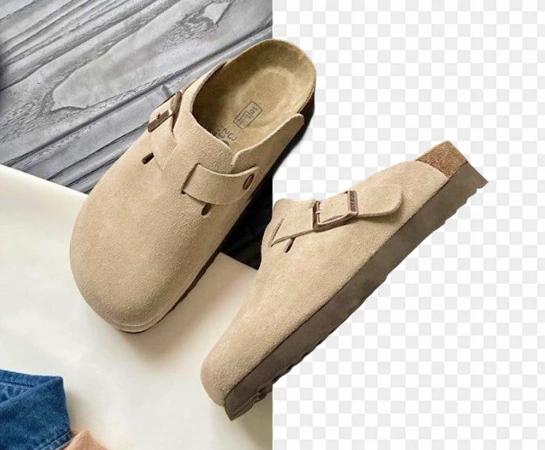
Muoviti più velocemente con la rimozione dello sfondo basata sull'intelligenza artificiale su larga scala
La rimozione manuale dello sfondo è lenta, costosa e difficile da scalare in modo coerente in un catalogo in crescita. Con la rimozione dello sfondo basata sull'intelligenza artificiale, commercianti, creatori e team di progettazione interni possono preparare immagini di prodotto più pulite più rapidamente e lanciare nuove risorse senza colli di bottiglia.
Apri l'editor di rimozione dello sfondo
Utilizza un dispositivo di rimozione dello sfondo AI per ogni tipo di immagine
Dalle foto e ritratti dei prodotti e-commerce ai loghi, immagini del profilo e creatività per i social media, rimuovi gli sfondi e isola i soggetti per esportazioni PNG trasparenti, layout di catalogo, creatività pubblicitarie e immagini pronte per il marchio.
Apri l'editor di rimozione dello sfondo
Crea un flusso di lavoro completo dell'immagine del prodotto dalla rimozione dello sfondo
La rimozione dello sfondo è spesso solo il primo passo. Una volta che il ritaglio è pronto, puoi sostituire la scena, migliorare la qualità dell'immagine, espandere la tela o adattare la risorsa per marketplace, annunci e contenuti social. Ciò semplifica la produzione di immagini coerenti in stile studio nell'intero catalogo.
Apri l'editor di rimozione dello sfondo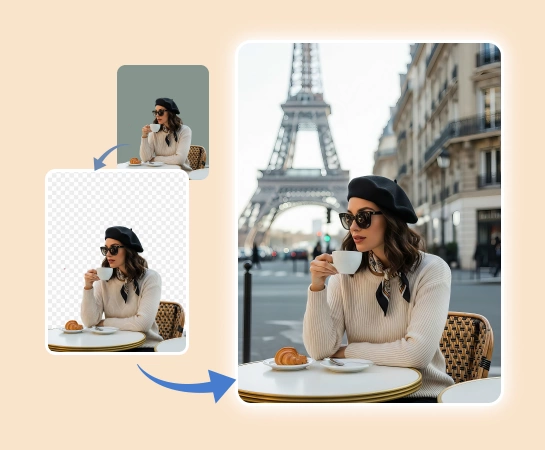
Come rimuovere gli sfondi dalle immagini con l'intelligenza artificiale
Seleziona un'immagine
Scegli la foto del prodotto, il ritratto, il logo o l'immagine che desideri ritagliare. Carica un file PNG o JPG nell'editor.
Rimuovi lo sfondo automaticamente
Magic Eraser rileva il soggetto principale e rimuove lo sfondo per te, offrendoti un ritaglio più pulito senza tracciamento manuale.
Rifinisci il ritaglio se necessario
Utilizza i controlli di modifica rapida per perfezionare i bordi, correggere piccoli errori e rendere il ritaglio finale più nitido e naturale.
Scarica un PNG trasparente o continua a modificare
Esporta la tua immagine senza sfondo per inserzioni, annunci, cataloghi e social media oppure continua con nuovi sfondi e modifiche extra.
Tutti gli strumenti di modifica delle immagini AI di cui hai bisogno
Esplora le principali funzionalità di modifica attualmente disponibili in Magic Eraser Web, dalla pulizia e miglioramento alla generazione e progettazione.

Rimuovi sfondo
Separa il soggetto dallo sfondo e crea un ritaglio più pulito e pronto all'uso.

AI Enhance
Migliora la qualità dell'immagine, i dettagli e la chiarezza generale con gli strumenti veloci AI Enhancement.

Rimuovi oggetti
Pulisci gli oggetti di scena, il testo o le distrazioni rimanenti dopo che lo sfondo è stato rimosso.

IA Espandi
Estendi i bordi dell'immagine e crea più spazio per nuovi layout o composizioni più ampie.

Progetto
Aggiungi testo e crea layout di progettazione leggeri direttamente sopra le tue immagini.

L'intelligenza artificiale crea
Genera nuove immagini dalle istruzioni per creare nuove direzioni delle immagini con l'intelligenza artificiale.

Filtro AI
Applica uno stile basato sull'intelligenza artificiale e trasforma l'aspetto per rinfrescare l'atmosfera della tua immagine.

Riempimento AI
Sostituisci le aree selezionate e ricostruisci le parti mancanti con un risultato visivo più naturale.
Domande frequenti
Carica un'immagine, lascia che Magic Eraser rilevi il soggetto e l'app rimuoverà automaticamente lo sfondo. Puoi quindi esportare il ritaglio come PNG trasparente o continuare a modificarlo.
SÌ. Il flusso di lavoro per la rimozione dello sfondo è progettato per foto di prodotti, loghi, ritratti, immagini del profilo e altre immagini in cui è necessario un ritaglio netto del soggetto su uno sfondo trasparente.
SÌ. Dopo la rimozione automatica dello sfondo, puoi rifinire i bordi e apportare piccole correzioni in modo che i contorni di capelli, vestiti e oggetti appaiano più puliti.
SÌ. Una volta rimosso lo sfondo, puoi continuare a modificare con sfondi sostitutivi, AI Enhancement, espansione e altri strumenti all'interno di Magic Eraser Web.
Il flusso principale è semplice: carica la tua immagine, rimuovi automaticamente lo sfondo, perfeziona il ritaglio se necessario ed esporta la risorsa finale per il tuo sito web, marketplace, annuncio o post social.