
Magic Eraser vs Canva: quale editor e migliore per la pulizia delle foto?
Canva e eccellente per layout e grafiche social, ma molti utenti hanno bisogno di una rimozione degli oggetti piu rapida, modifiche dello sfondo piu pulite e strumenti foto con AI piu potenti. Questo confronto mostra dove Magic Eraser si adatta meglio ai flussi di lavoro incentrati sulle immagini.
Last updated
Prova Magic Eraser gratisComparison rows are editorial summaries from the latest page review, not a guarantee of current pricing, limits, watermark policy, batch support, speed, or platform availability.
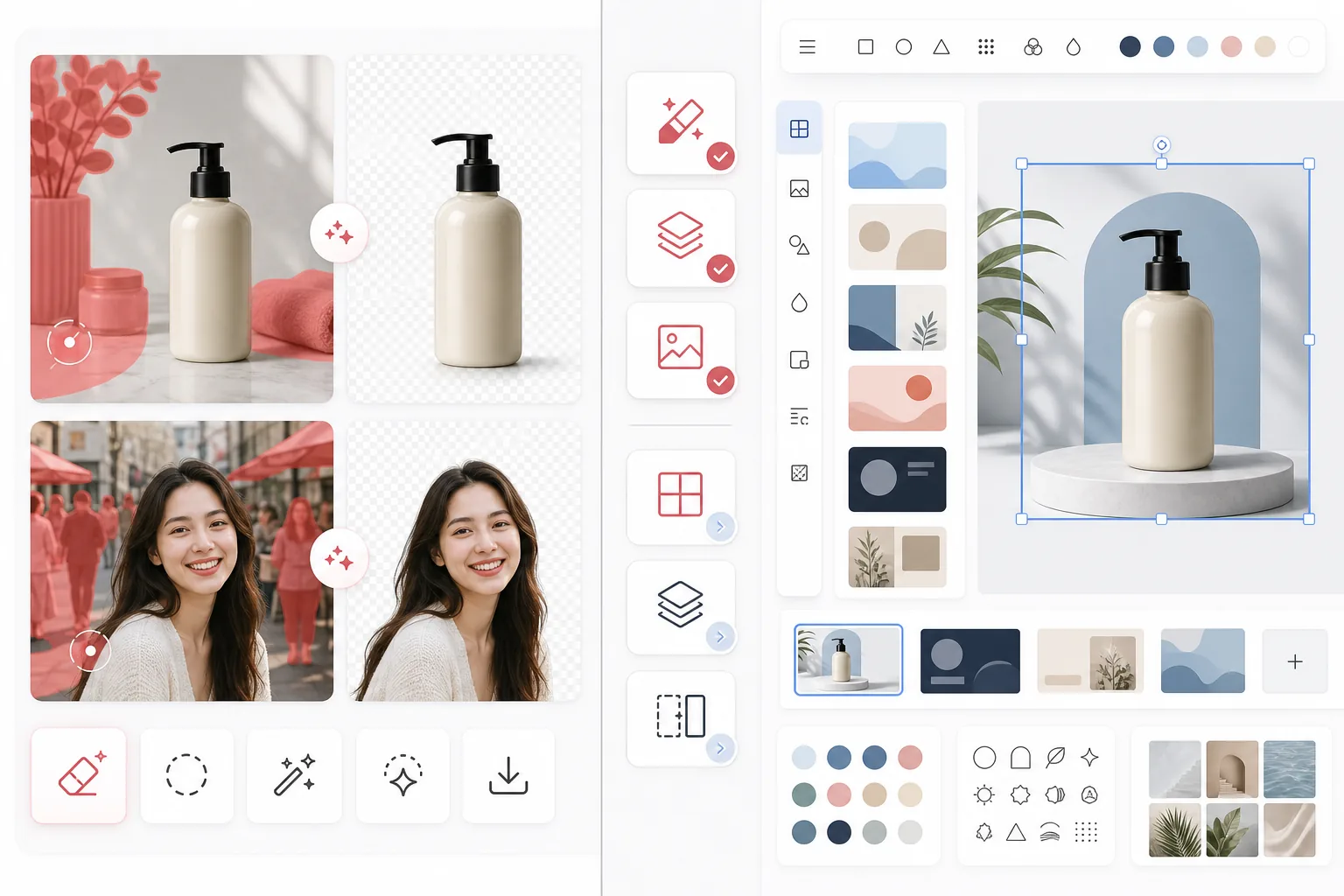
Panoramica
Magic Eraser e focalizzato su attivita di editing foto con AI come rimozione di oggetti, pulizia dello sfondo, miglioramento delle immagini, riempimento generativo e modifiche rapide, sia su web sia su mobile.
Canva e una piattaforma di design ampia, pensata per presentazioni, post social, asset di marketing e template. Include alcuni strumenti di editing foto, ma questi fanno parte di un flusso di lavoro di design piu ampio.
Confronto delle funzionalita
Magic Eraser e focalizzato su attivita di editing foto con AI come rimozione di oggetti, pulizia dello sfondo, miglioramento delle immagini, riempimento generativo e modifiche rapide, sia su web sia su mobile.
Canva e una piattaforma di design ampia, pensata per presentazioni, post social, asset di marketing e template. Include alcuni strumenti di editing foto, ma questi fanno parte di un flusso di lavoro di design piu ampio.
| Feature | Magic Eraser | Canva |
|---|---|---|
| Rimozione oggetti | Si — strumento AI dedicato | Limitata |
| Rimozione sfondo | Si — funzione principale | Si — spesso riservata a Pro |
| Miglioramento immagini | Si | Di base |
| Template di design | No | Si — molto estesi |
| Riempimento generativo | Si | Limitato |
| Flusso di lavoro ideale | Pulizia foto | Progettazione grafica |
| Piattaforma | Web + iOS + Android | Web + iOS + Android |
| Tempo alla prima modifica | Molto rapido | Dipende dal flusso di design |
Feature rows summarize visible product positioning and should be rechecked against official product pages before purchase, migration, or compliance decisions.
- Last content review May 1, 2026
- Canva source: official product site (https://www.canva.com/)
- Magic Eraser source: https://magiceraser.live/it/product/magic-eraser
- Pricing, feature availability, platform support, and limits can change; recheck official sources before relying on a buying decision.
Confronto dei prezzi
| Plan | Magic Eraser | Canva |
|---|---|---|
| Piano gratuito | Gratis — modifiche limitate | Gratis — funzioni di base |
| Mensile | $9.99/mo | $14.99/mo (Pro) |
| Annuale | $4.99/mo (fatturazione annuale) | $12.99/mo (Pro, fatturazione annuale) |
Prezzi aggiornati a May 2026. Verifica le tariffe attuali presso ciascun fornitore.
Pricing rows are snapshots from review time. Free tiers, subscriptions, trials, export limits, and regional availability can change without notice.
- Last content review May 1, 2026
- Canva source: official product site (https://www.canva.com/)
- Magic Eraser source: https://magiceraser.live/it/product/magic-eraser
- Pricing, feature availability, platform support, and limits can change; recheck official sources before relying on a buying decision.
Perche scegliere Magic Eraser
Progettato appositamente per l'editing foto
Magic Eraser mette al primo posto l'azione di editing. Non devi entrare in un canvas di design, scegliere un layout o navigare tra i controlli dei template prima di pulire una foto.
Flusso di pulizia piu efficace
Per rimuovere persone, testo, fili, disordine e sfondi confusi, Magic Eraser offre un flusso di editing con AI piu diretto e coerente rispetto all'editor tuttofare piu ampio di Canva.
Piu adatto a team con molte immagini
Venditori, marketer, creator e agenzie che elaborano grandi quantita di foto tengono spesso piu alla velocita di pulizia che alla varieta dei template. Magic Eraser e ottimizzato per questo caso d'uso.
Passaggio piu pulito alla produzione creativa
Molti team usano Magic Eraser per preparare prima asset di immagini rifiniti, per poi portarli in Canva o in altri strumenti di design per il lavoro finale di layout.
Domande frequenti
Magic Eraser e migliore di Canva per la rimozione dello sfondo?
+
Per la pulizia dedicata dello sfondo e i flussi di lavoro incentrati sulle immagini, Magic Eraser e di solito la scelta piu rapida. Canva e migliore quando devi anche trasformare subito l'immagine in un asset progettato.
Canva puo rimuovere oggetti dalle foto?
+
Canva include alcuni strumenti di editing, ma Magic Eraser e piu focalizzato su una rimozione di oggetti con AI affidabile e su attivita di pulizia di precisione.
Dovrei usare entrambi gli strumenti insieme?
+
Si. Molti team usano Magic Eraser per pulire le immagini, poi spostano l'asset finale in Canva per presentazioni, annunci, grafiche social e lavoro di design basato su template.
Quale strumento e migliore per le immagini di prodotto e-commerce?
+
Magic Eraser e spesso migliore per la pulizia delle foto e-commerce perche rimuovere le distrazioni e isolare i prodotti e il suo flusso di lavoro principale.
Magic Eraser supporta l'editing su mobile?
+
Si. Magic Eraser funziona su iOS, Android e web, cosi puoi modificare da qualsiasi dispositivo.
Vuoi foto piu pulite prima di progettare?
Usa Magic Eraser per rimuovere le distrazioni, migliorare gli sfondi e preparare le immagini prima ancora che arrivino al tuo canvas di design.
Prova Magic Eraser gratisCasi d'uso correlati
Scopri come i professionisti utilizzano questi strumenti nei flussi di lavoro reali.
Le foto degli annunci piene di oggetti personali, auto parcheggiate o materiali di cantiere allontanano gli acquirenti. Magic Eraser usa l'IA per ripulire le foto dei tuoi immobili all'istante — senza bisogno di Photoshop.
Sfondi disordinati e foto prodotto trascurate ti costano vendite ogni giorno. Magic Eraser ti aiuta a creare immagini prodotto professionali in pochi secondi — senza competenze di Photoshop. Carica, cancella le distrazioni e pubblica con sicurezza.
Sconosciuti che rovinano le tue foto di viaggio? Sfondi disordinati che uccidono i tuoi selfie? Basta sprecare ore su Photoshop. Magic Eraser rimuove le distrazioni, pulisce le immagini e adatta le foto a qualsiasi formato — tutto con un tocco.
Guide correlate
Esplora altre guide e contenuti editoriali relativi a questo flusso di lavoro.
Scopri come l'IA sta trasformando le operazioni aziendali, dall'automazione all'analisi dei dati fino a esperienze cliente più personalizzate.
Scopri come usare Magic Eraser per rimuovere oggetti, persone, testo e distrazioni dalle foto con risultati AI più puliti.
Scopri come rimuovere persone dalle foto con l'IA in pochi secondi. Guida per foto di viaggio, immobiliari e prodotti.
Altri confronti
Scopri come Magic Eraser si confronta con altri strumenti di editing fotografico.
Abbiamo testato e confrontato i migliori strumenti di editing foto AI per te. Dalla rimozione di oggetti alla sostituzione dello sfondo, scopri quale editor offre i risultati migliori per il tuo flusso di lavoro.
PhotoRoom si concentra sulla rimozione dello sfondo e sui modelli per la fotografia di prodotto. Magic Eraser eguaglia queste funzionalità e aggiunge potenti strumenti AI per la rimozione di oggetti, il miglioramento delle immagini, il riempimento generativo e il design creativo — offrendoti più potenza di editing su web e dispositivi mobili.
Canva è una piattaforma di design versatile, ma i suoi strumenti di editing fotografico sono secondari rispetto alla sua attenzione al design. Magic Eraser è progettato appositamente per l'editing fotografico basato su AI, offrendo una migliore rimozione di oggetti, rimozione dello sfondo, miglioramento delle immagini e riempimento generativo per gli utenti che hanno bisogno di strumenti specializzati per la pulizia delle foto.
Abbiamo testato i principali generatori di sfondi AI per qualità di rimozione, opzioni di sostituzione, flessibilità creativa e facilità d'uso. Scopri quale strumento rende più facile rimuovere, sostituire e generare nuovi sfondi per le tue foto.
Abbiamo testato i migliori generatori di headshot AI per qualità, realismo, personalizzazione e convenienza. Che tu abbia bisogno di headshot per LinkedIn, foto di team o ritratti professionali, scopri quale strumento offre i risultati migliori.
TouchRetouch è una popolare app mobile a pagamento per rimuovere oggetti e imperfezioni. Magic Eraser offre editing IA gratuito su qualsiasi dispositivo senza installazione. Confronta funzionalità, prezzi e facilità d'uso.