
फूलवालों के लिए AI फोटो संपादन: बिकने वाले अरेंजमेंट प्रदर्शित करें
AI फोटो संपादन का उपयोग करके फूलों के अरेंजमेंट को ऑनलाइन शानदार बनाएं। गंदी पृष्ठभूमि हटाएं, प्रकाश ठीक करें, अव्यवस्था मिटाएं और अपनी फूलों की दुकान की वेबसाइट और सोशल मीडिया के लिए एक समान उत्पाद फोटो बनाएं।

Content Lead
समीक्षा द्वारा Magic Eraser Editorial ·
विषय सूची
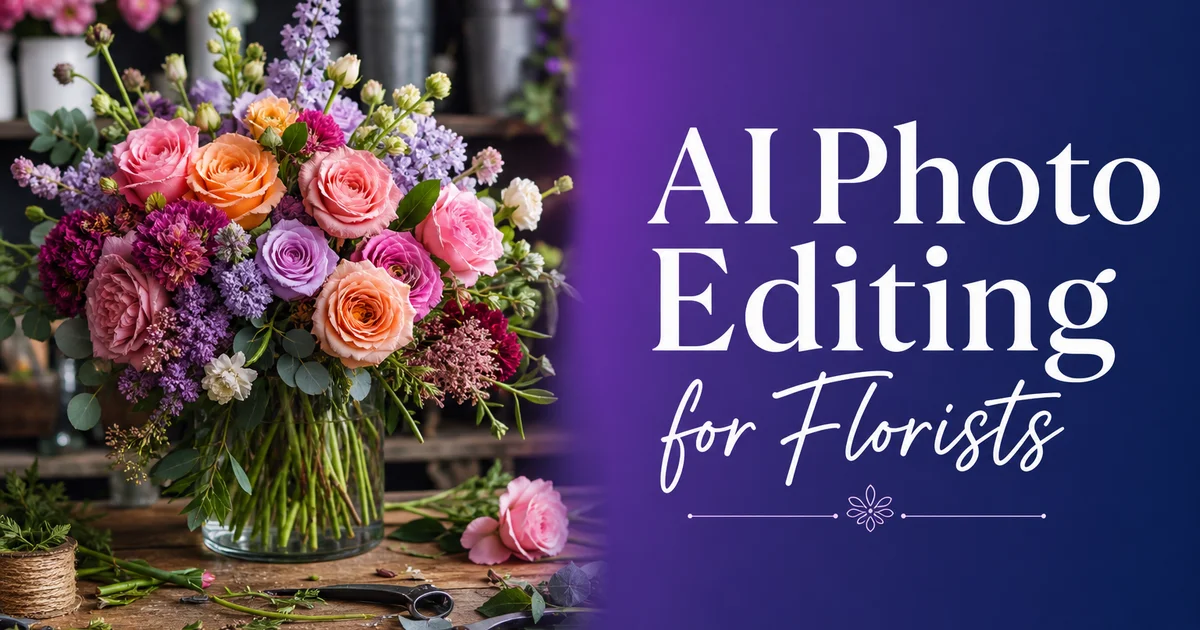
फूल लोगों द्वारा की जाने वाली सबसे अधिक दृश्य-आधारित खरीदारियों में से एक हैं। चाहे कोई ग्राहक ऑनलाइन जन्मदिन का गुलदस्ता ऑर्डर कर रहा हो, शादी की प्रेरणा के लिए आपका Instagram देख रहा हो, या Google पर दुकानों की तुलना कर रहा हो, आपकी सजावटों की तस्वीरें किसी के विवरण का एक शब्द पढ़ने से पहले ही बिक्री कर रही होती हैं। Shopify के शोध हमेशा दिखाते हैं कि उत्पाद फोटो की गुणवत्ता ऑनलाइन खरीद निर्णयों में सबसे बड़ा एकल कारक है। Society of American Florists रिपोर्ट करती है कि डिजिटल चैनल अब हर साल फूलों की बिक्री में बढ़ता हुआ हिस्सा रखते हैं।
फिर भी अधिकांश फूल विक्रेता अपने काम को एक अव्यवस्थित कार्य-मेज पर, असंगत दुकान की रोशनी के नीचे, कैंची, रिबन की रीलों के साथ फोटो खींचते हैं। पृष्ठभूमि में पत्तियों के कटे टुकड़े दिखाई देते हैं। सजावटें व्यक्तिगत रूप से सुंदर दिखती हैं, लेकिन तस्वीरें उनके साथ न्याय नहीं करतीं। आपकी लिस्टिंग तस्वीरों की तुलना साफ, चमकदार, सुसंगत छवियों वाले प्रतिस्पर्धी से करने वाले ग्राहक उस दुकान की ओर आकर्षित होंगे जो अधिक विशेषज्ञ दिखती है। भले ही आपके फूल बेहतर हों।
AI फोटो संपादन आपकी सजावटों के व्यक्तिगत रूप में दिखने और ऑनलाइन दिखने के बीच के अंतर को मिटा देता है। जिसके लिए पहले स्टूडियो सेटअप, विशेषज्ञ रोशनी की आवश्यकता होती थी। घंटों की मैन्युअल रीटचिंग अब उसी फोन या टैबलेट से मिनटों में की जा सकती है जिसे आप पहले से अपना व्यवसाय चलाने के लिए उपयोग करते हैं।
- पृष्ठभूमि हटाना सजावटों को दुकान की अव्यवस्था, कूलर की अलमारियों और कार्य-मेज की गंदगी से सेकंडों में अलग कर देता है।
- AI रंग सुधार दुकान की फ्लोरोसेंट रोशनी या असंगत प्राकृतिक प्रकाश के कारण खोए गए पंखुड़ियों के असली रंग को बहाल करता है।
- वस्तु हटाना बिखरे हुए कटे टुकड़ों, रबर बैंड, मूल्य टैग और उपकरणों को सजावट को प्रभावित किए बिना मिटा देता है।
- आपकी वेबसाइट, Instagram, Pinterest और ऑर्डरिंग प्लेटफॉर्म पर सुसंगत फोटो गुणवत्ता ब्रांड विश्वास का निर्माण करती है।
- एक अकेला संपादक पूरे दिन की सजावटों को एक घंटे से कम समय में संसाधित कर सकता है।
- बेहतर तस्वीरें ऑनलाइन ऑर्डरिंग प्लेटफॉर्म पर अधिक रूपांतरण दरों और सोशल मीडिया पर अधिक जुड़ाव की ओर ले जाती हैं।
क्यों फूलों की फोटोग्राफी अनूठी चुनौती है
फूल ऐसी फोटोग्राफी चुनौतियाँ प्रस्तुत करते हैं जो अधिकांश उत्पाद श्रेणियों में नहीं होतीं। पंखुड़ियों के रंग पूरे दृश्य स्पेक्ट्रम में फैले होते हैं, गहरे बरगंडी डहलिया से लेकर हल्के ब्लश गुलाब तक और चमकीले नारंगी रैननकुलस तक। कैमरे अक्सर मिश्रित रोशनी के नीचे इन रंगों को गलत तरीके से प्रस्तुत करते हैं। फ्लोरोसेंट कूलर लाइटें हरा रंग जोड़ती हैं, गर्म तापदीप्त कार्य-मेज की लैंप सब कुछ पीले की ओर खिसका देती हैं। कूलर से प्राकृतिक खिड़की के प्रकाश में तेज़ बदलाव का अर्थ है कि एक ही सजावट की दो तस्वीरें पूरी तरह अलग दिख सकती हैं।
बनावट को पकड़ना भी उतना ही कठिन है। बगीचे के गुलाब की पंखुड़ी की पारभासी गुणवत्ता, रैननकुलस की मखमली सतह, उष्णकटिबंधीय पत्तियों की मोमी चमक। ये विवरण ही हैं जो किसी सजावट को व्यक्तिगत रूप से प्रीमियम महसूस कराते हैं, लेकिन वे खराब रोशनी वाली तस्वीर में चपटे हो जाते हैं या गायब हो जाते हैं। ग्राहक ऑनलाइन फूलों को छू नहीं सकते, इसलिए तस्वीर को प्रकाश और विवरण के माध्यम से बनावट को पूरी तरह से व्यक्त करना चाहिए।
समय दबाव बढ़ाता है। फूल नाशवान हैं। शादी का केंद्रबिंदु पंखुड़ियों के बहुत अधिक खुलने या पत्तियों के मुरझाने से पहले एक संकीर्ण समय-खिड़की के लिए परिपूर्ण दिखता है। वेलेंटाइन डे की दुकान एक ही दिन में सैकड़ों सजावटों को संसाधित करती है। फोटो स्टूडियो स्थापित करने, रोशनी समायोजित करने और Photoshop में प्रत्येक शॉट को सावधानी से संपादित करने का समय नहीं है। फोटोग्राफी जल्दी होनी चाहिए, और संपादन उससे भी तेज़ होना चाहिए।
- कूलर, कार्य-मेज की लैंप और खिड़कियों से मिश्रित रोशनी तस्वीरों में असंगत रंग पैदा करती है।
- नाज़ुक पंखुड़ी बनावट और पारभासी गुण खराब रोशनी की स्थितियों में चपटे हो जाते हैं।
- नाशवानता समय का दबाव पैदा करती है — सजावटों को उनकी चरम ताज़गी बीतने से पहले जल्दी फोटो खींचनी चाहिए।
- कार्यशाला के वातावरण स्वाभाविक रूप से अव्यवस्थित होते हैं, और किसी समर्पित फोटो क्षेत्र के लिए शायद ही कभी जगह होती है।
पृष्ठभूमि प्रतिस्थापन: कार्यक्षेत्र से प्रदर्शनी तक
फूलों की फोटोग्राफी में आप जो सबसे बड़ा सुधार कर सकते हैं वह है पृष्ठभूमि हटाना। तनों की कतरनों के ढेर और फ्लोरल टेप के रोल के बगल में अव्यवस्थित कार्य-मेज पर खींची गई एक शानदार पीनी सजावट प्रगति-में-कार्य की तरह दिखती है, न कि तैयार उत्पाद की तरह। वही सजावट एक साफ सफेद या मुलायम पेस्टल पृष्ठभूमि पर ऐसी दिखती है मानो वह किसी पत्रिका में हो।
सजावट को उस सेटिंग से अलग करने के लिए Background Eraser का उपयोग करें जिसमें इसकी फोटो खींची गई थी। AI जटिल किनारों के चारों ओर रेखा खींचता है। अलग-अलग पंखुड़ियाँ, हल्की बेबी'स ब्रेथ, झूलते हरियाली रिबन — ऐसी सटीकता के साथ जिसमें किसी मानव संपादक को प्रति छवि 20-30 मिनट की सावधानीपूर्वक मास्किंग लगती। एक बार अलग होने पर, सजावट को अपनी चुनी हुई पृष्ठभूमि पर रखें। सफेद ई-कॉमर्स प्लेटफॉर्म और ऑनलाइन ऑर्डरिंग के लिए काम करता है। मुलायम सेज या डस्टी रोज़ ग्रेडिएंट सोशल मीडिया के लिए गर्माहट जोड़ता है। आपकी दुकान के लोगो वाली ब्रांडेड पृष्ठभूमि मूल्य सूचियों और कैटलॉग के लिए काम करती है।
कुंजी सुसंगति है। जब आपकी वेबसाइट पर हर सजावट एक ही साफ पृष्ठभूमि पर एक ही दृश्य उपचार के तहत बैठती है, तो आपकी दुकान सुव्यवस्थित और विशेषज्ञ दिखती है। आपकी गैलरी ब्राउज़ करने वाले ग्राहक एक संगठित ब्रांड देखते हैं, न कि अलग-अलग दिनों में दुकान के अलग-अलग कोनों में खींची गई तस्वीरों का यादृच्छिक संग्रह।
रंग सुधार जो असली पंखुड़ी टोन को संरक्षित करता है
रंग की सटीकता फूल विक्रेताओं के लिए विश्वास का मुद्दा है। यदि कोई ग्राहक आपकी वेबसाइट की तस्वीर के आधार पर ब्लश गुलाबी सजावट ऑर्डर करता है और कुछ ऐसा प्राप्त करता है जो अधिक सैल्मन या मौव दिखता है, तो पहली छाप निराशा की होती है। भले ही फूल वस्तुनिष्ठ रूप से सुंदर हों। समस्या लगभग हमेशा तस्वीर में होती है, फूलों में नहीं।
AI Enhance सजावट के भीतर प्राकृतिक रंग संबंधों को बनाए रखते हुए सफेद संतुलन और एक्सपोज़र को सही करता है। यह कूलर रोशनी से हरे रंग को हटाता है, तापदीप्त बल्बों से गर्म बदलाव को निष्प्रभावी करता है। चमकीले फूलों और छायांकित आंतरिक तनों के बीच एक्सपोज़र को संतुलित करता है। एक साधारण Instagram फ़िल्टर के विपरीत जो पूरी छवि को एक पूर्व-निर्धारित मूड की ओर खिसकाता है, AI Enhance तस्वीर के प्रत्येक क्षेत्र का अपने आप विश्लेषण करता है, इसलिए सफेद फूल सफेद रहते हैं, गहरे लाल बिना गंदले हुए संतृप्त रहते हैं। हरी पत्तियाँ पीली होने के बजाय ताज़ा दिखती हैं।
अपने वर्कफ़्लो में एक मानक चरण के रूप में हर तस्वीर को AI Enhance से गुज़ारें। यहाँ तक कि जो तस्वीरें ठीक-ठाक दिखती हैं वे भी एक्सपोज़र संतुलन से लाभान्वित होती हैं। आप घने गुलदस्ते के केंद्रों और छाया क्षेत्रों में विवरण देखेंगे जो वृद्धि से पहले अदृश्य थे। सुसंगत रंग उपचार का अर्थ यह भी है कि आपकी सजावट की तस्वीरें टोन में एक-दूसरे से मेल खाती हैं। जब वे किसी गैलरी या Instagram ग्रिड में साथ-साथ दिखाई देती हैं तो यह मायने रखता है।
- कूलर रोशनी से हरे रंगों और कार्य-मेज की तापदीप्त लैंप से गर्म बदलावों को सही करता है।
- एक समान फ़िल्टर लागू करने के बजाय प्राकृतिक पंखुड़ी रंग संबंधों को संरक्षित करता है।
- घने गुलदस्ते के केंद्रों और छायांकित तने के क्षेत्रों में विवरण को प्रकट करता है।
- आपकी पूरी गैलरी में सुसंगत रंग एक संगठित, पेशेवर ब्रांड प्रभाव पैदा करता है।
अरेंजमेंट विवरण साफ करना
फूलों की सजावटें हाथ से बनाई जाती हैं, और हस्तनिर्मित काम निशान छोड़ता है। हाथ से बंधे गुलदस्ते को एक साथ पकड़े हुए एक दिखाई देने वाला रबर बैंड, मेज पर एक भटका हुआ पत्ती का कटा टुकड़ा, फूलदान पर पानी का धब्बा, तनों के बीच से झाँकती एक फ्लोरल पिक की नोक, या सजावट में टिका हुआ एक मूल्य टैग। ये विवरण तब अदृश्य होते हैं जब आप व्यस्त दुकान के दिन के दौरान तेज़ी से चल रहे होते हैं, लेकिन वे तस्वीरों में प्रमुखता से दिखाई देते हैं।
Magic Eraser इन सफाई कार्यों को सेकंडों में संभालता है। रबर बैंड के ऊपर ब्रश करें और AI इसे प्राकृतिक तने की बनावट से बदल देता है। पानी के धब्बों के ऊपर ब्रश करें और काँच साफ दिखता है। आसपास के फूलों या पत्तियों को प्रभावित किए बिना बिखरे हुए कटे टुकड़े, दिखाई देने वाले उपकरण और मूल्य टैग हटाएँ। लक्ष्य सजावट को वैसे प्रस्तुत करना है जैसा ग्राहक इसे प्राप्त करेगा। समाप्त, साफ और प्रदर्शन के लिए तैयार — न कि जैसा यह आपकी कार्य-मेज पर असेंबली के बीच में दिखता था।
आप जो हटाते हैं उसके बारे में विचारशील रहें। दिखाई देने वाले उपकरणों और आकस्मिक अव्यवस्था को संपादित करके हटाना मानक अभ्यास है। पुरानी इन्वेंट्री पर मुरझाई पंखुड़ियों या क्षतिग्रस्त तनों को संपादित करके हटाना गलत प्रस्तुति में बदल जाता है। एक अच्छा नियम: यदि आप सजावट को किसी ग्राहक को सौंपने से पहले इसे साफ कर देते, तो इसे तस्वीर से संपादित करके हटाना उचित है।
सोशल मीडिया और मौसमी मार्केटिंग
फूल विक्रेता दृश्य सोशल प्लेटफॉर्म पर बहुत अधिक निर्भर रहते हैं। Instagram और Pinterest खोज को आगे बढ़ाते हैं, और आपकी तस्वीरों की गुणवत्ता सीधे यह निर्धारित करती है कि कोई आपके अकाउंट को फॉलो करेगा, आपका पिन सहेजेगा, या स्क्रॉल करता रहेगा। Social Media Examiner के शोध से पता चलता है कि सुसंगत, उच्च-गुणवत्ता वाली दृश्य सामग्री वाले छोटे व्यवसाय असंगत या निम्न-गुणवत्ता वाली छवियों वाले व्यवसायों की तुलना में मापने योग्य रूप से अधिक जुड़ाव दर देखते हैं।
AI फोटो संपादन उस सुसंगति को चरम मौसमों के दौरान भी बनाए रखना यथार्थवादी बनाता है। वेलेंटाइन डे, मदर्स डे, प्रॉम सीज़न और पतझड़ की शादी की भीड़ सभी ऐसे दौर बनाते हैं जहाँ आप रोज़ाना दर्जनों सजावटें बना और वितरित कर रहे होते हैं। एक सुव्यवस्थित संपादन वर्कफ़्लो के बिना, सोशल मीडिया पोस्टिंग ठीक उसी समय गिर जाती है जब आपके पास दिखाने के लिए सबसे प्रभावशाली काम होता है। AI टूल के साथ, आप प्रत्येक सजावट की फोटो खींच सकते हैं, तस्वीर को दो मिनट से कम समय में पृष्ठभूमि हटाने और वृद्धि से गुज़ार सकते हैं। डिलीवरी ड्राइवर के जाने से पहले इसे पोस्ट करें।
Pinterest फूल विक्रेताओं के लिए विशेष रूप से मूल्यवान है क्योंकि उपयोगकर्ता सक्रिय रूप से फूलों की प्रेरणा खोजते हैं। शादी के गुलदस्ते, केंद्रबिंदु, शोक सजावटें, मौसमी प्रदर्शन। साफ पृष्ठभूमि और सटीक रंगों के साथ आपके द्वारा पिन की गई प्रत्येक तस्वीर एक खोजे जाने योग्य संपत्ति बन जाती है जो महीनों या वर्षों तक आपकी वेबसाइट पर ट्रैफ़िक लाती है। प्रत्येक तस्वीर के संपादन में किया गया निवेश फूलों के मुरझाने के लंबे समय बाद तक लाभांश देता है।
- Instagram और Pinterest फूल विक्रेताओं के लिए प्राथमिक खोज चैनल हैं — फोटो गुणवत्ता सीधे जुड़ाव को बढ़ावा देती है।
- AI संपादन आपके पोस्टिंग शेड्यूल को वेलेंटाइन डे और मदर्स डे जैसे चरम मौसमों के दौरान भी सुसंगत रखता है।
- साफ, अच्छी रोशनी वाली सजावट तस्वीरों के साथ Pinterest पिन आपकी वेबसाइट पर दीर्घकालिक ट्रैफ़िक लाते हैं।
- सोशल प्लेटफॉर्म पर सुसंगत दृश्य ब्रांडिंग संभावित ग्राहकों के साथ पहचान और विश्वास का निर्माण करती है।
ऑनलाइन ऑर्डरिंग और ई-कॉमर्स उत्पाद पृष्ठ
यदि आपकी दुकान ऑनलाइन ऑर्डरिंग प्रदान करती है। अपनी खुद की वेबसाइट, BloomNation, Lovingly, या किसी अन्य प्लेटफॉर्म के माध्यम से — फोटो गुणवत्ता सीधे रूपांतरण दरों को प्रभावित करती है। 65 डॉलर के गुलदस्ते और 85 डॉलर के गुलदस्ते के बीच चुनाव करने वाला ग्राहक वह निर्णय लगभग पूरी तरह तस्वीर के आधार पर ले रहा होता है। यदि 85 डॉलर की सजावट खराब तरीके से खींची गई है और 65 डॉलर वाली शानदार दिखती है, तो आप अपसेल खो देते हैं।
आपके ऑनलाइन कैटलॉग में हर सजावट का एक ही दृश्य उपचार होना चाहिए: साफ पृष्ठभूमि, सही किया गया रंग, सुसंगत रोशनी, कोई अव्यवस्था नहीं। यह तस्वीरों को कृत्रिम रूप से परिपूर्ण दिखाने के बारे में नहीं है। यह उन चर को हटाने के बारे में है जो कुछ तस्वीरों को दूसरों से बदतर दिखाते हैं। जब हर उत्पाद फोटो को एक ही AI संपादन वर्कफ़्लो मिलता है, तो लिस्टिंग के बीच एकमात्र अंतर सजावट स्वयं होती है। यही वह है जिसकी ग्राहक को तुलना करनी चाहिए।
उत्पाद तस्वीरों को थंबनेल आकार में भी काम करना चाहिए। ऑनलाइन ऑर्डरिंग प्लेटफॉर्म और Google Shopping परिणाम 200 पिक्सेल वर्ग जितनी छोटी छवियाँ प्रदर्शित करते हैं। अव्यवस्थित पृष्ठभूमि पर एक सजावट उस आकार में एक अपठनीय धब्बा बन जाती है। वही सजावट एक साफ सफेद पृष्ठभूमि पर एक तंग क्रॉप के साथ थंबनेल के रूप में भी स्पष्ट और आकर्षक बनी रहती है।
How to do it
- 1
Photograph arrangements in the best available light
Shoot bouquets and arrangements near a large window or outdoors in open shade. Natural, diffused light reveals petal texture and true color without harsh shadows. Capture each arrangement from multiple angles: straight-on, 45 degrees above, and a tight detail shot of the focal bloom.
- 2
Remove background clutter with Background Eraser
Open each photo in Background Eraser to isolate the arrangement from your workbench, cooler shelves, or shop interior. Replace the background with a clean white, soft pastel, or branded gradient so the flowers are the sole focal point. This gives every listing and social post a consistent, expert look.
- 3
Erase distracting elements with Magic Eraser
Brush over stray leaf trimmings on the table, visible rubber bands holding stems, price tags, water droplets on the vase exterior. Any tools visible in the frame. The AI reconstructs clean surfaces and natural textures so the arrangement looks like it was photographed in a studio.
- 4
Enhance color and lighting with AI Enhance
Run each image through AI Enhance to correct white balance, boost petal vibrancy without oversaturation. Lift shadows in dense arrangements where inner blooms go dark. A single pass restores the true colors your customers see in person.
- 5
Crop and resize for each platform
Save a square crop for Instagram, a 2:3 vertical for Pinterest and Stories. A full-resolution version for your website and online ordering platform. Consistent sizing eliminates awkward auto-cropping that can cut off key blooms.
- 6
Upload to your website, social channels, and ordering platforms
Post the edited images across your website, Instagram, Pinterest, Google Business Profile, and online ordering systems like BloomNation or Lovingly. Consistent, high-quality photos across every touchpoint build trust and drive more orders.
स्रोत
- 2025 Floral Industry Trends Report — Society of American Florists
- Visual Content and Consumer Buying Behavior in E-Commerce — Shopify
- The State of Social Media Marketing for Small Businesses — Social Media Examiner