
तेज़ सामग्री और अवधारणा निर्माण के लिए एआई के साथ संकेतों से छवियां उत्पन्न करें
विज्ञापनों, सोशल मीडिया, थंबनेल, पोस्टर और उत्पाद अवधारणाओं के लिए संकेतों को ताज़ा दृश्यों में बदलने के लिए Magic Eraser के AI छवि जनरेटर का उपयोग करें। शैलियाँ चुनें, तेजी से पुनरावृति करें, और एक वर्कफ़्लो में एकाधिक छवि विचार उत्पन्न करें।
Magic Eraser AI क्रिएट एक टेक्स्ट-टू-इमेज जनरेटर है जो लिखित संकेतों को दृश्य सामग्री में बदल देता है। उपयोगकर्ता अपनी इच्छित छवि का वर्णन करते हैं और एआई विभिन्न शैलियों में कई विविधताएँ उत्पन्न करता है - आमतौर पर विज्ञापन क्रिएटिव, सोशल मीडिया विज़ुअल, थंबनेल, कॉन्सेप्ट मॉकअप और रैपिड विज़ुअल आइडिएशन के लिए उपयोग किया जाता है।
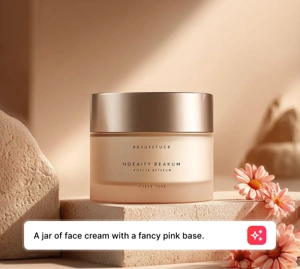
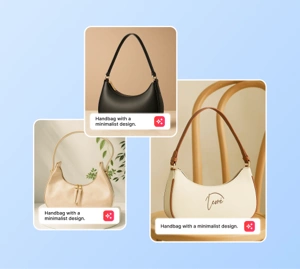
AI generate styles
Start from a generation style
Pick a popular AI Generate style, or browse the full style library for every creative direction.
संकेतों से अभियान दृश्य और अवधारणाएँ उत्पन्न करें
कच्चे विचार से दृश्य दिशा की ओर तेजी से बढ़ें। एक संकेत लिखें, एक दृश्य का परीक्षण करें, एक शैली चुनें, और पूर्ण उत्पादन चक्र की प्रतीक्षा किए बिना विज्ञापन अवधारणाओं, थंबनेल, पोस्टर और सामाजिक क्रिएटिव के लिए छवि विकल्प उत्पन्न करें।
एआई क्रिएट खोलें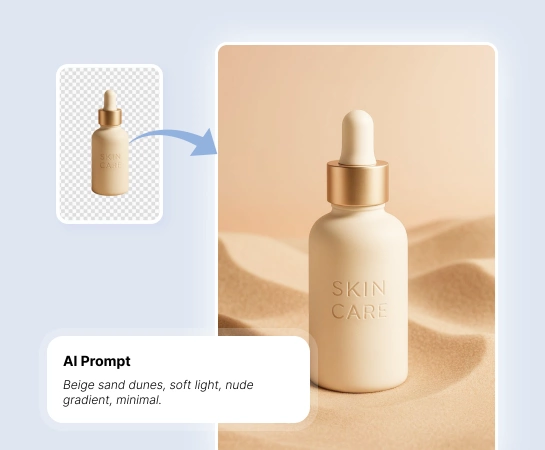
अवधारणा से प्रयोग करने योग्य दृश्य संपत्ति तक का समय कम करें
जब टीमों को कम समय में अधिक रचनात्मक विकल्पों की आवश्यकता होती है, तो एआई क्रिएट विपणक, रचनाकारों और विक्रेताओं को पूर्ण उत्पादन से पहले दृश्य दिशाओं का पता लगाने में मदद करता है। यह कम लागत और कम प्रतीक्षा के साथ विचारों, मनोदशाओं और अभियान कोणों का परीक्षण करने का एक व्यावहारिक तरीका है।
एआई क्रिएट खोलें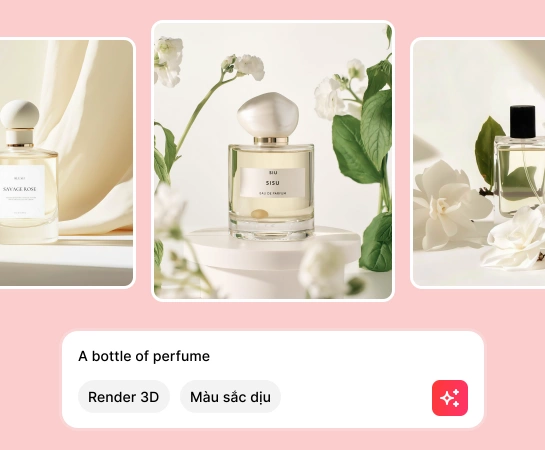
सामाजिक पोस्ट से लेकर उत्पाद अवधारणाओं तक हर चीज़ के लिए AI Create का उपयोग करें
विज्ञापन क्रिएटिव, थंबनेल, पोस्टर और मॉकअप से लेकर सामाजिक दृश्य और अवधारणा कला तक, एआई क्रिएट आपको टेक्स्ट प्रॉम्प्ट से नई छवियां बनाने और स्टाइल प्रीसेट के साथ दृश्य दिशा को तेज़ी से बदलने में मदद करता है।
एआई क्रिएट खोलें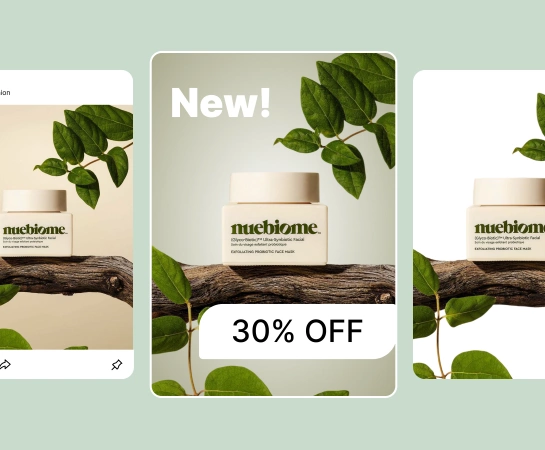
छवि निर्माण के बाद अपना वर्कफ़्लो बढ़ाएँ
पीढ़ी आमतौर पर पहला कदम है, आखिरी नहीं। एक बार जब आपके पास एक मजबूत छवि हो, तो आप डिज़ाइन में आगे बढ़ सकते हैं, पृष्ठभूमि हटा सकते हैं, कैनवास का विस्तार कर सकते हैं, या लैंडिंग पृष्ठों, बाज़ारों, विज्ञापनों और सामाजिक सामग्री के लिए संपत्ति को परिष्कृत कर सकते हैं। यह किसी न किसी विचार से लेकर उत्पादन के लिए तैयार दृश्य तक का तेज़ रास्ता बनाता है।
एआई क्रिएट खोलें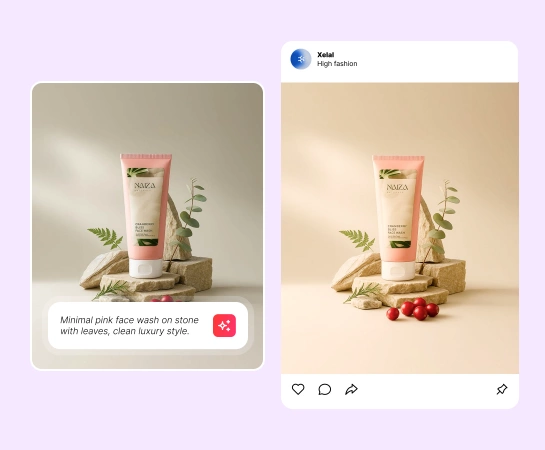
प्रॉम्प्ट से AI इमेज कैसे बनाएं
अपना संकेत लिखें
उस विषय, दृश्य, प्रकाश व्यवस्था और मनोदशा का वर्णन करें जिसे आप उत्पन्न करना चाहते हैं। प्रॉम्प्ट जितना स्पष्ट होगा, आउटपुट को संचालित करना उतना ही आसान होगा।
शैली और सेटिंग्स चुनें
उत्पन्न करने से पहले दृश्य दिशा को आकार देने के लिए एक स्टाइल प्रीसेट, रिज़ॉल्यूशन और वैकल्पिक उन्नत सेटिंग्स चुनें।
अनेक परिणाम उत्पन्न करें
एक ही प्रॉम्प्ट से कई छवि विकल्प बनाएं ताकि आप रचनाओं, शैली निर्देशन और गुणवत्ता की तुलना शीघ्रता से कर सकें।
डाउनलोड करें या संपादन जारी रखें
वह छवि डाउनलोड करें जो आपको सबसे अधिक पसंद हो या उसे पृष्ठभूमि हटाने, डिज़ाइन करने या और अधिक परिष्कृत करने के लिए अन्य Magic Eraser टूल में ले जाएं।
आपके लिए आवश्यक सभी AI छवि संपादन उपकरण
क्लीनअप और एन्हांसमेंट से लेकर जेनरेशन और डिज़ाइन तक, Magic Eraser वेब में वर्तमान में उपलब्ध मुख्य संपादन क्षमताओं का अन्वेषण करें।

एआई बनाएं
अवधारणाओं, अभियानों और सामग्री उत्पादन के लिए संकेतों से बिल्कुल नई छवियां उत्पन्न करें।

स्टाइल प्रीसेट
तेज़ रचनात्मक अन्वेषण के लिए तैयार शैलियों के साथ अपने परिणामों का स्वरूप और अनुभव बदलें।

डिज़ाइन
टेक्स्ट जोड़ने और त्वरित लेआउट बनाने के लिए जेनरेट किए गए विज़ुअल को हल्के डिज़ाइन प्रवाह में लाएं।

पृष्ठभूमि निकालें
जब आपको स्वच्छ रचनाओं या पारदर्शी संपत्तियों की आवश्यकता हो तो उत्पन्न छवियों को कटआउट में परिवर्तित करें।

एआई विस्तार
व्यापक लेआउट, विज्ञापन और प्रस्तुति प्रारूपों में फिट होने के लिए जेनरेट किए गए दृश्यों का विस्तार करें।

AI Enhance
जब आप पीढ़ी दर पीढ़ी स्वच्छ अंतिम संपत्ति चाहते हैं तो स्पष्टता और निखार में सुधार करें।

ऐ भरण
जब छवि के एक हिस्से को अलग उपचार की आवश्यकता हो तो विशिष्ट क्षेत्रों को बदलें या पुनर्जीवित करें।

ऑब्जेक्ट हटाएँ
जब आप एक सरल दृश्य या साफ़ केंद्र बिंदु चाहते हैं तो पीढ़ी दर पीढ़ी अतिरिक्त विवरण साफ़ करें।
अक्सर पूछे जाने वाले प्रश्नों
आप एक संकेत दर्ज करते हैं, एक शैली या सेटिंग्स चुनते हैं, और एआई क्रिएट आपके विवरण से कई छवि परिणाम उत्पन्न करता है। फिर आप सर्वोत्तम विकल्प डाउनलोड कर सकते हैं या इसे अन्य Magic Eraser टूल में संपादित करना जारी रख सकते हैं।
हाँ। एआई क्रिएट विज्ञापन अवधारणाओं, थंबनेल, पोस्टर, सामाजिक सामग्री, मॉकअप, उत्पाद दृश्यों और अभियानों के लिए प्रारंभिक दृश्य अन्वेषण के लिए उपयोगी है।
हाँ। आप अपने प्रॉम्प्ट के साथ आउटपुट को संचालित कर सकते हैं, स्टाइल प्रीसेट चुन सकते हैं, जेनरेशन सेटिंग्स को समायोजित कर सकते हैं, और अपनी इच्छित दृश्य दिशा के करीब जाने के लिए कई बार पुनरावृत्त कर सकते हैं।
हाँ। जेनरेट की गई छवियों का उपयोग आपके वर्कफ़्लो में अगले चरण के आधार पर अन्य Magic Eraser वेब टूल जैसे रिमूव बैकग्राउंड, AI एक्सपैंड, AI फिल और डिज़ाइन के साथ किया जा सकता है।
सामान्य प्रवाह सरल है: एक संकेत लिखें, एक शैली चुनें, कई परिणाम उत्पन्न करें, आउटपुट की समीक्षा करें, फिर डाउनलोड करें या चयनित छवि को परिष्कृत करना जारी रखें।