
पृष्ठभूमि जोड़ने, तंग क्रॉप को ठीक करने और किसी भी लेआउट को फिट करने के लिए AI के साथ छवियों का विस्तार करें
फोटो पृष्ठभूमि को विस्तारित करने, छवियों को अनक्रॉप करने और सोशल मीडिया पोस्ट, विज्ञापन, थंबनेल, बैनर और ईकॉमर्स लेआउट के लिए दृश्यों को अनुकूलित करने के लिए Magic Eraser के AI एक्सपैंड टूल का उपयोग करें। तेज़ AI इमेज एक्सटेंडर वर्कफ़्लो के साथ पोर्ट्रेट, उत्पाद शॉट्स और मार्केटिंग छवियों के आसपास अधिक कैनवास स्थान बनाएं।
Magic Eraser AI एक्सपैंड छवि सीमाओं का विस्तार करता है और जेनरेटिव AI का उपयोग करके फ़ोटो को अनक्रॉप करता है। यह मूल फ्रेम से परे नई सामग्री जोड़ता है जो मौजूदा छवि की शैली और संदर्भ से मेल खाता है - आमतौर पर पोर्ट्रेट फ़ोटो को लैंडस्केप में परिवर्तित करने, हेडरूम जोड़ने और बैनर प्रारूपों के लिए पृष्ठभूमि का विस्तार करने के लिए उपयोग किया जाता है।
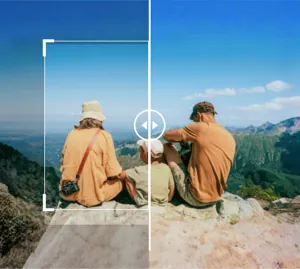

साफ़ फ़्रेमिंग के लिए AI के साथ फ़ोटो पृष्ठभूमि बढ़ाएं
मूल फसल से परे विस्तार करें और एआई को आसपास के अधिक कैनवास उत्पन्न करने दें ताकि छवि कम तंग महसूस हो। यह तब अच्छी तरह से काम करता है जब पोर्ट्रेट, उत्पाद फ़ोटो या अभियान दृश्यों को विषय के इर्द-गिर्द अधिक जगह की आवश्यकता होती है।
एआई एक्सपैंड खोलें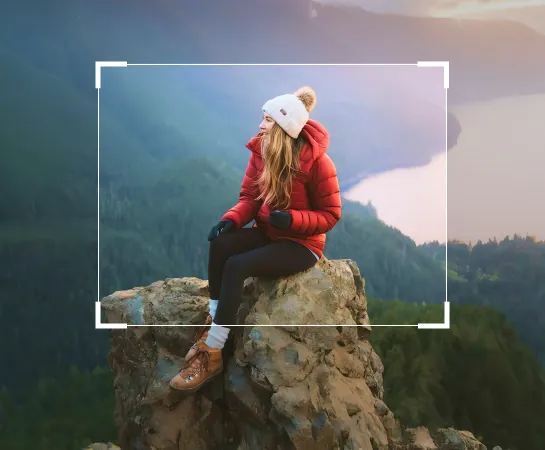
कैनवास को मैन्युअल रूप से पुनर्निर्माण करने की तुलना में छवि पृष्ठभूमि को तेज़ी से विस्तारित करें
जब किसी फोटो को बहुत कसकर काटा जाता है या उसमें टेक्स्ट, लेआउट या बेहतर फ्रेमिंग के लिए पर्याप्त जगह नहीं होती है, तो एआई एक्सपैंड आपको विषय के चारों ओर तेजी से अधिक जगह बनाने में मदद करता है। यह विज्ञापनों, सामाजिक पोस्ट, थंबनेल और ईकॉमर्स के लिए बिना किसी शुरुआत के रचनाओं को फिर से बनाने का एक व्यावहारिक तरीका है।
एआई एक्सपैंड खोलें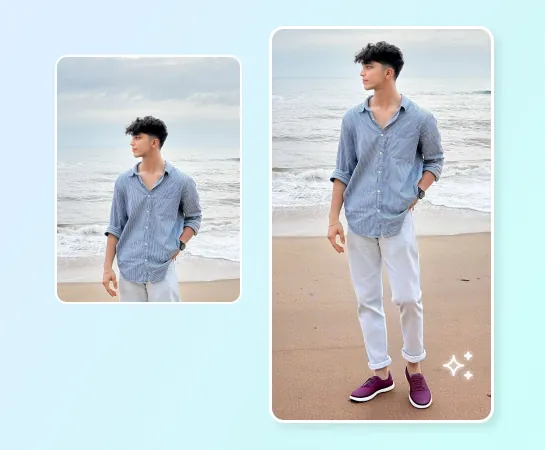
सामाजिक सामग्री, विज्ञापन, उत्पाद फ़ोटो और व्यापक लेआउट के लिए AI एक्सपैंड का उपयोग करें
पोर्ट्रेट और जीवनशैली शॉट्स से लेकर उत्पाद छवियों और विपणन दृश्यों तक, एआई एक्सपैंड आपको पहलू अनुपात बदलने और विषय के चारों ओर अधिक सांस लेने की जगह बनाने में मदद करता है। यह विशेष रूप से तब उपयोगी होता है जब परिदृश्य को ऊर्ध्वाधर में परिवर्तित किया जाता है, प्रतिलिपि के लिए जगह बनाई जाती है, या बैनर और अभियानों के लिए दृश्यों का विस्तार किया जाता है।
एआई एक्सपैंड खोलें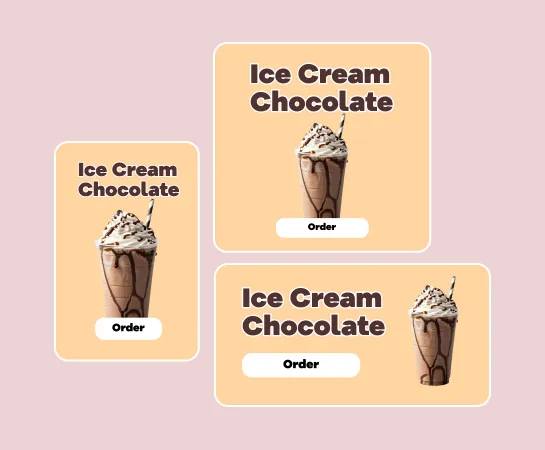
छवि का विस्तार होने के बाद संपादन जारी रखें
विस्तार अक्सर वर्कफ़्लो में केवल एक चरण होता है। एक बड़ा कैनवास बनाने के बाद, आप एसेट को पूरा करने के लिए बैकग्राउंड रिमूवल, एन्हांसमेंट, फिल्टर, टेक्स्ट या अन्य टूल के साथ संपादन जारी रख सकते हैं। यह टीमों को अजीब स्रोत छवि से लेआउट-तैयार दृश्य तक तेज़ मार्ग प्रदान करता है।
एआई एक्सपैंड खोलें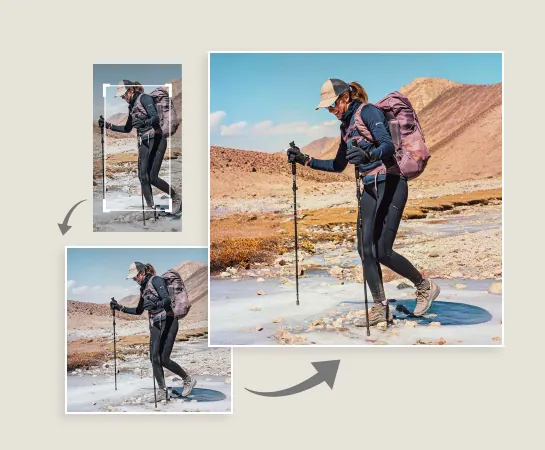
एआई के साथ एक छवि का विस्तार कैसे करें
एक छवि अपलोड करें
एक पोर्ट्रेट, उत्पाद छवि, बैनर संपत्ति, या किसी भी फोटो से शुरुआत करें जिसके लिए अधिक कैनवास स्थान की आवश्यकता होती है।
एक कैनवास प्रीसेट चुनें
जिस प्रारूप को आप आगे बनाना चाहते हैं उसके आधार पर लक्ष्य पहलू अनुपात या लेआउट दिशा चुनें।
फ़्रेम को समायोजित करें और जनरेट करें
यदि आवश्यक हो तो छवि को घुमाएं या उसकी स्थिति बदलें, फिर एआई एक्सपैंड को विषय के चारों ओर नया पृष्ठभूमि क्षेत्र उत्पन्न करने दें।
डाउनलोड करें या संपादन जारी रखें
सर्वोत्तम विस्तारित परिणाम का चयन करें, इसे निर्यात करें, या एन्हांसमेंट, डिज़ाइन, या क्लीनअप वर्कफ़्लो में आगे बढ़ें।
आपके लिए आवश्यक सभी AI छवि संपादन उपकरण
क्लीनअप और एन्हांसमेंट से लेकर जेनरेशन और डिज़ाइन तक, Magic Eraser वेब में वर्तमान में उपलब्ध मुख्य संपादन क्षमताओं का अन्वेषण करें।

एआई विस्तार
तेज एआई विस्तार वर्कफ़्लो के साथ छवि किनारों को बढ़ाएं और विषय के चारों ओर नया कैनवास स्थान बनाएं।

पृष्ठभूमि निकालें
जब आपको पारदर्शी परिसंपत्तियों या स्वच्छ रचनाओं की आवश्यकता हो तो विस्तार के बाद विषय को काट दें।

AI Enhance
अधिक परिष्कृत अंतिम परिणाम के लिए विस्तार के बाद तीक्ष्णता, रंग और विवरण में सुधार करें।

डिज़ाइन
टेक्स्ट, हेडलाइन और हल्के डिज़ाइन लेआउट के लिए अतिरिक्त कैनवास स्थान का उपयोग करें।

एआई बनाएं
जब आपको एक नई रचनात्मक दिशा और फ्रेम में अधिक जगह की आवश्यकता हो तो उत्पन्न दृश्यों को विस्तार के साथ जोड़ें।

ऑब्जेक्ट हटाएँ
जब आप एक सरल और अधिक केंद्रित रचना चाहते हैं तो विस्तार के बाद विकर्षणों को साफ़ करें।

एआई फ़िल्टर
अधिक रचनात्मक अभियान विविधताओं के लिए विस्तारित परिणाम पर एक नया मूड या शैली लागू करें।

ऐ भरण
जब छवि को अधिक लक्षित निर्माण की आवश्यकता हो तो चयनित क्षेत्रों को बदलें या गायब क्षेत्रों का पुनर्निर्माण करें।
अक्सर पूछे जाने वाले प्रश्नों
एक छवि अपलोड करें, एक कैनवास प्रीसेट चुनें, फ़्रेमिंग समायोजित करें, और Magic Eraser को विषय के चारों ओर अधिक पृष्ठभूमि उत्पन्न करने दें। फिर आप विस्तारित परिणामों की समीक्षा कर सकते हैं, एक लागू कर सकते हैं और निर्यात कर सकते हैं या संपादन जारी रख सकते हैं।
एआई एक्सपैंड पोर्ट्रेट, उत्पाद छवियों, सामाजिक सामग्री, विज्ञापन क्रिएटिव, थंबनेल, बैनर और अन्य दृश्यों के लिए अच्छा काम करता है, जिन्हें विषय के आसपास अधिक जगह या नए पहलू अनुपात की आवश्यकता होती है।
हाँ। मुख्य उपयोग मामलों में से एक मूल फ्रेम के चारों ओर नई जगह बनाकर स्रोत छवि को व्यापक, लम्बे या अधिक प्लेटफ़ॉर्म-अनुकूल लेआउट में अनुकूलित करना है।
हाँ। विस्तार के बाद, आप AI Enhance, बैकग्राउंड हटाएं, ऑब्जेक्ट हटाएं, डिज़ाइन, AI फ़िल्टर और अन्य Magic Eraser वर्कफ़्लो जैसे टूल के साथ जारी रख सकते हैं।
सामान्य प्रवाह सरल है: छवि अपलोड करें, एक कैनवास प्रीसेट चुनें, विस्तारित विविधताएँ उत्पन्न करें, सर्वोत्तम परिणाम चुनें, और इसे निर्यात करें या संपादित करते रहें।