
सोशल मीडिया के लिए सेकंडों में शानदार AI कला बनाएं
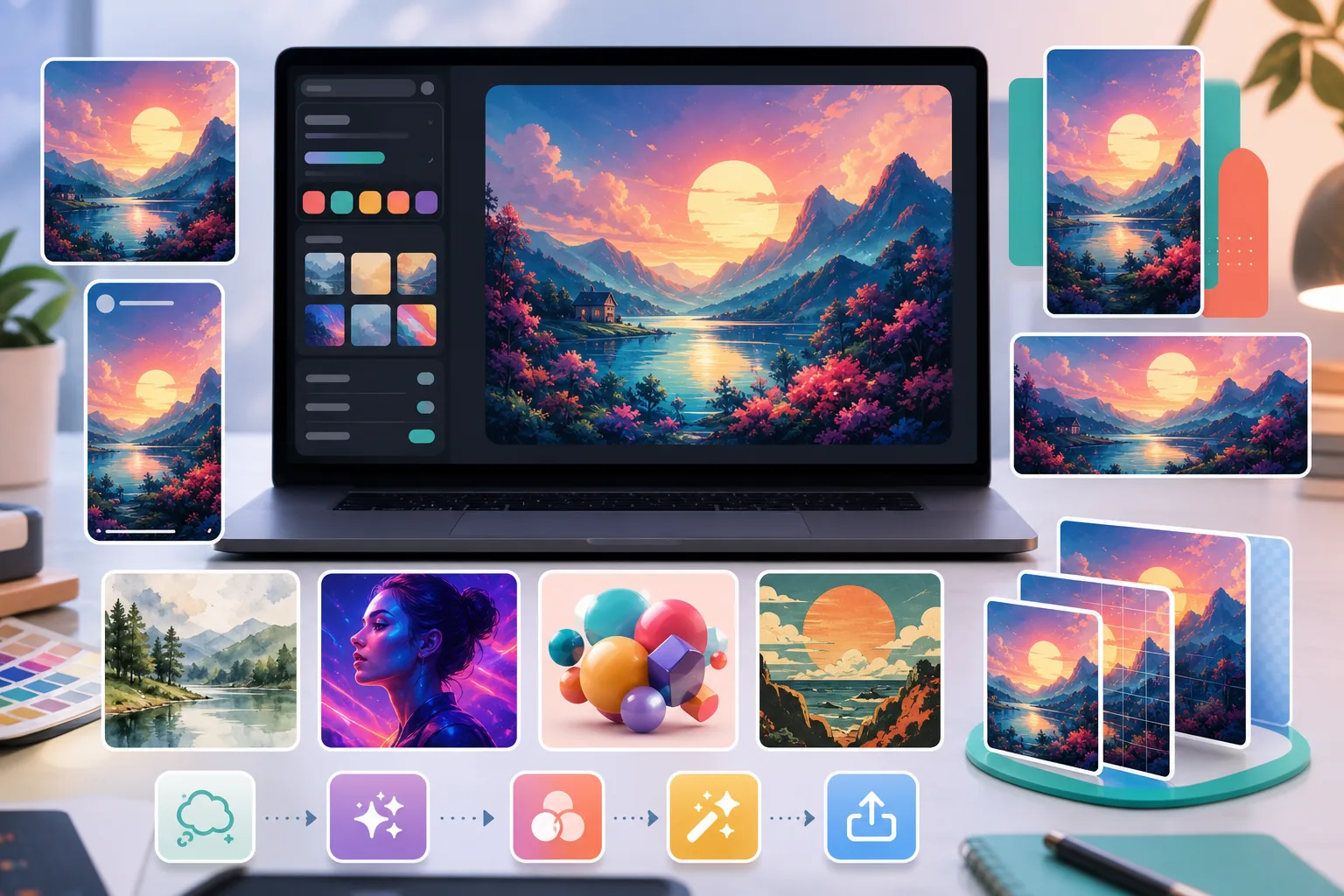
अपने प्रतिस्पर्धियों जैसी वही स्टॉक तस्वीरों से थक गए हैं? हर पोस्ट के लिए डिज़ाइनरों को सैकड़ों रुपये देना बंद करें। AI Create सरल टेक्स्ट प्रॉम्प्ट से मौलिक चित्र, आर्टवर्क और विज़ुअल बनाता है — फिर AI Filter और AI Enhance उन्हें पूर्णता तक निखारते हैं। हर प्लेटफ़ॉर्म के लिए, हर दिन, अनोखा और ब्रांड के अनुरूप कंटेंट।
स्टॉक तस्वीरें सामान्य और बार-बार इस्तेमाल की हुई लगती हैं
आप अपनी फ़ीड स्क्रॉल करते हैं और तीन अलग-अलग अकाउंट पर वही कॉर्पोरेट हैंडशेक तस्वीर देखते हैं। स्टॉक लाइब्रेरी अंतहीन रूप से दोहराई जाती हैं, जिससे आपका ब्रांड भीड़ में खो जाता है। AI Create आपके अपने प्रॉम्प्ट से अनोखे विज़ुअल बनाता है ताकि हर पोस्ट ताज़ा और विशिष्ट रूप से आपकी लगे।
डिज़ाइनर रखना महंगा और धीमा है
फ़्रीलांस चित्रकार प्रति कृति सैकड़ों रुपये लेते हैं और डिलीवरी में दिन लगाते हैं। जब आपको Instagram, TikTok और Pinterest के लिए रोज़ाना कंटेंट चाहिए, तो बजट और समय बस काम नहीं करते। AI Create आपको पेशेवर गुणवत्ता की कला दिनों में नहीं, सेकंडों में, बहुत कम लागत पर बनाने देता है।
एक जैसा विज़ुअल स्टाइल बनाए रखना मुश्किल है
एक पोस्ट मिनिमलिस्ट दिखती है, अगली कार्टून जैसी, और आपकी फ़ीड में कोई तालमेल नहीं। हर हफ़्ते दर्जनों पोस्ट में एकसमान सौंदर्य बनाए रखना थका देने वाला है। AI Filter आपके सभी विज़ुअल में एक जैसी कलात्मक शैलियाँ लागू करता है ताकि आपकी ब्रांड पहचान पहचानने योग्य और निखरी रहे।
विचार से पोस्ट-तैयार कला तक 4 चरणों में
अपनी कल्पना का वर्णन करें
आप जो कला चाहते हैं उसका वर्णन करने वाला टेक्स्ट प्रॉम्प्ट लिखें — शैली, मूड, रंग, विषय। जितना अधिक विशिष्ट, उतना बेहतर परिणाम।
AI Create से बनाएं
AI Create आपके प्रॉम्प्ट को सेकंडों में मौलिक आर्टवर्क में बदल देता है। कई वैरिएशन बनाएं और अपनी पसंदीदा चुनें।
AI Filter से स्टाइल लगाएं
दर्जनों कलात्मक फ़िल्टरों में से चुनें — वॉटरकलर, ऑयल पेंटिंग, एनीमे, नियॉन, विंटेज — ताकि आपके ब्रांड के सौंदर्य से पूरी तरह मेल खाए।
निखारें और एक्सपोर्ट करें
AI Enhance रिज़ॉल्यूशन बढ़ाता है और डिटेल को तेज़ करता है ताकि किसी भी स्क्रीन पर परिणाम साफ़ रहें। Instagram, TikTok, Pinterest या YouTube के लिए सही आयामों में एक्सपोर्ट करें।
अक्सर पूछे जाने वाले प्रश्न
क्या मैं AI-जनित कला का सोशल मीडिया पर व्यावसायिक उपयोग कर सकता हूँ?
+
उपयोग के अधिकार सेवा की शर्तों, आपके प्रॉम्प्ट और स्रोत सामग्री, स्थानीय कानून तथा हर प्लेटफ़ॉर्म की नीतियों पर निर्भर हो सकते हैं। AI से बनी कला को विज्ञापन, ब्रांडेड कंटेंट या किसी अन्य व्यावसायिक काम में उपयोग करने से पहले इन आवश्यकताओं की जाँच करें और यह न मानें कि आउटपुट विशेष रूप से केवल आपका है।
क्या मेरी AI कला बाकी सबकी जैसी दिखेगी?
+
नहीं। हर छवि आपके अनोखे टेक्स्ट प्रॉम्प्ट से बनती है, इसलिए कोई दो परिणाम समान नहीं होते। AI Filter के स्टाइल विकल्पों के साथ, आपके विज़ुअल विशिष्ट रूप से ब्रांड के अनुरूप और दोहराने में असंभव होंगे।
कौन-से सोशल मीडिया फ़ॉर्मेट समर्थित हैं?
+
आप किसी भी आयाम में एक्सपोर्ट कर सकते हैं — Instagram फ़ीड के लिए वर्गाकार, Stories और Reels के लिए 9:16, YouTube थंबनेल के लिए 16:9, और Pinterest पिन के लिए पोर्ट्रेट। AI Enhance हर आकार में साफ़ गुणवत्ता सुनिश्चित करता है।
क्या AI Create का उपयोग करने के लिए डिज़ाइन कौशल चाहिए?
+
बिल्कुल नहीं। बस सरल भाषा में बताएं कि आप क्या चाहते हैं — उदाहरण के लिए, 'वॉटरकलर शैली में पहाड़ पर सूर्यास्त' — और AI Create बाकी संभाल लेता है। किसी डिज़ाइन सॉफ़्टवेयर या अनुभव की ज़रूरत नहीं।
भीड़ में खोना बंद करें। अलग दिखना शुरू करें।
हज़ारों क्रिएटर और मार्केटर के साथ जुड़ें जो अपनी सोशल फ़ीड के लिए अनोखी AI कला बना रहे हैं। डिज़ाइन कौशल की ज़रूरत नहीं, महंगा सॉफ़्टवेयर नहीं — बस मौलिक विज़ुअल जो स्क्रॉल रोक दें।
AI कला मुफ़्त बनाएंसंबंधित उपयोग के मामले
देखें कि पेशेवर इन उपकरणों का कैसे उपयोग करते हैं।
धुंधले बैकग्राउंड और बिखरी हुई प्रोडक्ट तस्वीरें हर दिन आपकी बिक्री घटाती हैं। Magic Eraser आपको सेकंडों में साफ, प्रोफेशनल प्रोडक्ट इमेज बनाने में मदद करता है — Photoshop की जरूरत नहीं। बस अपलोड करें, ध्यान भटकाने वाली चीजें मिटाएँ, और भरोसे के साथ लिस्ट करें।
अनचाहे लोग आपकी ट्रैवल तस्वीरें खराब कर रहे हैं? गंदा बैकग्राउंड आपकी सेल्फी बिगाड़ रहा है? Photoshop में घंटों बर्बाद करना बंद करें। Magic Eraser ध्यान भटकाने वाली चीज़ें हटाता है, बिखरी हुई तस्वीरें साफ करता है और आपकी फोटो को किसी भी प्लेटफॉर्म फॉर्मेट के लिए बढ़ाता है — सब एक टैप में।
पासपोर्ट और वीज़ा कार्यालय हर दिन गलत बैकग्राउंड के कारण हजारों फोटो अस्वीकार करते हैं। Magic Eraser किसी भी बैकग्राउंड को हटाकर उसे आपकी जरूरत के सटीक रंग — सफेद, हल्के ग्रे या नीले — से सेकंडों में बदल देता है।
संबंधित तुलनाएं
देखें कि Magic Eraser समान टूल्स से कैसे तुलना करता है।
Cleanup.pictures त्वरित ऑब्जेक्ट रिमूवल के लिए एक मुफ़्त वेब टूल है. Magic Eraser 8 AI-संचालित एडिटिंग टूल, मोबाइल ऐप्स और उन्नत प्रोसेसिंग के साथ इससे आगे जाता है. देखें कि दोनों की तुलना कैसी है.
remove.bg बैकग्राउंड हटाने के लिए मार्केट लीडर है, जो एक शक्तिशाली API और Photoshop तथा Figma के साथ इंटीग्रेशन प्रदान करता है। Magic Eraser आठ AI-संचालित एडिटिंग टूल के साथ इससे आगे जाता है — ऑब्जेक्ट हटाने और जेनरेटिव फिल से लेकर AI एन्हांस और डिज़ाइन तक — सब कुछ एक ही एडिटर में।
अलग-अलग ताकत वाले दो शक्तिशाली AI फ़ोटो एडिटर। Magic Eraser रचनात्मक संपादन के लिए जेनरेटिव AI उपकरणों का व्यापक सेट प्रदान करता है, जबकि Photoroom ई-कॉमर्स उत्पाद फ़ोटोग्राफ़ी और बैच प्रोसेसिंग में उत्कृष्ट है। देखें कौन-सा आपके वर्कफ़्लो में फ़िट बैठता है।
हमने शीर्ष AI फोटो एडिटिंग टूल्स का परीक्षण और तुलना की ताकि आपको ऐसा न करना पड़े। ऑब्जेक्ट हटाने से लेकर बैकग्राउंड बदलने तक, देखें कि कौन-सा एडिटर आपके वर्कफ़्लो के लिए सर्वोत्तम परिणाम देता है।
संबंधित गाइड
इस वर्कफ़्लो से संबंधित और गाइड देखें।
देखें कि AI व्यवसाय संचालन को कैसे बदल रहा है — ऑटोमेशन और डेटा विश्लेषण से लेकर अधिक वैयक्तिक ग्राहक अनुभव तक।
AI का उपयोग करके अपनी फ़ोटो से वॉटरमार्क हटाने की चरण-दर-चरण गाइड। कब उपयुक्त है, बेहतरीन तकनीकें, और Magic Eraser इसे कैसे संभालता है।
AI एन्हांसमेंट का उपयोग करके धुंधली, लो-रिजॉल्यूशन और आउट-ऑफ-फोकस फोटो को ठीक करें। जानें कि AI अपस्केलिंग कैसे काम करती है और कब सबसे अच्छे परिणाम देती है।