
Social Media Story Template
Design vertical 9:16 stories optimized for Instagram, TikTok, Snapchat, and YouTube Shorts. This template crops and repositions photos for the tall vertical format, removes or replaces backgrounds for visual impact, and ensures your subject is positioned within text-safe zones so overlays, stickers, and captions never obscure the focal point.
Try this template freeSocial Media template preview
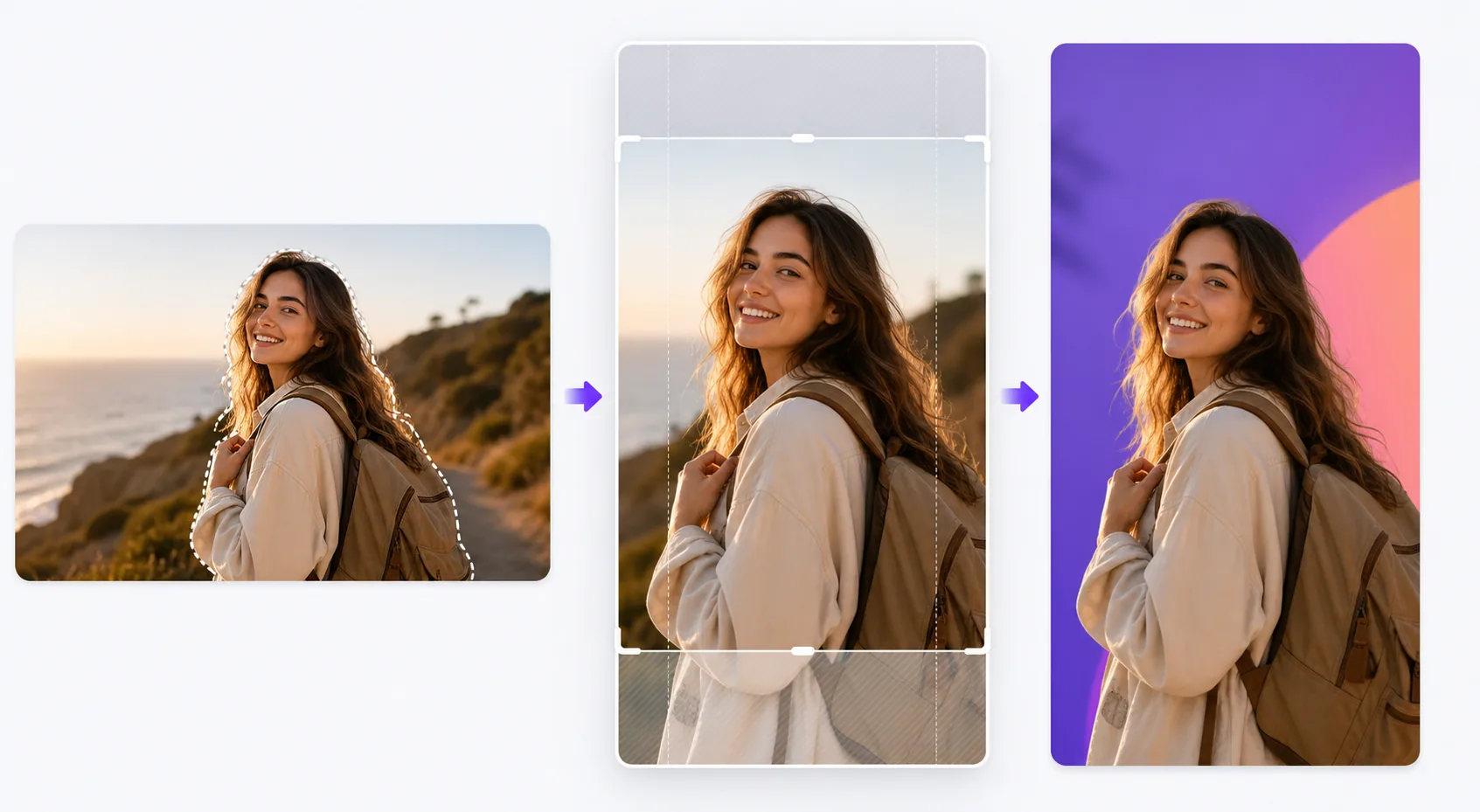
What this template does
Solves the formatting challenge that kills engagement on story platforms: horizontal photos crammed into vertical frames with black bars, subjects cut off at awkward points, and important visual details hidden behind UI elements. The template intelligently crops your photo to 9:16, centering the subject and applying AI-powered reframing when the original composition doesn't translate well to vertical. Background Eraser lets you place your subject on bold solid colors, gradients, or blurred environmental backdrops that make the story pop against the feed. Safe zone guides ensure the top 15% (where profile icons and timestamps sit) and bottom 20% (where swipe-up prompts and captions appear) remain clear of critical visual content.
Template settings
| Aspect ratio | 9:16 (1080×1920px) — native for Instagram, TikTok, and Snapchat stories |
| Background style | Solid color, gradient, blurred original, or custom image |
| Subject positioning | AI reframing to center subject in vertical safe zone |
| Safe zones | Top 15% and bottom 20% kept clear for platform UI elements |
| Output format | JPEG at 95% quality or PNG with transparency for further editing |
How to use this template
Upload your photo
Upload any photo — horizontal, vertical, or square. The AI detects the primary subject (person, product, scene focal point) and determines the best vertical crop that keeps the subject prominent and the composition balanced in the 9:16 frame.
Choose background treatment
Keep the original background (cropped to fit), replace it with a solid color or gradient for graphic impact, or blur the background to create depth separation. Background Eraser provides a clean cutout if you want to composite the subject onto an entirely new background.
Position within safe zones
The template shows you where platform UI elements will overlay the image — timestamps, profile icons at the top, and swipe-up prompts or caption areas at the bottom. Your subject is automatically positioned in the central safe zone, and you can nudge the position if needed.
Export for posting
Download at 1080×1920px, the native resolution for story formats. The file is optimized for minimal compression artifacts when platforms re-encode the upload. PNG export is available if you want to add text, stickers, or further edits in another app before posting.
Pro tips for best results
- ✓Use bold, contrasting background colors behind isolated subjects. A bright coral or electric blue background makes a product or person visually pop against the neutral feeds most users scroll through, increasing the chance they pause on your story.
- ✓Leave the bottom 20% of the frame visually simple. On Instagram, the reply bar and caption text sit in this area. Placing important visual content there guarantees it will be obscured when viewers watch the story.
- ✓For carousel stories, maintain the same background color and subject position across all frames. Visual consistency makes the series feel intentional and polished, which increases the swipe-through rate.
Common questions
Can I use horizontal landscape photos?
+
Yes. The AI reframes the composition by identifying the key subject and cropping to a vertical slice that maintains visual impact. For very wide panoramic shots, the reframing may crop significantly, so images with a centered subject work best.
Does this work for video thumbnails too?
+
The template processes still images. However, you can use the exported image as a cover frame for a video story, which platforms display before the video plays and in story highlight grids.
What platforms use the 9:16 format?
+
Instagram Stories and Reels, TikTok, Snapchat, YouTube Shorts, Facebook Stories, Pinterest Idea Pins, and LinkedIn Stories all use the 9:16 vertical format. The 1080×1920px output is the standard resolution accepted by all of them.
Make every story thumb-stopping
Upload any photo and get a perfectly formatted, platform-optimized vertical story image in seconds.
Try it freeRelated templates
More social media templates for your workflow.
Instagram-optimized square crop template at 1080×1080px. Clean backgrounds, vibrant colors, and the sharp detail that stands out in the feed.
YouTube banner template at 2560×1440px with safe-zone guides. Clean background removal for creator photos, device-aware layout, and brand-consistent channel art.
Facebook cover photo template at 820×312px for desktop and 640×360px mobile crop. Clean brand images with proper safe zones for profile picture overlap and CTA button placement.
Create professional Twitter/X header images at the exact 1500×500px dimension. Accounts for profile picture overlap, works in both dark mode and light mode.
Enhance dating profile photos with natural skin smoothing, background cleanup, lighting correction, and subtle color grading that looks authentic — not filtered.
Create scroll-stopping Pinterest pin images with clean backgrounds, optimal 2:3 vertical dimensions, vibrant color enhancement, and pin-ready composition.